Is a paid bulk WhatsApp sender worth it for a marketing agency owner?
For most marketing agency owners, a paid bulk WhatsApp sender is worth it only if it paces and randomises sends and saves client group lists for reuse. WhatsApp says bulk or automated messaging has always violated its Terms of Service, so no paid tool removes account risk. Test on a trial first, follow WhatsApp's terms, and remember rules and risks can change. This is not legal advice.
If you run an agency, you know the rhythm: a launch, a client announcement, and suddenly you are pasting the same message into group after group. The real question is whether paying earns its place in that workflow. Here is how to judge it without guessing.
Get FivePlus for WhatsApp Chrome extension (bulk share beyond 5 recipients)
What does a paid bulk WhatsApp sender actually add for an agency?
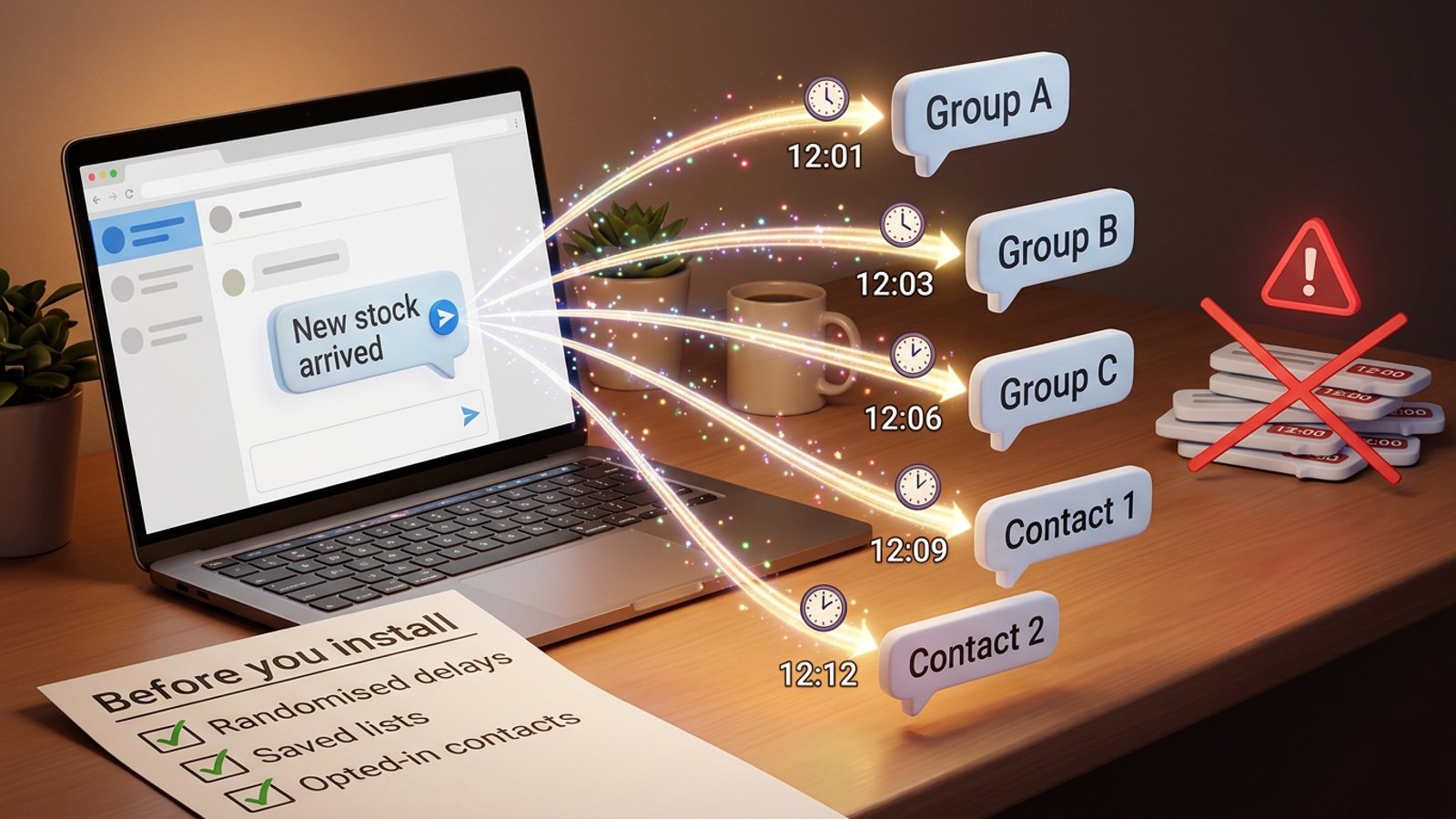
It adds pacing, randomised delays and saved client lists — the things that make repeated sends less mechanical. That is the honest answer. You are not buying reach you cannot otherwise get; you are buying a workflow that looks less like a machine and more like a person working through chats.
The technique matters more than the label. WhatsApp's anti-spam systems, as Wati described on 22 September 2026, monitor sending speed, content repetition and report rates in real time. Suspicious behaviour can bring throttling or permanent bans even below the 256-contact cap Wati cites. So the useful paid features are the ones that slow you down and vary your timing.
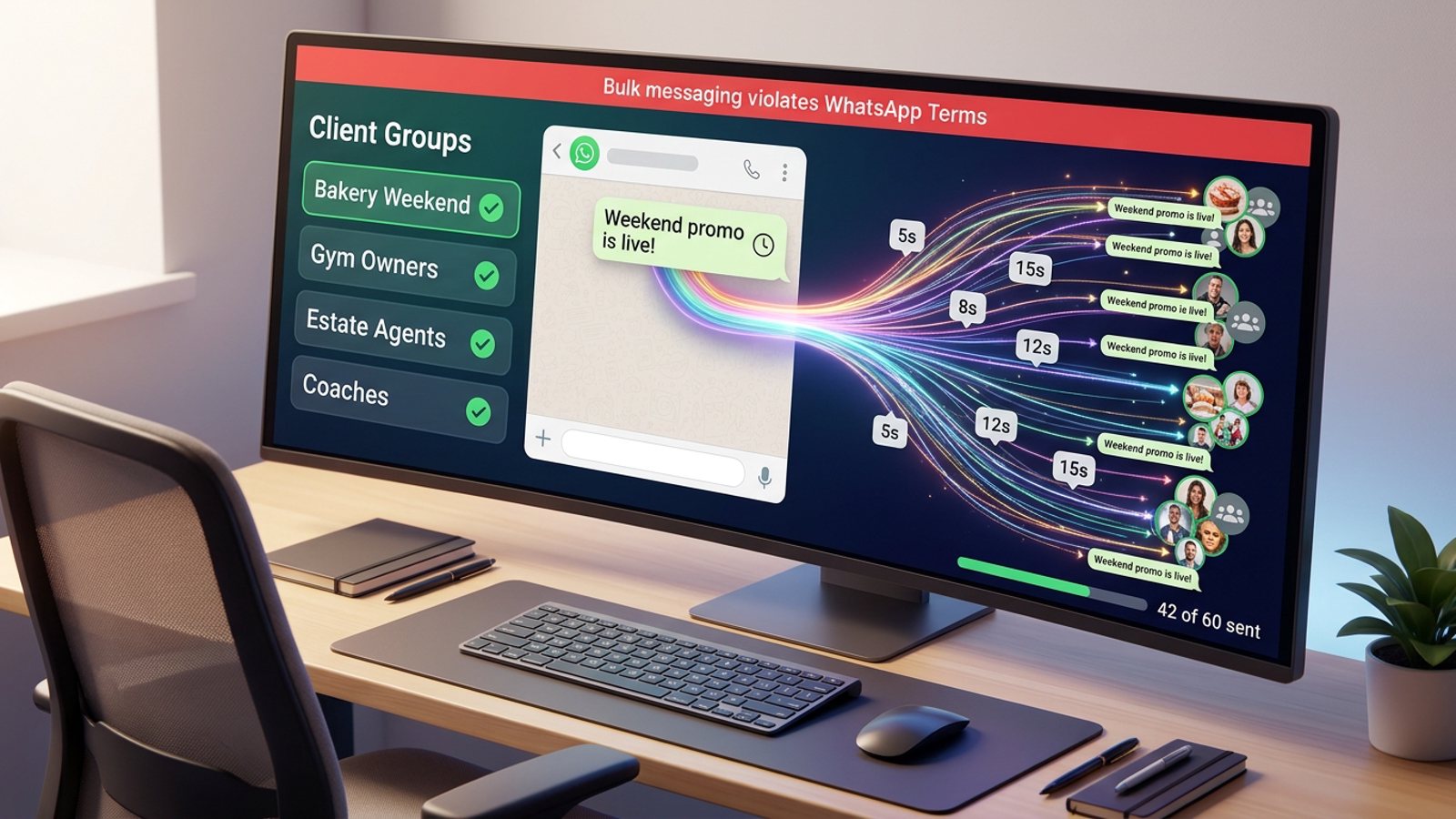
A practitioner post by Amit R on LinkedIn (31 January 2026) describes the common anti-ban technique: randomised, variable delays between messages, such as 5–15 seconds instead of a fixed gap, to mimic human sending. That is the mechanic to look for in any paid tool.
Is a paid bulk WhatsApp sender worth it for a marketing agency owner?
Yes, if your agency sends the same message to many client groups and contacts regularly and you want that send paced and reusable. No, if you send occasionally to small lists — manual sending or free broadcast lists will do.
Run this quick audit before you pay anything:
- Count your real volume. How many client groups and contacts per send, and how often? Use the native 256-contact broadcast cap and the official API tiers as your yardstick.
- Check whether recipients have saved your number. Native broadcast lists usually only reach people who have, per Sinch (1 September 2026).
- Decide your risk tier. Free native broadcast, a paid extension, or the official API. WhatsApp's own help centre treats bulk and automated messaging as a violation, so this is a risk decision, not just a budget one.
- Test on a trial with one real client list before you commit a card.
- Re-check prices and WhatsApp rules before renewing. Both can change.
How do randomized delays and anti-ban pacing work?
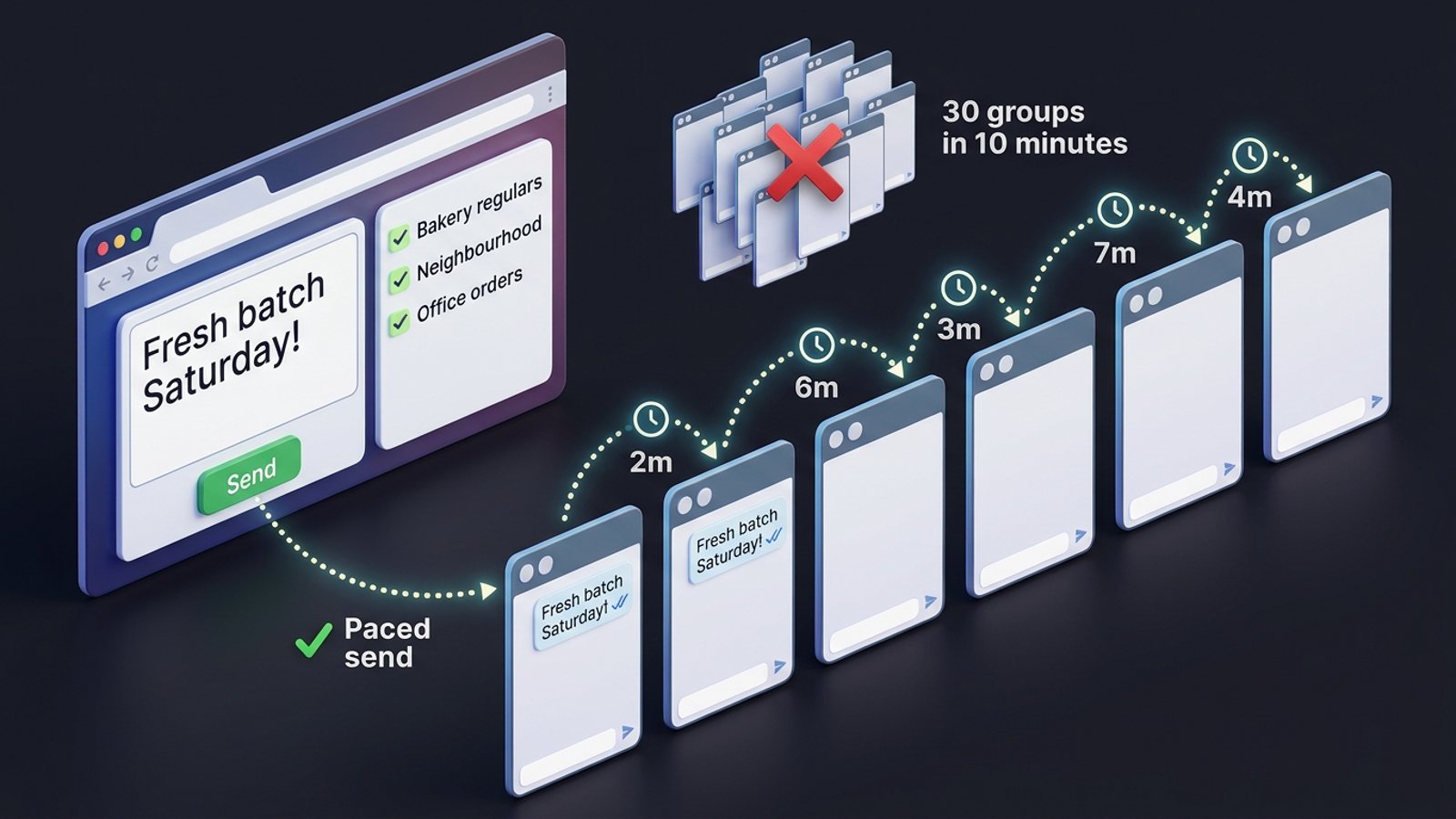
They spread your messages out over time and vary the gaps, so the sending pattern looks less uniform. That is the whole idea — not invisibility, just less of a spike.
Say you run a bakery client's weekend promotion across 12 neighbourhood groups. Sent in one burst at 9:00 sharp, that is 12 identical messages hitting WhatsApp's systems in seconds. Sent with variable gaps, it looks like a person working through their chats over a few minutes. Neither is safe; one is simply less mechanical.
Our recommendation: keep volume modest, vary the wording between client lists, and watch your report rates. Wati's 22 September 2026 guide lists speed, repetition and reports as the signals WhatsApp monitors.
What should an agency owner check before paying for a bulk sender?
Check four things: whether it paces and randomises sends, whether it saves client lists for reuse, whether it fits your browser setup, and what the trial really covers.
- Pacing and randomisation. If the tool fires everything at once, you are paying for speed, not safety.
- Saved presets. Rebuilding client lists every campaign is where hours disappear.
- Browser requirement. Extension-based senders run in Chrome on WhatsApp Web. That is a limit, not a bonus.
- Trial length. Test with a real list before the trial ends.
FivePlus fits this checklist in a specific way: it sends to dozens of chats at once beyond the standard 5-recipient limit, saves group lists once as presets, mixes people and groups into one preset, and uses anti-ban technology with randomized delays that stagger message timing. It runs on WhatsApp Web in Chrome, with no login required.
The honest limits: it requires the Chrome browser and WhatsApp Web, and free use is limited to a 24-hour trial. FivePlus is not affiliated with Meta; WhatsApp is a trademark of Meta Platforms, Inc.
How much does a paid bulk WhatsApp sender cost in 2026?
Extension-based senders cluster at low monthly prices, while official API platforms run from around US$59 to US$499 per month before Meta's per-message fees. The gap tells you what kind of tool you are buying.
The figures below come from the sources named, as of November 2026. Prices can change — check each vendor's own page before buying.
On the extension side, WhatsApp Bulk Sender & Privacy Guard advertises Pro "starting at $1.9/month" (Chrome Web Store listing, no date). WA Bulk Message Sender (SafePace) lists Pro at US$4.99/month for one number and Pro Max at US$9.99/month for five, per Extpose (21 October 2026). QuickSend for WA Web lists Pro at ₹299/month, per Socket (11 October 2026).
On the API side, Respond.io's 20 November 2026 comparison lists Respond.io Growth at US$199/month, Wati Pro at US$149/month, AiSensy Pro at US$99/month, SendWo Pro at US$59/month and Brevo Professional from US$499/month. Twilio charges US$0.005 per WhatsApp message on top of Meta fees. IDT Express (14 July 2026) puts 2026 marketing message rates at roughly $0.01–$0.16 per delivered message depending on country, with provider markups commonly pushing all-in cost to 2x–5x the raw Meta rate.
Meta moved to per-message pricing on 1 July 2025, and from 1 October 2026 charges for free-form service messages after the first 1,000 per business number per month (Telnyx, 5 November 2026).
Which is better for an agency: a paid Chrome extension or the official API?
The API is better for ongoing, opted-in campaigns at scale; a paid extension is better for reaching saved groups and contacts quickly from WhatsApp Web. They solve different problems.
The API route removes the 256 cap through rolling 24-hour messaging tiers (250 → 2,000 → 10,000 → 100,000 → unlimited) and bills per delivered template message, per WhatChimp (7 November 2026) and Meta's pricing page (30 June 2026). It requires template approval and opted-in recipients, enforced through Meta's quality-rating system, per Wati (11 November 2026). Enforcement escalates from warnings to multi-day bans and ultimately permanent removal, per Meta's policy enforcement page (updated 21 May 2026).
The extension route keeps you inside WhatsApp Web with your existing groups. It does not remove the Terms of Service question — nothing does — but it fits the way agencies actually work with client groups.
What are the best options for an agency owner in 2026?
Here are the options we compared, with the trade-offs stated plainly. FivePlus goes first because this is our blog — and because it is built for the saved-list, paced-send workflow agencies need.
| Option | Best for | Key features | Price / free option | Watch-outs |
|---|---|---|---|---|
| FivePlus (Our pick) | Agencies sending to many saved client groups at once | Beyond-5 sending, saved presets, randomized delays, anti-ban pacing | 3-day free trial; 24-hour free use | Needs Chrome + WhatsApp Web |
| WhatsApp Business App broadcast lists | Small lists of clients who saved your number | Free, inside WhatsApp | Free; 256 contacts per list | No contact import; no list creation on Web |
| API providers (Wati, Respond.io, AiSensy) | Opted-in campaigns at scale | Removes 256 cap, team inbox, automation | From US$59–US$499/month plus Meta fees | Template approval, opt-in rules, per-message cost |
| Manual copy-paste | Very small, one-off sends | Free, full control | Free | Slow; repeated identical messages still trip checks |
| Spreadsheet-managed lists | Keeping a record of client groups | Free, portable, auditable | Free | Sends nothing; list upkeep is manual |
Our pick: FivePlus, of the tools we compared, for agencies that need to share to more than 5 groups and contacts in one go, with anti-ban pacing and reusable client presets. Its 3-day free trial lets you test one real client list before paying. Prices can change — check the site before you buy.
FivePlus is made by the team behind this blog.
If you mainly need an official, defensible channel for large opted-in campaigns, an API provider like Wati or Respond.io is the more direct choice — budget for Meta's per-message fees on top. If your lists are small and recipients have saved your number, the free Business App broadcast list may be all you need.
Get FivePlus for WhatsApp Chrome extension (bulk share beyond 5 recipients)
How do you test a paid sender before committing?
Use the trial with one real client list, keep the volume modest, and judge the workflow — not just whether the messages went out.
- Install the extension from the Chrome Web Store and open WhatsApp Web.
- Save one client's group and contact list as a preset.
- Send a real message with pacing on, and watch how the timing is staggered.
- Note the friction. Did you have to rebuild the list? Did replies land somewhere you can manage them?
- Decide before the trial ends. FivePlus's free use is limited to a 24-hour trial, and the plan is free to try for 3 days.
Our recommendation: keep a second preset for a different client ready, so you can test whether reusing saved lists actually saves you time on the second campaign.
If you want the wider comparison first, see our guide to the best WhatsApp bulk messaging software for agencies in 2026, and if you are weighing the manual route, read is a bulk WhatsApp sender worth it vs sending to 5 chats at a time by hand. For the Chrome extension landscape specifically, our roundup of bulk WhatsApp sender extensions for Chrome in 2026 covers the alternatives.
The value of a paid sender is not more reach — it is pacing and reusable lists, and neither of those makes a risky pattern safe.
Sources
- WhatsApp Help Center — bulk/automated messaging
- WhatsApp Help Center — legal action on abuse
- WhatsApp Help Center — spam/automated/bulk limits
- Best bulk WhatsApp marketing software (Respond.io, 20 Nov 2026)
- open-wa rate limits and account risk (GitHub, 19 Nov 2026)
- WhatsApp broadcast limits guide (Wati, 22 Sep 2026)
- LinkedIn practitioner post on variable delays (Amit R, 31 Jan 2026)
- WhatsApp Business App vs API (SleekFlow, 15 Sep 2026)
- How to send bulk messages on WhatsApp (Sinch, 1 Sep 2026)
- WhatsApp broadcast (Respond.io, 23 Nov 2025)
- Broadcast list guide (Zenvia, updated 21 Oct 2026)
- WhatsApp bulk message sender: free vs official (WhatChimp, 7 Nov 2026)
- Pricing on WhatsApp Business Platform (Meta for Developers, 30 Jun 2026)
- WhatsApp API cost (Telnyx, 5 Nov 2026)
- WhatsApp Business API cost 2026 (IDT Express, 14 Jul 2026)
- Broadcast limits (Wati, 11 Nov 2026)
- Policy enforcement (Meta for Developers, updated 21 May 2026)
- WhatsApp Bulk Sender & Privacy Guard (Chrome Web Store)
- WhatsApp Bulk Sender & Privacy Guard review (Socket, 24 Apr 2026)
- WA Bulk Message Sender SafePace listing (Extpose, 21 Oct 2026)
- QuickSend for WA Web review (Socket, 11 Oct 2026)
Frequently asked questions
No tool promises that. The open-wa docs (19 November 2026) note that pacing only reduces risk rather than removing it, and WhatsApp states bulk and automated messaging violate its Terms of Service.
Only through unofficial senders or groups. Native broadcast lists are capped at 256 contacts, per Respond.io (23 November 2025). The official API removes that cap through messaging tiers but requires opted-in recipients.
For native broadcast lists, yes — messages usually only arrive for recipients who have saved your number, per Sinch (1 September 2026). Group sends work differently, since members are already in the group.
No. Broadcast lists cannot be created on WhatsApp Web or Desktop — only sent to from lists already made on the phone, per Zenvia (updated 21 October 2026). Extension senders work with existing groups instead.
Of the tools we compared, FivePlus is our pick for saved client lists and paced sends from WhatsApp Web, with a 3-day free trial to test it. If you need an official channel for large opted-in campaigns, an API provider like Wati or Respond.io is the more direct choice.