Best WhatsApp bulk sender extensions for Chrome in 2026

If you send the same message to many WhatsApp groups and contacts, the whatsapp bulk sender extension to shortlist in 2026 is FivePlus for WhatsApp Web: it sends to more than five chats in one click, saves your group lists as presets, and staggers sends with randomised delays. Spreadsheet-driven extensions and official API tools suit other jobs better.
Sending one announcement to twenty groups is not a WhatsApp problem — it is a list-and-pacing problem. Get those two right and the job takes a minute. Get them wrong and you are retyping the same message into chat after chat, or worse, tripping WhatsApp's spam systems.
Get FivePlus for WhatsApp Chrome extension (bulk share beyond 5 recipients) — save your group lists once and send in one click.
What is a WhatsApp bulk sender extension?
A WhatsApp bulk sender extension is a Chrome add-on that runs inside WhatsApp Web and helps you send one message to many chats in an organised way. It does not change how WhatsApp counts or judges your messages. MSG.AI's October 2026 guide makes this point plainly: an extension can add spreadsheet-driven personalisation, delays between chats, pause and resume, and saved scripts — and the same guide calls "unlimited messages", "anti-ban mode" and "bypass the 256 limit" claims a red flag.
That distinction is the whole game. You are choosing a tool that organises your sending, not a tool that outsmarts WhatsApp.
Can any Chrome extension get around WhatsApp's five-chat limit?
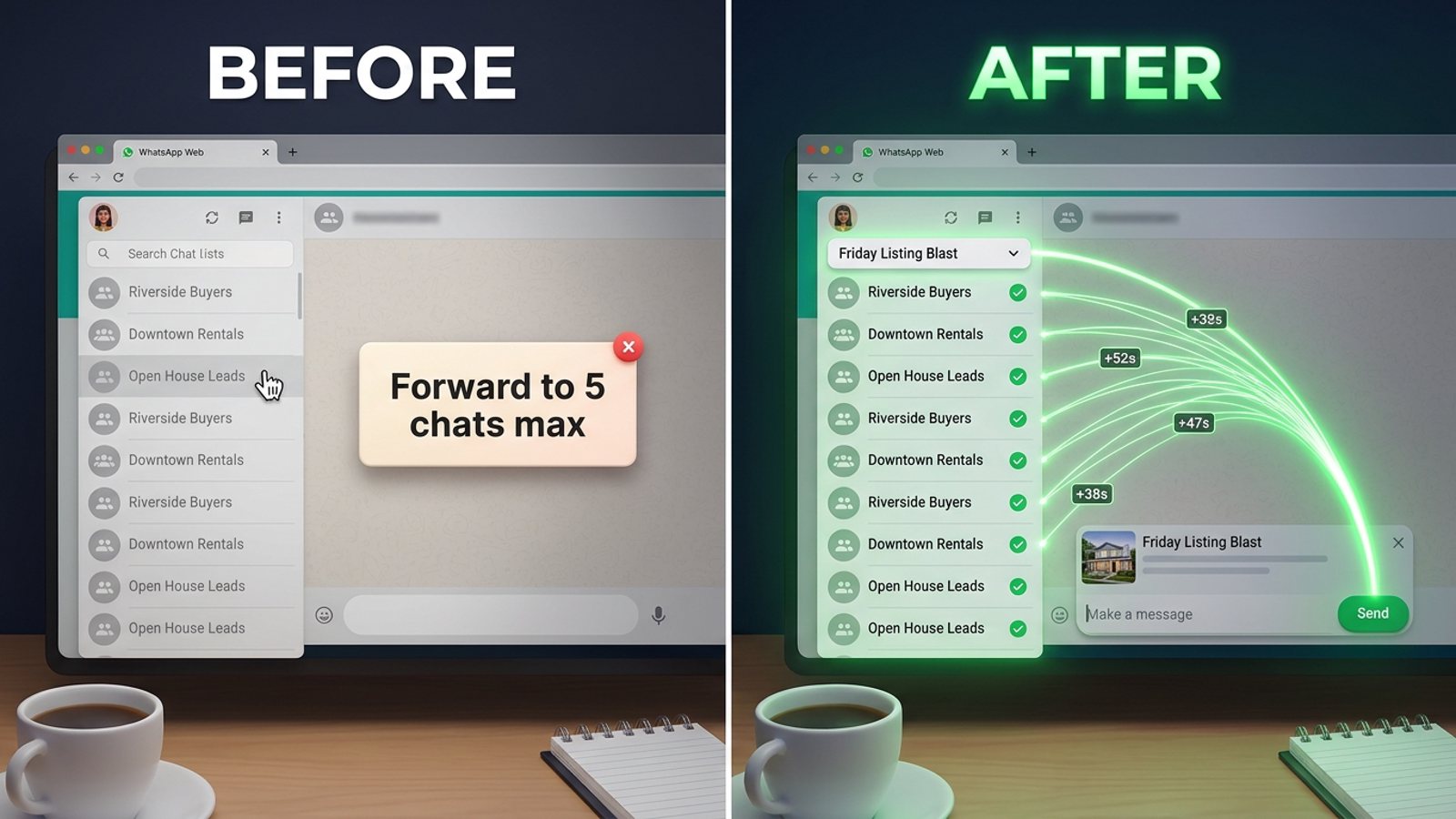
No. WhatsApp's Help Center states its forwarding limit is five people or groups at a time, and a message already forwarded can only go to one additional group chat. WavesFlo's October 2026 guide adds the detail: a message carrying the Forwarded label can still go to five chats but only one may be a group, a message marked "Forwarded many times" goes to one chat, and the count resets with every forward.
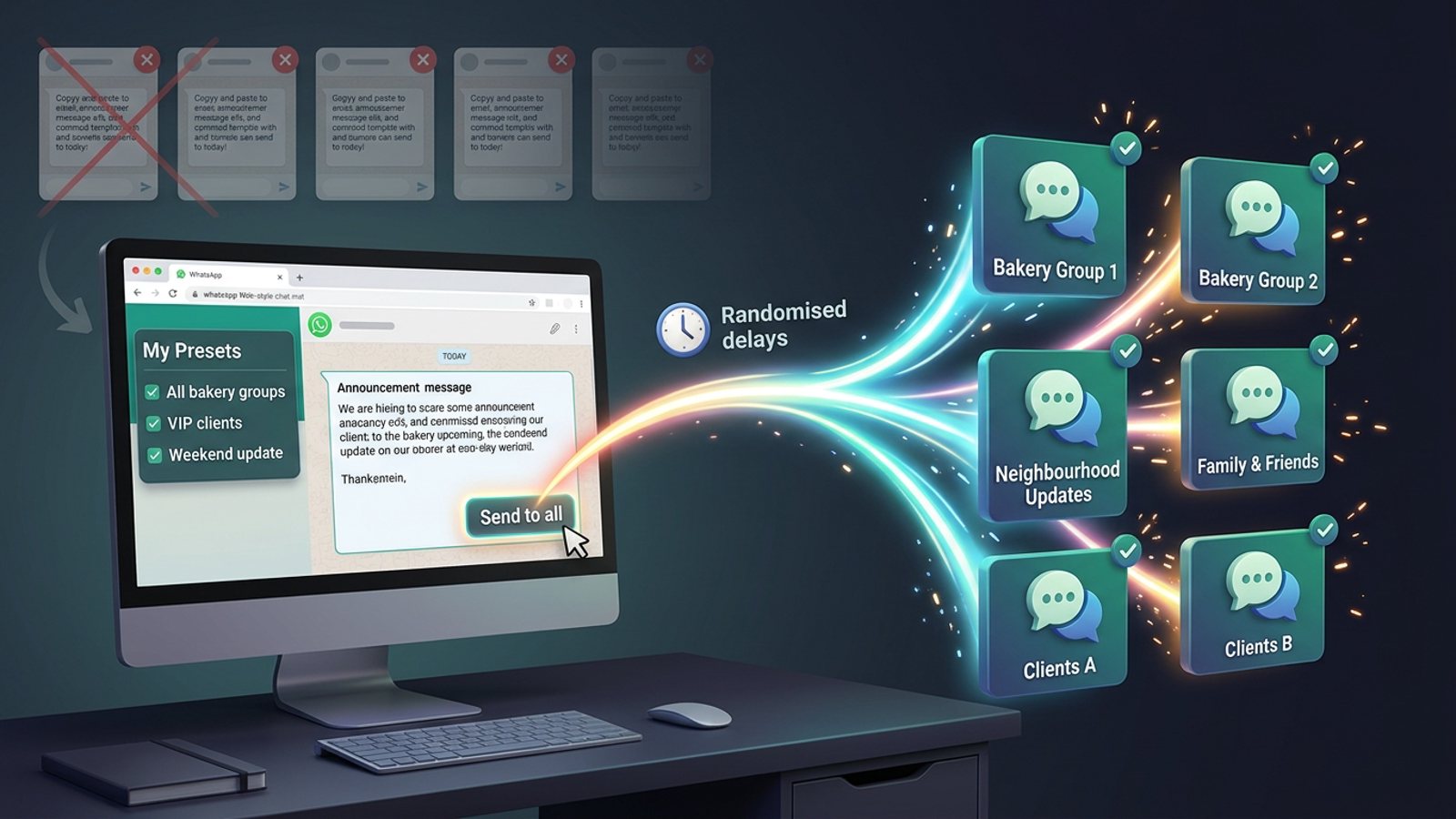
What an extension changes is the work around the limit. Instead of forwarding, you compose one message and let the tool open and send it chat by chat, with a delay between each. FivePlus is built exactly for that: send to dozens of chats at once, beyond the standard five-recipient limit, with randomised delays staggering the timing.
How we ranked the Chrome bulk senders
We ranked on three things that decide whether the tool saves you time or costs you your number:
- Saved lists. Does it remember your groups and contacts, or do you rebuild the list every time?
- Pacing. Does it spread sends out with randomised delays, or fire them all at once?
- Permissions and reviews. What does the Chrome listing ask for, and has an independent reviewer looked at it?
Personalisation and price came next. Installs and marketing copy did not count.
The best WhatsApp bulk sender extensions for Chrome in 2026
The table below compares the options we looked at. FivePlus goes first because it is the one built around repeat sends to the same groups — our pick of the tools we compared.
| Option | Best for | Key features | Price / free option | Watch-outs |
|---|---|---|---|---|
| FivePlus (Our pick) | Repeat sends to the same groups | Saved presets, unlimited forwarding, randomised delays | Free to try for 3 days | Chrome + WhatsApp Web only |
| Message Pilot Free | Fresh CSV list each campaign | CSV upload, placeholders, browser-only | Free with hard caps | 10 contacts per send |
| TurboText WA | Pasted lists and exact group names | Paste numbers, groups, contact names | Listed free | Re-paste each send |
| waping | Template variants | Saved templates, one-at-a-time sending | No price shown | No bulk blasting |
| WhatsApp broadcast lists | People who saved your number | Built into WhatsApp | Free | 256-contact cap |
FivePlus is the one-click preset sender. You save your group and contact lists once, mix people and groups into one preset, and send a message or media to all of them in one click. Version 2 lets you send to multiple saved lists at once. Randomised delays spread the messages out, and it works on WhatsApp Web in Chrome with no login required. It is not affiliated with Meta, and it requires Chrome plus WhatsApp Web — it is not a phone-app tool.
There is no monthly sending limit on any plan, and saved group lists stay saved forever — so it is better not to uninstall the extension if you want to keep them. It is free to try for 3 days as of November 2026, and prices can change.
Get FivePlus for WhatsApp Chrome extension (bulk share beyond 5 recipients).
Message Pilot Free is the spreadsheet option. Its Chrome Web Store listing (updated 19 June 2026) shows CSV/XLSX upload with placeholders like {{firstName}} and per-contact message columns, and it claims to run entirely in the browser without transmitting WhatsApp data. The free tier is tight: 10 contacts per bulk send, 3 groups per group send and 3 total sends per day. A paid Pro tier exists. If your list changes every campaign, this style of tool is the more direct choice.
TurboText WA accepts pasted phone numbers, exact group names and saved contact names, one per line, according to its ExtPose listing (7 March 2026). Its Chrome listing says it requires manual login and does not use the Business API or send without user interaction. The catch with paste tools: if the tool does not save the list, you re-paste it every time, and group names must match exactly.
waping stores template variants and sends one message at a time through your own WhatsApp Web tab, with no server and no bulk blasting, per its Chrome Web Store listing. That is a deliberately cautious design — good if you want templates and manual control, less useful if you need one click across dozens of chats.
WhatsApp's own broadcast lists are free and carry no extension or grey area: one private 1:1 chat at a time to people who have your number saved. The limits are real, though. Wati (22 September 2026) notes the 256-contact cap and that only recipients who have saved your number receive the broadcast, and broadcast lists do not work for groups at all (9bot, 8 October 2026).
FivePlus is made by the team behind this blog.
Are free bulk sender extensions riskier than paid ones?
Price is not the risk signal — permissions are. Independent scans have flagged free, high-install tools for data collection. Extension Auditor's 12 November 2026 scan of WA Sender (200,000 users) rated it "caution" for undisclosed collection of the user's WhatsApp phone number, and its 17 October 2026 scan of WA Bulk Message Sender (200,000 users) flagged unauthorised data collection too. Risky Plugins rated WAWebSender medium risk (44/100) on 10 November 2026.
It cuts both ways. Extension Auditor's 31 October 2026 review of Pro Sender found no malicious code, but noted the publisher's code puts the user's phone number in every analytics event. So a free tool can be clean and a paid one can still collect data — check the review, not the price tag.
How do you send to many WhatsApp groups without getting flagged?
You pace the sends and you keep the content human. WhatsApp's anti-spam systems monitor sending speed, content repetition and report rates in real time, and suspicious behaviour can lead to throttling or permanent bans even below the 256 cap, according to Wati (22 September 2026). Periskope's best-practices docs (28 October 2026) add that adding non-contacts directly to groups is itself scored as a spam action, and recipients can report you from inside the group.
Here is the routine that keeps you inside normal-looking use:
- Write the message once and decide who really needs it. A saved set of groups beats a fresh list every time.
- Choose your route — broadcast list, a Community announcements group, a Chrome extension, or the official Business API.
- Check the extension's permissions and any independent security review before installing.
- Log in to web.whatsapp.com by QR, then build and save your recipient list inside the extension.
- Set a randomised delay between sends rather than a fixed short interval — pacing is the one lever you actually control.
- Send in small batches, pause, and watch for reports or blocks. Stop if anything looks off.
- Keep consent records and follow WhatsApp's terms.
The tools that win in 2026 are not the ones that promise to beat WhatsApp's limits — they are the ones that make your sending organised, paced and repeatable.
Which is better for group announcements: broadcast list, Community or extension?
It depends on whether your audience is groups or individuals. WhatsApp's Help Center reportedly suggests bringing groups into a Community and posting once in the announcements group, and broadcast lists do not work for groups (9bot, 8 October 2026). So for group announcements, a Community is the built-in route.
An extension earns its place when you already have many established groups and want to reach them all with one composed message, on your own schedule, without asking every group to migrate into a Community. If you are weighing that against doing it by hand, our comparison of a bulk sender vs sending to 5 chats at a time by hand walks through the time cost.
Is the official WhatsApp Business API the only sanctioned bulk route?
For bulk at scale, yes — several vendors describe the Business API as the only officially supported route for bulk messaging (Greenbubble.io, 13 September 2026). It is a different product with a different job: WATI is positioned for SMBs without a technical team wanting an all-in-one no-code platform (Versatik, 7 July 2026), while 360dialog suits developer teams that want raw API access and will bring their own interface (TMCnet, 11 August 2026).
The trade-offs are real. WATI's pricing is quoted at €119/month for Pro in one comparison (Versatik, 7 July 2026), with a separate comparison quoting $59–$279/month (same source), and per-user and per-number add-ons make costs less predictable at scale (WhatSetter, 24 July 2026). 360dialog's own comparison lists €99/month plus Meta fees (360Dialog, 8 October 2026), while other sources cite €49 flat or a €49–€249 range (WhatSetter, 24 July 2026; Versatik, 7 July 2026). Treat all of these as indicative and check current pricing directly — they can change.
On the API, marketing messages may only go to opted-in recipients and are policed by Meta's quality rating (Wati, 11 November 2026). Repeated breaches escalate: warnings, then 1-, 3-, 5-, 7- and 30-day blocks, account lockdown and permanent removal, per Meta for Developers (updated 21 May 2026).
If you run an agency weighing that route against an extension, our guide to WhatsApp bulk messaging software for agencies compares them side by side.
Which extension should you pick?
Pick by how often you message the same people. If you send to the same groups week after week — a coach with class groups, an agent with buyer lists, a planner with supplier chats — a saved-preset tool saves the most time, and that is where FivePlus fits. If every campaign starts from a new spreadsheet, Message Pilot's CSV approach is the more direct choice. If you want templates with manual, one-at-a-time control, waping is the cautious option. If you need official, opted-in bulk at scale, the Business API vendors are the right route, not an extension.
Get FivePlus for WhatsApp Chrome extension (bulk share beyond 5 recipients) and stop rebuilding your group list before every send.
Sources
- Unauthorized use of automated or bulk messaging on WhatsApp (WhatsApp Help Center)
- About forwarding limits (WhatsApp Help Center)
- WhatsApp Business policy and spam enforcement (Meta for Developers, updated 21 May 2026)
- WhatsApp Message Limit Per Day (2026) (MSG.AI, 11 Oct 2026)
- WhatsApp message limit per day (2026) (WavesFlo, 16 Sep 2026)
- WhatsApp forward limit: how many chats at once (WavesFlo, 4 Oct 2026)
- 2026 WhatsApp bulk messaging rules (Wati, 22 Sep 2026)
- WhatsApp broadcast message limits (Wati, 11 Nov 2026)
- Best Practices (Periskope docs, 28 Oct 2026)
- How to Message Multiple WhatsApp Groups at Once (9bot, 8 Oct 2026)
- 360Dialog vs WATI vs Respond.io vs Trengo (360Dialog, 8 Oct 2026)
- WhatsApp Automation Pricing 2026 (Versatik, 7 Jul 2026)
- Meta Cloud API pricing vs WhatsApp API providers (WhatSetter, 24 Jul 2026)
- What Is the Best WhatsApp API Provider for SMEs? (TMCnet, 11 Aug 2026)
- WhatsApp Bulk Message Sender: Free Apps vs Official API Compared (Greenbubble.io, 13 Sep 2026)
- Message Pilot Free (Chrome Web Store, updated 19 Jun 2026)
- TurboText WA (Chrome Web Store)
- TurboText WA (ExtPose, 7 Mar 2026)
- waping (Chrome Web Store)
- Extension Auditor: Pro Sender (31 Oct 2026)
- Extension Auditor: WA Sender (12 Nov 2026)
- Extension Auditor: WA Bulk Message Sender (17 Oct 2026)
- Risky Plugins: WAWebSender (10 Nov 2026)
Frequently asked questions
No. The forward limit is WhatsApp's own count on forwarded messages, and extensions organise sends inside WhatsApp Web rather than changing that accounting (MSG.AI, 11 October 2026). What they remove is the manual work of opening each chat.
WhatsApp publishes no daily cap as of October 2026, according to WavesFlo (16 September 2026). The limits sit on forwards, broadcast lists, free broadcasts per month and new chats with people who have not replied.
Not automatically. Independent scans flagged some free, high-install tools for undisclosed data collection, while a paid tool can still log your phone number in analytics. Check permissions and a recent security review either way.
Of the tools we compared, FivePlus is the strongest fit: you save your group and contact lists as presets once, mix people and groups, and send in one click with randomised delays. Its limits are that it needs Chrome and WhatsApp Web, and the free trial runs 24 hours.
On the Business Platform, repeated breaches escalate from warnings to day-blocks and permanent removal (Meta for Developers, updated 21 May 2026). On any route, reports are one of the signals WhatsApp's anti-spam systems weigh, so keep sends wanted and paced.