Best WhatsApp bulk messaging software for agencies in 2026

For a small agency that needs to push one client announcement into dozens of client groups from WhatsApp Web, the best WhatsApp bulk messaging for agencies in 2026 is a saved-preset bulk sender like FivePlus, with WhatsApp's free Business App broadcast lists as the built-in fallback. WATI and 360dialog only fit if you need the official API, templates and a team inbox.
Get FivePlus for WhatsApp Chrome extension (bulk share beyond 5 recipients) and send a client announcement to every group on your list in one click.
What should an agency actually compare before choosing a tool?
Start with the job, not the feature list. Ask one question: is this "send the same announcement to dozens of client groups from WhatsApp Web", or "run ongoing 1:1 client conversations at scale with opt-in"? The first is a bulk WhatsApp sender job. The second is an API and CRM job.
Most small agencies doing the first job are stuck in a spreadsheet. One sheet per client, group names and links in a column, then open-paste-send, group by group, all afternoon. A saved-preset sender replaces that sheet with one click.
How we ranked these tools
We ranked on four things an agency owner cares about: how fast one announcement reaches every client group, whether group lists can be saved and reused, what it costs per month, and how much setup stands between you and the first send. Saved-preset one-click senders come first because they match the actual job. API platforms come second because they solve a different one.
The best WhatsApp bulk messaging tools for agencies in 2026
1. FivePlus — Our pick for one-click announcements to client groups
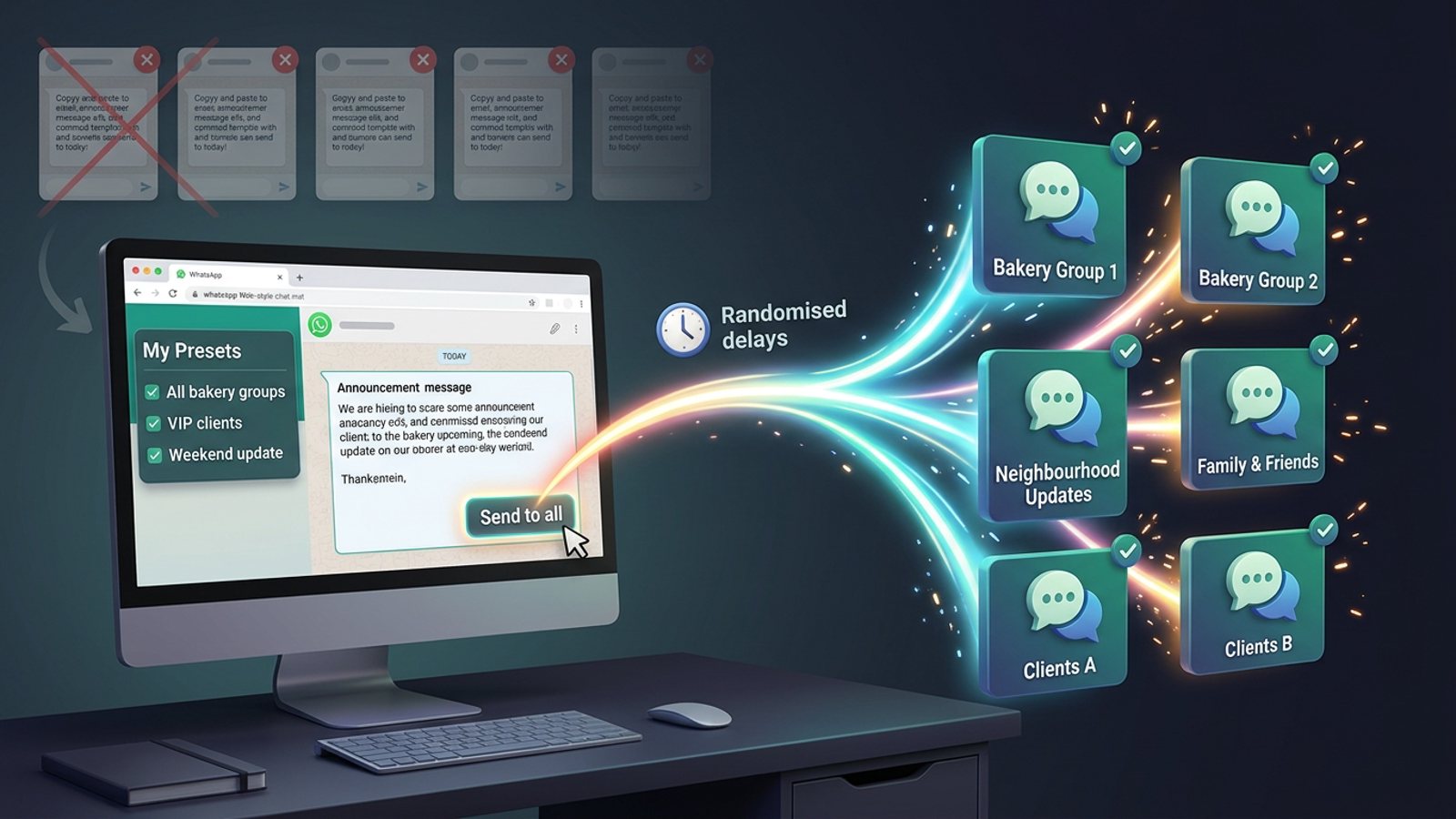
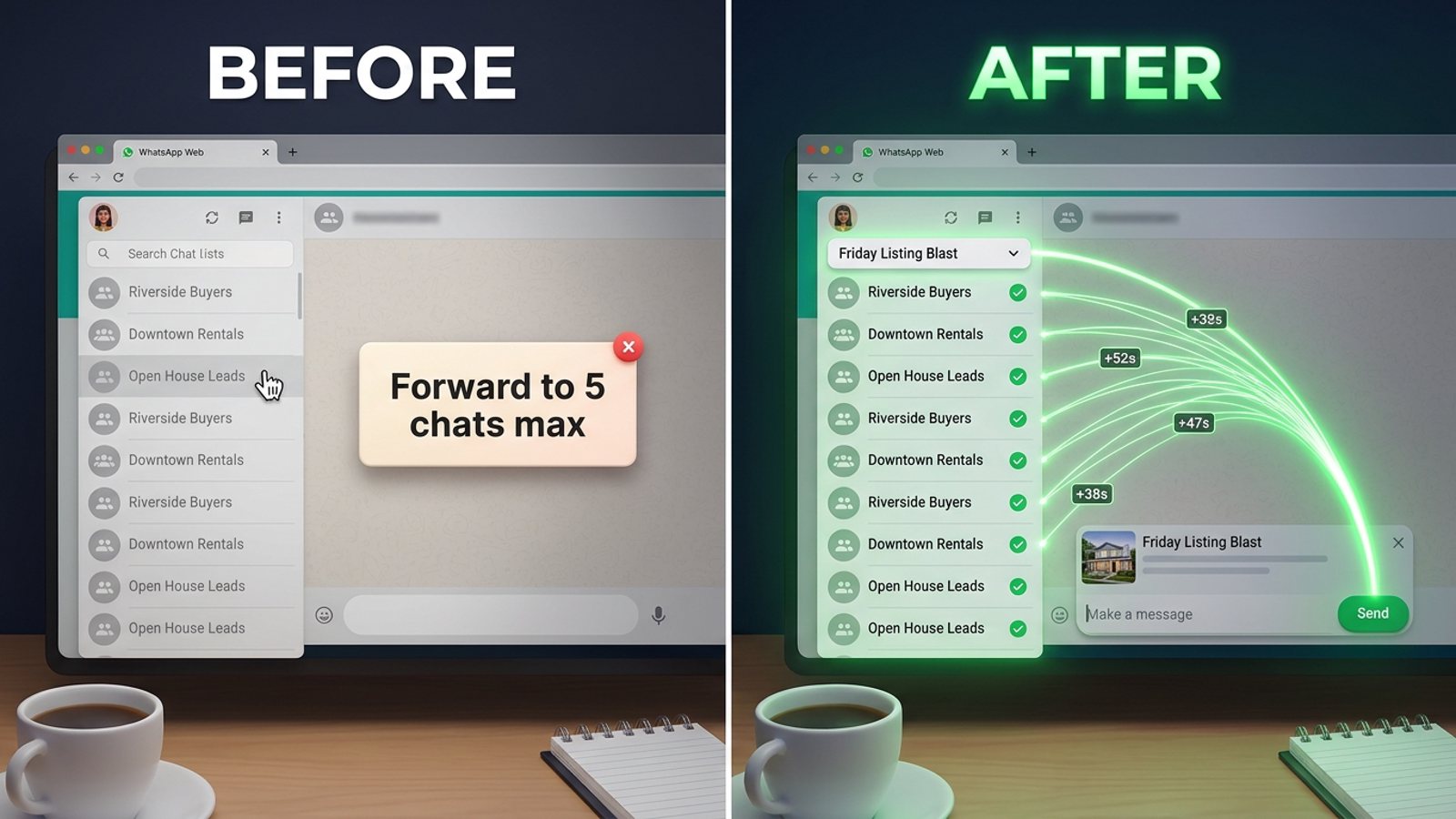
FivePlus is a Chrome extension for WhatsApp Web that sends a message, announcement or media to many saved groups and contacts in one click, instead of the standard five at a time. You save each client's group list as a preset once, then reuse it — no more searching for the same groups every week.
Best for: agencies, agents, planners and brokers who send the same announcement to many groups and want it done in one go.
Key features (from the product facts):
- Unlimited forwarding — send to dozens of chats at once, beyond the standard 5-recipient limit.
- Saved group lists you build once and reuse; V2 lets you send to multiple saved lists at once.
- Mix people and groups into one preset for maximum reach.
- Anti-ban technology that mimics natural human behaviour, with randomised delays that stagger message timing.
- One-click bulk sharing of announcements or media; works on WhatsApp Web in Chrome, no login required.
Price: free to try for 3 days, as of November 2026 — prices can change.
Watch-outs: it needs Chrome and WhatsApp Web, and the free trial is limited to 24 hours. It is not affiliated with Meta, and WhatsApp is a trademark of Meta Platforms, Inc. It is a sender, not a CRM — there is no shared inbox or multi-agent view, so if you need those, look at the API options below.
Say you run a small agency with a bakery client. You build a "Bakery — all groups" preset once, then each Friday paste the weekend special, hit send, and the randomised delays spread it out. The spreadsheet column disappears.
FivePlus is made by the team behind this blog.
2. WhatsApp Business App broadcast lists — best free built-in option
The WhatsApp Business App is free with unlimited broadcast messages, and it supports photos, videos, documents and catalog items in a broadcast, with up to 5 devices (only one may be a phone), per Respond.io (2026). Each recipient gets a separate private 1:1 chat, so they never see each other and replies come only to you.
The catch is the list. Broadcast lists are capped at 256 contacts per list, only reach people who have saved your number, offer no contact import and no broadcast analytics beyond per-message read receipts, per Respond.io (2026). An agency running dozens of client groups ends up splitting into many lists and rebuilding them by hand.
Best for: a warm audience under 256 per list, all saved in the address book, where you also want the free Business profile.
3. WATI — best for agencies that need the official API plus a team inbox
WATI is an official WhatsApp Business API (BSP) platform. Its platform fee is quoted from $59/month plus Meta message fees, with a 7-day trial and no setup fee; extra numbers are €29/month each and extra users €39/month on Pro and €89/month on Business, per SendPulse (vendor-authored, 2026), WhatSetter (2026) and Agenbord (2026). Its entry plan includes up to 15,000 broadcasts and Click-to-WhatsApp Ads attribution.
Best for: agencies that need opted-in, template-approved messaging at scale, with a shared inbox and no-code chatbots in one place.
Watch-outs: costs stack fast with extra numbers and seats, Meta's per-message fees sit on top, and recipients must have opted in — Meta enforces this through its quality-rating system, per Wati (2026).
4. 360dialog — best for developer teams that want a bare API pipe
360dialog is positioned as the cheapest raw official API access for developer teams: platform from $59/month plus Meta message fees, with number hosting and throughput up to 80 messages/second on its Marketplace tier, per SendPulse (vendor-authored, 2026) and TMCnet (2026). Meta itself charges no monthly fee on the Cloud API and gives each number 1,000 free service replies per month, per Square Cloud (2026).
Best for: software companies and agencies with developers who will build or bring their own interface.
Watch-outs: no native inbox, campaign builder or AI — it's an API pipe that expects you to bring your own front end, per SendPulse and TMCnet (2026). Template approval and opt-in still apply.
5. Other saved-preset extension senders — worth a look
The Chrome Web Store lists several comparable extensions. Free Bulk WhatsApp Sender & Contact Exporter markets itself as free forever with optional ₹499/month Pro and states it adds 5–15 second random delays by default (vendor claims, Chrome Web Store, updated 2026-11-18). WA Sender charges $9.99/month or $69.99/year for a single device with all features included, per its vendor pages. WAPRO is a Chrome extension for bulk messaging and campaigns aimed at marketers and agencies, listed at 151 users (Chrome Web Store, 2026-10-19).
How do the options compare side by side?
| Option | Best for | Key features | Price / free option | Watch-outs |
|---|---|---|---|---|
| FivePlus (Our pick) | One-click announcements to client groups | Saved presets, randomised delays, media | Free 3-day trial | Chrome + WhatsApp Web only; no CRM or inbox |
| WhatsApp Business App | Small warm lists under 256 | Free broadcasts, catalog items | Free | 256 cap, saved contacts only, no import |
| WATI | API + team inbox | Templates, chatbots, campaigns | From $59/mo + Meta fees | Costs stack; opt-in required |
| 360dialog | Developer teams | Bare API, high throughput | From $59/mo + Meta fees | No inbox or campaign builder |
| Other extensions | Budget single-sender use | Bulk send, delays | Free tiers to ~$10/mo | Vendor claims only; check limits |
The pattern is clear: the extension route wins on speed and price for a one-announcement job, and the API route wins on compliance and team workflow. If you mainly need an official, opted-in channel with a shared inbox, WATI is the more direct choice. If you need the cheapest clean API and have developers, 360dialog fits better.
FivePlus and the Business App show as 0 because both start free — FivePlus with a 3-day trial (prices can change), the Business App at no cost. API prices exclude Meta's per-message fees.
Is bulk WhatsApp messaging for agencies allowed under WhatsApp's terms?
No — WhatsApp says its products are not intended for bulk or automated messaging and that this has always violated its Terms of Service (WhatsApp Help Center, undated). Since 7 December 2019 it says it has taken legal action against companies it believes assist misuse, including bulk or automated messaging, even based on off-platform evidence.
That doesn't mean every message to many groups is treated the same. In practice, risk comes down to how you send. Speed, repeated content and report rates are what WhatsApp's systems watch, per Wati (2026). The official API route is compliant but charges per delivered message and needs template approval and opt-in.
What does the official API route actually cost?
More than the sticker price. WhatsApp Business API pricing is per delivered message, priced by category and recipient country, and Meta updates rates periodically — sometimes quarterly, per LINK Mobility (2026) and Route Mobile (2026). A ballpark 2026 figure is around $0.01–$0.16 per delivered marketing message depending on country, with provider markup commonly pushing all-in cost to 2x–5x the raw rate, per IDT Express (2026).
As of the October 1, 2026 Meta rate card, all template categories are billable per delivered message, while free-form service replies are free for the first 1,000 per number per month within the 24-hour service window, per Respond.io (2026) and Aissist (2026).
Source: IDT Express
Also check what sits above the entry plan. According to one vendor comparison, Respond.io's $79/month plan is inbound and manual replies only, and broadcasts require the $159/month tier, per SendPulse (vendor-authored, 2026).
How do you send one announcement to dozens of client groups without spreadsheets?
Pick the route that matches the job, then follow the steps.
Route A — extension with saved presets
- Install the extension from the Chrome Web Store and open WhatsApp Web.
- Save each client's group list as a preset once.
- Choose a preset (or several), pick the message or media, and send in one click.
- Let randomised delays spread the messages out to look natural.
If you want the detail on the preset step, our guide to a tool that remembers your WhatsApp group list walks through it.
Route B — built-in broadcast lists
- Open the Business App and start a new broadcast.
- Select up to 256 saved contacts and name the list.
- Send — each recipient gets a private 1:1 chat.
Route C — official API
- Pick a BSP — WATI for inbox and bots, 360dialog for a bare API.
- Buy or transfer a number and submit templates for approval.
- Import opted-in contacts, then broadcast.
What actually gets an agency number banned?
Speed, repeated identical content and a high report rate are the three signals WhatsApp's anti-spam systems watch in real time, per Wati (2026). An agency blasting the same flyer to 40 groups in two minutes hits all three at once.
The tool that keeps an agency number alive is the one that sends like a human, not the one that sends the most.
Ready to retire the spreadsheet? Get FivePlus for WhatsApp Chrome extension (bulk share beyond 5 recipients) and send your next client announcement in one click. More practical guides are on the FivePlus blog.
Sources
- WhatsApp Help Center — abuse / bulk messaging policy (WhatsApp, undated)
- WhatsApp Help Center (TH locale) — legal action against misuse (WhatsApp, undated)
- WhatsApp Broadcast in 3 Steps (Respond.io, 2026-10-07)
- WhatsApp broadcast message limits (Wati, 2026-11-11)
- WhatsApp Business Platform policy enforcement (Meta for Developers, updated 2026-05-21)
- Best WhatsApp Business API providers 2026 (SendPulse, vendor-authored, 2026-07-24)
- WhatsApp Business API Pricing 2026 (LINK Mobility, 2026-09-02)
- WhatsApp Business Pricing per country (Route Mobile, 2026-08-19)
- WhatsApp Business API cost 2026 (Square Cloud, 2026-10-21)
- How much does the WhatsApp Business API cost in 2026 (IDT Express, 2026-07-14)
- Meta Cloud API pricing vs providers (WhatSetter, 2026-07-24)
- Best WhatsApp Business API Providers 2026 (Agenbord, 2026-10-01)
- Best WhatsApp API provider for SMEs (TMCnet, 2026-08-11)
- WhatsApp Business API Pricing 2026 (Aissist, 2026-10-20)
- Free Bulk WhatsApp Sender & Contact Exporter (Chrome Web Store, updated 2026-11-18)
- WAPRO – WhatsApp Bulk Sender & Extractor (Chrome Web Store, 2026-10-19)
- WA Sender (WhatsApp Sender Tool, undated)
- WA Sender pricing (WhatsApp Sender Tool, undated)
Frequently asked questions
For sending one announcement to dozens of client groups from WhatsApp Web, FivePlus is our pick of the tools we compared — saved presets, randomised delays and a 3-day free trial. If you need an official API with a team inbox, WATI is the more direct choice.
Not with WhatsApp Web's standard behaviour — FivePlus's whole purpose is sending beyond the standard 5-recipient limit. The WhatsApp Business App's broadcast lists reach up to 256 saved contacts per list, per Respond.io (2026).
With FivePlus, saved group lists are saved forever, so it's better not to uninstall the Chrome extension. All plans include unlimited sharing, and there's no monthly sending limit per plan.
Neither is risk-free. The API route is compliant but needs opt-in, template approval and per-message fees; the extension route is faster but relies on pacing to stay under WhatsApp's radar. WhatsApp says bulk or automated messaging violates its terms either way.
No — FivePlus is a bulk sender, not a CRM. It has no shared inbox or multi-agent features. If your agency needs those, an API platform like WATI is the right tool.