Best bulk WhatsApp sender for coaches in 2027
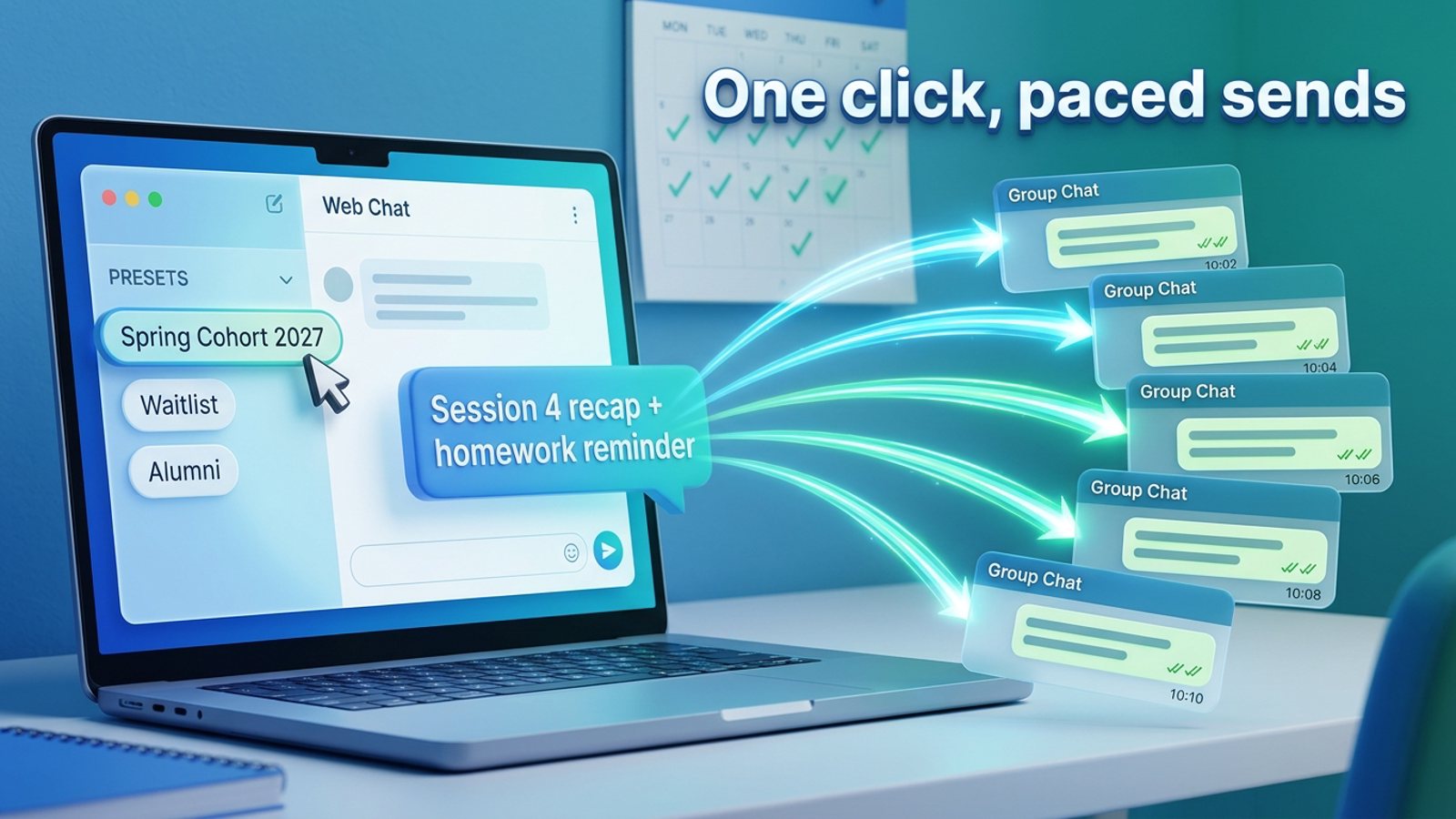
If you message several cohort groups every week, the best bulk WhatsApp sender for coaches in 2027 is one that saves each cohort as a reusable list and paces sends with randomized delays. FivePlus does both on WhatsApp Web in Chrome. The free Business App broadcast list, the official API and manual sending are the other routes.
What does a coach actually need from a bulk WhatsApp sender in 2027?
A coach needs three things: a list that survives from one intake to the next, a way to send to more than 5 chats at once, and pacing that doesn't look like a machine. Everything else — analytics, CRM sync, team inboxes — is a bonus you may never use.
Say you run a 6-week group program with three cohorts at once, plus a waitlist group and an alumni group. That's five audiences, each getting a schedule reminder, a homework nudge and a session recap. Fifteen sends a week, and the same five audiences again next intake.
The pain isn't writing the message. It's finding the groups again, one by one, every time — and then wondering whether sending them all in four minutes flat is what gets a number flagged.
So the right tool for a coach removes the list-finding work and slows the sending down. That's the lens for everything below.
How do the options compare for coaches?
Here's the shortlist, with our pick first for the reasons in the product facts — and honest notes on who each other route suits better.
| Option | Best for | Key features | Price / free option | Watch-outs |
|---|---|---|---|---|
| FivePlus — Our pick | Coaches messaging several cohort groups weekly | Saved presets, mix people and groups, randomized delays, beyond 5 recipients | Free to try for 3 days (as of Nov 2026) | Chrome + WhatsApp Web only |
| WhatsApp Business App broadcast lists | A few hundred clients who saved your number | Free, private 1:1 delivery, 256 per list | Free | No groups, no scheduling, manual upkeep |
| WhatsApp Business Platform (WATI, 360dialog) | Scale and compliance | Templates, quality rating, opt-in | Per delivered message | Setup, opt-in, per-message cost |
| Manual copy-paste or spreadsheet | A handful of groups | Nothing touches your account | Free, your time | Slow, nothing persists |
FivePlus is made by the team behind this blog. It's a Chrome extension for WhatsApp Web that sends a message, announcement or media to many saved groups and contacts in one click, instead of the standard five at a time. You save each cohort as a preset once, and next intake you pick the preset and send. Randomized delays stagger the timing, and in V2 you can send to several saved lists at once.
If you want to see how it handles a real cohort load, you can get FivePlus for WhatsApp Chrome extension (bulk share beyond 5 recipients) and test it on your own groups during the trial.
When is the WhatsApp Business App broadcast list the better choice?
If your clients are a few hundred personally known people who have saved your number, the free Business App broadcast list is the most direct route — and it's the sanctioned one.
A broadcast list sends one message to many people as private 1:1 chats rather than a group message (hensontsai.com, 2026-03-30). It works like BCC: each recipient gets their own copy, nobody sees the others, and replies come back privately (Mailrelay, 2026-10-06).
The limits matter for a coach. Broadcast lists are capped at 256 saved contacts, messages usually only reach people who have saved your number, and there's no personalisation, automation or analytics (Sinch, updated 2026-09-01, vendor source). A broadcast list also cannot include a WhatsApp group (WavesFlo, 16 Sep 2026) — which is exactly where most cohort conversation happens. And the Business App shares one number across at most 5 devices with no chat assignment between team members (SleekFlow, 2026-09-15).
So: great for a solo coach with a tidy contact list. Not built for five cohort groups.
When is the official WhatsApp Business Platform the right route?
If you're running a coaching business at scale and need to stay inside the rules, the Cloud API through a provider such as WATI or 360dialog is the compliant path — with a bill attached.
The official Cloud API has no Meta monthly fee and charges per delivered message, with 1,000 free service replies per number per month (Square Cloud, 2026-10-21). Pricing is set per country calling code — where your recipients are, not where you're registered — and Meta updates rates periodically, sometimes quarterly (Route Mobile, 2026-08-19).
Two recent changes matter for a coach. From 1 October 2026, Meta charges for service messages and for utility templates sent inside an open customer-service window, though each business still gets 1,000 free service messages per number per month (Respond.io, 2026-11-19, vendor source). And marketing messages through the API may only go to recipients who have opted in, enforced through Meta's quality-rating system (Wati, 2026-11-11, vendor source).
A new business portfolio also starts at 250 unique recipients and scales up as quality holds (MonoChat, 2026-10-07, vendor source). Wati's Help Center describes a two-message marketing limit — at most two marketing messages from one business to one user without a reply (Wati, 2026-09-28, vendor source).
For a coach sending a weekly reminder to 60 people in three groups, that's a lot of machinery. For a coach with thousands of leads and a compliance need, it's the right machinery.
Is manual sending or a spreadsheet ever enough?
For two or three groups, yes — and it's the only option where no third-party tool touches your account at all.
The catch is that manual sending doesn't exempt you from anything. WhatsApp's rules on bulk and automated messaging still apply, and so does its monitoring of speed, repetition and reports (WhatsApp Help Center, date not given; Wati, 2026-09-22). A spreadsheet also forgets everything between intakes: you rebuild the list each term.
If you already keep cohorts in Sheets or Excel, extensions in this space typically import from CSV/Excel or Google Sheets (WaSenderHQ listing, Firefox Add-ons, 2026-05-24, vendor listing). That's the bridge from spreadsheet to one-click sending.
How should a coach pace bulk sends to protect the account?
There is no published safe speed. The honest answer is to treat pacing as risk reduction, not a guarantee.
Wati, a WhatsApp Business API vendor, says Meta treats speed, repeated content and report rate as risk signals rather than a known threshold (Wati, 28 Oct 2026, vendor source). An unofficial WhatsApp Web automation library states that WhatsApp can change its limits for automated sending without notice, so no send-queue setting guarantees an account won't be restricted (open-wa docs, 2026-11-19).
What you can do is borrow the spacing practices vendors publish. Periskope's best-practices docs suggest minimum 4–6 hour gaps between group sends and a cap of about 50 messages per day for the first month, and keeping new-chat additions low (Periskope docs, 2026-10-28, vendor docs).
Our recommendation: send one cohort at a time, put real hours between cohorts, and keep the first weeks on a new number deliberately small. FivePlus's randomized delays stagger message timing to avoid spam flags — that's a risk-reduction feature, not a promise.
The single most useful habit for a coach is boring: send less at once, more often, to people who actually expect to hear from you.
How do you set up repeat cohort sends in FivePlus?
Install once, save your cohort lists as presets, then reuse them every intake.
- Install the extension from the Chrome Web Store and open WhatsApp Web in Chrome. No login required.
- Save your lists as presets — one per cohort, mixing people and groups into a single preset for maximum reach.
- Pick a preset (or several at once in V2), choose your message or media, and send in one click.
- Let randomized delays run so the messages spread out instead of landing back-to-back.
Saved group lists are saved forever, so it's better not to uninstall the Chrome extension — your presets stay put between intakes. All plans include unlimited sharing, and there's no monthly sending limit per plan.
For more depth, our guide on whether a tool can remember your WhatsApp group list for repeat sends walks through preset design, and sending one WhatsApp message to multiple groups at once covers the send itself.
What are the honest limits of each option?
Every route has a real cost or constraint — here's the plain list, so you pick with your eyes open.
FivePlus requires the Chrome browser and WhatsApp Web. Free use is limited to a 24-hour trial. It is not affiliated with Meta; WhatsApp is a trademark of Meta Platforms, Inc. And it doesn't make bulk messaging compliant with WhatsApp's terms — nothing does.
The Business App is free but capped at 256 saved contacts per list, can't include groups, and has no scheduling. The official API is compliant but bills per message, requires opt-in, and can throttle you through quality rating. Manual sending is free but doesn't scale and doesn't persist.
If you're comparing tools across a bigger team operation, our roundup of the best WhatsApp bulk messaging software for agencies in 2026 covers the agency side, and the FivePlus blog has more on pacing and presets.
Ready to test it on your own cohorts? Get FivePlus for WhatsApp Chrome extension (bulk share beyond 5 recipients) and run your next intake from saved presets instead of searching for groups.
Sources
- WhatsApp Help Center — unsolicited/bulk messaging policy (WhatsApp, date not given)
- WhatsApp Business App vs API (SleekFlow, 2026-09-15)
- How to send bulk messages on WhatsApp (Sinch, updated 2026-09-01)
- WhatsApp broadcast list guide (hensontsai.com, 2026-03-30)
- Send message to multiple WhatsApp groups (WavesFlo, 16 Sep 2026)
- 2026 WhatsApp bulk rules (Wati, 2026-09-22, vendor source)
- Throttling/risk signals (Wati, 28 Oct 2026, vendor source)
- Rate limits and account risk (open-wa GitHub docs, 2026-11-19)
- WA Mitra listing (Chrome Web Store, updated 2 Nov 2026, vendor listing)
- Free Bulk WhatsApp Sender & Contact Exporter listing (Chrome Web Store, updated 18 Nov 2026, vendor listing)
- WaSenderHQ listing (Firefox Add-ons, 2026-05-24, vendor listing)
- Periskope best practices (Periskope docs, 2026-10-28, vendor docs)
- Broadcast message limits (Wati, 2026-11-11, vendor source)
- Broadcast tier guide (Wati, 2026-09-28, vendor source)
- Policy enforcement (Meta for Developers, updated 2026-05-21)
- WhatsApp Business API pricing guide (LINK Mobility, 2026-09-02)
- WhatsApp API cost (Square Cloud, 2026-10-21)
- WhatsApp Business pricing (Route Mobile, 2026-08-19)
- Respond.io WhatsApp pricing calculator (Respond.io, 2026-11-19, vendor source)
- Bulk message without ban (MonoChat, 2026-10-07, vendor source)
- WhatsApp broadcast list glossary (Mailrelay, 2026-10-06)
Frequently asked questions
Not with the standard app. Forwarding reaches up to 5 chats at once, and only 1 group if the message was itself forwarded (WavesFlo, 16 Sep 2026). A bulk sender extension or the official API are the two routes beyond that.
The risk is real. WhatsApp says bulk and automated messaging breaks its terms, and no tool can prevent a recipient from reporting you (WA Mitra listing, Chrome Web Store, 2 Nov 2026). Pacing and warm audiences reduce risk; they don't remove it.
There's no published formula. Vendor guidance suggests 4–6 hour gaps between group sends and roughly 50 messages per day in the first month on a new number (Periskope docs, 2026-10-28). Our recommendation: start slower than you think you need to.
Usually not for small volumes. The API is billed per delivered message by category and country (Square Cloud, 2026-10-21), while extension listings show flat monthly or one-time fees (WA Mitra listing, 2 Nov 2026). For a few hundred weekly messages, an extension is typically the lower-cost route.
For a coach reusing the same cohort groups every intake, FivePlus is our pick of the tools we compared, because it saves lists as presets and paces sends with randomized delays. If your list is a few hundred clients who saved your number, the free Business App broadcast list is the more direct choice. If you need compliance at scale, go to the official API through a provider.