Is there a tool that sends one WhatsApp message to multiple groups at once?

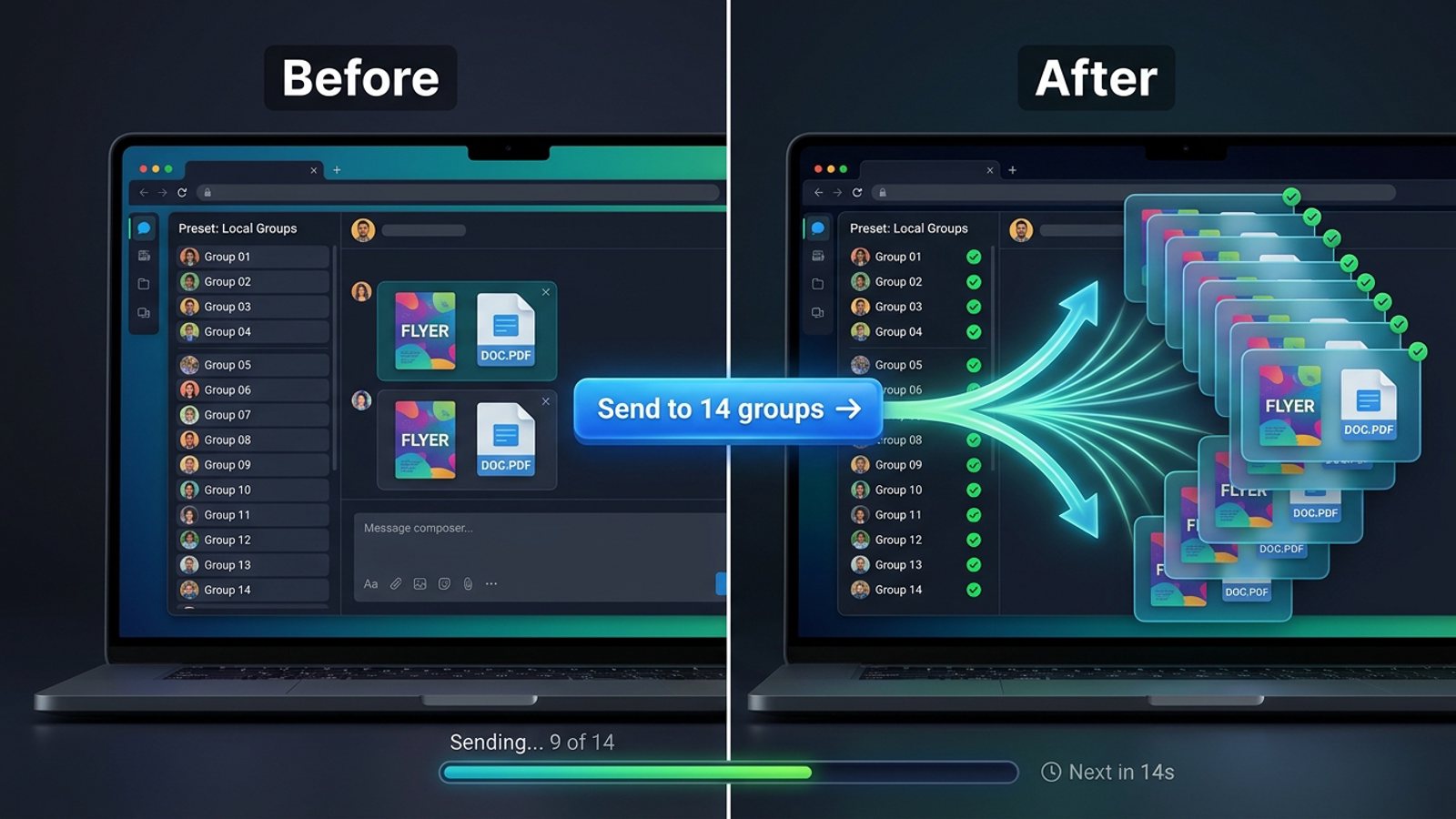
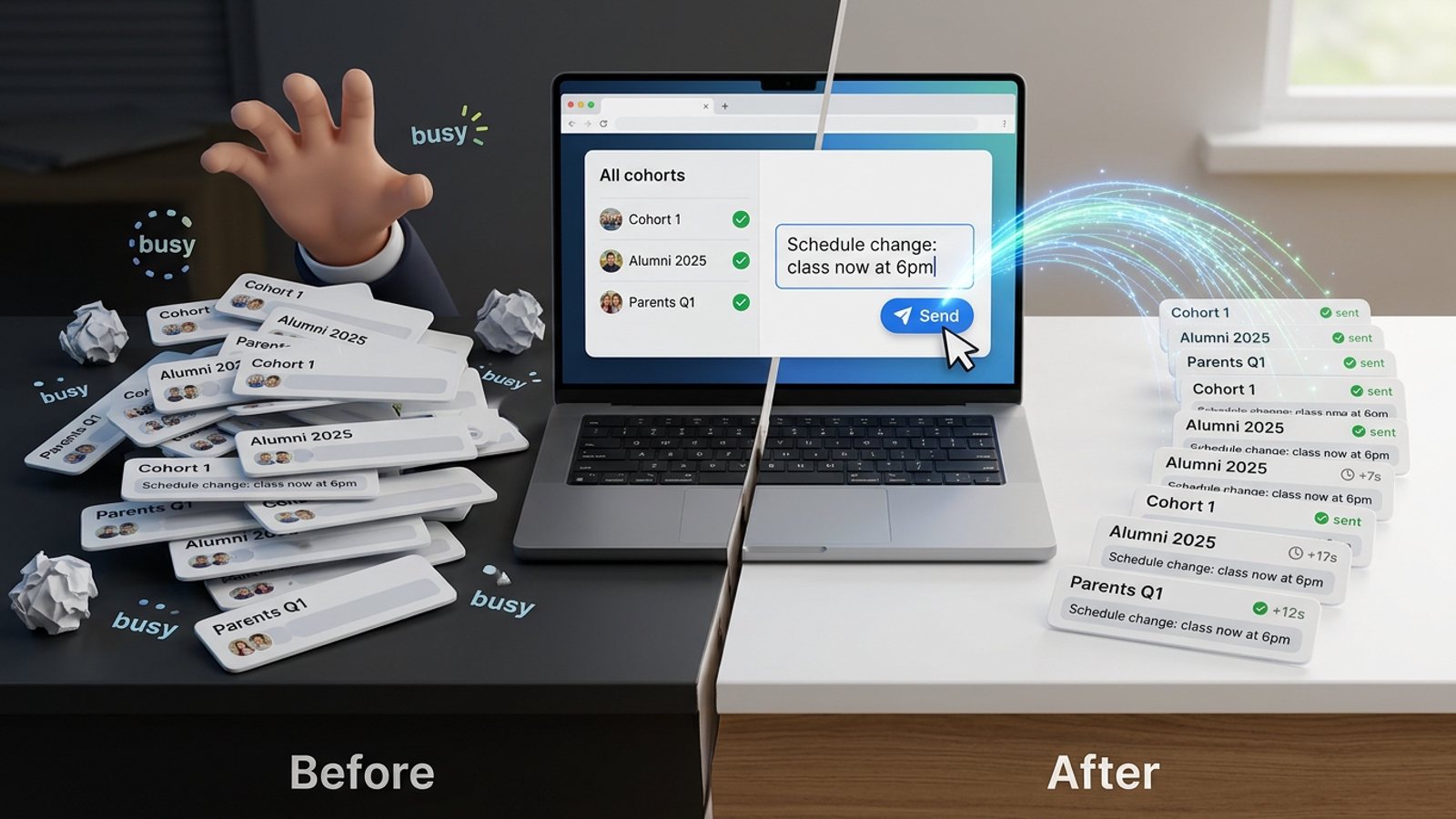
Yes. WhatsApp's own forward button stops at five chats at a time, but a bulk-sender browser extension can push one message to a long saved list of groups in a single click. FivePlus is built for exactly that: save your groups once as a preset, then send to all of them with randomized delays.
If you send the same announcement to 50 groups every week, you already know the drill: open a group, paste, send, back out, repeat. The send WhatsApp message 50 groups job is real work, and WhatsApp's own features are designed to stop you doing it by hand at speed.
Here's what the options actually are, and how to pick one without gambling with your number.
Get FivePlus for WhatsApp Chrome extension (bulk share beyond 5 recipients) — save your group list once, then send in one click.
Why can't I forward a WhatsApp message to more than 5 chats at once?
Because WhatsApp deliberately capped it. Its help centre says you can forward a message to up to five people or groups at a time, and if the message was itself forwarded, you can only share it to one additional group chat.
That cap isn't a bug to work around with faster fingers. WhatsApp says its products "are not intended for bulk or automated messaging, both of which have always been a violation of our Terms of Service." The five-chat limit came from the same thinking: New Age BD reports WhatsApp cut the global forward limit from 20 recipients to 5 in 2019 to fight rumours and misinformation.
You'll also see the "Forwarded many times" label and icon once a message has hopped through five or more chats. WhatsApp says that label exists to keep chats personal and limit spam.
Can a broadcast list send to groups instead of contacts?
No. Broadcast lists reach contacts, not groups. Drag's guide (updated October 2026) explains the difference: in a group every member sees the message, while a broadcast list creates separate private conversations, so recipients only see your message and never each other.
There's a size ceiling too. Drag reports each WhatsApp Business broadcast list holds up to 256 contacts. Vodafone's 2025 guide describes broadcast as a distribution list for one message to many people at once, delivered into private chats — useful for a customer list, useless for a room full of group chats.
So if your audience lives in groups, broadcast lists are the wrong tool entirely. That leaves two real routes: a tool that drives WhatsApp Web, or Meta's official Business Platform.
What tool sends one WhatsApp message to many groups at once?
A bulk WhatsApp sender extension is the most direct fit for a saved group list. It runs on top of WhatsApp Web in your browser and sends your message to a list of groups you've chosen, instead of one chat at a time.
FivePlus is our pick of the tools we compared. It's a Chrome extension for WhatsApp Web that shares a message, announcement or media to more than 5 groups and contacts at once. The part that matters for a 50-group list: you save those groups as a preset once, and you never search for them again. V2 lets you send to several saved lists at once, and you can mix people and groups into one preset for maximum reach.
Randomized delays stagger the timing of each send so messages don't fire back-to-back, and the extension's anti-ban technology is built to mimic natural human behaviour. It works in the Chrome browser on WhatsApp Web with no login required.
How do you send one message to 50 groups with FivePlus?
Set the list up once, then it's a one-click job every time after. Here's the flow:
- Install the extension from the Chrome Web Store and open WhatsApp Web in Chrome.
- Save your group and contact lists as presets — do this once for the 50 groups you message regularly.
- Choose a preset (or several, in V2), pick your message or media, and send in one click.
- Let randomized delays run so the messages spread out instead of landing all at once.
Our recommendation: build separate presets for separate audiences — say "venue partners" and "weekend buyers" — rather than one giant list. A message that fits one group rarely fits all 50, and a mismatched blast is the fastest way to collect blocks and reports.
Is it safe to send one message to 50 WhatsApp groups?
Not risk-free, and anyone who tells you otherwise is selling. WhatsApp's account-restriction page says accounts can be banned for sending spam, automated or bulk messages. A restricted account can keep chatting with existing contacts and groups but cannot start new chats, create groups, add members or use linked devices.
The same page says a restriction lifts automatically after the set time, and users don't need to take any action to remove it. It also warns that accounts can be restricted if many users block or report your messages — even people who shared their details with you.
A community doc on GitHub (January 2026) argues that unofficial WhatsApp automation of any kind, including personal use, violates WhatsApp's Terms of Service and carries real ban risk. That's a third-party view, not WhatsApp's wording, but it lines up with what WhatsApp itself publishes.
Which option fits your situation?
Here's how the realistic choices compare. Prices for other tools are as of November 2026 and can change.
| Option | Best for | Key features | Price / free option | Watch-outs |
|---|---|---|---|---|
| FivePlus (Our pick) | Saved group lists sent in one click | Presets, multi-list send, randomized delays | Free to try for 3 days | Chrome + WhatsApp Web only |
| WhatsApp native forward & broadcast | Small, personal sends | Free, built in, private broadcasts | Free | 5 chats per forward; contacts only |
| WA Group Bulk Sender | Group-only sends, simple flow | Templates, attachments, intervals | Free listing | 5 templates, no list memory |
| WhatsApp Business API (Cloud API) | Official messaging at scale | Templates, code/CRM integration | Per-message fees | Setup, approval, per-message cost |
| Doing it by hand | A handful of groups | Nothing to install | Free | Doesn't scale; looks bulk-like |
FivePlus is our pick of the tools we compared because it's built around the exact job in this article: a big saved group list you send to again and again. All plans include unlimited sharing, and there's no monthly sending limit per plan. The honest limits: it requires the Chrome browser and WhatsApp Web, free use is limited to a 24-hour trial, and FivePlus is not affiliated with Meta — WhatsApp is a trademark of Meta Platforms, Inc. FivePlus is made by the team behind this blog.
WhatsApp native forward and broadcast lists are the right choice if you're messaging a dozen people you actually talk to. Nothing to install, nothing to pay, and broadcasts keep recipients private. They simply can't do 50 groups.
WA Group Bulk Sender (WAGroup) suits group-only sends with a small, simple workflow. Its Chrome Web Store listing (updated November 2026) describes sending the same content to selected groups in sequence, with images, video, audio, documents and contact cards (up to five attachments), an @all mention switch, up to five saved templates, adjustable intervals, pause/resume and Excel export of results. The developer states it is independent and not affiliated with or endorsed by WhatsApp or Meta. Watch-outs: no preset memory beyond five templates, and the listing shows version 1.0.3.
WhatsApp Business API (Cloud API) is the compliance-first route. It's the official, Meta-hosted way to send and receive WhatsApp messages from code, with no Meta monthly fee and per-delivered-message charges — Square Cloud (October 2026) reports each number gets 1,000 free service replies per month, while IDT Express (July 2026) puts 2026 marketing-message rates at roughly $0.01–$0.16 per delivered message by recipient country, with provider markups commonly pushing all-in cost to 2x–5x the raw rate. Route Mobile (August 2026) notes pricing is set per country calling code and Meta updates rates periodically, so only Meta's official pricing is reliable for current figures. If you mainly need official, template-based messaging at scale with CRM integration, the Cloud API is the more direct choice — but it's a build, not a one-click send.
Doing it by hand is free and needs no third-party access to your account. For a handful of groups, it's fine. For 50, it doesn't scale, and MyOperator (October 2026) points out that repetitive copy-paste sending is exactly the pattern anti-bulk systems watch for.
Source: IDT Express, 2026-07-14
What mistakes should you avoid when messaging many groups?
The expensive mistakes are usually about the list, not the tool. Four to watch:
- Sending the same text to every group. A message written for clients reads as spam in a supplier group. Split your presets.
- Firing back-to-back with no gaps. Randomized delays exist for a reason — don't switch them off to "save time."
- Ignoring blocks and reports. WhatsApp's restriction page ties limits to how many people block or report you. One angry group is a signal.
- Assuming a tool makes it allowed. WhatsApp's own help centre says bulk and automated messaging violates its Terms of Service. Tools change how you send, not what WhatsApp permits.
Ready to stop pasting into 50 chats? Get FivePlus for WhatsApp Chrome extension (bulk share beyond 5 recipients) and turn your group list into a one-click preset.
Sources
- About forwarding limits (WhatsApp Help Center)
- Unauthorized use of automated or bulk messaging on WhatsApp (WhatsApp Help Center)
- About account restrictions (WhatsApp Help Center)
- FB's WhatsApp limits text forwards to five recipients (New Age BD, 2026-08-11)
- Lista de transmissão do WhatsApp: como criar e usar (Drag, updated 2026-10-05)
- WhatsApp-Broadcast-Liste (Vodafone, 2025-03-20)
- WhatsApp Business Platform policy & spam monitoring (Meta for Developers, updated 2026-05-21)
- Official WhatsApp API: what it is and its cost (Square Cloud, 2026-10-21)
- How Much Does the WhatsApp Business API Cost in 2026? (IDT Express, 2026-07-14)
- WhatsApp business pricing: the complete guide (Route Mobile, 2026-08-19)
- How to Send Bulk WhatsApp Messages Without Getting Banned? (MyOperator, 2026-10-23)
- WhatsApp Terms of Service & Legal Considerations (GitHub, 2026-01-27)
- WA Group Bulk Sender (WAGroup) (Chrome Web Store, updated 2026-11-19)
Frequently asked questions
For a saved group list you send to regularly, FivePlus is our pick of the tools we compared: it saves your groups as presets and sends to more than 5 at once with randomized delays. If you need official, template-based messaging at scale, Meta's Cloud API is the more direct route.
It depends on the tool — each one sets its own behaviour, and no source confirms a universal group limit. With FivePlus, the workflow is built around saved presets rather than a fixed number, and all plans include unlimited sharing with no monthly sending limit per plan.
WhatsApp says accounts can be banned for sending spam, automated or bulk messages, and that restrictions can follow blocks and reports. No tool can guarantee otherwise. Randomized delays and relevant messages reduce the pattern that triggers flags, but they don't remove the risk.
Not for a WhatsApp Web extension — FivePlus works with regular WhatsApp on WhatsApp Web in Chrome. Broadcast lists, by contrast, are described in Drag's guide as usable with a Business account, and the 256-contact list cap is Business-app specific.
Only if your audience is contacts, not groups. Broadcast lists send private one-to-one messages and can't post into group chats, so for 50 groups they don't solve the problem.