Is WhatsApp Business worth it for a one-person business?

Is WhatsApp Business worth it for a solo operator? For most people who answer customers on WhatsApp, yes. The app's store listing shows it as free to download, and it adds a business profile, catalog, quick replies, labels and away messages. The trade-offs are a second number and a second app. Meta Verified is listed separately as an in-app purchase.
Key takeaways
- The Business app is listed as free to download (Apple App Store, read November 2026); Meta Verified for business is listed as an in-app purchase.
- The biggest gains for one person are saved replies, labels, and automatic greeting and away messages.
- The main costs are a separate phone number for the second account and the discipline of keeping work and personal chats apart.
- If you rarely repeat yourself with customers, regular WhatsApp may be enough.
- The Business Platform (API) is aimed at larger businesses, not most solo operators.
What do you actually gain from the WhatsApp Business app?
You gain tools that help you answer customers faster. WhatsApp's Business app pages, last modified 6 October 2026, describe these:
- Business profile. A "virtual storefront" with your business details, including hours of operation.
- Catalog. A way to show products and services, and to share your whole catalog or links to single items.
- Quick replies. Shortcuts for messages you send often.
- Labels. Tags to sort and filter conversations.
- Greeting and away messages. A welcome when someone starts a chat, and an automatic reply outside business hours.
- QR codes and short links. Entry points for customers to start a chat with you.
For a one-person business, the away message and quick replies matter most. They let you stay quiet at night or while serving a client without leaving people on read. (That framing is our suggestion.)
The store listing also mentions status posts for offers, and in-app orders and payments that are "not available in all markets". Check whether those apply where you live.
What does WhatsApp Business cost?
The app is shown as free to download. The Apple App Store listing for WhatsApp Business (seller: WhatsApp Inc., read 5 November 2026) shows "Free" with in-app purchases. On the US storefront it lists "Meta Verified for business" as an in-app purchase at $14.99 and $49.99. As of November 2026, prices vary by country and can change, so check your own store.
Meta Verified is listed as an in-app purchase next to the free download, so you can start with the free app and look at it later. Whether it is worth paying for is your call (our suggestion: check what your own store lists for your country first).
Your other costs are practical (our suggestion):
- A second phone number, if you want the Business app and regular WhatsApp on one phone.
- Setup time for your profile, catalog and saved replies.
- Time to keep it current: hours, prices, labels.
What are the downsides for a solo operator?
The downsides are mostly about separation and discipline.
A second number and a second app
The store listing says business and personal accounts can share one device with two different phone numbers. A 2023 9to5Mac report (old, menus may differ) also described WhatsApp's two-accounts-on-one-phone option, which needs a second number, and noted the alternative of using regular WhatsApp for one account and the Business app for the other. (Our suggestion: if customers already know your number, decide which number each app will use before you set up, and tell contacts if one changes.)
Work can still leak into life
Having two apps does not stop customers from messaging at 11 p.m. Away messages help, but only if you set your hours and stick to them. For a related read, see how freelancers and consultants use WhatsApp professionally.
Rules still apply
WhatsApp's Terms for the Business App, effective 23 September 2026, prohibit spam and unsolicited communications. They say WhatsApp may "limit, throttle, suspend, or terminate" accounts for breaches. They also expect businesses to have the consents they need, such as opt-in. These terms are written for the Business App, so they apply to your business account. This is not legal advice, and rules vary by country.
Some features depend on where you live
WhatsApp says Business Broadcasts, which send private one-to-one messages to several people at once, are available to eligible users in select countries. Check what your app shows you.
When is regular WhatsApp enough?
Regular WhatsApp is enough when business is a small part of your chats. This is our suggestion, not a WhatsApp recommendation. It tends to fit if:
- You get a handful of customer messages a week, mostly from people who already know you.
- You rarely type the same answer twice.
- You don't need a catalog, opening hours or an away message.
- Customers find you through word of mouth, not through links, QR codes or ads.
- You don't want to change your number or run a second app.
If you are unsure, install the Business app alongside regular WhatsApp for a trial period. You can then judge whether quick replies and labels save you time. For a feature-by-feature comparison, see WhatsApp Business vs regular WhatsApp.
When is the Business Platform overkill?
For most solo operators, the Business Platform (the API) is more than you need. WhatsApp describes it as enterprise APIs for customer engagement, with approved message templates and automated flows. It is set up through a partner or a direct integration, and pricing sits on a separate page. Meta's developer documentation says the Cloud API is for medium and large businesses messaging customers at scale. It also says templates must be approved before sending, and review can take up to 24 hours.
If you are one person answering customers by hand, the Business app already covers what you need. Consider the Platform when you have opted-in customers at a volume that you cannot handle by hand. That judgment is our suggestion.
Is WhatsApp Business worth it? A quick checklist
Count your "yes" answers. These are our suggestions, not WhatsApp's.
- Do customers or clients message you on WhatsApp every week?
- Do you type the same answers (prices, hours, location) again and again?
- Would a profile with your hours and services make you easier to trust?
- Do you lose track of who is a lead, who has paid and who is waiting?
- Do you miss messages when you are busy or off work?
- Can you get a second number for your personal WhatsApp, or keep one for the business?
- Are you comfortable with the rules on consent and spam?
Four or more "yes" answers suggest the Business app is worth trying. Two or fewer suggest regular WhatsApp is probably enough for now. Three is a coin toss, so run the trial.
What if you need to share one update with many groups?
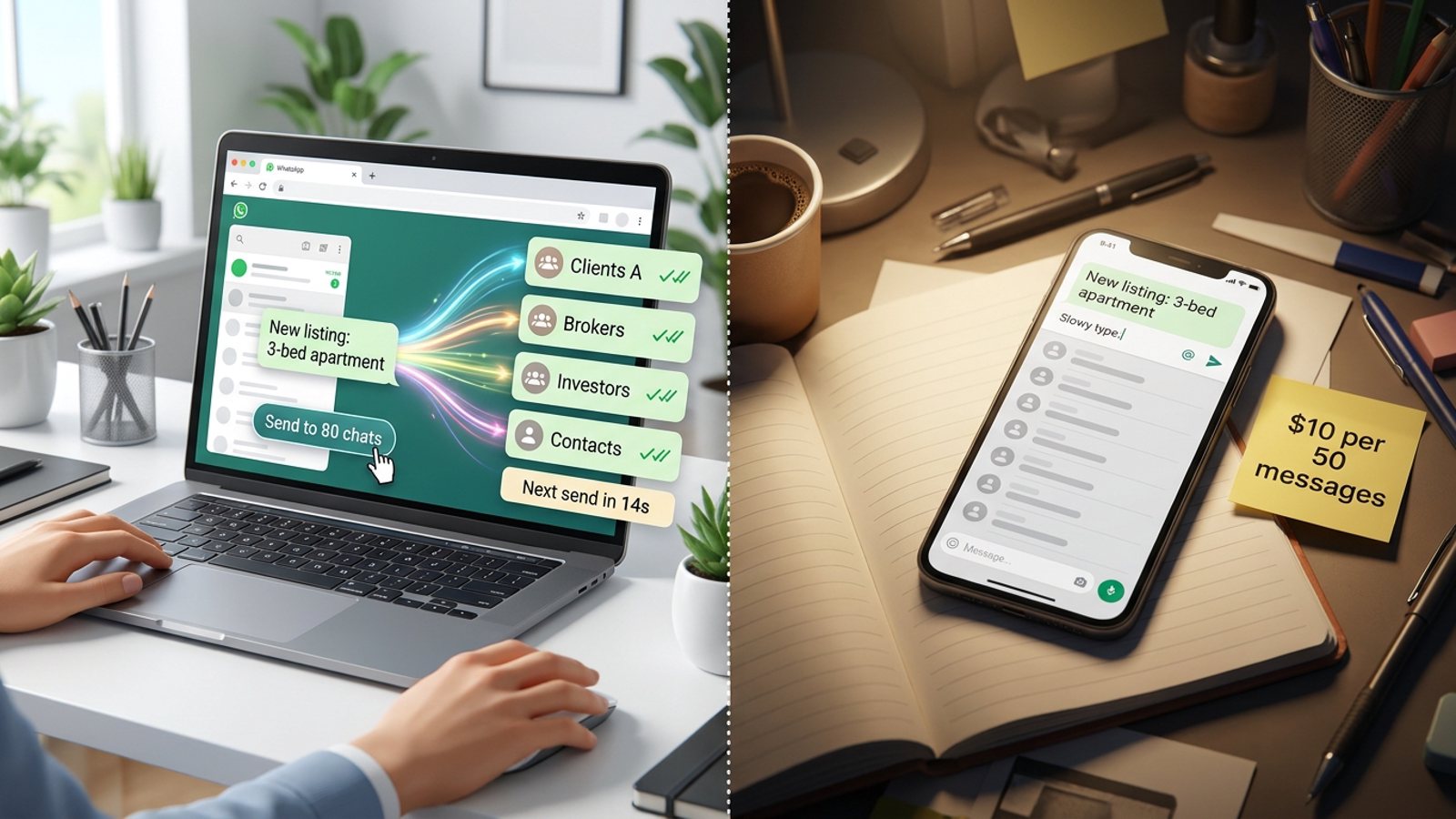
The Business app helps you manage conversations. It does not change WhatsApp's own forwarding rule: WhatsApp Help says you can forward a message to up to five chats at once. If you belong to many groups and post the same update in each, you will repeat the forward in batches.
Tools compared
| Option | Best for | Key features | Price / free option | Watch-outs |
|---|---|---|---|---|
| Regular WhatsApp | Light business use | Familiar, no setup | Free | No business tools; work mixes with personal |
| WhatsApp Business app | Solo operators answering customers | Profile, catalog, quick replies, labels, away messages | Listed as free to download; Meta Verified is listed as an in-app purchase | Second number needed to run both apps; rules still apply |
| Business Platform (API) | Larger businesses messaging opted-in customers | Approved templates, automated flows | Pricing on a separate page | Partner or developer setup; not built for one person typing by hand |
| FivePlus | Posting the same message to many groups you already belong to from WhatsApp Web | Presets, groups and contacts mixed, text, images, video, documents, voice messages | Free 24-hour trial; see current plans | Computer and Chrome only; unofficial |
Our pick, for one narrow job: of the options we compared, FivePlus is the most direct fit for sharing the same post to many groups you are already in from WhatsApp Web. For anything else in this article, such as profiles, quick replies, labels and customer chats, the Business app is the better fit.
FivePlus is made by the team behind this blog. It is a Chrome extension for WhatsApp Web. You save your groups and contacts once as a preset, then forward a message or file and choose the preset. It sends to every chat in the list, with short random pauses between sends. It works with both regular WhatsApp and WhatsApp Business accounts when used through WhatsApp Web, and it only sends to chats you are already in. If you want the full picture, read how to get past the 5-chat limit.
Honest limits: it runs only on WhatsApp Web in Chrome on a computer, not in the phone app. It automates clicks in WhatsApp Web and is not an official WhatsApp product. WhatsApp can limit or ban accounts it flags for spam, and no tool can guarantee that your account won't be restricted. Only post in groups where your messages are welcome and follow each group's rules. You can add FivePlus to Chrome with the free 24-hour trial and decide for yourself.
FivePlus is not affiliated with or endorsed by WhatsApp or Meta.
Quick answers
Do I need a new number for WhatsApp Business? To run both apps on one phone, the store listing says you use two different phone numbers.
Is Meta Verified required? The App Store listing shows it as an in-app purchase alongside the free download.
Can I try it first? Yes. Install it next to regular WhatsApp and test the tools for a couple of weeks. That is our suggestion.
Do I need the API? Most one-person businesses do not. See the section above.
Sources
- Apple App Store, WhatsApp Business (read 5 November 2026): https://apps.apple.com/us/app/id1386412985
- WhatsApp Business app features (modified 6 October 2026): https://whatsappbusiness.com/products/business-app-features/
- WhatsApp Business app (modified 6 October 2026): https://whatsappbusiness.com/products/business-app/
- 9to5Mac, two WhatsApp accounts on one phone (19 October 2023): https://9to5mac.com/2023/10/19/two-whatsapp-accounts-on-one-phone/
- WhatsApp Help, forwarding (undated): https://faq.whatsapp.com/1053543185312573
- WhatsApp Terms for the Business App (effective 23 September 2026): https://www.whatsapp.com/legal/WhatsApp-Terms-for-WhatsApp-Business-App
- WhatsApp Business Platform: https://whatsappbusiness.com/products/business-platform/
- Meta for Developers, Cloud API overview (read 5 November 2026): https://developers.facebook.com/docs/whatsapp/cloud-api/overview
- Meta for Developers, Template fundamentals (read 5 November 2026): https://developers.facebook.com/documentation/business-messaging/whatsapp/templates/overview
Frequently asked questions
The App Store listing (read 5 November 2026) shows the WhatsApp Business app as free to download, with in-app purchases such as Meta Verified for business. Prices vary by country and can change.
To run the Business app and regular WhatsApp on one phone, the App Store listing says business and personal accounts use two different phone numbers.
Meta's Cloud API overview says it is for medium and large businesses messaging customers at scale. If you answer customers by hand, the Business app is the better-matched option.
Of the options we compared, FivePlus is the most direct fit for posting the same message to many groups you already belong to from WhatsApp Web on a computer. For profiles, quick replies, labels and customer chats, use the Business app. No tool can guarantee your account won't be restricted.