Are WA Sender alternatives safer for keeping my WhatsApp account?

No alternative is completely safe, because WhatsApp says bulk and automated messaging has always violated its Terms of Service, and no tool can promise a number won't be restricted. What changes between tools is how they manage risk: official routes stay inside WhatsApp's rules, while third-party senders like FivePlus use randomized delays and human-like pacing to lower risk, not remove it.
If you're switching tools to protect your number, start with a setup that keeps risk low from day one: get FivePlus for WhatsApp in Chrome and send to more than 5 chats at once with randomized delays built in.
What makes a WA Sender alternative safe?
Safety in bulk WhatsApp sending means managing risk, not eliminating it. WhatsApp's Help Center states plainly that its products are not intended for bulk or automated messaging and that both have always been a violation of its Terms of Service. That applies to WA Sender, to FivePlus, and to every other third-party sender.
So when people search for wa sender alternatives safe, the honest answer is a comparison of how each route handles risk. Some routes stay inside WhatsApp's own features. Some add official API rules and opt-in. Some are third-party extensions that pace messages to look human. Each has a different risk profile — none has zero risk.
Which route is safest for keeping my account?
The most rule-aligned route is the official WhatsApp Business API with opt-in and approved templates, because Meta explicitly supports it. For small lists, WhatsApp Business App broadcast lists are the lowest-friction official option. For anyone who needs to reach many groups and contacts quickly, a third-party Chrome sender with human-like pacing is the practical middle ground.
Here's how the main routes compare, from most rule-aligned to most flexible:
- Official WhatsApp Business API — opt-in required, templates approved, paid per message, policed by Meta's quality system.
- WhatsApp Business App broadcast lists — free, capped at 256 saved contacts per list, no automation.
- Third-party Chrome sender with pacing (like FivePlus) — reaches many chats at once, uses randomized delays, carries more risk.
- Manual copy-paste — no automation layer, but slow and still flagged if you send identical messages fast.
WhatsApp's detection scores accounts across several signals at once — speed, repetition and report rate are risk signals, not a known formula.
What actually triggers a WhatsApp ban?
The most commonly reported triggers are sending the same message to many numbers in a short time, messaging people who don't know or haven't saved your number, using bots to send in bulk, and drawing many user reports (RRI.co.id, 2026). WhatsApp's own Help Center confirms accounts can be blocked for spam, automated sending or mass sending.
Notice what's not on that list: using a tool at all. The pattern matters more than the software. A careful sender with varied wording and modest volume is in a different position from someone blasting an identical message to hundreds of strangers.
Do randomized delays really help?
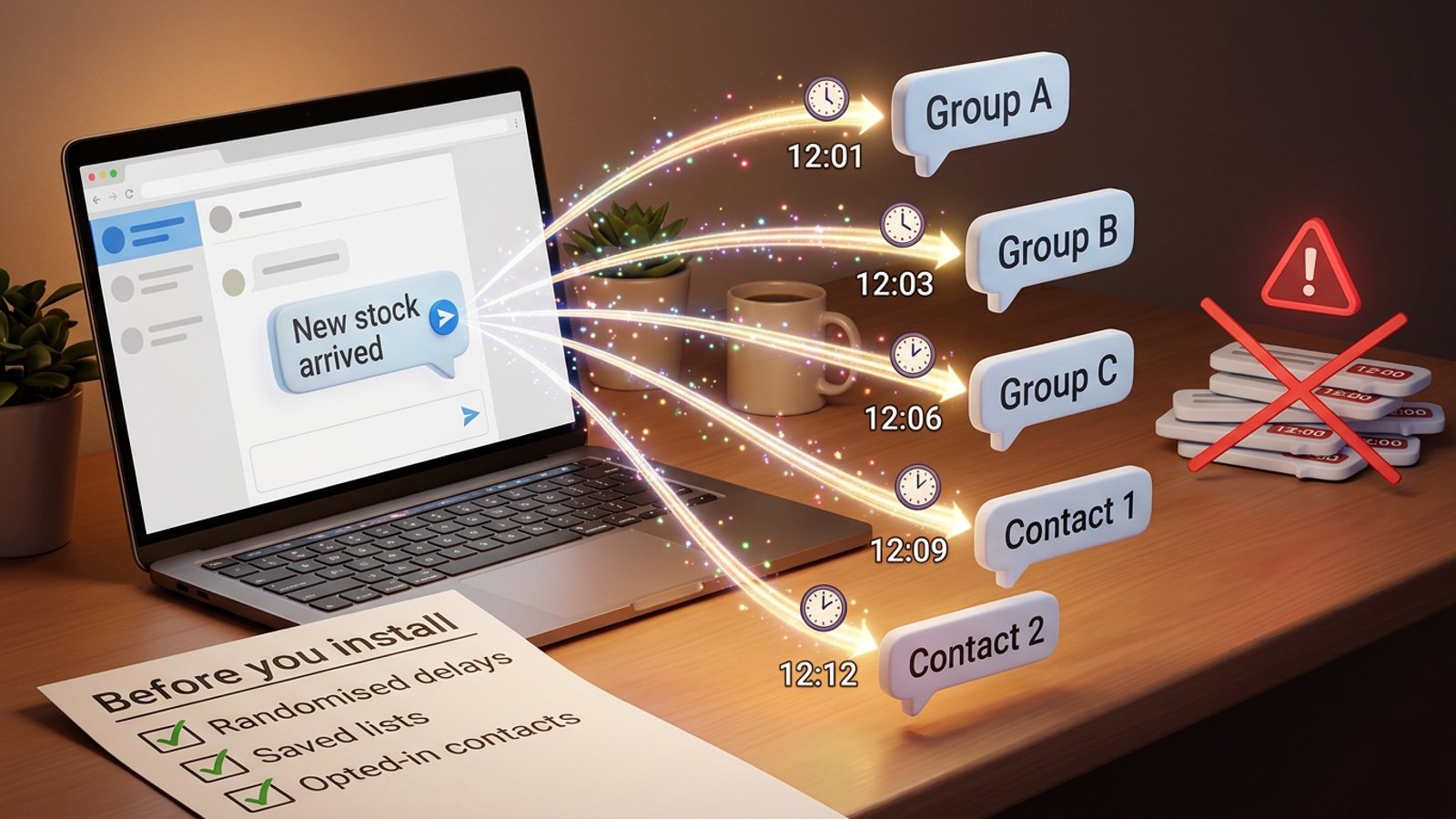
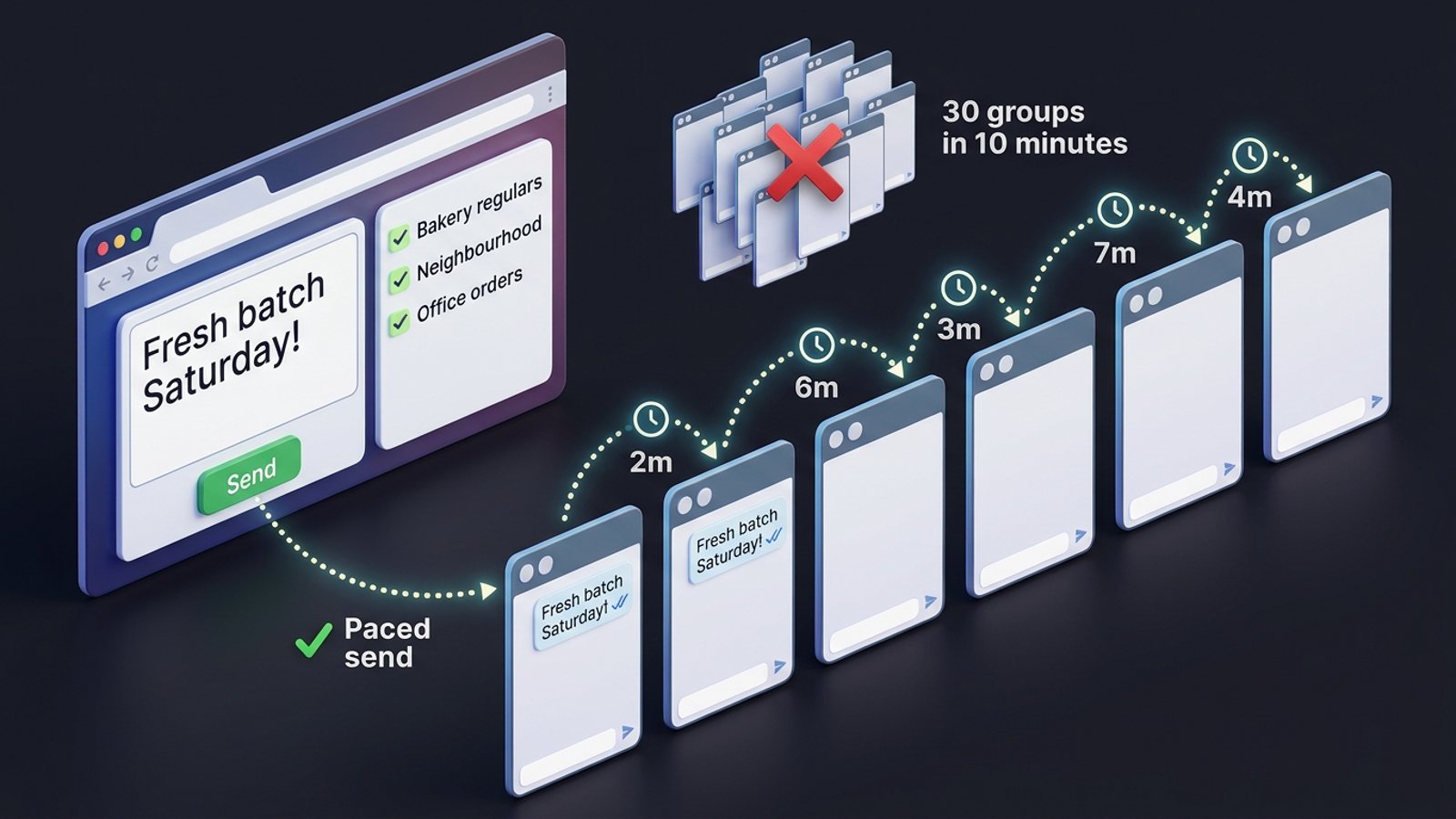
Yes, they help — but they don't make a risky pattern safe. Randomized pacing (small varying delays plus longer pauses after a batch) is a standard technique developers use so campaigns don't send at a fixed, predictable rate, which is seen as a trigger for automated anti-abuse detection (LeadTrapper WhatsApp Delay Calculator listing, 2026). The open-wa documentation is blunt about the limit: a send queue paces traffic but doesn't make a risky pattern safe, and any automation can be restricted or banned even with opt-in and pacing (GitHub, 2026).
Our recommendation: treat delays as one layer, not a shield. Pair them with varied wording, smaller daily batches and a list of people who expect to hear from you.
How does FivePlus keep bulk sharing lower-risk?
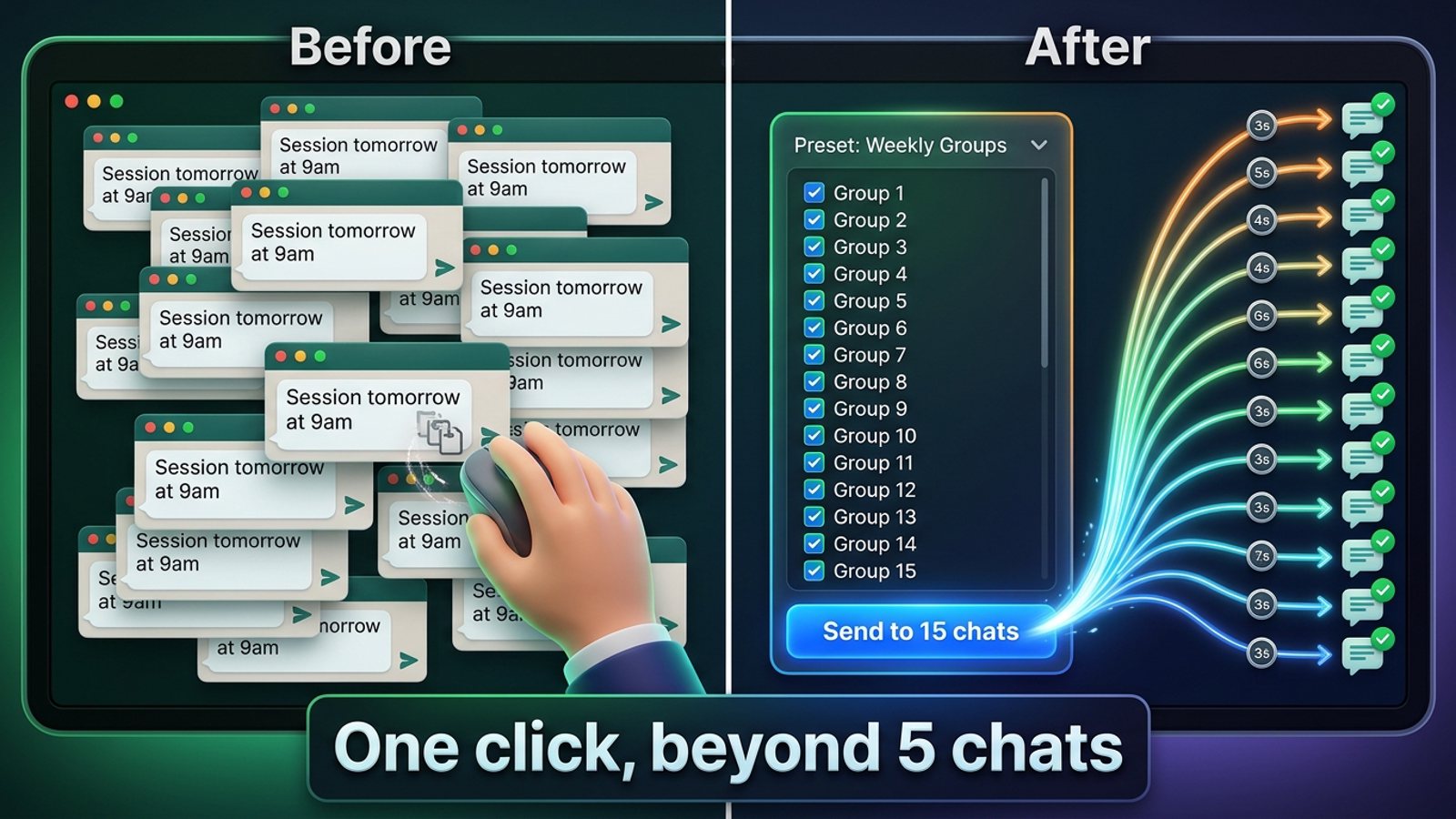
FivePlus is a Chrome extension for WhatsApp Web that sends a message, announcement or media to many saved groups and contacts in one click — beyond the standard five at a time. It manages risk with two features the owner stresses: anti-ban technology that mimics natural human behaviour, and randomized delays that stagger message timing to avoid spam flags.
It also saves your group lists as presets, so you set them up once and reuse them. V2 lets you send to multiple saved lists at once, and you can mix people and groups into one preset. It runs on WhatsApp Web in Chrome, with no login required, and it's free to try for 3 days (as of November 2026; prices can change).
Here's how to set it up with safety in mind:
- Install the extension from the Chrome Web Store and open WhatsApp Web.
- Save your group and contact lists as presets — once, then reuse them.
- Choose a preset, pick your message or media, and send in one click.
- Let randomized delays spread the messages out so timing looks natural.
- Keep daily volume modest and vary your wording — our recommendation, not a promise.
FivePlus is not affiliated with Meta; WhatsApp is a trademark of Meta Platforms, Inc. It requires Chrome and WhatsApp Web, and free use is limited to a 24-hour trial.
Are WA Sender alternatives safer? Compared
FivePlus is made by the team behind this blog, so read this comparison with that in mind. We've kept it honest about who each option suits better.
| Option | Best for | Key features | Price / free option | Watch-outs |
|---|---|---|---|---|
| FivePlus (Our pick) | Sending to many groups and contacts at once | Saved presets, multi-list send, randomized delays, anti-ban pacing | Free 3-day trial | Chrome + WhatsApp Web only |
| WA Mitra | Free text-only bulk sending | Random delays, batch rests, daily limit, risk score | Free tier; Pro from $4.99/mo | One browser at a time |
| WhatsApp Business App | Small personal customer lists | Free broadcast lists | Free | 256 contacts per list |
| Official Business API | Businesses at scale with opt-in | Templates, analytics, quality monitoring | Per-message billing | Opt-in and templates required |
Of the tools we compared, FivePlus is our pick for anyone leaving WA Sender who wants one-click sharing to many groups and contacts with pacing built in — try FivePlus and bulk share beyond 5 recipients.
The others suit different jobs. If you mainly need free text-only sending to typed numbers, WA Mitra is the more direct choice; its own listing states no tool can prevent a ban (Chrome Web Store, 2026). If your list is small and personal, WhatsApp Business App broadcast lists keep everything inside the app. If you're sending at scale and can collect opt-in, the official Business API is the rule-aligned route — though Meta's policy enforcement escalates through warnings, 1-, 3-, 5-, 7- and 30-day bans, lockdown and permanent removal (Meta for Developers, updated 2026).
What should I do if my account is already restricted?
Use WhatsApp's own Request Review in the app, and never pay for "unban services" or hand over OTP or PIN codes (RRI.co.id, 2026). WhatsApp says that when an account is restricted, the restriction ends automatically after a set time (WhatsApp Help Center, undated). In August 2026 WhatsApp also acknowledged a system error that blocked some accounts (RRI.co.id, 2026) — so not every block is about your sending habits.
While you wait, pause your bulk sends and review your list. If recipients are reporting you, the fix is fewer, more relevant messages — not a faster tool.
Ready to send to more than 5 chats at once with human-like pacing? Get FivePlus for WhatsApp Chrome extension and set up your saved group lists today.
FivePlus is made by the team behind this blog.
Sources
- Unauthorized use of automated or bulk messaging (WhatsApp Help Center, undated)
- About restricted accounts (WhatsApp Help Center, Indonesian, undated)
- 2026 WhatsApp bulk messaging rules analysis (Wati, vendor blog, 2026-09-22)
- WhatsApp Business API limits (Wati, vendor blog, 2026-11-11)
- WhatsApp Business App vs API (SleekFlow, 2026-09-15)
- WhatsApp Business Platform policy enforcement (Meta for Developers, updated 2026-05-21)
- WA Mitra Chrome Web Store listing (Chrome Web Store, updated 2026-11-02)
- WA Sender pricing page (WhatsApp Sender Tool, undated)
- WASender Free Bulk Messaging Plugin listing (Chrome Web Store, undated)
- WhatsApp Delay Calculator listing (Microsoft Edge Add-ons, 2026-09-21)
- Rate limits and account risk (open-wa docs on GitHub, 2026-11-19)
- WhatsApp mass account blocks explainer (RRI.co.id, 2026-09-06)
Frequently asked questions
It's safer in the sense that you're using built-in, non-automated features, but you lose bulk reach and must stay under 256 saved contacts per list. WhatsApp still monitors speed, repetition and reports, so even broadcast use can be throttled.
No. WhatsApp says bulk and automated messaging violates its Terms of Service, and tools like WA Mitra openly state no tool can prevent a ban. Treat any promise of a risk-free account with caution.
The official WhatsApp Business API with opt-in and approved templates, because Meta explicitly supports it. It's still paid and policed, but it's the route built to work within WhatsApp's rules rather than around them.
If you need to reach many groups and contacts quickly with pacing built in, FivePlus is our pick of the tools we compared — it saves your lists as presets and staggers sends with randomized delays. If you only need free text sending to typed numbers, WA Mitra is the more direct choice.
They help by avoiding a fixed, predictable send rate, which is seen as a trigger for automated detection. But pacing doesn't make a risky pattern safe — pair delays with varied wording and smaller batches.