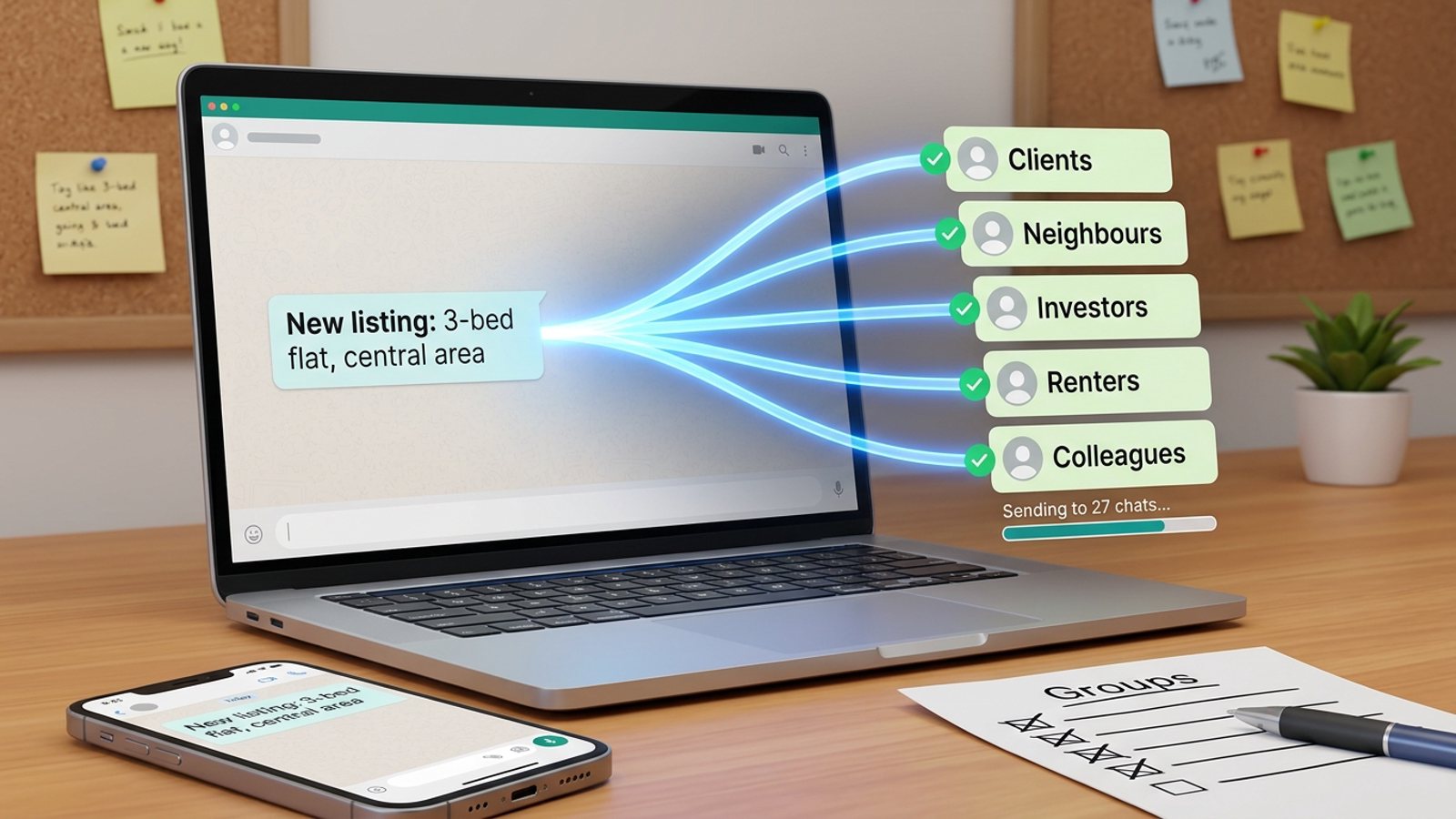
Is there a bulk WhatsApp sender for groups that works right inside Chrome?
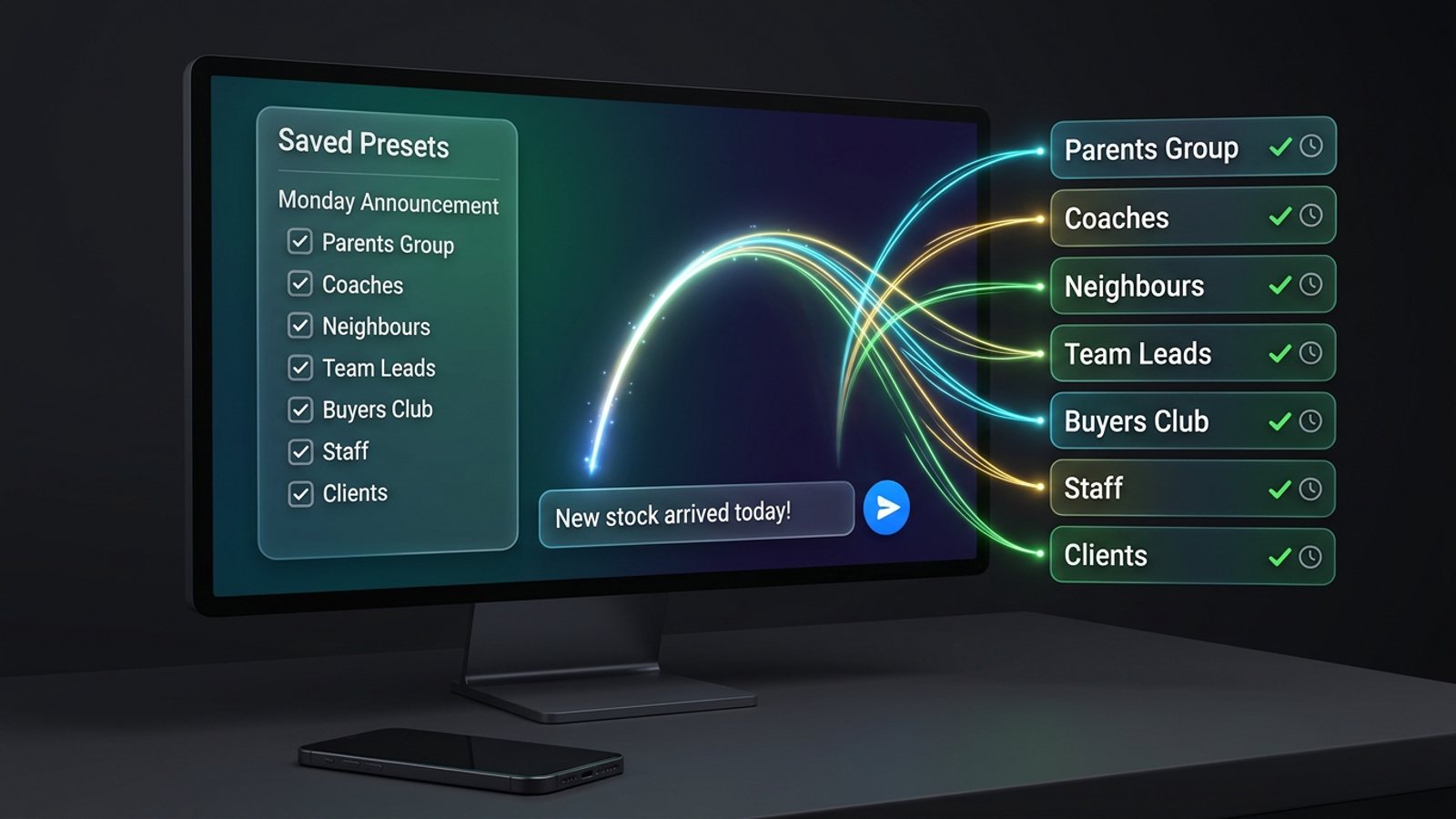
Yes — Chrome extensions run on top of WhatsApp Web and send one message to a whole list of groups in a single pass, which is how people get past WhatsApp's five-chat forwarding limit without the Business API. But WhatsApp states that bulk and automated messaging violate its Terms of Service, so an extension changes how fast and organised your sending is, not whether it's allowed. None is ban-proof.
FivePlus is a there bulk whatsapp sender groups extension built for exactly this job: save your group and contact lists once, pick a preset, and send to more than five chats in one click from WhatsApp Web. You can try it free for 3 days and see whether it fits how you work.
How does a Chrome bulk sender for WhatsApp groups actually work?
It drives WhatsApp Web inside your browser. You stay logged in to your own account, the extension lines up your chosen groups and contacts, and it sends your message to each one in turn — with pauses in between instead of a burst.
- Install the extension from the Chrome Web Store and open WhatsApp Web.
- Save your lists — groups, contacts, or a mix of both — as presets you can reuse.
- Pick a preset and a message (text, announcement or media) and hit send once.
- Let the delays run. The extension staggers the messages so they don't all land at the same second.
That last point matters. MSG.AI (11 Oct 2026) notes that a WhatsApp Web extension can organise sending — delays between chats, pause and resume, saved scripts — but it cannot change how WhatsApp counts or judges messages. The extension is a faster hand on the wheel, not a different road.
Does a Chrome extension get around WhatsApp's 5-chat limit?
It gets around the repetition, not the rule. WhatsApp's Help Center explains that forwarding is capped at five people or groups at a time, and a message forwarded to you can only go to one extra group chat. An extension skips the manual re-pasting by working through your list for you.
WhatsApp also labels messages forwarded through a chain of five or more chats with a "Forwarded many times" tag, and suggests creating a group chat or sharing a link instead. If your message is the kind that would pick up that label, a group post or a link may serve you better than a forward.
So the honest framing is this: you are not lifting a limit, you are automating the repeats. That is still a real time saving when your list runs to twenty, forty or a hundred chats.
Is it allowed? What WhatsApp says about bulk sending
No — WhatsApp is explicit. Its Help Center page on unauthorised automated or bulk messaging states that its products "are not intended for bulk or automated messaging, both of which have always been a violation of our Terms of Service."
WhatsApp also says it uses on-platform information and machine learning to spot accounts trying to evade its systems, and that it has taken legal action since 7 December 2019 against users or companies it judges to be abusing its terms through automated or bulk messaging.
An open-source legal reference (GitHub, Joe-Heffer/deploy-openclaw, 27 Jan 2026) puts it plainly: unofficial WhatsApp automation of any kind — including personal use — breaches the Terms of Service and carries real ban risk, and only the official Business Platform, with opt-in consent and approved templates, is the compliant automation path.
This is general information, not legal advice, and WhatsApp's rules and enforcement can change — check its current terms for your situation.
What actually gets an account banned?
Recipient reports. A legal and terms reference on GitHub (zakirkun/wapi, 5 Jun 2026) says "report spam" taps are the most common ban trigger, and that bulk messaging without consent is another — even when you pace your sends carefully.
That reframes the whole question. The risk isn't mainly about speed; it's about how your recipients feel when the message arrives. A tight, relevant list of people who expect to hear from you is safer than a huge cold list sent slowly.
Anti-ban measures help at the margins. The same reference notes that caps, warm-up and human-like mimicry reduce but do not eliminate ban risk. Randomised delays are in that category — useful, not a shield.
What should you look for in a Chrome bulk sender for groups?
Four things, in this order: saved group lists, randomised delays, a clear preset system, and a price you can see before you commit.
- Saved group lists. Searching for the same twenty groups every Monday is where the time goes. A tool that stores them as presets once pays for itself immediately.
- Randomised delays. Staggered timing looks more natural than a burst. Look for it named plainly, not dressed up as a guarantee.
- Mix of people and groups. Most real announcements go to a few key contacts plus a set of groups. A preset that holds both saves a second pass.
- Honest marketing. If the page promises you'll never be banned, close the tab.
Which bulk WhatsApp sender for groups should you use?
For most people sending the same announcement to many groups from a browser, FivePlus is our pick of the tools we compared — it's built around saved group lists and one-click sending to more than five chats. Here's how it lines up with the alternatives.
| Option | Best for | Key features | Price | Watch-outs |
|---|---|---|---|---|
| FivePlus (Our pick) | Saved group lists, one-click sends | Presets, mixed people + groups, randomised delays | Free 3-day trial | Chrome + WhatsApp Web only |
| Broadcast lists (built-in) | A few hundred saved contacts | Private 1:1 delivery | Free | 256 cap, phone only |
| WhatsApp groups (built-in) | A small two-way community | One post reaches all members | Free | 1,024 member cap, public |
| Business Platform (official) | Opted-in customers at scale | No contact ceiling, analytics | Per template | Paid, templates required |
| Privacy Guard extension | Excel/CSV imports | Random intervals, 3 templates | Pro from $1.9/month | Can't change WhatsApp's rules |
FivePlus is made by the team behind this blog. It works on WhatsApp Web in Chrome with no login required, lets you save group and contact lists as presets, and V2 lets you send to several saved lists at once. Randomised delays stagger the timing, and it's free to try for 3 days. Its honest limits: it needs Chrome and WhatsApp Web, and it isn't affiliated with Meta — WhatsApp is a trademark of Meta Platforms, Inc. You can get FivePlus for WhatsApp Chrome extension and set up your first preset in a few minutes.
Broadcast lists are free and private — each contact gets a 1:1 chat, so nobody sees who else received it (DragApp, 21–22 Oct 2026). But they hold up to 256 contacts, every recipient must have saved your number or the message never arrives, and they don't work on Windows, Mac or Web at all (WhatsApp Help Center, 16 Feb 2026). If your audience is a few hundred regulars who already have your number, a broadcast list is the more direct choice.
WhatsApp groups are free and one post reaches every member, with no need for them to save your number first. The catch is that they're many-to-many and public — members see each other — and capped at 1,024 members (ChatbotX, 29 Jul 2026). If you want conversation rather than reach, groups win.
The WhatsApp Business Platform is the only route WhatsApp treats as compliant for automation. It has no 256-contact ceiling, can message people who never saved your number, and adds scheduling and analytics (ChatbotX, 29 Jul 2026). It's billed per delivered template by category and recipient country, with 1,000 free service replies per number per month from October 2026 (Square Cloud, 21 Oct 2026; Wati, 28 Jul 2026, vendor blog), and business-initiated messages outside 24 hours must use Meta-approved templates. If you're a growing business with opted-in customers and a budget, this is the more direct choice.
WhatsApp Bulk Sender & Privacy Guard is a Chrome extension with free Excel/CSV import, random send intervals, pause/resume/stop/retry, three saved templates and a privacy blur mode; Pro starts at $1.9/month as of November 2026 and adds unlimited sending, attachments and group member sending (Chrome Web Store). If you mainly work from CSV contact files rather than saved group lists, it's the more direct choice.
Prices for other tools are as of November 2026 and can change. FivePlus's free trial is as of November 2026 too, and prices can change.
How much does a Chrome bulk sender cost?
Less than the Business API in most cases, but the comparison isn't quite apples to apples. Extension pricing is flat and small; platform pricing scales with every message you deliver.
For context on the official route: Meta bills per delivered template message, priced by template category and the recipient's country code, and non-template messages are free inside an open 24-hour customer service window (Meta for Developers, 22 Jan 2026, page marked obsolete). Meta says it only changes Business Platform prices on the first day of a quarter, at most four times a year (Meta for Developers, 21 Apr 2026, page marked obsolete). Rates vary by country, so check Meta's current pricing page before budgeting.
Extension prices in the tools we compared, as of November 2026:
- FivePlus: free to try for 3 days.
- WhatsApp Bulk Sender & Privacy Guard: Pro from $1.9/month.
- BizSend: Pro $29.99/month or $49.99 once for lifetime access, unlocked via your signed-in Google account (Chrome Web Store, 22 Aug 2026).
- ZapSender Pro: free plan up to 50 recipients per campaign and 3 saved campaigns; Pro lifetime US$5 one-off (GitHub, 14 Sep 2026).
- TurboText WA and WhatsApp Sender Pro: no price shown in the listings we read.
Say you run a bakery with twelve neighbourhood groups and you post the daily special. Twelve manual pastes, five at a time, is three rounds of copy-paste every morning. A saved preset turns that into one click. That's the trade you're actually buying.
Can you send to groups and individual contacts in the same go?
Yes, with a tool that lets you mix them. FivePlus lets you combine people and groups into one preset for maximum reach, so a single send can cover your eight client groups and your twenty regulars without a second pass.
That matters more than it sounds. Most real announcements — a price change, a schedule shift, a launch — need to reach both the groups and the handful of people who aren't in any of them. Two passes means two chances to forget someone.
Why don't broadcast lists show up on WhatsApp Web?
Because they're a phone-app feature. WhatsApp's Help Center (16 Feb 2026) states that broadcast lists are not supported on Windows, Mac or Web.
That's the gap Chrome extensions fill. If your work happens at a desk with WhatsApp Web open all day, the built-in broadcast tool isn't available to you at all — and copying the same message into group after group by hand is exactly the chore a bulk sender removes.
What's the safest way to send one message to many groups?
Tight lists, honest timing, and no surprises for the recipient. No tool can promise safety, but you can lower your risk considerably with a few habits.
- Segment hard. Send to groups where your number is known and the message is expected.
- Use randomised delays. Staggered timing is the baseline, not a bonus.
- Keep it occasional. A weekly announcement reads differently from five a day.
- Make opting out easy. A simple "reply STOP and I'll take you off" line costs nothing.
- Watch for reports. If people start leaving groups after a send, change the message, not the tool.
For a deeper look at pacing and account safety, the safest bulk WhatsApp sender for groups with anti-ban delays guide goes further into the timing side.
If you're still weighing the manual route, our comparison of a bulk WhatsApp sender for groups vs doing it 5 at a time by hand walks through the time cost honestly.
Ready to stop re-pasting? Get FivePlus for WhatsApp Chrome extension and save your group lists once.
Sources
- About forwarding limits (WhatsApp Help Center)
- Unauthorized use of automated or bulk messaging on WhatsApp (WhatsApp Help Center)
- How to use broadcast lists (WhatsApp Help Center, 16 Feb 2026)
- WhatsApp Message Limit Per Day (2026) (MSG.AI, 11 Oct 2026)
- WhatsApp Terms of Service & Legal Considerations (GitHub, Joe-Heffer/deploy-openclaw, 27 Jan 2026)
- Legal & terms (GitHub, zakirkun/wapi, 5 Jun 2026)
- Lista de difusión de WhatsApp (DragApp, 21–22 Oct 2026)
- WhatsApp Broadcast Limits in 2026 (ChatbotX, 29 Jul 2026)
- Plateforme WhatsApp Business | Tarifs (Meta for Developers, 22 Jan 2026)
- Piattaforma WhatsApp Business | Prezzi (Meta for Developers, 21 Apr 2026)
- WhatsApp API Pricing 2026 (Wati, 28 Jul 2026, vendor blog)
- Official WhatsApp API: what it is and its cost (Square Cloud, 21 Oct 2026)
- WhatsApp Bulk Sender & Privacy Guard (Chrome Web Store)
- BizSend — WhatsApp Business Suite (Chrome Web Store, 22 Aug 2026)
- ZapSender Pro README (GitHub, 14 Sep 2026)
- TurboText WA — Bulk WhatsApp Sender (Chrome Web Store)
- WhatsApp Sender Pro (Chrome Web Store)
Frequently asked questions
For saved group lists and one-click sending beyond five chats, FivePlus is our pick of the tools we compared, with a free 3-day trial. If you work mainly from CSV files, WhatsApp Bulk Sender & Privacy Guard at $1.9/month is the more direct fit. If you need compliant automation at scale, the official Business Platform is the right answer.
Yes. WhatsApp Web is a linked device on the same account, so messages sent from Chrome are counted and judged exactly like messages sent from your phone (MSG.AI, 11 Oct 2026).
WhatsApp's own forwarding limit is five people or groups at a time. A Chrome extension works through a longer list for you rather than lifting that cap, and WhatsApp treats bulk messaging as a Terms of Service violation regardless of the tool.
No tool can promise otherwise. Recipient "report spam" taps are the most common trigger, and bulk messaging without consent is another, even with careful pacing (GitHub, zakirkun/wapi, 5 Jun 2026). Anti-ban measures reduce risk but don't remove it.
With FivePlus, saved group lists are stored permanently, so it's better not to uninstall the Chrome extension if you want to keep them handy. For other tools, check their documentation before you cancel.