What are the best alternatives to messaging WhatsApp groups one by one for agents?
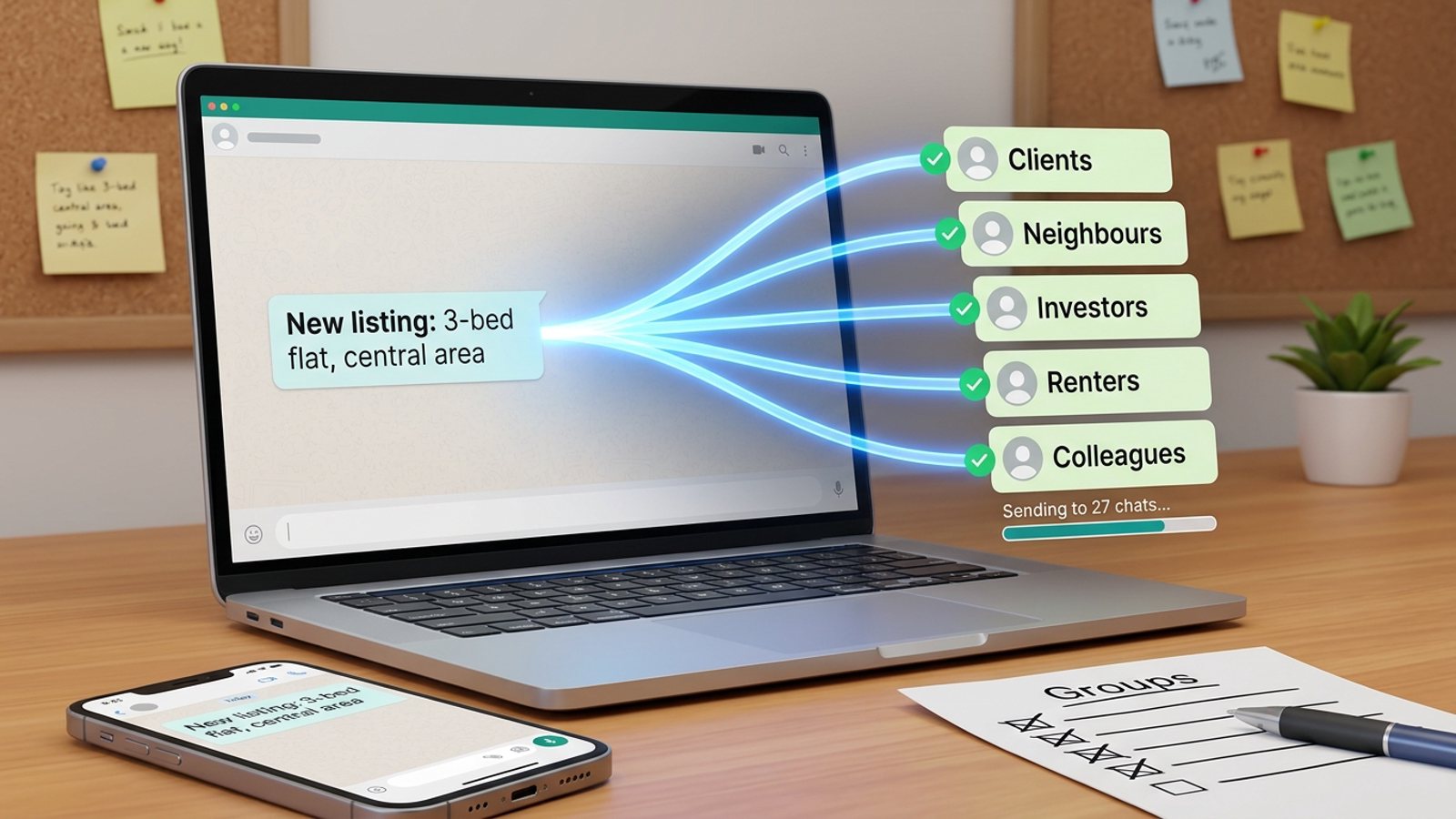
If you're an agent pasting the same listing into group after group, the best alternatives messaging WhatsApp groups one by one are: free broadcast lists in the WhatsApp Business App (up to 256 contacts per list, and only people who saved your number get it), the official WhatsApp Business API via a provider like WATI (paid, template-based, needs opt-in), an SMS or email newsletter, or a browser extension that automates WhatsApp Web for your existing groups.
What actually replaces messaging WhatsApp groups one by one?
There is no single swap that fits every agent. The real choice is between four routes: a WhatsApp broadcast list, the official WhatsApp Business API, a different channel like SMS or email, or a bulk WhatsApp sender extension that works on WhatsApp Web. Each one solves a different part of your problem.
If your job is "send this new listing to the 30 groups I already run," only the last route touches those groups directly. If your job is "send a monthly update to 800 past clients," broadcast lists or the API fit better. Decide which job you have before you pick a tool.
How do the alternatives compare at a glance?
Here's the short version. The table keeps each cell brief; the detail follows underneath.
| Option | Best for | Key features | Price / free option | Watch-outs |
|---|---|---|---|---|
| FivePlus (Our pick) | Agents messaging many existing groups | Saved group lists, one-click bulk share, randomized delays | Free to try for 3 days | Chrome + WhatsApp Web only |
| WhatsApp broadcast lists | One-way updates to saved contacts | Private one-to-one delivery, 256 per list | Free | Contacts must have saved you |
| WATI (official API) | Teams wanting a sanctioned route | Shared inbox, automation, templates, CRM sync | 7-day free trial; paid plans | Subscription + Meta fees |
| SMS / email newsletter | Reaching people outside WhatsApp | No WhatsApp account risk | Varies by platform | Can't post into groups |
| Manual copy-paste | A handful of groups | Full control, no third party | Free | Slow at volume |
FivePlus is made by the team behind this blog.
FivePlus — Our pick of the tools we compared
FivePlus is a Chrome extension for WhatsApp Web. You save your group and contact lists as presets once, then pick a message or media and send it to dozens of chats in one click — beyond the standard five-recipient limit. V2 lets you send to several saved lists at once, and you can mix people and groups into one preset. Randomized delays and anti-ban technology stagger the timing to mimic natural human behavior.
It's free to try for 3 days, and it works on WhatsApp Web in Chrome with no login required. Honest limits: it needs the Chrome browser and WhatsApp Web, and it isn't affiliated with Meta.
If your work is posting into groups you already belong to, this is the most direct fit. Get FivePlus for WhatsApp Chrome extension (bulk share beyond 5 recipients) and set up your first preset today.
WhatsApp Business App broadcast lists — the free route
A broadcast list sends one message to many contacts, but each person receives it as a private one-to-one chat, and only you see who is on the list (Drag blog, 2026). Each list holds up to 256 contacts, and it's free.
To create one: open WhatsApp Business, go to Chats, open the menu (three dots on Android; Settings → Broadcast Lists on iPhone), choose New Broadcast, pick contacts who have saved your number, confirm, then send to the list like any chat (Wati blog, 2025).
The catch is the saved-number rule: recipients only get the message if they have your number in their contacts (Wati blog, 2025). And a broadcast list can't post into your existing groups. If you mainly need a clean, free one-way announcement to clients who know you, this is the more direct choice.
WATI and the official WhatsApp Business API — the sanctioned route
For audiences beyond 256, businesses move to the WhatsApp Business API, which supports messaging thousands of customers with personalised templates (Wati blog, 2025). WATI is a Meta Business Partner built on that API, with a shared team inbox, no-code automation, template broadcasts, campaign analytics, HubSpot/Salesforce sync and iOS/Android agent apps (Wati, 2026).
Pricing is where it gets real. Trackers disagree: one lists Growth/Pro/Business at $59–$279/mo billed annually (verified 2026-11-10), another at $69/$149/$349 monthly as of November 2026, with Meta's message fees billed on top (The AI Agent Index, 2026; CostBench, 2026). WATI also prices differently by visitor region, so check its page for your country before budgeting (Chatmizer, 2026). There's a 7-day free trial, no credit card.
If you need opt-in templates, a team inbox and CRM sync, WATI is the stronger fit. For a solo agent sending to existing groups, it's a heavy and recurring cost.
SMS and email newsletters — the different-channel route
If your goal is reaching people who never saved your number, SMS or email does that without any WhatsApp account risk. Of 51 SMS marketing tools ranked in 2026, 13 had a free plan and 31 a free trial (MEFMobile, 2026). Platforms like Sender and Constant Contact are compared on affordability versus newsletter depth for small businesses (Sequenzy, 2026).
The limit is obvious: this can't post into WhatsApp groups at all, and it brings its own consent rules, costs and deliverability work. Use it alongside WhatsApp, not instead of it, when you need a fallback channel.
Manual copy-paste — still an option
For five or six groups, copying and pasting by hand is free and keeps every action in your own hands. At volume it eats your day, and WhatsApp's terms on bulk messaging still apply to what you send.
Is there an official way to post one message into many existing groups at once?
No. Broadcast lists target contacts, not groups, and the research behind this article shows no official WhatsApp feature that posts a single message into multiple existing groups in one action. That gap is exactly why agents look for alternatives in the first place.
Is it safe to use a bulk WhatsApp sender extension?
No tool can promise safety, because WhatsApp says automated or bulk messaging breaks its Terms of Service and it may take legal steps against people behind abuse (WhatsApp Help Center). What a well-built extension can do is reduce the obvious spam signals.
FivePlus does this with randomized delays that stagger message timing and anti-ban technology that mimics natural human behavior. It's a risk reducer, not a guarantee. Our recommendation: keep lists tight and relevant, don't blast strangers, and follow WhatsApp's terms — rules and enforcement can change, and this is not legal advice.
Every route into many chats carries risk; the honest question is how much risk you accept and how you manage it.
How do I set this up without losing a whole afternoon?
Whichever route you pick, the setup follows the same shape. Here's the practical sequence:
- Decide the channel — broadcast list for saved contacts, API for opt-in scale, extension for existing groups.
- Build your list once — segment by interest so campaigns are ready in advance (Drag blog, 2026).
- Create the broadcast or preset — for a broadcast: Chats → menu → New Broadcast → pick contacts → confirm (Wati blog, 2025).
- Draft one clear message — a listing, an open-house note, a price change.
- Send and stagger — spread sends out rather than firing everything at once.
- Watch replies — groups invite two-way discussion; broadcasts are one-way.
With FivePlus, steps 2 and 3 collapse into one: save your group and contact lists as presets once, then reuse them forever. The owner confirms saved group lists stay saved even if you cancel — so don't uninstall the extension if you want to keep them.
What does each option actually cost?
Costs range from zero to a few hundred dollars a month. Broadcast lists and manual copy-paste are free. FivePlus is free to try for 3 days. WATI runs a subscription plus Meta message fees, with trackers quoting $59–$279/mo annual-billed or $69–$349/mo monthly as of November 2026. Exact SMS and email plan prices weren't in the sources for this article, so check each platform directly.
Source: CostBench, 2026-11-20
Prices can change, so confirm on each vendor's own page before you commit.
Which alternative is best for your situation?
Match the tool to the job, not the other way round:
- You post into 20–40 groups you already run → a bulk WhatsApp sender extension like FivePlus.
- You send one-way updates to clients who saved your number → a free broadcast list.
- You message thousands of opted-in customers and need a team inbox → WATI or another official API provider.
- You need a channel outside WhatsApp entirely → SMS or email.
If you're still weighing the manual approach, our breakdown of whether a bulk sender is worth it versus messaging groups by hand walks through the time trade-off. And if you're comparing specific tools, see Bulk Sender vs WhatsApp-Group-Sender for agents.
Ready to stop clicking group by group? Get FivePlus for WhatsApp Chrome extension (bulk share beyond 5 recipients) — save your lists once and send in one click.
Sources
- Unauthorized use of automated or bulk messaging on WhatsApp — WhatsApp Help Center
- Liste de diffusion WhatsApp : comment la créer et l'utiliser — Drag blog, 2026-10-21
- WhatsApp Broadcast vs Group — Wati blog, 2025-10-12
- Wati vs Gupshup — Wati site, 2026-09-02
- WATI Pricing Explained — Chatmizer, 2026-10-08
- Wati Review — The AI Agent Index, updated 2026-11-16
- Wati Hidden Costs 2026 — CostBench, 2026-11-20
- Wati Pricing 2026 — CostBench, 2026-07-31
- Best SMS Marketing Software in 2026 — MEFMobile, 2026-10-15
- Sender vs Constant Contact — Sequenzy, 2026-01-27
Frequently asked questions
No. WhatsApp's Help Center says its products are not intended for bulk or automated messaging and that this has always violated its Terms of Service.
Up to 256 contacts per list, according to Drag's 2026 guide — and it's free.
Because recipients only receive a broadcast if they have saved your number in their contacts (Wati blog, 2025).
No. Broadcast lists target contacts, not groups. For existing groups, you need a tool that works inside WhatsApp Web, like a bulk sender extension.
If your groups already exist and you want one-click sending with saved lists and randomized delays, FivePlus is our pick of the tools we compared. If you need an official, opted-in route to thousands of customers with a team inbox, WATI is the more direct choice.