Bulk WhatsApp sender for groups vs doing it 5 at a time by hand: which is better?

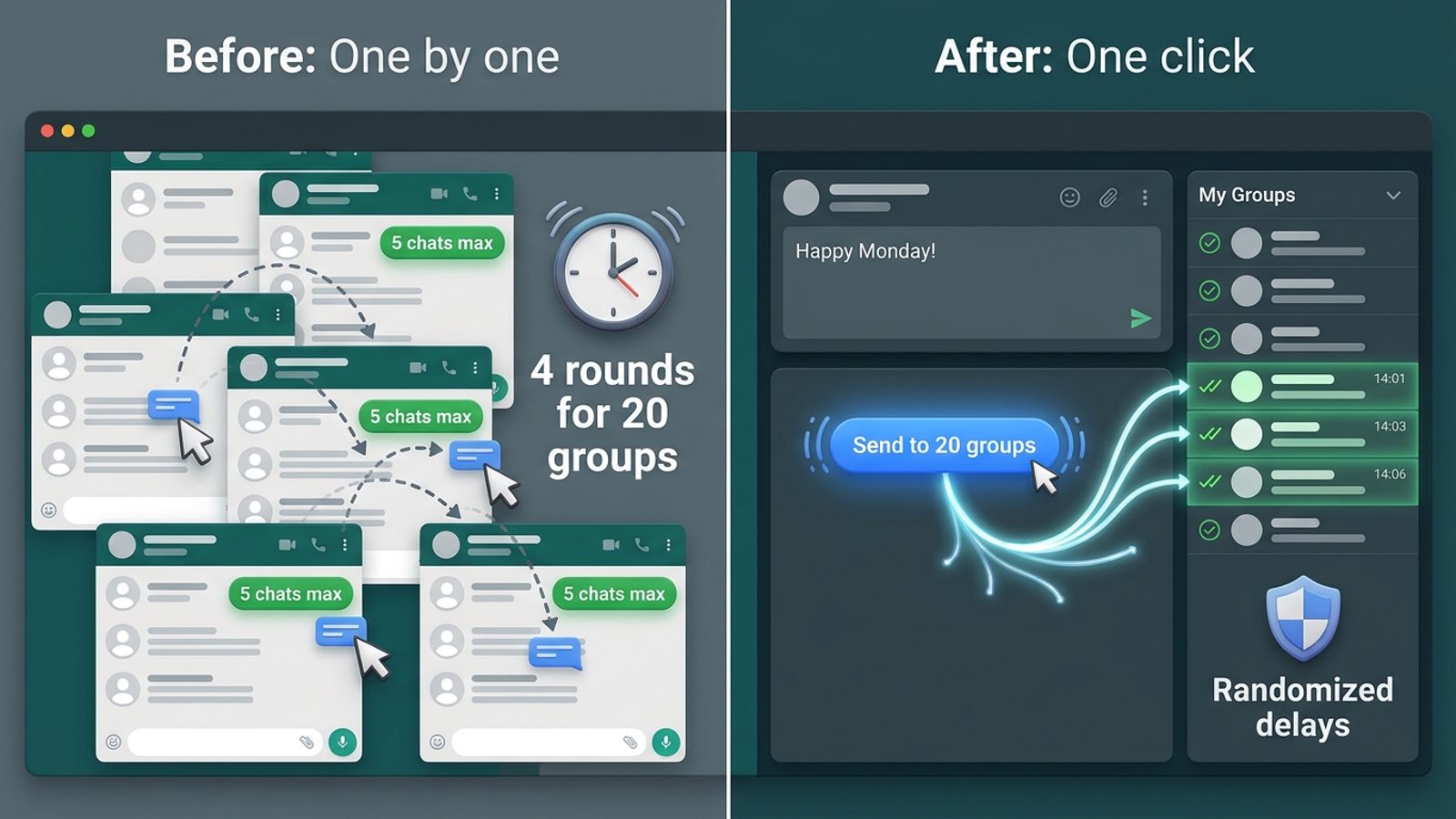
If you're sending to more than five groups or contacts, a bulk WhatsApp sender is the better fit — WhatsApp caps a forward at 5 people or 5 groups, so 20 groups means four rounds by hand. A sender does it in one click with saved lists and randomized delays. For a handful of chats now and then, doing it by hand is fine.
Get FivePlus for WhatsApp Chrome extension (bulk share beyond 5 recipients) and see what one send to your whole list feels like.
How many chats can you actually send to at once in WhatsApp?
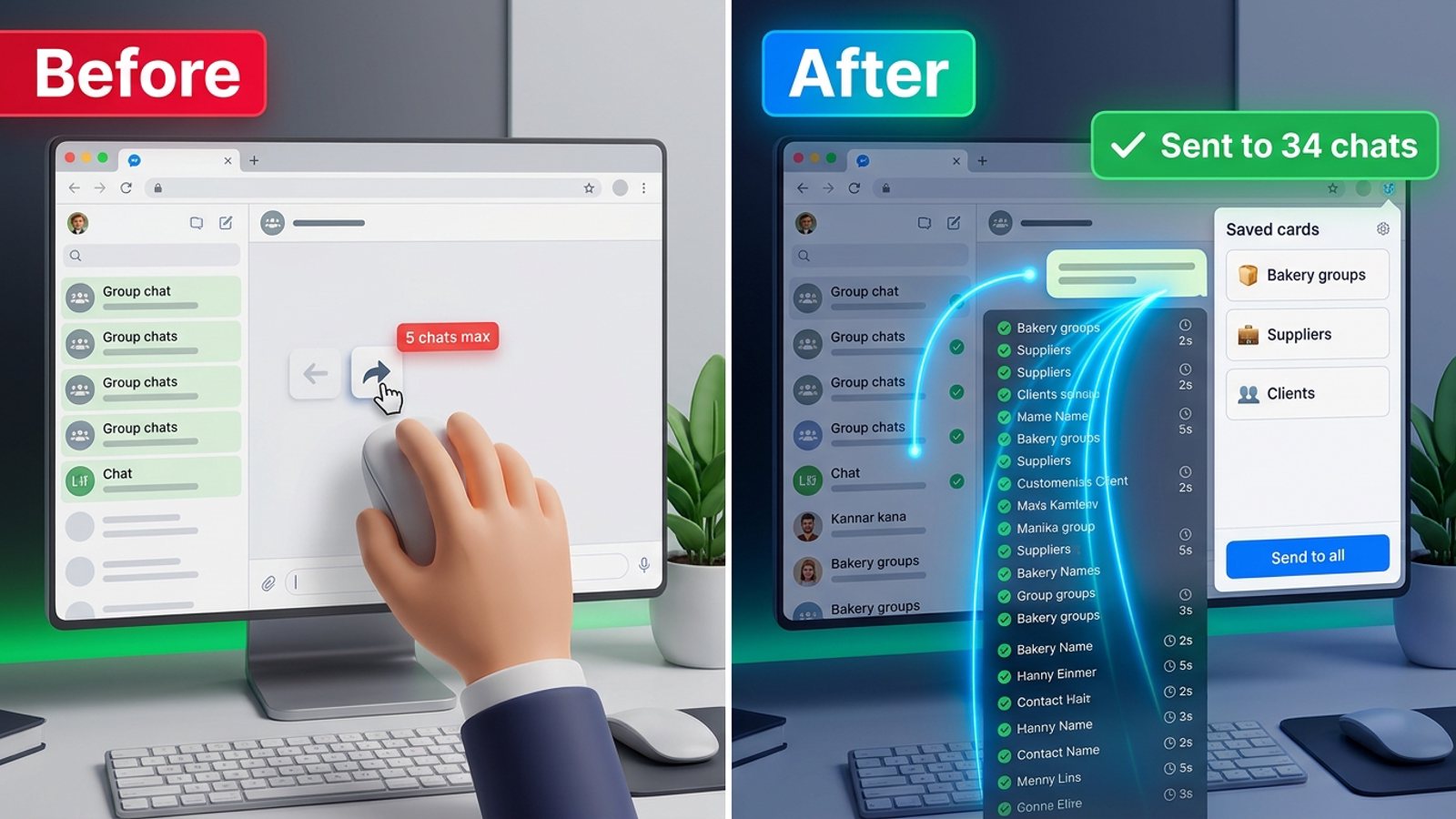
Five. WhatsApp's Help Center says you can forward a message to up to 5 people or 5 groups at a time, and a message that was forwarded to you can only go to one additional group chat.
That's the whole comparison in one number. If your announcement needs to reach 15 client groups, you're doing three separate passes by hand — and every pass is another chance to miss a group or paste into the wrong chat.
What does "doing it 5 at a time by hand" really cost you?
Time, mostly — and accuracy. Manual forwarding is free and gives you total control over every message, which is why it works well for a handful of chats. The problems start when the list grows.
By hand you have no saved group lists. Every round means scrolling your chat list and re-finding the same groups. You have no pacing controls, so your rounds go out in bursts. And you have no record of who you already sent to, so the second round is guesswork.
Say you run a bakery with 18 customer groups for different neighbourhoods and order types. A Friday special means four rounds of five, each one a fresh search through your chats. Miss one group and that neighbourhood never hears about the offer.
What does a bulk WhatsApp sender do differently?
It sends to dozens of chats in one action, from a list you saved once. That's the core difference: the list becomes a reusable preset instead of a daily search.
FivePlus, the Chrome extension from this blog's team, works like this:
- Install the extension from the Chrome Web Store and open WhatsApp Web in Chrome.
- Save your group and contact lists as presets — once. You can mix people and groups in the same preset.
- Pick a preset (or several at once in V2), choose your message or media, and send in one click.
- Let randomized delays stagger the messages so the timing looks natural rather than machine-gun fast.
Presets are the part people underestimate. Once your "all client groups" list exists, a Monday update is one click instead of four rounds of scrolling. And the owner confirms saved group lists stay saved — so don't uninstall the extension if you want to keep them.
Is a bulk sender actually safer than doing it by hand?
No — and this is where most comparisons get dishonest. WhatsApp's Help Center states plainly that its products "are not intended for bulk or automated messaging, both of which have always been a violation of our Terms of Service," and that it takes legal action against abuse.
That applies to every route below, including the manual one when you're forwarding the same text to 40 chats. What a sender can do is reduce the spammy signals: FivePlus uses anti-ban technology that mimics natural human behaviour and randomized delays that stagger timing. It cannot guarantee your account survives.
Bulk sender vs by hand vs broadcast lists vs the official API: which should you pick?
Here's how the four routes compare, with FivePlus first because it's our product.
| Option | Best for | Key features | Price | Watch-outs |
|---|---|---|---|---|
| FivePlus (Our pick) | Many groups, one message, one click | Saved presets, unlimited sharing, randomized delays | Free 3-day trial | Chrome + WhatsApp Web only |
| Doing it by hand | A few chats, now and then | Free, full control | Free | 5-recipient cap, no saved lists |
| Broadcast lists | One-way news to a known base | Private 1:1 delivery | Free | 256 cap, saved-number only, phone only |
| WhatsApp Business API (e.g. WATI) | Real scale with opt-in | Templates, team inbox, automation | Software fee + per-message | Setup, opt-in rules, cost |
FivePlus is made by the team behind this blog. Of the tools we compared, it's our pick for the specific job of pushing one announcement to lots of existing groups from WhatsApp Web — unlimited sharing, presets you build once, and randomized delays, with no monthly sending limit per the owner.
The honest caveats: it needs Chrome and WhatsApp Web, the free trial runs 24 hours (the site advertises 3 days free to try), and it isn't affiliated with Meta — WhatsApp is a trademark of Meta Platforms, Inc.
When doing it by hand is the better choice
If you're messaging three or four chats, manual forwarding wins. It's free, there's no third-party tool in the loop, and WhatsApp's own advice for reaching several people is to create a group chat or share links rather than forward in bulk. If that describes your week, stay manual.
When broadcast lists are the better choice
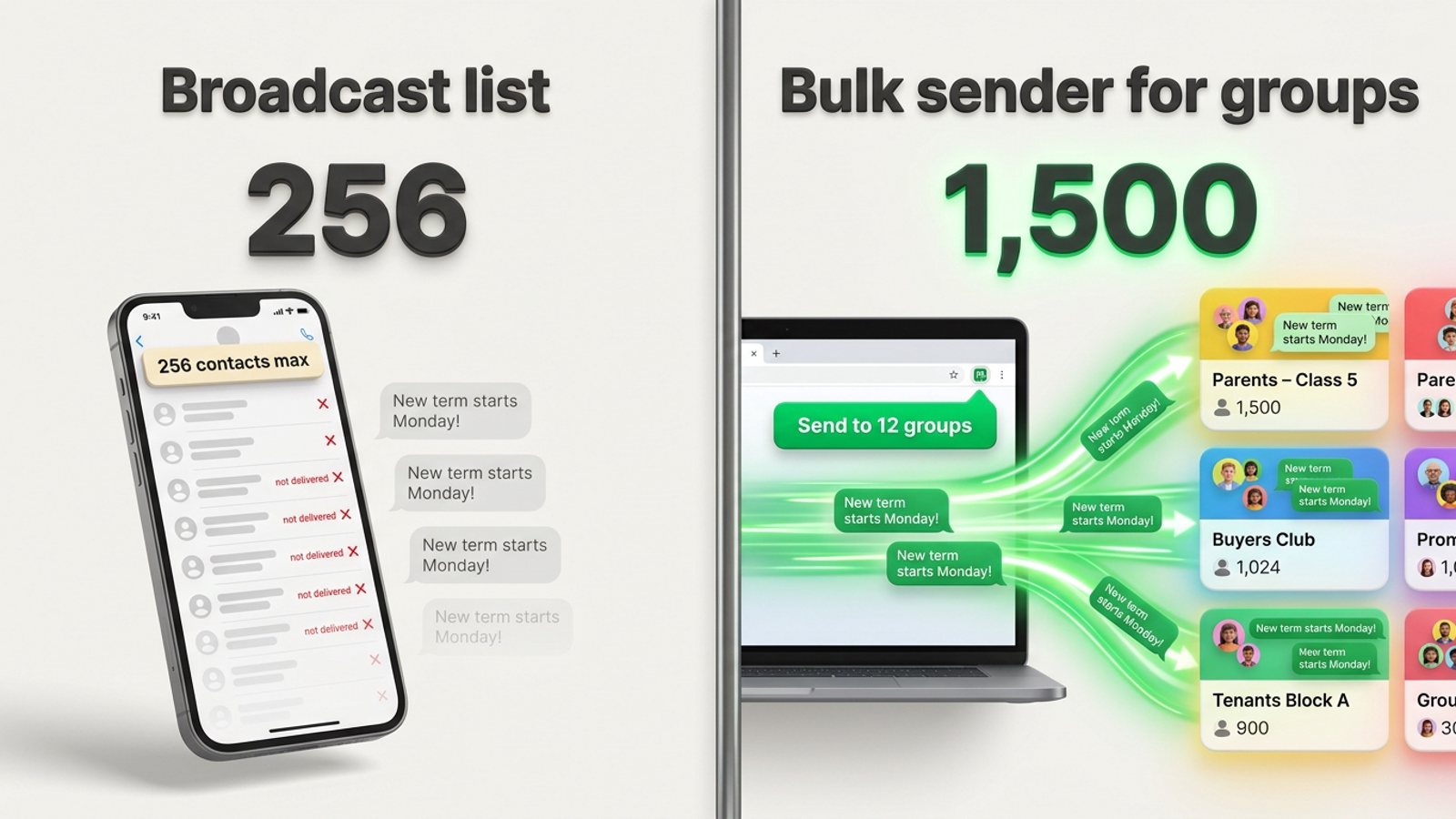
Broadcast lists are free and each recipient gets a private 1:1 message — nobody sees the others. But per Wati (Aug 2026), only contacts who saved your number receive them, and the list caps at 256 contacts (Zenvia, updated Oct 2026). They also can't be created on WhatsApp Web or Desktop, only on your phone. If your audience is a saved contact base and you want private delivery, this is the more direct choice.
When the official Business API is the better choice
For genuine scale beyond 256 contacts, Wati recommends the WhatsApp Business API (Aug 2026). You get approved templates, opt-in consent and automation — but you pay a software fee plus Meta's per-message rate. CostBench (31 Jul 2026) lists WATI at $59/$149/$349 per month with no permanent free plan and a 7-day trial; WATI's own API page (7 Sep 2026) shows Pro at $79/month, and Chatmizer (Oct 2026) notes prices vary by region. Check your country's page before budgeting. If you mainly need compliant, template-based messaging at volume, the API is the right route.
When another Chrome extension fits better
Free WhatsApp Bulk Sender offers 30 messages a day free with premium from ₹300/month, and WA Bulk Message Sender Pro gives 50 free messages a day, Pro at $4.99/month for one number and Pro Max at $9.99/month for five (Chrome Web Store listings, Sep and Nov 2026). Both add CSV upload or group-member import. If you want spreadsheet-style personalisation tokens, those are the more direct choice; if you want saved group presets and no monthly sending cap, FivePlus is.
Related reading: is a bulk WhatsApp sender worth it vs sending to 5 chats at a time by hand?
What are the mistakes to avoid with either approach?
Sending the same text to everyone with no variation. Our recommendation: rewrite the opening line for each preset so it reads like a message, not a flyer.
Ignoring the "Forwarded many times" label. If your messages keep arriving with that tag, recipients notice — and so does WhatsApp.
Assuming a tool makes you ban-proof. It doesn't. Bans are tied to spam, bulk messaging, scams and unofficial apps (Gadgets Now, 28 Nov 2026).
Uninstalling WhatsApp after a ban. Gadgets 360 (updated 24 Nov 2026) warns this can wipe a locally saved backup you'd need once the ban lifts.
Do you need a bigger group instead of more sends?
Sometimes, yes. WhatsApp raised the maximum group size from 1,024 to 1,500 members on Android and iOS, rolling out gradually (Engadget, MacRumors and heise online, all 19 Nov 2026). If your 12 small groups could be 3 bigger ones, consolidating cuts your sending job before any tool enters the picture.
Our recommendation: audit your groups once a quarter. Merge the quiet ones, archive the dead ones, and your preset list gets shorter and more effective.
The best bulk setup isn't the one that sends the most messages — it's the one where every group on the list still wants to hear from you.
Ready to stop counting to five? Get FivePlus for WhatsApp Chrome extension (bulk share beyond 5 recipients) and send your next announcement in one click.
Sources
- About forwarding limits — WhatsApp Help Center
- Unauthorized use of automated or bulk messaging — WhatsApp Help Center
- WhatsApp Broadcast vs Grupo — Wati blog, 28 Aug 2026
- WhatsApp broadcast 256 limit guide — Wati, 22 Sep 2026
- Broadcast list guide — Zenvia, updated 21 Oct 2026
- WhatsApp Account Banned? — Gadgets 360, updated 24 Nov 2026
- WhatsApp Account Banned? How to Appeal — Gadgets Now, 28 Nov 2026
- WhatsApp raises group limit to 1,500 — Engadget, 19 Nov 2026
- WhatsApp Raises Group Chat Limit to 1,500 — MacRumors, 19 Nov 2026
- WhatsApp apparently raises group limit to 1,500 — heise online, 19 Nov 2026
- WATI Pricing 2026 — CostBench, 31 Jul 2026
- WATI Pricing Explained — Chatmizer, 8 Oct 2026
- Wati API page — Wati, 7 Sep 2026
- Free WhatsApp Bulk Sender listing — Chrome Web Store, updated 13 Sep 2026
- WA Bulk Message Sender Pro listing — Chrome Web Store, updated 20 Nov 2026
Frequently asked questions
For more than five groups or contacts, a bulk sender is better — it removes the repeated rounds of five and keeps your lists saved. For a few occasional chats, manual forwarding is free and simpler.
Yes. WhatsApp says bulk and automated messaging violate its Terms of Service, and bans are tied to spam and bulk messaging. Randomized delays reduce spam signals but don't remove the risk.
Of the tools we compared, FivePlus is our pick for existing groups on WhatsApp Web: unlimited sharing, saved presets, and randomized delays, free to try for 3 days. If you need official opt-in templates at scale, the WhatsApp Business API via a provider like WATI is the more direct choice.
Up to 256 contacts, and only those who have saved your number receive the message (Wati, Aug 2026; Zenvia, Oct 2026).
No — broadcast lists can only be created on iOS or Android, not on WhatsApp Web or Desktop (Zenvia, updated Oct 2026).