What is the best bulk WhatsApp sender for groups in 2026?
There is no single best bulk WhatsApp sender for everyone in 2026. If your job is posting the same message into groups you already belong to, a Chrome-extension sender that saves your group list once and paces sends with randomized delays is the fastest honest route — FivePlus is our pick of the tools we compared. Community announcements, broadcast lists and the official API each fit a different job.
Get FivePlus for WhatsApp Chrome extension (bulk share beyond 5 recipients) and stop re-searching the same groups every morning.
What does the standard five-recipient limit actually mean?
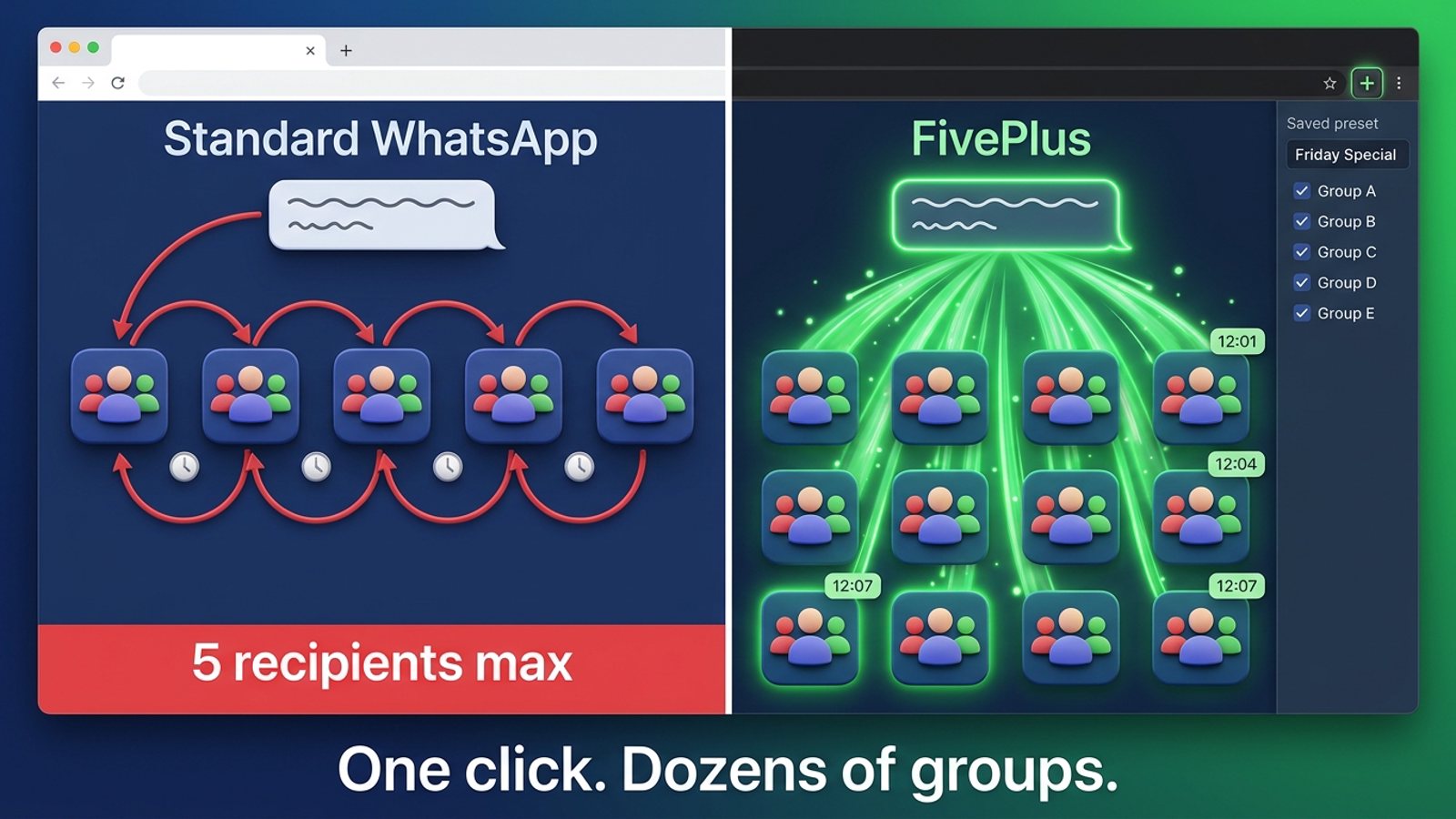
WhatsApp caps forwarding at five users or five groups at a time, per its Help Center. A message that has already been forwarded can go to only one group, and a chain of five or more chats labels it "Forwarded many times."
WavesFlo (4 October 2026) adds the detail that matters for group senders: a message carrying the Forwarded label can still go to five chats, but only one of them may be a group. A "Forwarded many times" message goes to a single chat.
So if you run 12 client groups and want one announcement in all of them, the built-in route means a dozen separate actions — and a label on every one.
Which bulk WhatsApp sender is best for groups in 2026?
For posting into groups you already belong to, FivePlus is our pick of the tools we compared: it saves your group and contact lists as presets, mixes people and groups in one preset, and sends to dozens of chats in one click instead of five. It works on WhatsApp Web in Chrome, no login required.
FivePlus is made by the team behind this blog.
Here is how the four realistic options compare as of November 2026.
| Option | Best for | Key features | Price / free option | Watch-outs |
|---|---|---|---|---|
| FivePlus (Our pick) | Posting into groups you're already in | Saved presets, multi-list sends, randomized delays | Free 3-day trial | Chrome + WhatsApp Web only |
| WhatsApp Community announcements | Groups you own | One admin post reaches all sub-groups | Free | 2,000-member cap; your groups only |
| WhatsApp broadcast lists | Private one-to-many to contacts | Each recipient sees a 1:1 chat | Free | 256 contacts; no groups |
| WATI (official API) | Scaled opted-in outreach | Templates, team inbox, no list cap | From ~$59/mo, third-party | Per-message Meta fees |
| whatsapp-web.js | Developers who want control | Full control of pacing and logging | Free, open source | No UI or support; ban risk |
Get FivePlus for WhatsApp Chrome extension (bulk share beyond 5 recipients) if your job is group posting rather than contact outreach.
How does FivePlus handle a group announcement?
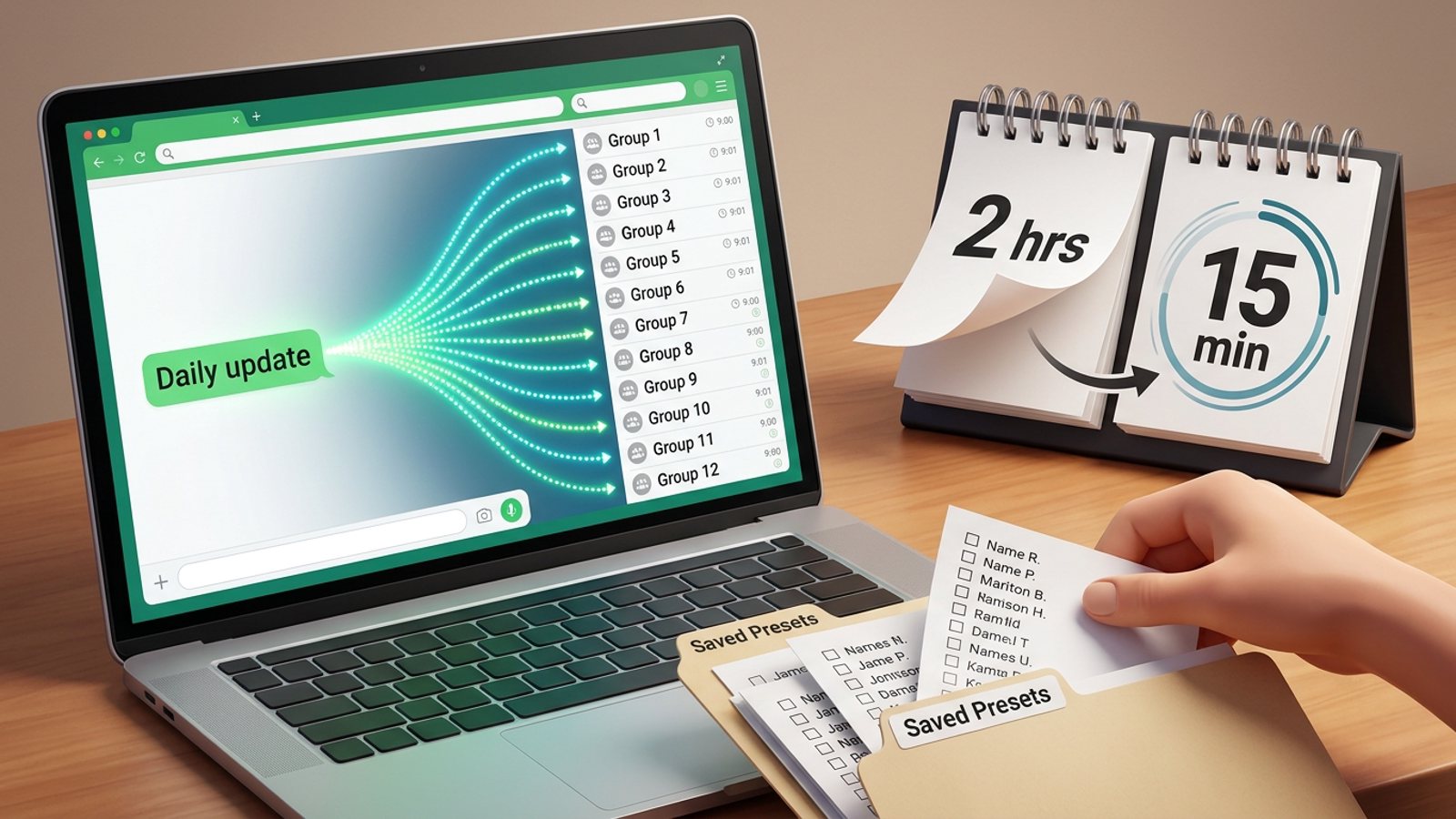
You install the extension, open WhatsApp Web, and save your group and contact lists as presets once. Next time you pick a preset — or several at once in V2 — choose your message or media, and send in one click. Randomized delays spread the messages out.
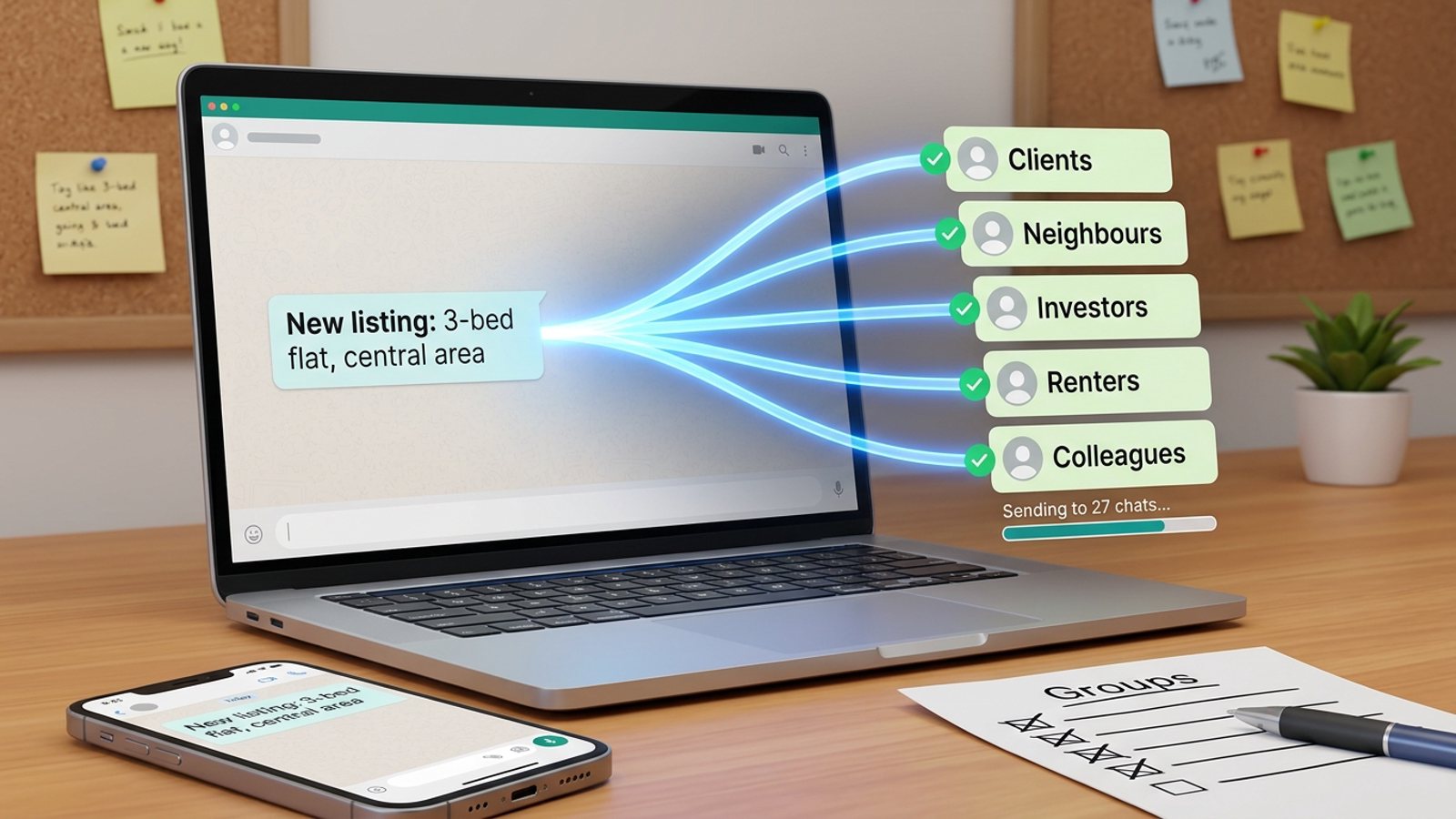
Say you run a bakery with eight neighbourhood groups and a list of 30 regulars. You save both into one preset. When the Friday special is ready, you send it once and the extension works through the list with staggered timing.
Saved lists stay saved even if you cancel, which is why the owner's advice is not to uninstall the extension.
Who is FivePlus not the right choice for?
If you need to reach people who never saved your number, or you need approved templates and a shared team inbox, the official API route is the more direct choice. FivePlus works on WhatsApp Web in Chrome only, and the free trial runs 24 hours.
Do WhatsApp broadcast lists work for groups?
No. Broadcast lists reach contacts, not groups — and only contacts who have saved your number receive the message, per ChatbotX (29 July 2026). Both the free and Business apps cap a list at 256 contacts, and messages silently fail for people who haven't saved you.
WA Smart Sender (11 November 2026) confirms the split: broadcast lists are for people, groups hold up to 1,024 members. Blueticks (4 September 2026) notes that groups expose every member's phone number to every other member, while broadcasts keep recipients siloed.
So a broadcast list is excellent for a private note to 200 clients. It cannot put your announcement inside a group.
Is a WhatsApp Community announcements group better than a sender?
It depends on whether you own the groups. A Community is a directory of linked groups with an auto-created Announcements group: only admins post there, and the message reaches members of every sub-group (Trengo, January 2026).
9bot (8 October 2026) reports that WhatsApp's Help Center points people toward Communities for group announcements — and that broadcast lists don't work for groups.
The limits come from Chatmitra (23 October 2026), a third-party blog quoting WhatsApp's Help Center: up to 2,000 members per Community, 1,024 per sub-group, and leaving Announcements means leaving the whole Community.
When is the official WhatsApp Business API the right route?
When you need to reach people who never saved your number, at scale, with templates and analytics. ChatbotX (29 July 2026) notes the API removes the 256-contact limit and adds cloud contact storage, scheduling and analytics — but business-initiated messages outside the 24-hour window must use an approved Meta template.
WATI is the Business Solution Provider most often compared here. Third-party reviews put its plans at $59, $149 and $349 per month on monthly billing (CostBench, 31 July 2026; Zoye, 20 November 2026), with message fees on top. Treat those as third-party snapshots, not confirmed official figures — Wati shows prices by region.
Meta's own pricing changed on 1 October 2026: service messages and in-window utility templates became billable, each business gets 1,000 free service messages per phone number per month, and all template messages are charged (Meta for Developers, updated 18 November 2026). New portfolios start at 250 unique recipients per 24 hours (Zernio, 25 June 2026).
If you mainly need approved templates and per-message billing, WATI is the more direct choice. If you mainly need to post into groups you already sit in, it's the wrong shape of tool.
What about a DIY script with whatsapp-web.js?
It gives developers total control — and total responsibility. whatsapp-web.js and Baileys automate a real WhatsApp Web session rather than using an official bot API, so WhatsApp's abuse detection applies to your bot exactly as to a human account (RepublicNodes, 6 October 2026).
Square Cloud (21 October 2026) notes these libraries can violate WhatsApp's terms and be banned at any time. A community-built sender on NPM, wa-bulk-web (6 February 2026), exposes a --rate delay defaulting to 5000 ms and a --randomize-delay ±20% option — and its own readme warns of account bans.
There are bugs, too. Volcengine Developer Community (July 2026) documents how forEach fires all async callbacks at once so the delay applies once; the fix is a for...of loop with await.
How do you bulk-send to WhatsApp groups without getting banned?
You can't eliminate risk, but you can lower it. Here's the sequence the research supports.
- Decide your route first — groups you're in (extension), groups you own (Community), contacts (broadcast), or scaled outreach (API).
- Save your recipient list once so you're not searching and pasting group names every time.
- Warm a new number over 2–3 weeks with quiet days and replies before any bulk run (isales.ai, 30 May 2026).
- Use randomized delays, not a fixed gap — the developer practice cited is a random 5–15 seconds (LinkedIn, Amit R, 31 January 2026).
- Vary the message slightly and never add non-contacts to groups; Periskope's docs (28 October 2026) call that a spam action.
- Watch replies and reports between batches — Wati (22 September 2026) says WhatsApp monitors sending speed, content repetition and report rates in real time.
Whapi (5 May 2026) describes what a restriction looks like: a declared "restricted" state blocks new chats, calls, groups, new members and linked devices until an in-app timer — typically 24–72 hours — ends, while existing chats keep working. WhatsLoop's ban data study (June 2026) found the restriction usually lands within 24–72 hours of the risky behaviour, and numbers under two weeks old are most exposed.
There is no documented magic number that triggers a ban — the outcome depends on the combination of signals and your account's history, so pacing and relevance matter more than any daily count.
How does FivePlus fit into a safer sending routine?
FivePlus handles two of the six steps for you: it saves your group and contact lists as presets, and it staggers sends with randomized delays that mimic natural human behaviour, rather than a fixed gap. You handle the rest — warm-up, message variation, and watching replies.
All plans include unlimited sharing, and there is no monthly sending limit per plan. Mix people and groups into one preset for maximum reach, or send to several saved lists at once in V2.
For a closer look at how this compares with other extensions, see our roundup of the best WhatsApp bulk sender extensions for Chrome in 2026, and if you're weighing the time cost against doing it manually, read is a bulk WhatsApp sender worth it vs messaging groups by hand.
Get FivePlus for WhatsApp Chrome extension (bulk share beyond 5 recipients) — free to try for 3 days, as of November 2026, and prices can change.
Messaging and account-safety rules vary by place and can change. Follow WhatsApp's terms, and treat this as general guidance — not legal advice.
Sources
- Unauthorized use of automated or bulk messaging on WhatsApp (WhatsApp Help Center)
- About forwarding limits (WhatsApp Help Center)
- WhatsApp forward limit: how many chats at once (WavesFlo, 4 Oct 2026)
- WhatsApp Message Limit Per Day (2026) (MSG.AI, 11 Oct 2026)
- How to Message Multiple WhatsApp Groups at Once (9bot, 8 Oct 2026)
- 2026 WhatsApp 群發訊息規則 (Wati, 22 Sep 2026)
- WhatsApp Broadcast Limits in 2026 (ChatbotX, 29 Jul 2026)
- WhatsApp Broadcast List vs Group vs API (WA Smart Sender, 11 Nov 2026)
- WhatsApp broadcast vs group (Blueticks, 4 Sep 2026)
- How to Create a WhatsApp Business Community: 2026 Guide (Trengo, Jan 2026)
- What Is a WhatsApp Community? (Chatmitra, 23 Oct 2026)
- Best Practices (Periskope docs, 28 Oct 2026)
- WhatsApp Business Platform pricing (Meta for Developers, updated 18 Nov 2026)
- Wati Pricing 2026 (CostBench, 31 Jul 2026)
- Wati Pricing: Plans, Message Fees and 3 Real Monthly Bills (Zoye, 20 Nov 2026)
- WhatsApp Broadcast Messages Explained (Zernio, 25 Jun 2026)
- WhatsApp Bot Hosting: How to Avoid Number Bans (RepublicNodes, 6 Oct 2026)
- WhatsApp bot banned or not working (Square Cloud, 21 Oct 2026)
- wa-bulk-web (NPM, 6 Feb 2026)
- WhatsApp.js forEach delay issue (Volcengine Developer Community, Jul 2026)
- LinkedIn post on a Node.js/whatsapp-web.js bulk engine (Amit R, 31 Jan 2026)
- Por que o WhatsApp pode bloquear seu número (MEFMobile, 11 Sep 2026)
- How to Avoid a WhatsApp Ban in 2026 (Whapi, 5 May 2026)
- Data Study: WhatsApp Ban Statistics and Patterns 2026 (WhatsLoop, Jun 2026)
- WhatsApp number warm-up schedule (isales.ai, 30 May 2026)
- WhatsApp营销工具一天发多少条不封号 (Aliyun Developer Community, Oct 2026)
Frequently asked questions
Not with WhatsApp's built-in forwarding, which caps at five chats and allows only one group if the message is already forwarded. You need a Community announcements group or an extension sender to go beyond that.
If you post into groups you already belong to, use a preset-based Chrome extension — FivePlus is our pick of the tools we compared. If you own the groups, a free Community announcements group is cleaner. If you need templates and per-message billing, go through WATI and the official API.
They remove the sending-too-fast trigger, but not the report or repeated-content signals. Delays lower risk; they don't remove it.
It's the sanctioned channel, but it still requires opted-in contacts and approved templates, and Meta charges per delivered message.
The owner's guidance is that only regular WhatsApp works. FivePlus requires the Chrome browser and WhatsApp Web.