What is the best Chrome extension for a wedding planner's WhatsApp Web?

For a wedding planner who sends the same update to many vendor and client groups at once, the best fit of the tools we compared is FivePlus, a Chrome extension for WhatsApp Web with saved group lists, unlimited forwarding beyond the standard 5-recipient limit and randomized delays. No extension can guarantee account safety — WhatsApp treats bulk messaging as a Terms of Service violation.
Get FivePlus for WhatsApp Chrome extension (bulk share beyond 5 recipients) — save your vendor and client groups once, then send an update to all of them in one click.
What should a wedding planner look for in a WhatsApp Web extension?
Look for four things: saved group presets, sending beyond five chats at once, randomized delays, and an honest statement about what it can't do. A typical wedding involves 20–40 vendor threads and a guest list that changes weekly, according to a planner-focused piece from Querygen (vendor content, March 2026) — so anything that makes you re-search for the same groups every time wastes the hours you don't have.
A WhatsApp Web extension wedding planner tool should also be clear about the platform's rules. WhatsApp's help centre says its products "are not intended for bulk or automated messaging, both of which have always been a violation of our Terms of Service." That doesn't change with the tool you pick.
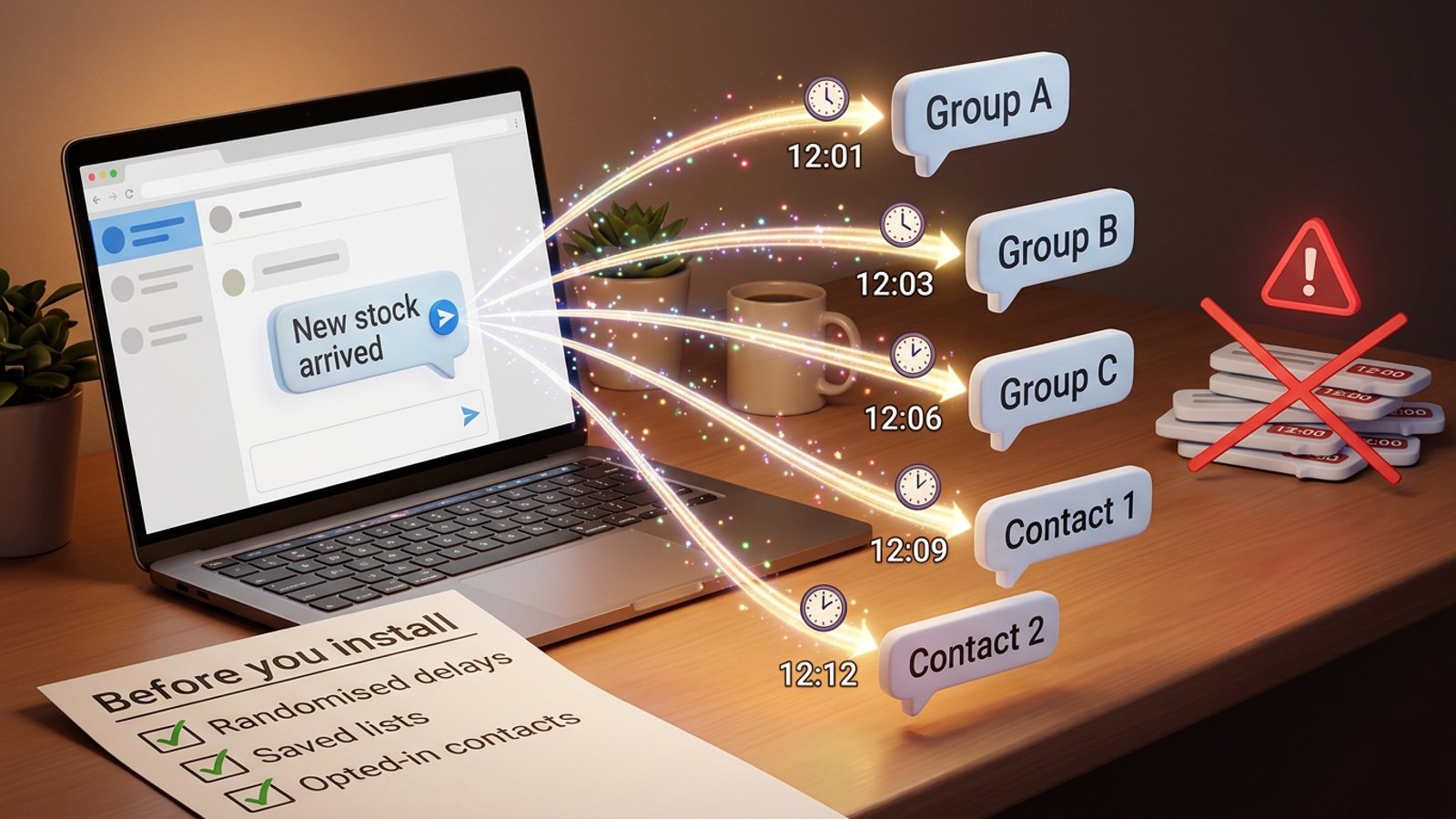
Here's what to check before you install anything:
- Saved lists or presets — can you save your vendor groups and client groups once and reuse them?
- Sending beyond 5 — WhatsApp's own forwarding is capped at 5 chats at a time (WhatsApp Help Center, undated); does the extension go past that?
- Pacing controls — randomized delays or typing simulation, so sends don't fire back-to-back.
- What it needs from you — Chrome and WhatsApp Web, a manual login, or a CSV of numbers?
- Honest limits — does the listing say plainly that no setting guarantees account safety?
How does FivePlus work for a wedding planner's group lists?
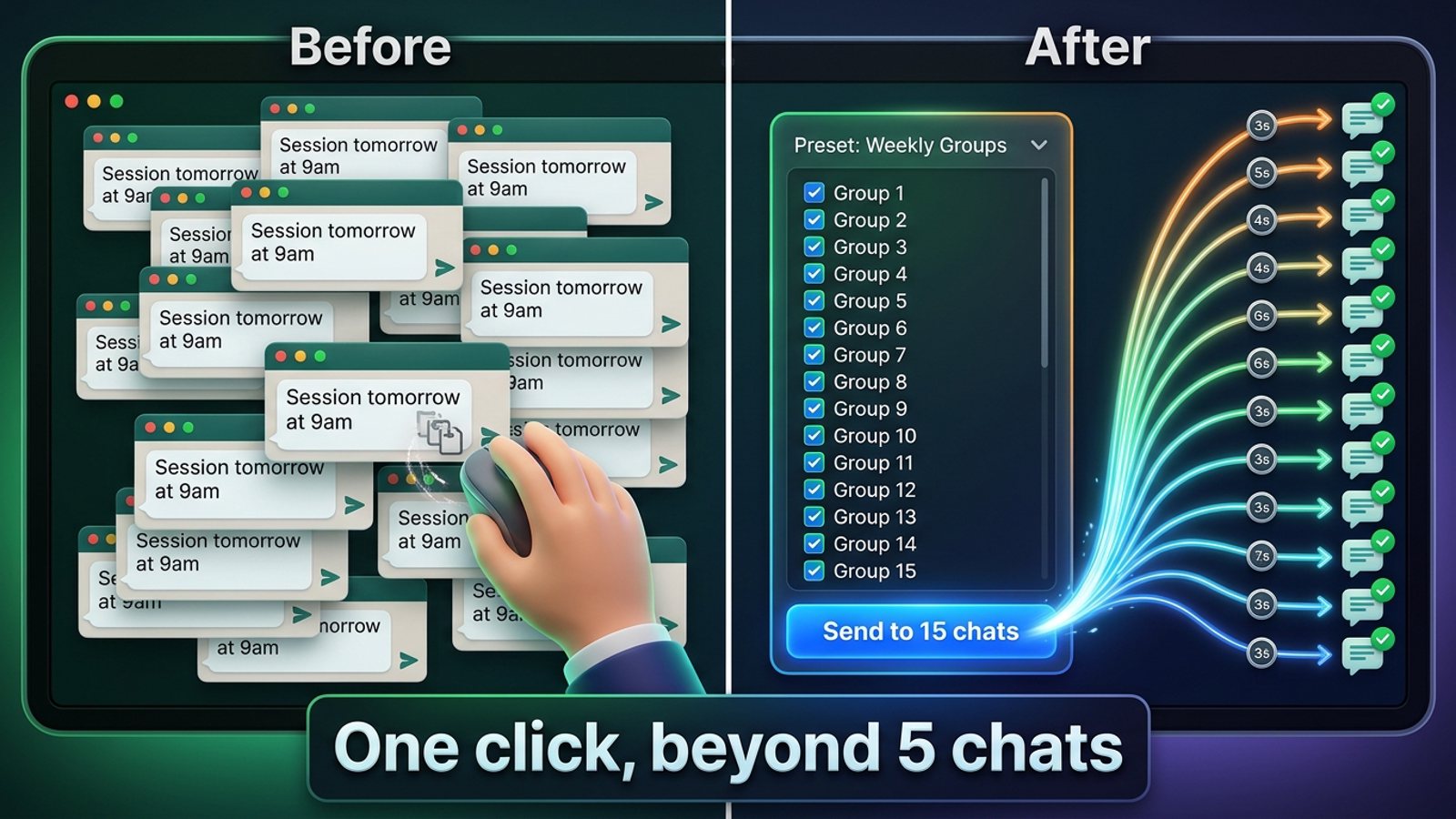
FivePlus is a Chrome extension for WhatsApp Web that sends a message, announcement or media to many saved groups and contacts in one click, instead of the standard five at a time. You save your group and contact lists as presets once, choose a preset (or several in V2), pick your message or media and send.
Say you run a three-wedding summer and keep a "June vendors" preset with the florist, caterer, band and venue groups, plus a "Smith client group" preset. When the timeline changes, you pick both presets, paste the update and send — no scrolling through chats to find each group.
The features that matter for a planner:
- Unlimited forwarding — send to dozens of chats at once, beyond the standard 5-recipient limit.
- Saved group lists — save your group lists once and reuse them; V2 lets you send to multiple saved lists at once.
- Randomized delays — stagger message timing to avoid spam flags.
- Anti-ban technology — mimics natural human behavior.
- Mix people and groups — one preset for maximum reach.
- No login required — works on WhatsApp Web in the Chrome browser.
What are the best alternatives to FivePlus for wedding planners?
The honest answer: FivePlus fits planners who message many groups at once, but if you only send guest updates to individuals, WhatsApp's free built-in options are the more direct choice. Here's how the options we compared stack up.
| Option | Best for | Key features | Price / free option | Watch-outs |
|---|---|---|---|---|
| FivePlus (Our pick) | Many groups and contacts at once | Saved presets, unlimited sharing, randomized delays | Free 3-day trial | Chrome + WhatsApp Web only |
| WhatsApp broadcast lists | Simple guest updates | One message to up to 256 contacts | Free | No groups; saved-number only |
| Communities announcements | Related groups in one Community | Post once to announcements | Free | Groups must join your Community |
| WaSenderHQ | CSV and Sheets senders | Delay jitter, templates, do-not-message list | Free; Pro $19.99 one-time | Import caps on free tier |
| TurboText WA | Pasting exact group names | Paste numbers, groups, contacts | No paid tier listed | Very small adoption |
FivePlus is our pick of the tools we compared for the planner's real job — one update across many vendor and client groups — because it combines saved presets, unlimited sharing and randomized delays in one Chrome extension. Its limits: it requires Chrome and WhatsApp Web, and free use is limited to a 24-hour trial.
WhatsApp broadcast lists are free and built in. Wati (22 September 2026) reports a 256-contact cap, that recipients only receive a broadcast if they've saved your number, and that broadcast lists don't work for groups. If you mainly need guest updates, this is the more direct choice.
Communities announcements are WhatsApp's own suggested way to post once to multiple related groups, per 9bot (8 October 2026) — but the recipient groups must be folded into your Community, so vendor groups outside it don't get the message.
WaSenderHQ is a free WhatsApp Web bulk sender with CSV or Google Sheets import, variable tags, randomized delay jitter, pause/resume/stop and a Do Not Message list (Chrome Web Store, updated 19 November 2026). Free text campaigns have no extension-imposed daily quota with imports up to 50 contacts at a time; attachments cap at 10 recipients. Pro Lifetimes is $19.99 one-time. Its listing states plainly: "No setting can guarantee account safety." If you mainly need spreadsheet-driven sends with variables, WaSenderHQ is the more direct choice.
TurboText WA lets you paste multiple phone numbers, exact group names and saved contact names and send the same message to all; it requires manual WhatsApp Web login and "does not send messages without user interaction" (Chrome Web Store, undated). One store mirror shows 36 users (Socket, 12 February 2026). If you mainly need to paste a list of exact group names, it's a simple option — but the listing is undated and shows no documented anti-ban pacing or saved presets.
FivePlus is made by the team behind this blog.
Get FivePlus for WhatsApp Chrome extension (bulk share beyond 5 recipients) and set up your vendor and client presets before the season starts.
Is broadcasting to many wedding-client groups against WhatsApp's rules?
Yes — WhatsApp's help centre says bulk and automated messaging has always been a violation of its Terms of Service. That applies whether you use an extension, a spreadsheet sender or manual forwarding. WhatsApp also says it uses on-platform information, including machine-learning classifiers, to find and stop abusive accounts, and since 7 December 2019 has pursued legal action against users and companies it sees abusing its terms through automated or bulk messaging.
What that means in practice: treat every extension as a risk-reducer, not a permission slip. Anti-ban measures — caps, warm-up, mimicry — reduce but do not eliminate ban risk, and reports from recipients are the most common trigger, according to a legal reference in the wapi GitHub project (5 June 2026).
How do I avoid getting my planner number restricted or banned?
Send less, send slower, and send to people who expect to hear from you. WhatsApp's anti-spam systems watch sending speed, content repetition and report rates in real time, and suspicious behaviour can lead to throttling or permanent bans even below the 256 cap, per Wati (22 September 2026). A single missed message can derail a ceremony, but a banned number derails the whole season.
Practical steps:
- Decide what you're sending — a one-off update to many groups, or individual guest notes. That picks your approach.
- Start with WhatsApp's own tools for guests — broadcast lists or a Community announcements group.
- Use an extension only for many groups and contacts — install it, log in to WhatsApp Web manually, and save your lists once.
- Set randomized delays rather than sending back-to-back, and pace sends across the day.
- Write for the audience — client groups and vendor groups get different messages.
- Keep a do-not-message list and honour opt-outs.
- Pause or stop if you see throttling — and keep chatting with existing contacts if WhatsApp restricts you.
If you are restricted, WhatsApp's help centre says a restricted account can keep chatting with existing contacts and groups but cannot start new chats, create groups, add members or use linked devices — and the restriction lifts automatically after the set time.
What's better for guest updates — a group per wedding, a broadcast list, or a Community?
For guest updates, a broadcast list or a Community is usually simpler than an extension. A planner workflow piece from WavesFlo (vendor blog, 31 October 2026) recommends a group per event for the client side and separate vendor groups — that keeps conversations organised, but it doesn't solve sending one update to all of them.
The split that works:
- Guests: broadcast list (up to 256 contacts, saved-number only) or Community announcements.
- Client group per wedding: a single group for the couple and their key people.
- Vendor groups: separate groups per event, saved as a preset if you use an extension.
How do I save my vendor and client group lists once?
Save them as presets in your extension, and don't uninstall it. In FivePlus, you save your group and contact lists as presets once and reuse them — V2 lets you send to multiple saved lists at once. The owner confirms saved group lists are saved forever, so it's better not to uninstall the Chrome extension.
If you'd rather compare preset-based tools against spreadsheet senders first, read spreadsheet sender vs saved-preset extension. For a wider view of planner tools, see the top 5 WhatsApp tools for event planners in 2026.
Get FivePlus for WhatsApp Chrome extension (bulk share beyond 5 recipients) and send your next round of vendor and client updates in one go.
Sources
- Unauthorized use of automated or bulk messaging on WhatsApp (WhatsApp Help Center, undated)
- About forwarding limits (WhatsApp Help Center, undated)
- About account bans (WhatsApp Help Center, undated)
- Restricted accounts (WhatsApp Help Center, undated)
- How to Message Multiple WhatsApp Groups at Once (9bot, 8 Oct 2026)
- WhatsApp Message Limit Per Day (2026) (MSG.AI, 11 Oct 2026)
- WhatsApp for wedding planners and photographers: client groups (WavesFlo, 31 Oct 2026)
- Wedding Planners WhatsApp with Querygen (Querygen, 12–13 Mar 2026)
- WhatsApp Legal doc (GitHub, Joe-Heffer/deploy-openclaw, 2026-01-27)
- Legal reference (GitHub, zakirkun/wapi, 2026-06-05)
- TurboText WA — Bulk WhatsApp Sender (Chrome Web Store, undated)
- TurboText WA package mirror (Socket, 2026-02-12)
- WaSenderHQ — WhatsApp Bulk Sender & Auto Sender (Chrome Web Store, updated 19 Nov 2026)
Frequently asked questions
Of the tools we compared, FivePlus is the best fit for planners who send the same update to many vendor and client groups at once, because it combines saved presets, unlimited sharing beyond the 5-recipient limit and randomized delays. If you only send guest updates to individuals, WhatsApp's free broadcast lists are the more direct choice.
No — the extensions in this comparison work on WhatsApp Web in Chrome. The owner of FivePlus notes that only regular WhatsApp is supported, not WhatsApp Business accounts. WhatsApp's Business app labels and quick replies help you organise conversations, but they are not a way to send one message to many groups at once.
There is no published safe number. WhatsApp's anti-spam systems watch sending speed, content repetition and report rates in real time (Wati, 22 September 2026), and suspicious behaviour can lead to throttling or bans even below the 256-contact broadcast cap. Randomized delays reduce the risk; they don't remove it.
Only in the browser. FivePlus requires Chrome and WhatsApp Web, and WhatsApp Web and Desktop are linked devices on the same account. There's no separate Web limit and no browser setting that raises one (MSG.AI, 11 October 2026).
A restricted account can keep chatting with existing contacts and groups but cannot start new chats, create groups, add members or use linked devices; the restriction lifts automatically after the set time (WhatsApp Help Center, undated). If you're banned instead, tap Request review — most reviews finish within 24 hours.