What are the top 5 WhatsApp tools for event planners in 2026?
If your job is pushing the same venue change, timing update or vendor brief into dozens of client and supplier chats, the five whatsapp tools for event planners worth comparing in 2026 are a saved-preset Web sender like FivePlus, a scheduling-first sender like SKEDit, a spreadsheet-driven Chrome extension, WhatsApp's own broadcast lists and Communities, and an official Business API platform.
How many WhatsApp tools does an event planner actually need?
Usually one or two, not five. Planners send three different kinds of message, and each suits a different tool: 1:1 client threads, vendor coordination to many suppliers at once, and guest communication that can run past 100 people — a split set out by the vendor blog BossBot in July 2026.
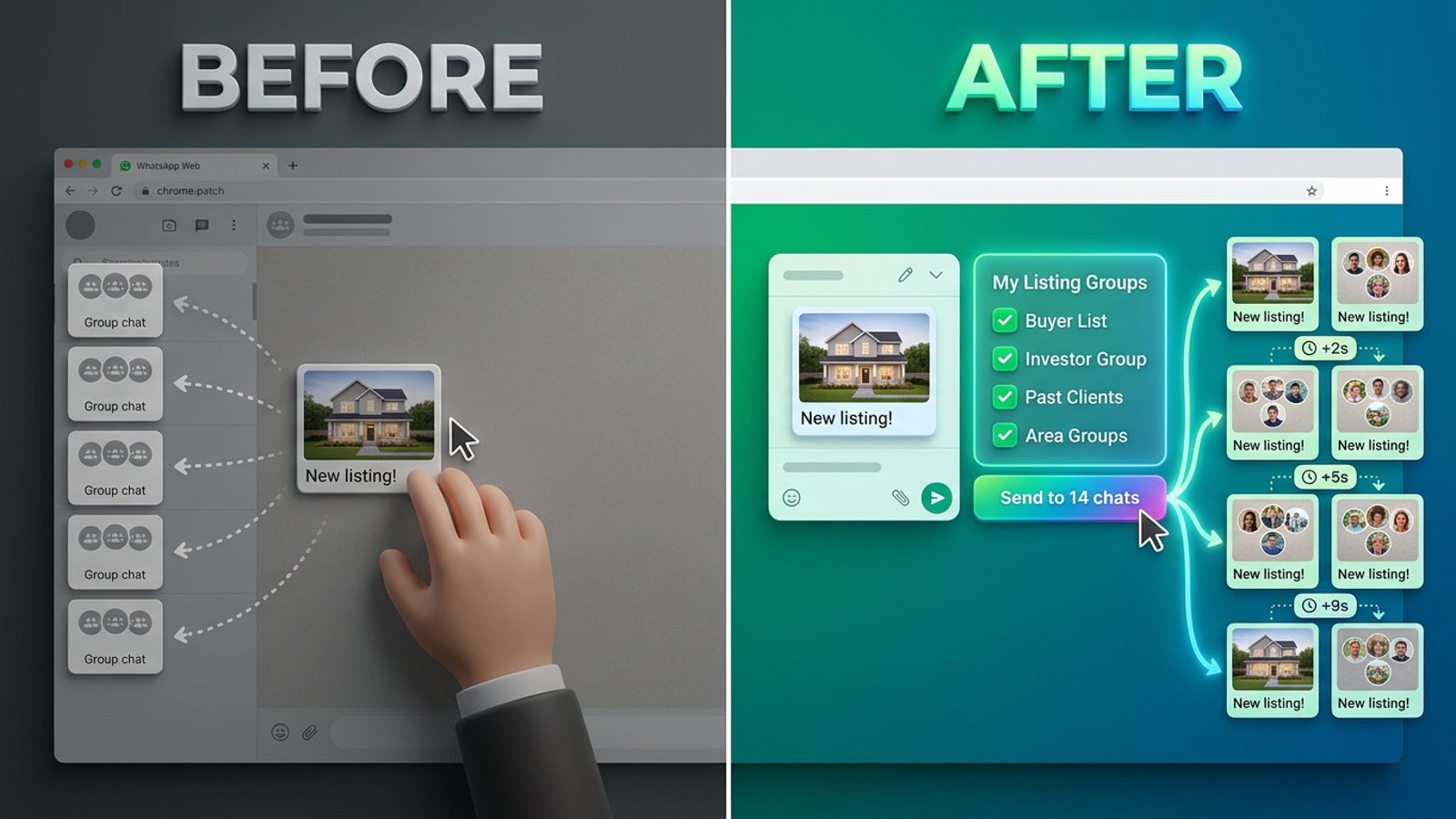
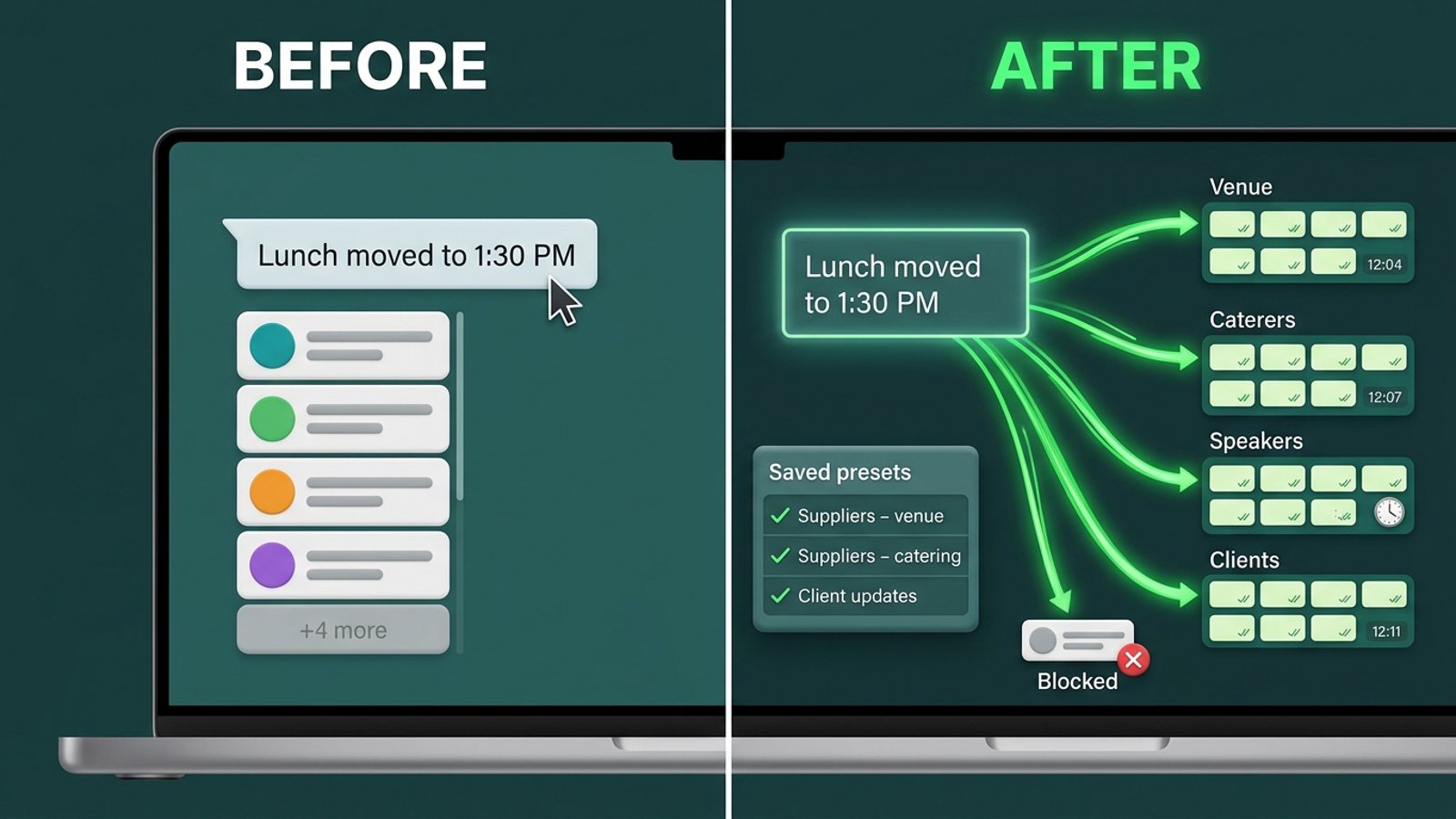
Most planners lose the most time on the second track. You have a venue change at 4pm, forty supplier and client chats to update, and WhatsApp only lets you forward to five at a time.
What are the top 5 WhatsApp tools for event planners in 2026?
Here is the shortlist, compared by the job each one does best. FivePlus comes first because it targets the exact task most planners repeat every event — the same update to many existing chats.
| Option | Best for | Key features | Price / free option | Watch-outs |
|---|---|---|---|---|
| FivePlus (Our pick) | Same update to many chats | Saved presets, unlimited forwarding, randomised delays | Free 3-day trial | Chrome + WhatsApp Web only |
| SKEDit | Scheduling sends | Compose once, send at a set time | Not stated in our sources | Verify features before buying |
| WaSenderHQ (CSV-driven) | Spreadsheet sends | Per-row personalisation, delays, pause | Not stated in our sources | Can't change WhatsApp's limits |
| WhatsApp broadcast/Communities | Free, official route | Private 1:1 copies, announcement group | Free | 256 per list, no groups |
| Business API platforms | Large guest campaigns | Shared inbox, templates, automation | From $19–79/month + Meta fees | 24–48h template approval |
FivePlus is made by the team behind this blog.
The rest of this article takes each one in turn: who it suits, what it costs, and where it stops being the right answer.
Why is FivePlus our pick for repeat group updates?
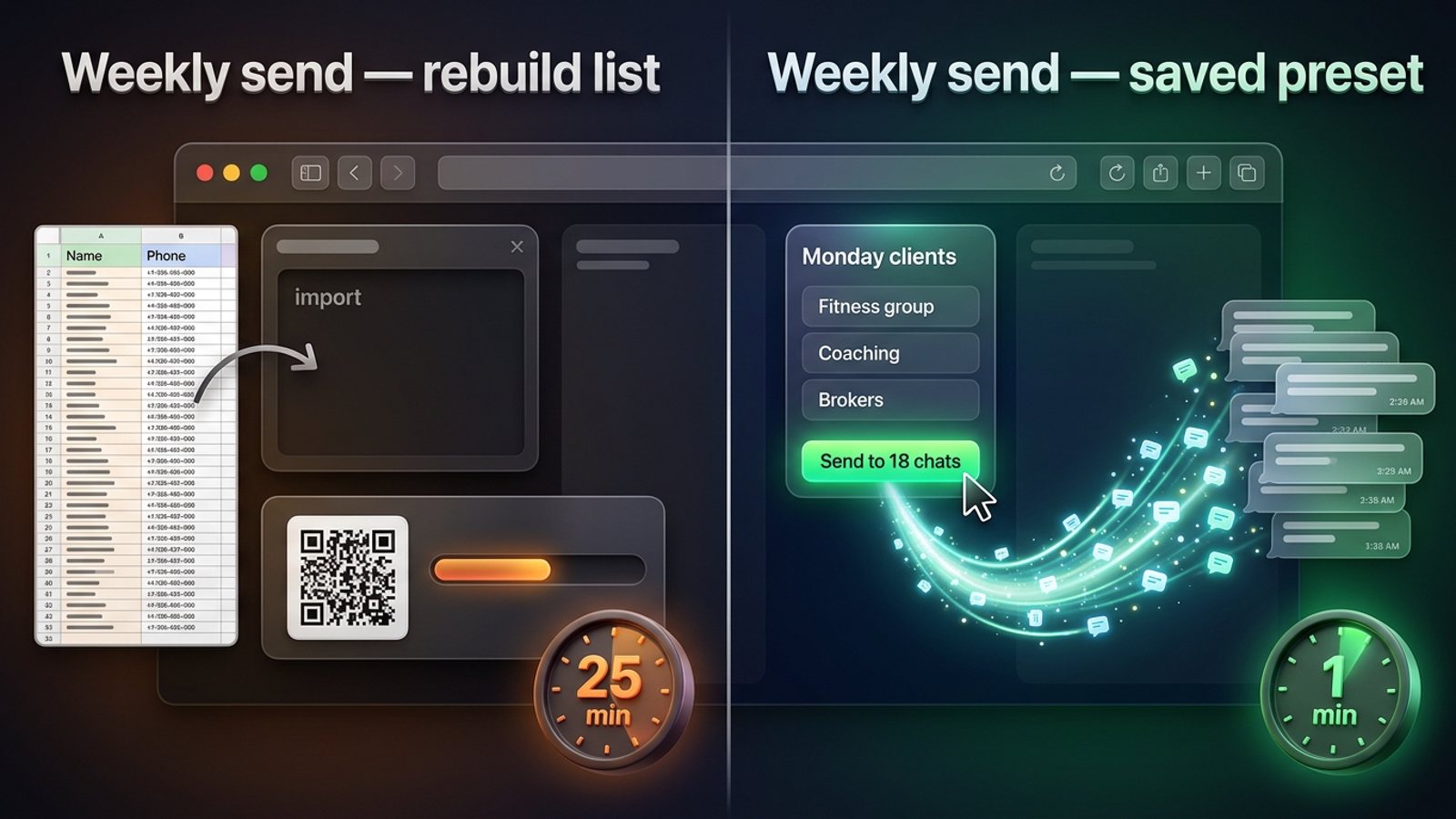
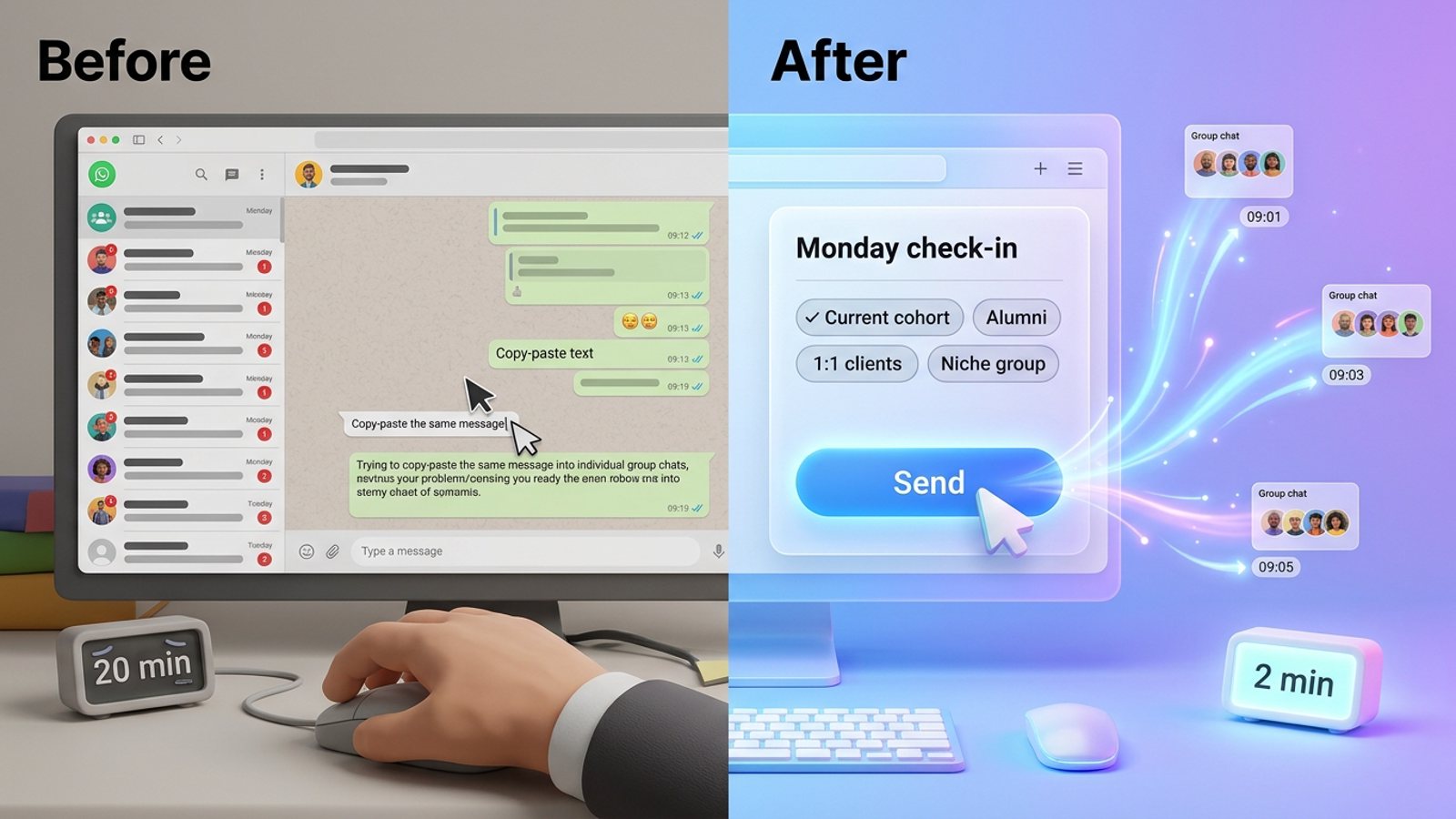
Because it removes the two most repetitive parts of a planner's week: re-finding the same group lists, and clicking through chats one at a time. You save your group and contact lists as presets once, then pick a preset, choose the message or media, and send in one click — beyond the standard five recipients.
That matters on day-of. Say you run a 200-guest conference and the lunch break moves by 30 minutes. With presets you have built for "suppliers – venue", "suppliers – catering" and "client updates", you send three messages instead of forty forwards.
The safety side is built in too: randomised delays stagger the timing, and anti-ban technology mimics natural human behaviour. Neither guarantees anything — more on that below — but pacing is the lever WhatsApp's own systems watch.
Honest limits: FivePlus needs the Chrome browser and WhatsApp Web, and the free trial lasts 24 hours. Saved group lists stay saved, so the owner's advice is not to uninstall the extension if you want to keep them.
Ready to set up your first preset? Get FivePlus for WhatsApp Chrome extension (bulk share beyond 5 recipients) and build your lists before the next event.
Which tool is best for scheduling messages in advance?
SKEDit is the scheduling-first option: you compose a message once and have it sent at a set time. For a planner that's useful for reminders — the "doors open in two hours" message you want to fire while you're on site with a clipboard.
One caveat from our research: the material we compared does not include SKEDit's current caps, delays or pricing, so treat it as a check-before-you-buy entry and confirm the details on skedit.com. If scheduled delivery is the feature you care about most, it's the more direct choice of the tools we compared.
When should you use a spreadsheet-driven Chrome extension?
When every recipient needs a different line. A CSV-driven extension such as WaSenderHQ works from WhatsApp Web and supports per-row personalisation, delays between chats, pause and resume, and saved scripts, according to MSG.AI (October 2026).
That's the right tool if you're sending 80 vendor confirmations that each need a supplier name, stand number and arrival time in the text. It's the wrong tool if you want to believe the marketing: the same MSG.AI piece flags "unlimited messages", "anti-ban mode" and "bypass the 256 limit" claims on such tools as red flags, because an extension cannot change how WhatsApp counts or judges your messages.
Are WhatsApp's own broadcast lists and Communities enough?
Sometimes — and they're free. Broadcast lists in the WhatsApp Business App send each recipient a separate private 1:1 chat, so nobody sees anyone else and replies come only to you (Respond.io, October 2026). Communities let you post once in an announcements group instead of forwarding to every group (9bot, October 2026).
The limits bite for planners, though: broadcast lists cap at 256 contacts, only reach recipients who have saved your number, offer no contact import and no analytics beyond read receipts, and broadcast lists don't reach groups at all. Forwarding is capped at five chats, and a message already forwarded can only go to one group chat.
What about the official WhatsApp Business API for large guest lists?
That's the route for structured guest campaigns — hundreds or thousands of invitations, RSVPs and reminders. Platforms like WATI, Respond.io, Callbell and AiSensy give you a shared team inbox, segmentation and automation on the official compliance path.
The costs stack up. As of November 2026 the listed entry prices are AiSensy from $19/month plus conversation charges, WATI at $29–249/month (Growth $49), Callbell at €30/month per team and Respond.io from $79/month — all before Meta's per-delivered-message fees, which are priced by message category and recipient country and change periodically (LINK Mobility, September 2026; Aissist, October 2026).
Source: BossBot, 2026-07-21 / 2026-07-26
There's a timing catch too: Meta template approval typically takes 24–48 hours, which is awkward when you need a weather or venue-change message this afternoon (BossBot, July 2026). And AiSensy suits broadcast-heavy guest lists of 5,000+ better than WATI does, per the same source.
For wedding-specific guest lists, apps like Weddingkart (built on the official Cloud API) and Ootsav (free to download) add RSVP forms, reminders and delivery tracking. They're guest apps rather than general chat senders, so they're weak for vendor briefs and client threads.
How do you choose between them?
Work backwards from the message, not the tool. Use this as a quick decision path:
- List your recurring audiences. Client contacts, venue and caterers, speakers or entertainers, guests. Each is a separate preset or list.
- Match the tool to the track. Existing chats and repeat updates → a saved-preset Web sender. Fixed-time reminders → a scheduling tool. Per-person details → a CSV extension. Big guest campaigns → the API or a guest app.
- Set a delay between sends and vary wording slightly. WhatsApp's anti-spam systems monitor sending speed, content repetition and report rates in real time, and suspicious behaviour can lead to throttling or permanent bans even below the 256-recipient cap (Wati, September 2026).
- Test with a small batch first. Send to five or ten chats, check for blocks or reports, then widen.
- Keep a backup channel — email or a phone tree — for day-of critical updates.
Is it against WhatsApp's rules to message many groups at once?
WhatsApp's position is that bulk or automated messaging violates its Terms of Service, and it says it has identified and stopped millions of abusive accounts (WhatsApp Help Center, undated). What that means in practice: the tools on this list organise your sending, but none of them make bulk messaging officially approved.
The honest framing for 2026 is that these tools save you time and help you pace your sends — they do not make bulk messaging officially sanctioned, and no tool can promise your number stays safe.
For repeat sends to the same groups, FivePlus saves your lists once and sends in one click — and the FivePlus blog has more planner workflows, including how to send event details to 15 WhatsApp groups in one click.
Sources
- Unauthorized use of automated or bulk messaging on WhatsApp — WhatsApp Help Center, undated
- About forwarding limits — WhatsApp Help Center, undated
- WhatsApp forward limit: how many chats at once — WavesFlo, 4 October 2026
- WhatsApp message limit per day (2026) — WavesFlo, 16 September 2026
- WhatsApp broadcast guide — Respond.io, 7 October 2026
- How to Message Multiple WhatsApp Groups at Once — 9bot, 8 October 2026
- How a WhatsApp Web extension can and can't help — MSG.AI, 11 October 2026
- 256-recipient limit, throttling and ban mechanics — Wati, 22 September 2026
- WhatsApp Business API pricing — LINK Mobility, 2 September 2026
- WhatsApp Business API pricing — Aissist, 20 October 2026
- Bird alternative for event planners — BossBot (vendor blog), 21 July 2026
- Chatfuel alternatives for event planners — BossBot (vendor blog), 26 July 2026
- Weddingkart on Google Play — Weddingkart Technology, updated 19 November 2026
- Ootsav on Google Play — Ootsav Tech Solutions, updated 13 November 2026
Frequently asked questions
For the same update to many existing client and supplier chats, FivePlus is our pick of the tools we compared, because of saved group lists and one-click sending beyond five recipients. If you mainly need scheduled sends, SKEDit is the more direct choice; for large guest campaigns, an official API platform fits better.
Five people or groups at a time, per WhatsApp's Help Center. A message already forwarded can only go to one additional group chat, and a chain of five or more chats labels it "Forwarded many times".
No. Broadcast lists send private 1:1 copies to contacts who have saved your number, up to 256 per list, and they don't cover group chats. For group announcements, WhatsApp's Help Center reportedly suggests posting once in a Community announcements group.
No tool can change how WhatsApp's systems judge your messages, and nothing guarantees safety. Pacing your sends, varying wording and keeping lists relevant lowers the risk of reports, which is what WhatsApp's anti-spam systems react to.
WhatsApp's own broadcast lists and Communities are free. Paid Web tools and API platforms add monthly fees and, for the API, per-delivered-message charges on top. Our recommendation: start with the free features and a short trial, then pay only for the job that's actually costing you hours.