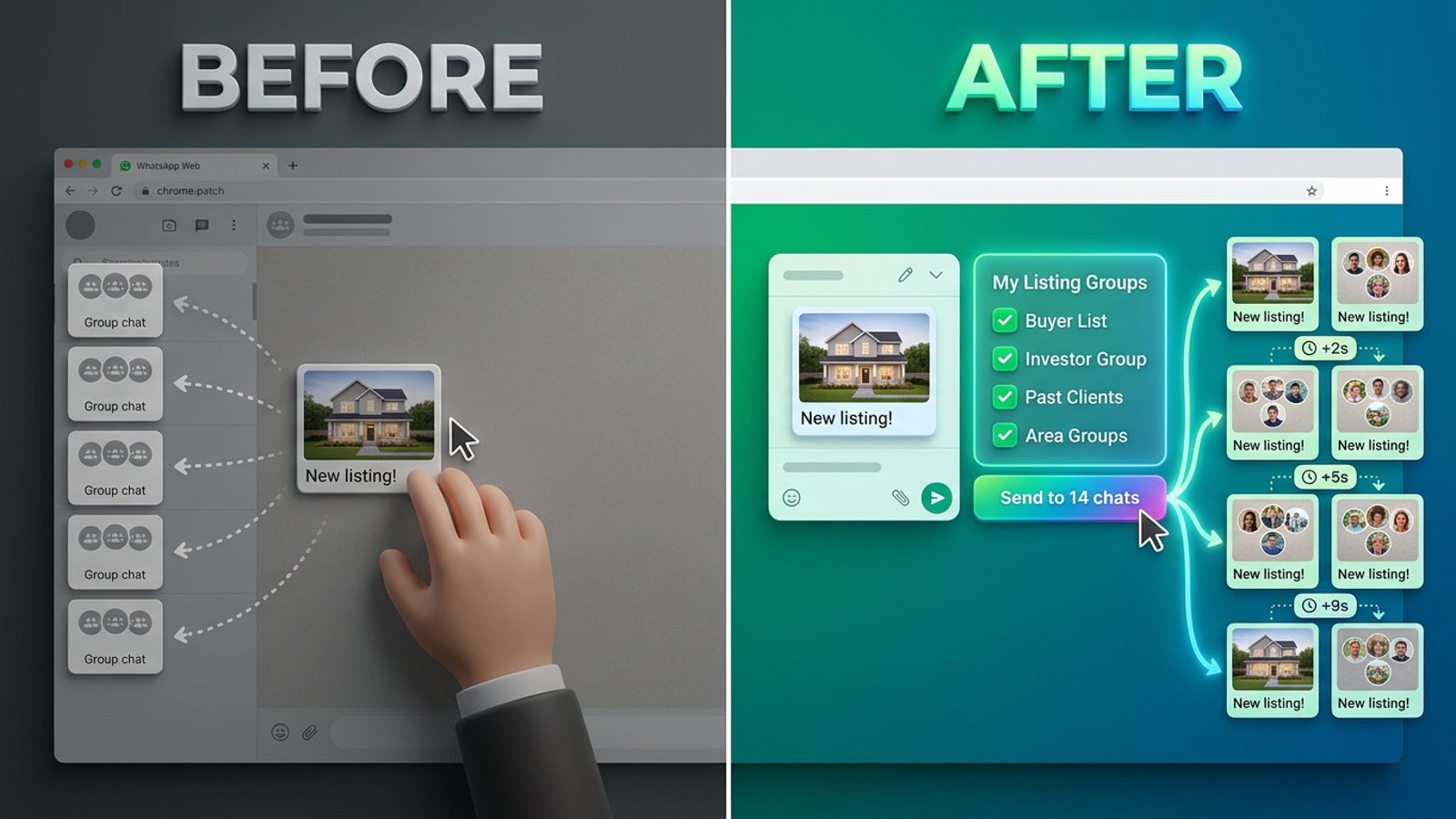
What is the best bulk WhatsApp tool for coaching institute owners?
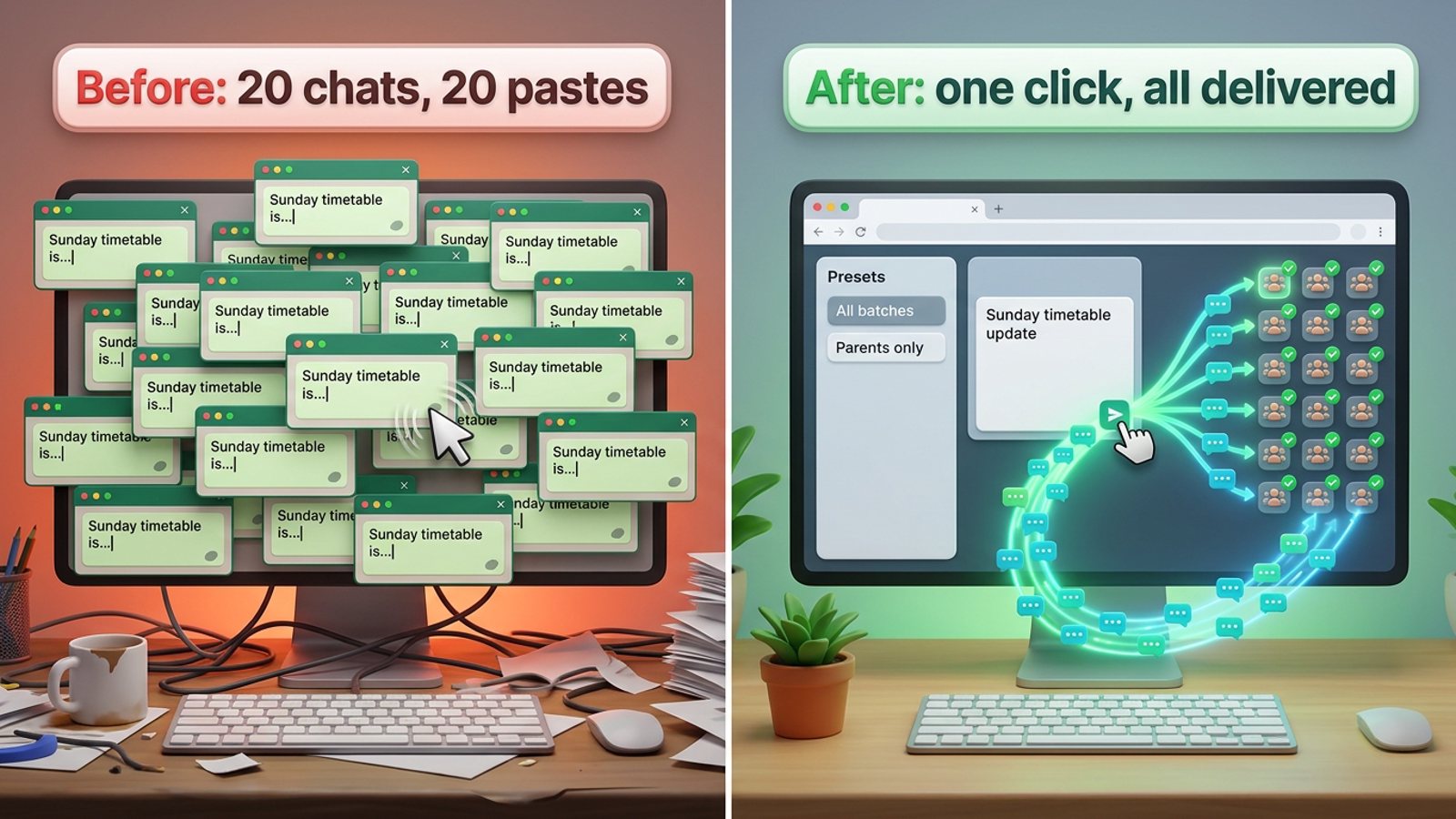
If you run a coaching institute and push the same class update to many batch and parent groups every week, the closest fit is a browser-extension sender that saves your group list once and sends to more than five chats in one click. Of the tools we compared, FivePlus is our pick for that job — it needs Chrome and WhatsApp Web, and no tool removes account risk.
Say you run a coaching institute with 14 batch groups and 6 parent groups, and every Sunday evening you post the same timetable note. Doing it by hand means opening 20 chats and pasting 20 times. That is the job this article is about: which tool makes that weekly send fast without turning it into a spam blast.
Get FivePlus for WhatsApp Chrome extension (bulk share beyond 5 recipients) and you can save those 20 groups as one preset and send the note in a single click.
How do coaching institutes send one message to many groups at once?
They use a tool that selects several groups and posts with a delay between each, because WhatsApp itself offers no built-in way to post one message to several groups at once — you would otherwise open each group individually. A WhatsApp Web extension that multi-selects groups and paces the sends is the practical method once you go past a handful of chats, according to wasurge.com (July 2026).
The weekly rhythm of an institute makes this a list problem more than a typing problem. The message is nearly always the same shape: batch name, date, timing, a reminder. What changes is who receives it. So judge the tool on three things:
- How the recipient list is built — a spreadsheet you maintain, or a list saved inside the tool.
- How fast one send is — one click to many chats, or one chat at a time.
- How it paces the messages — delays between sends, or an instant identical blast.
Which bulk WhatsApp tool is best for a coaching institute?
FivePlus is our pick of the tools we compared for an institute that sends the same update to many batch and parent groups weekly, because it saves group lists as presets and sends to more than five chats in one click. It is a Chrome extension for WhatsApp Web, so it runs in the browser you already have open during admin work.
Here is how it fits the weekly job:
- Saved group lists: you save your batch and parent groups once as a preset, then reuse it.
- Beyond five recipients: it sends to dozens of chats at once, past the standard five-recipient forwarding limit.
- Multiple lists at once: V2 lets you send to several saved lists in one go — handy when batches and parents get different wording.
- Pacing: randomized delays stagger message timing, and anti-ban technology mimics natural human behavior.
- Mixed presets: you can mix people and groups into one preset for maximum reach.
- No login: it works on WhatsApp Web in Chrome, with no login required.
The honest limits: it requires the Chrome browser and WhatsApp Web, and free use is limited to a 24-hour trial. The site also advertises a 3-day free try as of November 2026, and prices can change. FivePlus is not affiliated with Meta; WhatsApp is a trademark of Meta Platforms, Inc.
What are the alternatives for sending class updates to parent groups?
The realistic alternatives are WhatsApp's own free broadcast lists and groups, a scheduling-first app like SKEDit, spreadsheet/CSV Chrome extensions, and Business API platforms such as WATI or 360dialog. Each solves a different part of the problem, and for some institutes one of them is genuinely the better fit.
| Option | Best for | Key features | Price / free option | Watch-outs |
|---|---|---|---|---|
| FivePlus (Our pick) | Weekly sends to many saved groups | Saved presets, one-click bulk send, randomized delays | Free 3-day try (as of Nov 2026) | Needs Chrome + WhatsApp Web |
| WhatsApp broadcast lists & groups | Free, small, private lists | Reusable lists, 1:1 delivery | Free | 256-contact cap, no Web support |
| SKEDit | Scheduling ahead on Android | Scheduling, auto-reply, CSV bulk | Free tier; Pro $4.99/mo (Oct 2026) | Android app, CSV-built lists |
| CSV Chrome extensions (e.g. BizSend, SafePace) | Spreadsheet-driven campaigns | CSV import, merge fields, delays | BizSend $29.99/mo; SafePace $4.99/mo | List lives in a spreadsheet |
| Business API (WATI, 360dialog) | Compliant messaging at scale | Templates, no 256 cap, analytics | Per-message Meta fees | Opt-in, approval, setup |
FivePlus is made by the team behind this blog, so read the comparison with that in mind — and note where another tool is simply the more direct choice.
WhatsApp broadcast lists and groups (free, built-in)
Best for an institute with a small, loyal parent base who have all saved your number. Broadcast lists are saved lists of contacts you can message repeatedly without reselecting them, and each list holds up to 256 contacts — but every contact must have saved your number, per WhatsApp's Help Center (February 2026).
The catch is big for institutes. Broadcast lists aren't supported on Windows, Mac or Web, and can't be created on WhatsApp Web at all — only sent to from lists already made on the phone, according to Zenvia (updated October 2026). They also can't target groups: broadcast is one-to-many and private, while a group is many-to-many and capped at 1,024 members, per ChatbotX (July 2026). If a parent hasn't saved your number, the message silently fails to reach them, per omenterprisesgroup.in (November 2026).
SKEDit (scheduling-first Android app)
Best for an institute owner who wants to write Monday's update on Friday and have it go out on time. SKEDit schedules WhatsApp messages and Status updates, handles auto-replies, and sends personalised bulk messages from a CSV contact list, per its facts page (checked October 2026).
Its plans, as listed on Google Play on 8 October 2026 and varying by country: Free at $0 with up to 5 scheduled messages at a time, and Pro at $4.99/month or a yearly plan — the page shows the yearly figure truncated as "$26.9…". It is an Android app rather than a Web sender, and its list is CSV-built, so it suits an owner who schedules from a phone more than one who works at a desk.
Spreadsheet/CSV Chrome extensions
Best for an institute already keeping student data in a spreadsheet. Tools like BizSend, SafePace, WhatsBlast, WaBulkMessenger, WABiz and ZS Sender send from WhatsApp Web using CSV or Excel imports, with merge fields, delays and batching — WaBulkMessenger adds scheduling and campaign tracking (Socket.dev, June 2026), and ZS Sender sends from CSV lists with delays and batching (Socket.dev, August 2026).
Prices vary widely: BizSend Pro is $29.99/month or $49.99 one-time, SafePace Pro is $4.99/month and Pro Max $9.99/month (Chrome Web Store, October 2026), and WhatsBlast has a free tier of 50 sends a day. The trade-off is maintenance: your recipient list lives in a spreadsheet you must keep current, rather than saved in-app as group presets.
Business API platforms (WATI, 360dialog)
Best for a large institute that needs compliant, template-based messaging and analytics. The WhatsApp Business API drops the 256-contact broadcast limit, lets you message people who never saved your number, and adds cloud contact storage, scheduling and analytics, per ChatbotX (July 2026).
It comes with real conditions. Any business-initiated message to a contact who hasn't messaged you in the last 24 hours must be an approved template, and you need opt-in. Meta's rate cards are country- and category-specific and were updated effective 1 July 2026, per Meta for Developers (June 2026); from 1 October 2026, service messages and in-window utility templates became chargeable, with 1,000 free service messages per number per month, per Respond.io (September 2026). Twilio charges a flat $0.005 per message plus Meta's fees with no setup fee (Landbot, August 2026), and Telnyx offers pay-as-you-go from $0.004 per message (June 2026). If you mainly need scheduling on a phone, SKEDit is the more direct choice; if you mainly need spreadsheet personalisation, a CSV extension is.
Get FivePlus for WhatsApp Chrome extension (bulk share beyond 5 recipients) to save your batch and parent groups as presets and send next week's update in one click.
How do you set up a weekly class update without getting banned?
You write the update once, save your group list, pace the sends, and make it easy for parents to opt out. WhatsApp says it uses machine learning and user reports to detect unauthorised bulk or automated messages, so speed, repetition and report rate are the risk signals — there is no published fixed throttling formula, per Wati (September 2026).
Here is the routine, step by step:
- Write the update once. Batch name, date, timing, one clear action. Keep it short — it is going to 20 chats.
- Build your list. Either free broadcast lists (256 contacts, everyone must have saved your number) or a saved group/contact preset in a sender.
- Pick your tool by job. Preset Web sender for one-click sends past five groups, SKEDit for scheduling, a CSV extension for spreadsheet personalisation, or the API for compliant scale.
- Set pacing. Use delays, and vary the wording slightly so it isn't a rapid identical blast — no fixed safe threshold exists, per Wati.
- Tell people who you are. WhatsApp advises keeping blocks and reports low by having people start the chat, telling them who you are and why you're contacting them, and offering an easy opt-out.
- Send, then check replies. Watch for delivery problems and blocks; they are your early warning.
Sending slower and more personally is not a compromise on speed — it is the part that keeps the account alive.
What raises ban risk when messaging many parent groups?
Sending too many messages too fast, or ignoring opt-ins, raises spam-report rates, blocked numbers, delivery problems and ultimately account bans, per Respond.io (September 2026). The same source notes WhatsApp proactively identifies and bans accounts for spam-like activity, and that unnatural send-volume spikes without throttling can get an account restricted or flagged.
A restricted account can lose the ability to start new chats, create groups, add members or use linked devices, per WhatsApp's Help Center. For an institute, that is the whole term's communication channel gone in an afternoon.
Our recommendation: send your weekly update at a similar time each week, keep the message genuinely useful, and never buy a contact list. Parents who opted in reply; parents who didn't, report.
Does FivePlus work for coaching institutes on WhatsApp Web?
Yes, if your admin runs in Chrome: FivePlus works on WhatsApp Web in the Chrome browser with no login required, and it is built for exactly this pattern — the same announcement or media to many saved groups and contacts in one click. The owner has confirmed that all plans include unlimited sharing and there is no monthly sending limit per plan.
Two practical notes from the owner. First, saved group lists are saved forever, so it is better not to uninstall the Chrome extension if you want to keep them. Second, support is for regular WhatsApp rather than WhatsApp Business accounts — so if your institute runs on a WhatsApp Business profile, check that before committing.
If you want to see how other senders handle the same weekly-announcement job, our guide to the best tool to send class updates to parent WhatsApp groups walks through it, and coaches comparing senders can read the best bulk WhatsApp sender for coaches in 2027. For cost questions, the FivePlus blog has a breakdown of what bulk sender tools charge.
FivePlus is made by the team behind this blog.
Sources
- Unauthorized use of automated or bulk messaging on WhatsApp — WhatsApp Help Center
- About account restrictions — WhatsApp Help Center
- How to use broadcast lists — WhatsApp Help Center, 2026-02-16
- About forwarding limits — WhatsApp Help Center
- WhatsApp broadcast lists: how to create and use — Zenvia, updated 21 Oct 2026
- WhatsApp Broadcast Limits in 2026 — ChatbotX, 29 Jul 2026
- Send WhatsApp Messages to All Contacts — omenterprisesgroup.in, Nov 2026
- WhatsApp group message sender — wasurge.com, 28 Jul 2026
- WhatsApp broadcast 256-person limit guide — Wati, 2026-09-22
- What to do if your WhatsApp Business account is banned — Respond.io, 28 Sep 2026
- WhatsApp pricing calculator, October 2026 — Respond.io, 28 Sep 2026
- Pricing on the WhatsApp Business Platform — Meta for Developers, 2026-06-30
- Twilio WhatsApp pricing — Landbot, 2026-08-09
- WhatsApp Business API — Telnyx, 2026-06-22
- SKEDit facts page — SKEDit, page dated 2026-10-18
- WaBulkMessenger package overview — Socket.dev, 2026-06-26
- ZS Sender package page — Socket.dev, 2026-08-12
- BizSend for WhatsApp Web — Chrome Web Store
- WA Bulk Message Sender (SafePace) — Chrome Web Store, updated 22 Oct 2026
- WhatsBlast — Chrome Web Store
- WHATSAPP_LEGAL.md — GitHub, 2026-01-27
- How to send bulk WhatsApp messages without getting banned — MyOperator, Oct 2026
Frequently asked questions
No. WhatsApp's Help Center states that bulk and automated messaging has always violated its Terms of Service, and that it may take legal action against accounts that breach its terms this way. Tools can reduce risk through pacing, but none makes bulk sending compliant.
A broadcast list holds up to 256 contacts, and every contact must have saved your number, per WhatsApp's Help Center (February 2026). If a parent hasn't saved you, the message silently fails to reach them.
You can send to lists already made on your phone, but you can't create them on WhatsApp Web or Desktop, per Zenvia (updated October 2026). That is one reason institute owners move to a Web extension for group sends.
For weekly sends to many batch and parent groups from a desk, FivePlus is our pick of the tools we compared, because of saved group presets and one-click sending past five recipients. If you mainly need to schedule from an Android phone, SKEDit is the more direct choice; if you need compliant messaging to people who never saved your number, a Business API platform is.
Only through the WhatsApp Business API, not through free broadcast lists, per ChatbotX (July 2026). That route requires opt-in and approved templates outside the 24-hour window.