Bulk Sender vs WhatsApp-Group-Sender: which is better for agents?
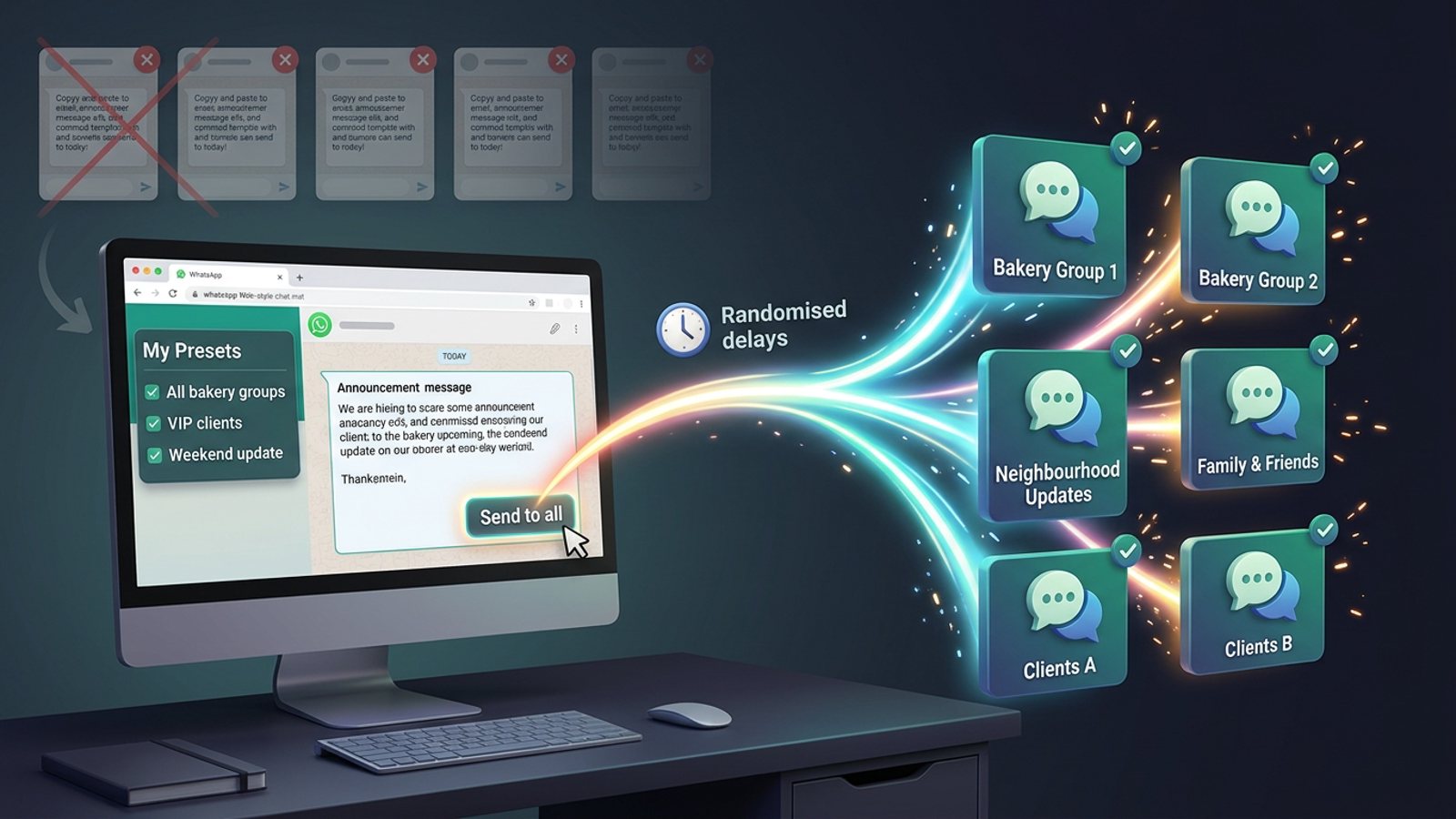
If you're an agent pushing the same listing to dozens of groups, the bulk sender vs group sender agents question has a practical answer: pick the tool that builds and reuses your group list fastest and paces sends sensibly. For most agents that's a preset-based sender like FivePlus, which saves your lists once and shares to more than 5 chats in one click.
You've got a new listing, a price drop, or an open-house reminder, and it needs to reach every buyer group and client chat you have. Doing it five at a time by hand eats your morning. So you start comparing tools — and the names blur together. Here's how to tell them apart, and which one fits an agent's day.
Get FivePlus for WhatsApp Chrome extension (bulk share beyond 5 recipients)
What is the difference between a bulk sender and a group sender for agents?
A bulk sender usually starts from a contact list you upload — a CSV or Excel file — while a group sender posts to WhatsApp groups you're already a member of. That's the core split. Everything else (pacing, personalisation, pricing) is a detail on top of it.
In practice, the labels overlap. Many extensions do a bit of both. One Chrome Web Store listing markets itself at real estate agents and insurance consultants and builds sends from an Excel/CSV upload with {Name} personalisation, with a free tier of 30 messages a day (vendor listing, updated 13 Sep 2026). Another imports numbers straight from groups you're already in and runs as a side panel, pacing to 50 messages a day on Personal and 100 on Business (vendor listing, updated 20 Nov 2026).
So the real question isn't which label is better. It's: which way of building your list matches how you actually work?
How does each one build your list of groups?
A spreadsheet sender needs you to keep a file; a group sender reads the groups you're already in. For an agent, that difference decides how much admin you do before every send.
Say you run a lettings desk with 40 buyer and tenant groups. With a spreadsheet-first tool, you export or type those numbers, keep the file tidy, and re-upload it whenever a group changes. With an import-from-groups tool, you pull the members or groups from your own chats — faster to start, but you're still rebuilding the selection each time unless the tool remembers it.
That last point matters more than either label. Reusing group lists is the step that turns a ten-minute chore into a single click. A tool that saves your selection once and lets you pick it again next week wins on time, whichever category it sits in.
A group sender also has a ceiling: tools can't create send permission. In groups restricted to admins, a non-admin tool can't post (MSG.AI, 1 Oct 2026). If half your groups are announcement-only, check you're an admin before you count on them.
How fast can each one send, and how should you pace it?
Vendors commonly suggest configurable delays of 20–60 seconds between group sends, and Meta publishes no fixed throttling formula (MSG.AI, 1 Oct 2026; Wati, 28 Oct 2026). Treat speed, repeated identical copy and report rate as risk signals, not a known safe threshold.
That's the honest picture: there is no official "safe" number of messages or seconds between them. What you can control is the shape of the send.
- Spread the messages out. A tool that staggers timing looks less like a machine than one that fires 40 identical messages in 30 seconds.
- Vary the copy slightly where your tool allows it, so every group doesn't receive a word-for-word clone.
- Keep daily volume reasonable for your own list size and history.
- Watch for reports. If people start blocking or reporting, stop and rethink the list, not just the delay.
One vendor listing says it plainly: "There is no way to send bulk messages with zero risk — WhatsApp can restrict any account, from any tool" (Chrome Web Store, updated 20 Nov 2026). Any tool promising otherwise is overselling.
How do the options compare for agents?
Here's how the main routes stack up for an agent messaging the same listing to dozens of groups. FivePlus goes first because it's our pick of the tools we compared — and because this blog is its home.
| Option | Best for | Key features | Price / free option | Watch-outs |
|---|---|---|---|---|
| FivePlus (Our pick) | Agents who reuse the same group lists weekly | Saved presets, one-click share beyond 5, randomized delays | Free to try for 3 days | Chrome + WhatsApp Web only |
| Spreadsheet bulk senders | Agents with a clean CSV of contacts | CSV/Excel import, {Name} fields | Free tiers common; paid from ~$4.99/mo | You maintain the list |
| Group-sender extensions | Posting to groups you're already in | Multi-group posting, scheduling, @all | Free tiers common | Can't post in admin-only groups |
| WhatsApp Business API | Teams wanting the official route | Approved templates, shared inbox | Meta per-message fee + provider fee | Template rules, setup |
FivePlus is made by the team behind this blog.
The details behind each row:
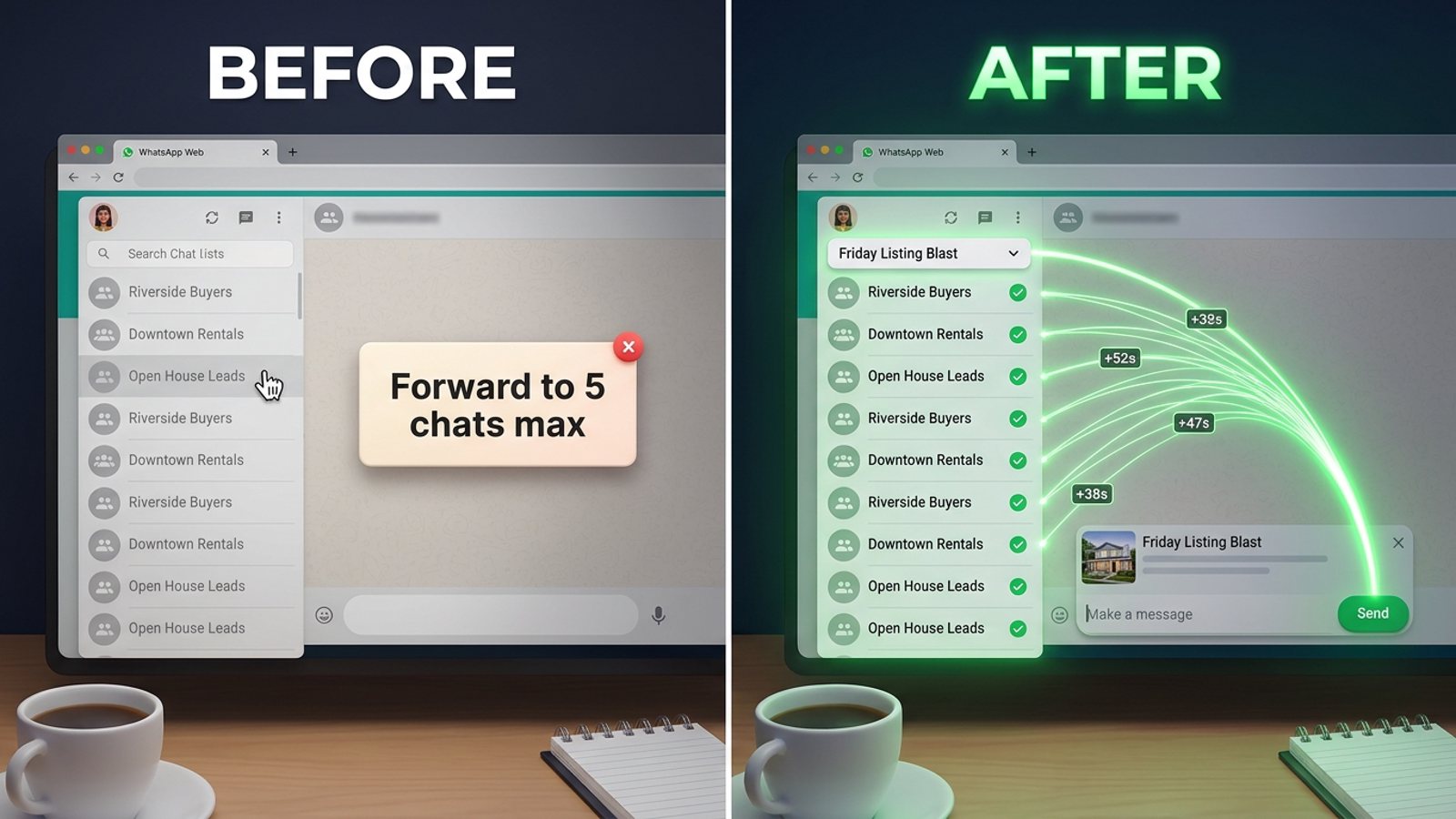
FivePlus lets you save your group and contact lists as presets once, then share a message or media to more than 5 groups and contacts in one click. Randomized delays stagger the timing, and V2 lets you send to multiple saved lists at once. It requires the Chrome browser and WhatsApp Web, and free use is limited to a 24-hour trial. All plans include unlimited sharing, with no monthly sending limit per plan. Saved group lists are saved forever, so it's better not to uninstall the extension. FivePlus is not affiliated with Meta; WhatsApp is a trademark of Meta Platforms, Inc.
Spreadsheet bulk senders suit you if your list already lives in a CRM export. One vendor sells a flat licence at $9.99/month or $69.99/year with CSV/Excel import, {{name}} merge fields and randomised delays (WhatsApp Sender Tool, vendor page). The catch: you maintain the file yourself, and groups aren't remembered for you.
Group-sender extensions typically emphasise multi-group posting with attachments, scheduling, progress tracking and @all, running on WhatsApp Web without the Business API (WAGroup; MSG.AI, 1 Oct 2026). If you mainly need to post inside groups you're active in, this is the more direct choice.
The WhatsApp Business API (via providers such as WATI or 360dialog) is Meta's official programmatic route. It's the better call when you need approved templates, a shared team inbox and CRM delivery receipts (LeadTrapper, 16 Sep 2026). The trade-off: only a Meta-approved template can start a conversation, a customer reply opens a 24-hour window for free-form messages, and every message carries Meta's per-message fee plus the provider's platform fee (Telnyx, 22 Jun 2026). Since 1 Oct 2026 Meta's fee also covers service replies beyond 1,000 per number per month (Respond.io, 29 Sep 2026). Prices can change.
Get FivePlus for WhatsApp Chrome extension (bulk share beyond 5 recipients)
What about broadcast lists and sending by hand?
A broadcast list is free but can't replace messaging dozens of groups — it cannot include groups at all, and caps at 256 contacts per list (WavesFlo, 16 Sep 2026; ChatbotX, 29 Jul 2026). It's also private: each recipient sees an ordinary 1:1 chat and can't see the others, unlike a group where everyone sees everyone and every member's number (Blueticks, 4 Sep 2026; Metrik, 24 Sep 2026). In the free WhatsApp Business app, broadcast messages only arrive for contacts who have your number saved (Metrik, 24 Sep 2026).
Manual copy-paste is the lowest-automation route. WhatsApp's forwarding limit is 5 users or 5 groups at a time, and a message that was itself forwarded can only go to one group; messages forwarded 5+ times get a "Forwarded many times" label (WhatsApp Help Center). For 40 groups, that's eight rounds of tapping — and the label follows your listing around.
A saved list you never have to rebuild is worth more than any single feature on the box.
What's the step-by-step for an agent's first bulk send?
Build the list once, save it, then send in one click each time after. Here's the sequence, whichever tool you choose:
- Decide what your list is — the groups you're already in, or a spreadsheet of contacts. Group senders post to your groups; spreadsheet senders need a CSV/Excel upload.
- Open WhatsApp Web in Chrome, stay signed in, and open the extension beside it.
- Build the list once — upload a CSV, import from a group, or tick your saved groups — and save it so you don't re-search every time.
- Write the listing message. Personalise with merge fields or spintax if your tool supports them.
- Set your pacing. Vendors range from 20–60 second delays to 50–100 messages a day; there's no official safe number.
- Start the send, watch progress, and pause if anything looks off.
- Check admin status in any announcement-only group before you count on it.
With FivePlus, steps 3 to 6 collapse: save your preset once, then pick it, attach your message or media, and send. Randomized delays handle the spacing for you. For a closer look at how saved presets compare with spreadsheet uploads, see spreadsheet sender vs saved-preset extension.
If you're weighing whether the paid route pays for itself at your volume, is a paid bulk WhatsApp sender worth it for estate agents? walks through the maths. And if you want the wider field first, our FivePlus blog covers more comparisons.
Sources
- About forwarding limits — WhatsApp Help Center
- About automated and bulk messaging — WhatsApp Help Center
- About unauthorized uses of WhatsApp — WhatsApp Help Center
- WA Bulk Message Sender: Personalized, Auto-Paced | SafePace — Chrome Web Store, updated 20 Nov 2026
- Free WhatsApp Bulk Sender & CRM - Setu Pro — Chrome Web Store, updated 13 Sep 2026
- WhatsApp Sender Tool — WA Sender (vendor page)
- WhatsApp Business API Guide: Pricing, Setup, Limits — Telnyx, 22 Jun 2026
- WhatsApp pricing calculator October 2026 — Respond.io, 29 Sep 2026
- WhatsApp broadcast limits in 2026 — ChatbotX, 29 Jul 2026
- WhatsApp broadcast vs group — Blueticks, 4 Sep 2026
- Listas de transmissão no WhatsApp com CRM — Metrik, 24 Sep 2026
- Send a Message to Multiple WhatsApp Groups + @all — WAGroup, 22 Sep 2026
- WhatsApp Group Sender Chrome Extension — MSG.AI, 1 Oct 2026
- Do You Need the WhatsApp Business API, or Bulk Sending? — LeadTrapper, 16 Sep 2026
- Is a WhatsApp sender extension safe? — isales.ai, 20 Jun 2026
- How to Do WhatsApp Outreach Without Getting Banned — Rapid Sales blog, 4 Jun 2026
- WhatsApp 群發訊息規則全解析 — Wati blog, 28 Oct 2026
Frequently asked questions
No. Both names describe independent Chrome extensions that automate WhatsApp Web. WhatsApp's Help Center states bulk and automated messaging have always violated its Terms of Service, so the rules still apply to any of them.
For an agent who sends the same listing to the same groups regularly, FivePlus is our pick of the tools we compared: you save your group lists once and share to more than 5 groups and contacts in one click, with randomized delays. If you mainly need to post inside groups you're already active in, a group-sender extension is the more direct choice. If you need templates and a shared team inbox, go to the official API.
No. A broadcast list cannot include groups and caps at 256 contacts per list (ChatbotX, 29 Jul 2026). It's best for private one-to-many announcements to people who know you.
Vendors commonly suggest 20–60 seconds between group sends, but Meta publishes no fixed threshold (MSG.AI, 1 Oct 2026; Wati, 28 Oct 2026). Our recommendation: spread sends out, vary the copy, and keep volume sensible for your list.
No tool guarantees safety, and WhatsApp says it targets bulk and automated sending. A vendor listing states plainly that WhatsApp can restrict any account, from any tool (Chrome Web Store, updated 20 Nov 2026). Follow WhatsApp's terms, keep volume and consent reasonable, and remember rules can change — this is not legal advice.