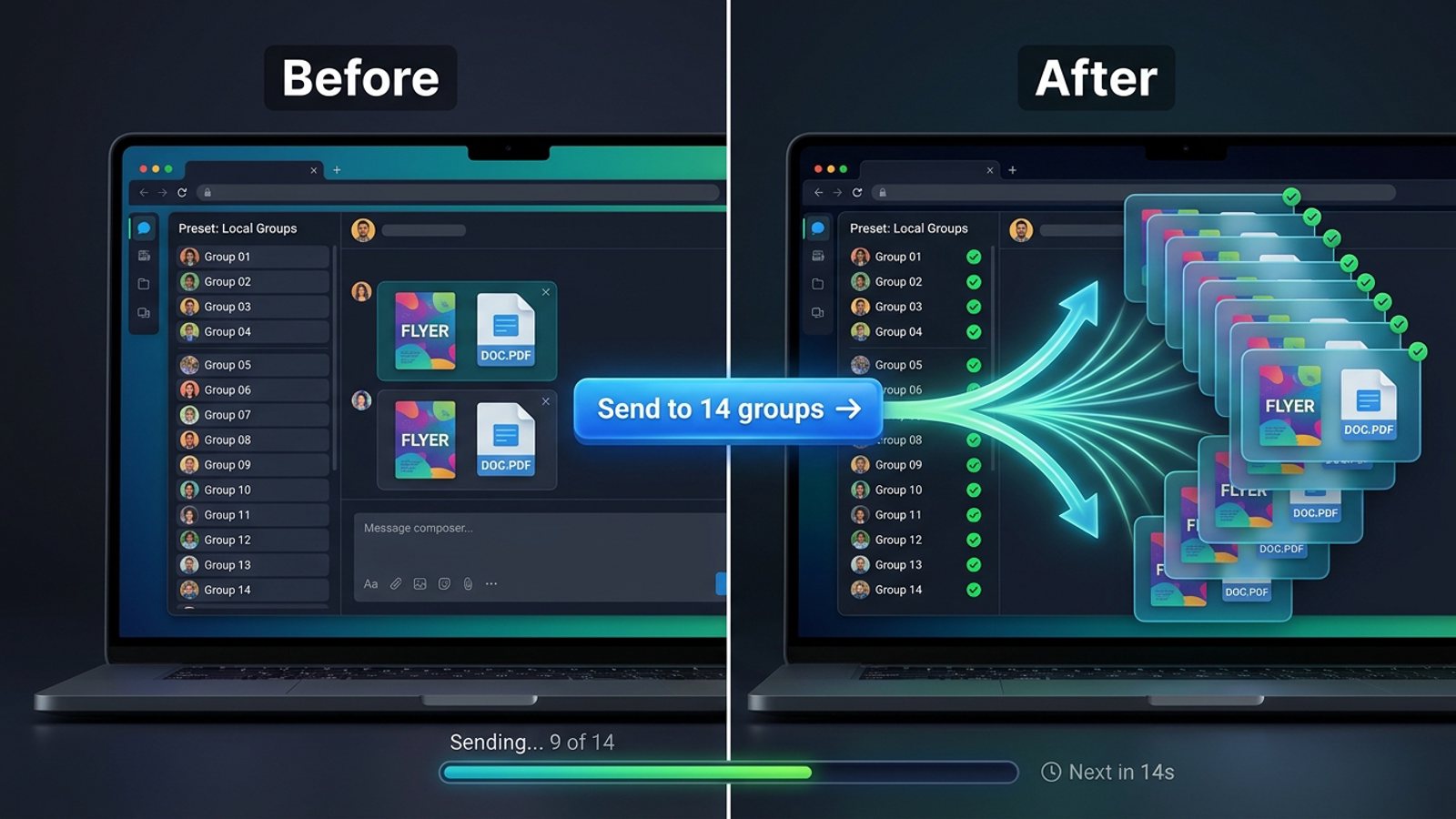
How do I send a WhatsApp announcement to 20 groups without doing it myself?
You can't do it with WhatsApp's own tools. Forwarding stops at 5 chats at a time, and broadcast lists reach saved contacts, not groups. To post one whatsapp announcement to many groups hands-off, you need a WhatsApp Web companion tool that saves your group list as a preset and sends in one click, with randomized delays between messages.
That last point matters more than any feature, so let's be clear from the start: no tool removes the risk, and rules can change. This is not legal advice.
If you'd rather skip the setup reading and just get the announcement out, get FivePlus for WhatsApp Chrome extension and save your group list first.
Why can't WhatsApp send one announcement to 20 groups by itself?
Because WhatsApp's built-in tools are designed for small, personal sharing, not group broadcasting. Two limits get in the way.
Forwarding caps out at 5 chats. WhatsApp's own Help Center says you can forward a message to up to five people or groups at a time, and a message that was forwarded to you can only go to one additional group. The Times of India reported in June 2026 that the same cap and the "Forwarded many times" label are anti-spam measures. For 20 groups that's four or more rounds — all by hand.
Broadcast lists are contact-only. Vodafone's March 2025 guide explains that a broadcast sends one message to many contacts as individual private chats, caps at 256 contacts per list, requires recipients to have saved your number, and isn't supported on WhatsApp Web or desktop. SleekFlow (updated September 2026) notes broadcast lists are contact-based, not group-based. So they can't post into your 20 existing groups.
What's the actual method for a hands-off announcement to 20 groups?
The method is: save the group list once, prepare the announcement once, then let a queue send it with gaps between messages. Here's the technique, whichever tool you use.
- Confirm the shape of your audience. If the 20 are real existing groups, forwarding and broadcast lists are out. You need a WhatsApp Web companion tool or the Business API.
- Write the announcement once. Text, image, link — final version before you start. (Template approval only applies to the Business API outside its 24-hour service window, per Wati's September 2026 guide.)
- Save the 20 groups as a named list. This is the step that saves you time every week after.
- Set a randomized delay range between sends. Staggering is the whole point — a burst of 20 identical messages in seconds is exactly the pattern WhatsApp flags.
- Keep the browser and the WhatsApp Web tab open while the queue runs, and pause or stop if something looks wrong.
- Check the results per group so you know who actually got it.
How does FivePlus send an announcement to 20 groups in one click?
FivePlus is a Chrome extension for WhatsApp Web that sends one message or media to many saved groups and contacts at once, instead of five at a time. You save your group lists as presets once, pick a preset, add your announcement, and send.
The features that matter for this job:
- Unlimited forwarding — send to dozens of chats at once, beyond the standard 5-recipient limit.
- Saved group lists — save your group lists once and reuse them; V2 lets you send to multiple saved lists at once.
- Anti-ban technology that mimics natural human behavior.
- Randomized delays that stagger message timing.
- Mix people and groups into one preset for maximum reach.
- No login required — it runs on WhatsApp Web in Chrome.
It's free to try for 3 days, as of November 2026, and prices can change. The honest limits: it needs Chrome and WhatsApp Web, the free trial runs 24 hours, and it isn't affiliated with Meta — WhatsApp is a trademark of Meta Platforms, Inc.
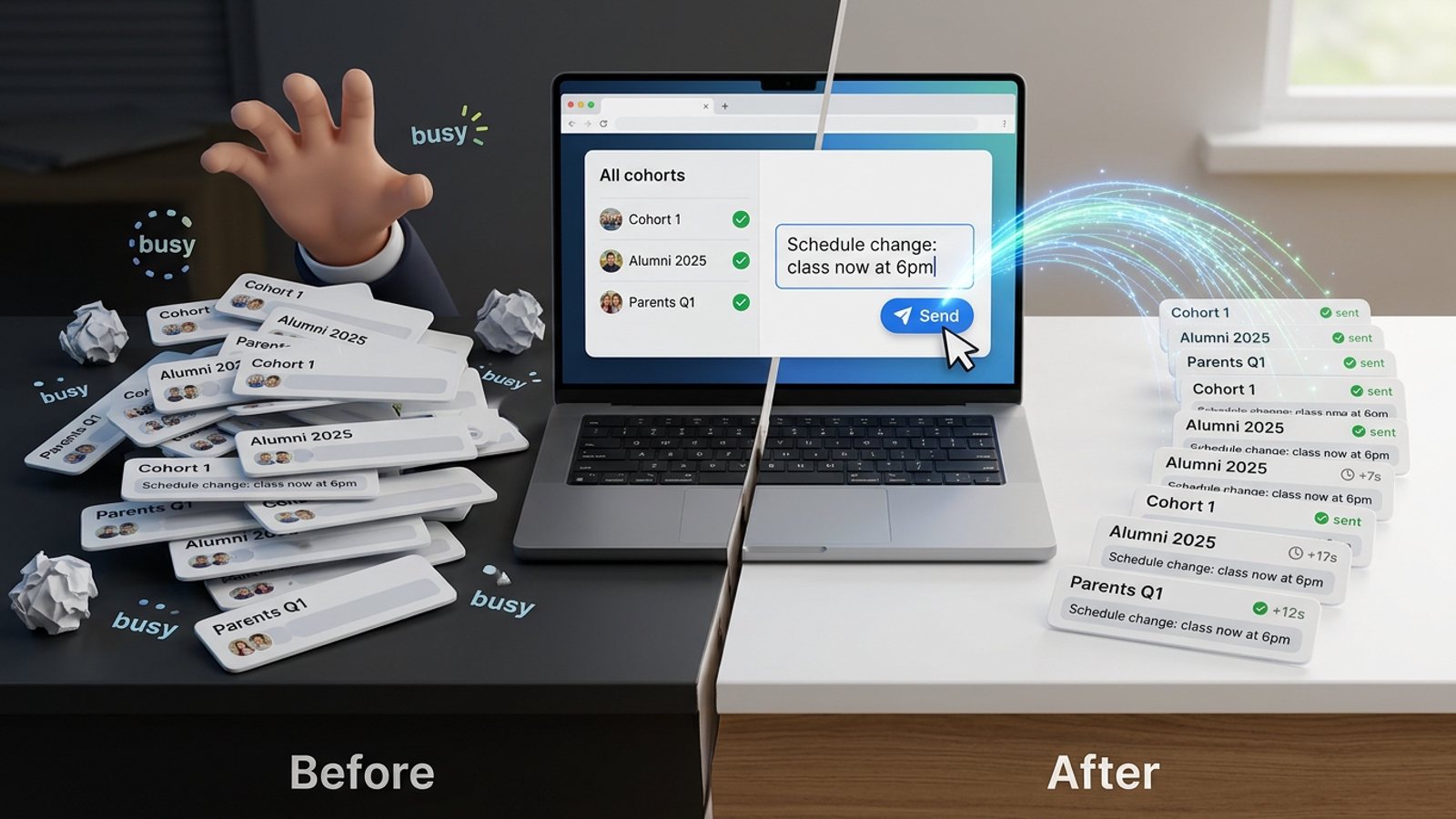
Say you run a coaching programme with 20 cohort and alumni groups. You write the schedule change once, pick "All cohorts" as your preset, and the extension works through the list with gaps between sends while you get on with your day.
Staggering the sends is the difference between an announcement and a spam burst — the delay is the feature, not the afterthought.
How do randomized delays keep a bulk send looking natural?
They spread the messages out over time instead of firing all 20 in a few seconds. WhatsApp's Help Center says bulk and automated messaging violate its Terms of Service, and Respond.io (September 2026) lists sending too many messages in a short time — an unnatural volume spike — among the causes of restrictions. Chrome Web Store listings for bulk senders (updated November 2026) describe adjustable randomized interval ranges and pause/resume/stop controls precisely for this.
Which tool should you use to announce to many WhatsApp groups?
FivePlus is our pick of the tools we compared, because it saves group lists as reusable presets, sends to dozens of chats in one click, and staggers sends with randomized delays. Here's how the options compare.
| Option | Best for | Key features | Price / free option | Watch-outs |
|---|---|---|---|---|
| FivePlus (Our pick) | Planners, coaches, agents posting to many saved groups | Presets, one-click bulk send, randomized delays, people + groups | Free 3-day trial (as of Nov 2026) | Needs Chrome + WhatsApp Web; 24-hour free use; not affiliated with Meta |
| WhatsApp forwarding | A one-off share to a few chats | Free, built in | Free | 5 chats per forward; 1 group if forwarded to you; manual rounds |
| WhatsApp broadcast lists | Private updates to contacts who saved your number | Up to 256 contacts per list | Free | Contacts only, not groups; no WhatsApp Web support |
| WhatsApp Business API | Businesses messaging customers at scale, officially | Official Meta route, multi-agent, integrations | Per-message pricing by country, type, volume, plus BSP fees (as of Nov 2026) | Approved templates outside 24-hour window; built for customers, not your existing groups |
| RitPost extension | A cautious, semi-manual group walk-through | Imports group list in one click, fills the message | Not shown on its listing | You press Enter per group — assisted, not hands-off; groups only |
FivePlus is made by the team behind this blog.
If you mainly need the officially sanctioned route for customer messaging at scale, the WhatsApp Business API is the more direct choice — it's Meta's own interface, with template approval and per-message costs. If you want to stay in the loop and approve each group yourself, RitPost's semi-manual approach suits that. And if it's a handful of chats once a year, native forwarding is free and fine.
For the preset-and-reuse workflow specifically, see whether a tool can remember your WhatsApp group list. If you're weighing a paid tool against doing it by hand, this comparison of a bulk sender vs sending to 5 chats at a time walks through it.
Can you send to 20 groups at once for free?
Partly. Native forwarding is free but capped at 5 chats, and broadcast lists are free but contact-only. Extension tools vary: some Chrome Web Store listings offer free use, and FivePlus is free to try for 3 days (as of November 2026, prices can change). The Business API is not free — it's priced per message.
Will posting the same announcement to 20 groups get you banned?
It carries risk, and no tool removes it. WhatsApp states that bulk and automated messaging violate its Terms of Service. Respond.io (September 2026) lists rapid volume spikes among ban causes. On the reassuring side, WhatsApp's Help Center says receiving a lot of messages at once won't get an account banned, and promotion that brings more inbound messages isn't itself a ban trigger.
Our recommendation: keep announcements genuinely useful to each group, space them out, and don't run the same blast daily. Follow WhatsApp's terms; rules and risks can change. Not legal advice.
Do recipients know it was a bulk send?
Forwarded messages can carry a "Forwarded many times" label after chains, per WhatsApp's Help Center and the Times of India (June 2026). That label can reduce trust, which is one reason a saved-preset send beats four rounds of forwarding. Whether extension-sent messages carry any label isn't something we can state.
What if you need to schedule it instead of pressing start?
Some tools advertise scheduling — SKEDit, for example, advertises scheduled WhatsApp Community messages (Zendesk help article, April 2026). That's a different workflow from a one-click send, so check it fits before you rely on it.
Ready to stop opening 20 chats by hand? Get FivePlus for WhatsApp Chrome extension — save your group list once, then send every announcement in one click.
Sources
- Unauthorized use of automated or bulk messaging on WhatsApp — WhatsApp Help Center, undated
- การใช้การรับส่งข้อความอัตโนมัติหรือข้อความจำนวนมากที่ไม่ได้รับอนุญาตบน WhatsApp — WhatsApp Help Center, undated
- About forwarding limits — WhatsApp Help Center, undated
- WhatsApp forward messages explained — The Times of India, 2026-06-06
- Broadcast bei WhatsApp: So funktioniert das Feature — Vodafone, 2025-03-20
- WhatsApp Broadcast vs. Grupo — SleekFlow, updated 2026-09-08
- WhatsApp Business Banned Account: Reverse and Avoid It — Respond.io, 2026-09-28
- WA Group Bulk Sender — Chrome Web Store, updated 2026-11-19
- RitPost – Group Posting for WhatsApp Web — Chrome Web Store, undated
- WhatsApp Business API: what it is, pricing and how to use it — Mailrelay, 2026-10-06
- WhatsApp 商业 API:成本、功能和设置 — Respond.io, 2026-10-08
- Batas Kirim Broadcast WhatsApp Business — Wati, 2026-09-16
- How to Schedule Messages to a WhatsApp Community — SKEDit via Zendesk, 2026-04-29
Frequently asked questions
Not hands-off. Forwarding stops at 5 chats per send and broadcast lists are contact-based and not available on WhatsApp Web, so 20 groups means manual rounds unless you use a companion tool or the Business API.
Of the tools we compared, FivePlus is our pick for saved-preset, one-click sends to dozens of groups with randomized delays. If you need the officially sanctioned customer-messaging route, the WhatsApp Business API is the more direct choice.
The owner's guidance is that regular WhatsApp is the supported case. Check your setup before relying on it for a Business account.
Saved group lists are saved forever, per the owner — so it's better not to uninstall the Chrome extension if you want to keep them handy.
WhatsApp says its products aren't intended for bulk or automated messaging and that this violates its Terms of Service. Follow the rules, know the risks can change, and treat this as not legal advice.