Wavto alternatives for sending one message to many WhatsApp groups

If your job is posting one announcement into dozens of WhatsApp group chats, the closest wavto alternatives whatsapp groups are browser extensions for WhatsApp Web — FivePlus, WaSenderHQ, WA Bulk Sender Pro and TurboText WA. Wavto is an iOS app for client contact lists, not a Chrome extension. Judge each option on saved group lists, randomised pacing, and where it runs.
Why do people look for Wavto alternatives for WhatsApp groups?
Most arrive here after trying to send the same message to a long list of WhatsApp groups and hitting a wall. The wall is usually one of two things: the app doesn't post into group chats, or they're re-searching the same 30 groups every week.
Wavto's App Store listing (17 June 2026) describes a business communication tool for WhatsApp: create client lists, sort contacts into custom groups, and send messages to one or several clients at once, including promotional content, updates, files and videos. It's listed as free and designed for iPad.
That's a real job — but it's a contacts job. If what you need is a bulk WhatsApp sender extension that opens WhatsApp Web, picks your saved group list and fires one announcement into all of them, you're in a different category. That's what the rest of this page compares.
What should a Wavto alternative actually do for group sending?
It should let you save your target groups once, then send to more than five of them in one action — with pacing that doesn't look like a machine gun.
Three checks, in order:
- Does it save your group list? If you re-type or re-search group names every send, you've saved nothing.
- Does it pace the sends? Randomised delays and batch rests are what the extension listings we reviewed advertise.
- Where does it run? WhatsApp Web in Chrome, Firefox, or a phone app — that decides your whole workflow.
Say you run a bakery with 22 neighbourhood WhatsApp groups where you post the daily specials. Check one: can the tool remember those 22 groups tomorrow? Check two: does it space the 22 sends out? Check three: can you do it from the laptop already open on the counter?
How do the Wavto alternatives compare for sending to many groups?
FivePlus is our pick of the tools we compared for one-click group sends, because it does all three checks: saved group lists, randomised delays, and it runs in WhatsApp Web.
| Option | Best for | Key features | Price / free option | Watch-outs |
|---|---|---|---|---|
| FivePlus (Our pick) | One-click sends to more than 5 groups | Saved group lists, presets, randomised delays | Free to try for 3 days | Chrome + WhatsApp Web only |
| Wavto | Organising client contact lists | Custom contact groups, multi-client sends | Free on the App Store | iOS/iPad app, not a Web extension |
| WaSenderHQ | Personalised sends from a spreadsheet | CSV/Sheets import, random delays, scheduler | Free tier + Pro | Pro price listed inconsistently |
| WA Bulk Sender Pro | Picking groups inside WhatsApp | Multi-select groups, CSV, delays up to 30s | Firefox add-on | Firefox only |
| WhatsApp broadcast lists | One-way announcements to customers | Private replies, no group needed | Free with Business app | 256 cap, saved contacts only |
FivePlus is made by the team behind this blog.
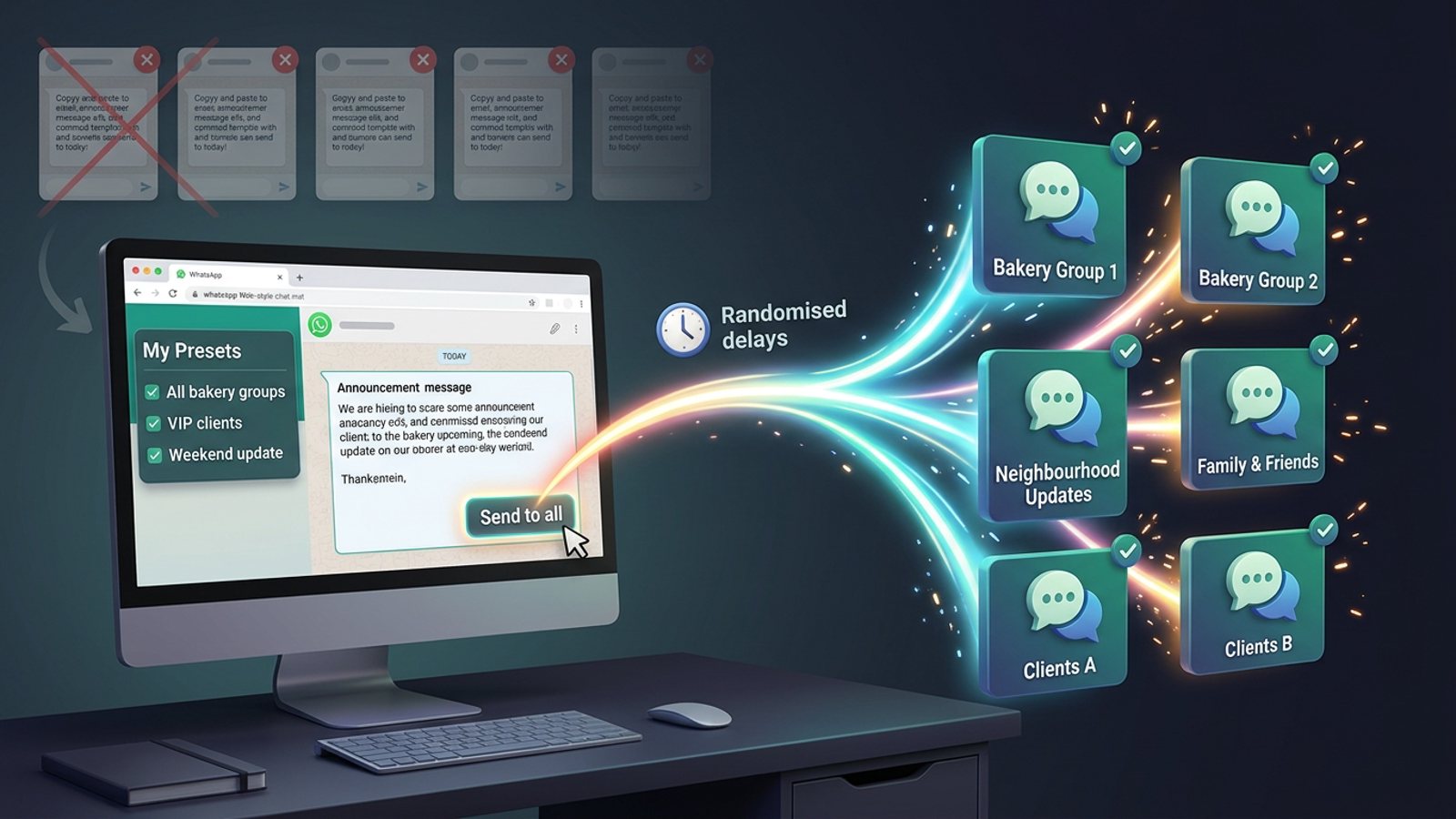
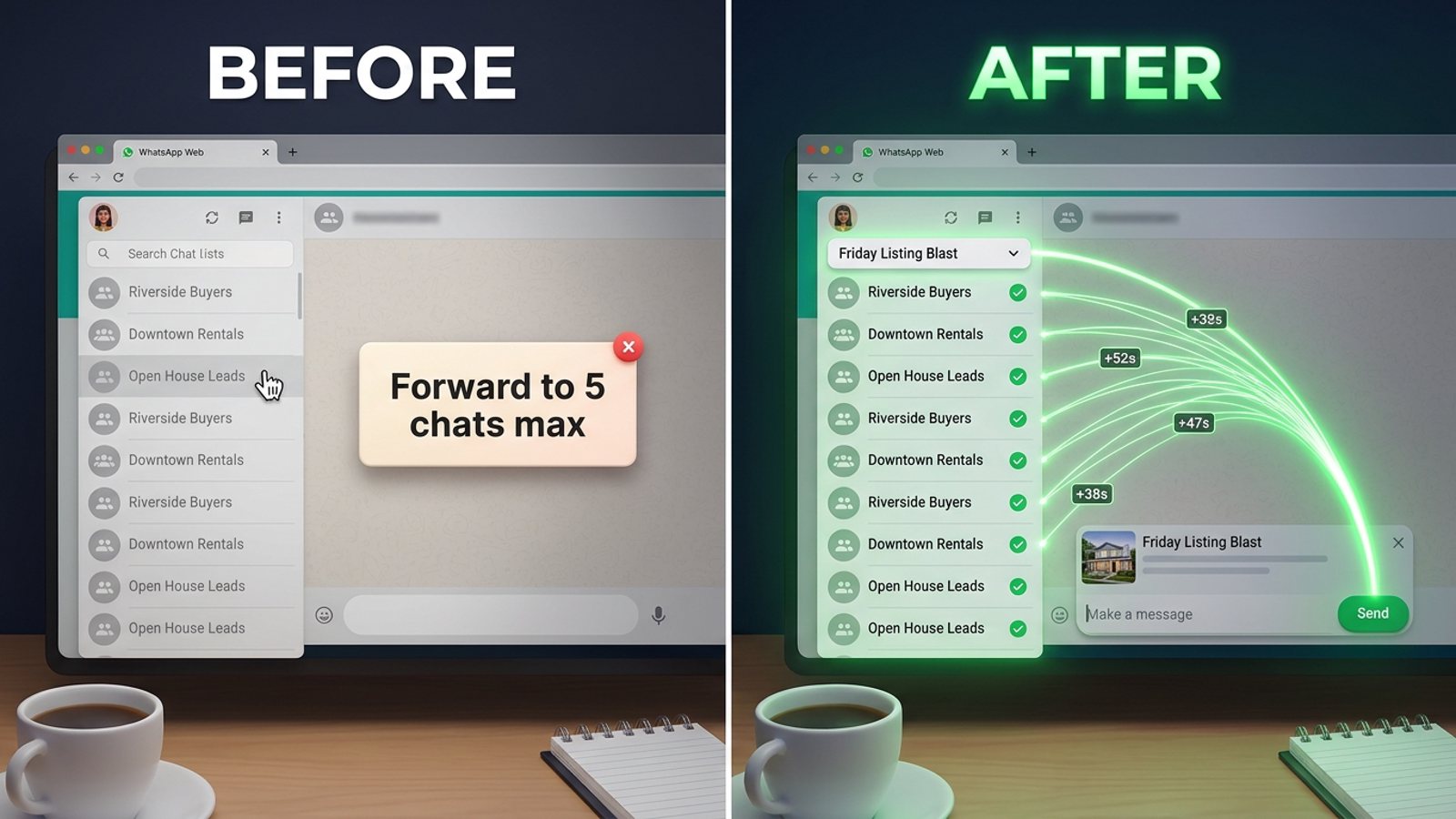
FivePlus sends a message, announcement or media to dozens of chats at once, beyond the standard five-recipient limit. You save your group and contact lists as presets once, mix people and groups into one preset, and in V2 you can send to several saved lists at once. Randomised delays stagger the timing, and it runs on WhatsApp Web in Chrome with no login required. It's free to try for 3 days. The honest limits: it needs Chrome and WhatsApp Web, and free use is limited to a 24-hour trial. It isn't affiliated with Meta.
Wavto is the right choice if your work is mostly one-to-one client messaging and you want an iPad app to keep client lists tidy. If you mainly need to post into WhatsApp group chats from your laptop, a browser extension is the more direct fit.
WaSenderHQ (Firefox) is strong on personalisation: CSV or Google Sheets imports, human-like typing, random delay ranges and jitter, a scheduler, and a Pro tier adding cooldowns, spintax and a risk-scoring "Account Health Meter" (Firefox Add-ons listing, 24 May 2026). Its own listings quote two different Pro prices — $19.99 and $9.99 one-time — so check before you buy. If spreadsheet-driven personalisation is your core need, it's the more direct choice.
WA Bulk Sender Pro (Firefox, HOJO LABS, 18 September 2026) lets you select multiple contacts and groups from inside WhatsApp, add all group members individually, upload a CSV, personalise with #name#, and set delays from none to 30 seconds, with history and retry. If you'd rather click groups than manage presets, it's the more direct choice — but it's Firefox only.
Ready to test the workflow on your own groups? Get FivePlus for WhatsApp Chrome extension (bulk share beyond 5 recipients) and save your first preset.
Which option saves your WhatsApp group lists so you never search again?
FivePlus is built around this: you save your group and contact lists as presets once and reuse them, and V2 lets you send to several saved lists at once.
This is the feature that separates a tool you keep from one you abandon. Searching for "Northside Buyers – Block B" for the fortieth time is the actual time sink, not typing the message.
A few things worth knowing about how lists behave:
- In FivePlus, saved group lists are kept forever — the owner's guidance is that it's better not to uninstall the extension.
- In WhatsApp's own broadcast lists, the list only reaches contacts who have saved your number (folk CRM, 31 August 2026). That's opt-in by design, and it means the list is only as good as your contact book.
- In the Firefox extensions we reviewed, WaSenderHQ and WA Bulk Sender Pro both let you target groups by name or selection each time, with CSV import for personalisation.
If remembering your list is the whole point for you, we've written a separate walkthrough on a tool that remembers your WhatsApp group list for repeat sends.
How do you pace a WhatsApp group send so it doesn't look automated?
Space the sends out with randomised delays and rest between batches. Speed, duplicate content and report rates are what Meta's throttling watches, according to a Wati vendor blog (22 September 2026).
Here's the technique, whatever tool you use:
- Decide the job. Are you reaching people you already have on WhatsApp, or posting into groups you belong to? Groups plus an extension is the group-chat route (Infobip, 9 October 2025).
- Save your target list once. Build the preset or broadcast list before you write the message.
- Get consent and keep it useful. WhatsApp marketing consent should name the business, the message type and a clear confirming action (Wati vendor blog, 2 February 2026).
- Pace the send. Randomised delays, batch rests, and skip invalid numbers.
- Watch the signals. If you start seeing blocks or reports, stop and reassess. Meta's policy enforcement applies to accounts that repeatedly break its business messaging policies (Meta for Developers, updated 21 May 2026).
FivePlus does step 4 for you with randomised delays that stagger message timing, plus anti-ban technology that mimics natural human behaviour. That reduces the machine-gun pattern — it does not guarantee anything about your account.
Is it safe to send one message to many WhatsApp groups at once?
No tool can make it risk-free — WhatsApp treats bulk and automated messaging as a Terms violation, and common ban triggers include unsolicited promotional messages and sending too many messages in a short time (Respond.io, 28 September 2026).
What you can do is reduce the obvious signals:
- Send to people who expect to hear from you. Consent is the foundation.
- Vary the timing. Randomised delays beat a fixed one-second gap.
- Don't blast identical text to hundreds of strangers. Meta sets roughly a maximum of two marketing messages per recipient per 24 hours as a working limit, per a Wati vendor blog (11 November 2026).
- Keep volume sane. New Business API portfolios typically start at 250 unique recipients per rolling 24 hours (Zernio, 25 June 2026).
Some Chrome listings advertise "zero bans". Treat those as vendor marketing claims, not facts. If account safety is your main worry, our guide to messaging 30 WhatsApp groups at once without getting banned walks through the practical side.
The tool you choose matters far less than whether you save your list once, pace the sends, and only message people who want to hear from you.
When is the WhatsApp Business API the better answer than any extension?
When you need to reach more than 256 people, want template messages and a team inbox, and accept per-message billing.
The Business API replaces the broadcast cap with a rolling 24-hour recipient tier and bills per message by category and country — and from 1 October 2026, service messages inside the 24-hour window became billable on the API side (SleekFlow, 15 September 2026). Wati's coexistence offer advertises ₹999 for 500 free messages with pay-as-you-go top-ups and no monthly fee on that plan (Wati, 2 November 2026).
The catch: the API is built for customer lists, not for posting into arbitrary WhatsApp groups (Infobip, 9 October 2025). Template approval, opt-in rules and quality ratings all apply. If your audience lives in group chats you already belong to, an extension is the more direct route; if you're running notifications to a customer database, the API is.
How do you set up a group send in FivePlus, step by step?
Install the extension, save your lists once, then it's one click per campaign.
- Install the extension from the Chrome Web Store and open WhatsApp Web in Chrome.
- Save your group and contact lists as presets — once. Mix people and groups in a single preset for maximum reach.
- Choose a preset (or several, in V2), pick your message or media, and send in one click.
- Let the randomised delays run so the messages spread out naturally.
That's the whole loop. The next time you post, you skip step 2 entirely. To see the same workflow applied to a specific job, the walkthrough on sending event details to 15 WhatsApp groups in one click follows it end to end.
Get FivePlus for WhatsApp Chrome extension (bulk share beyond 5 recipients) and turn your next announcement into one click instead of thirty.
Sources
- Unauthorized use of automated or bulk messaging on WhatsApp — WhatsApp Help Center
- 在 WhatsApp 上未經授權使用自動或大量訊息傳送 — WhatsApp Help Center
- 2026 WhatsApp 群發訊息規則 — Wati (vendor), 22 September 2026
- WhatsApp Broadcast vs. Grupo — hensontsai.com, 6 September 2026
- How to send broadcast message on WhatsApp — folk CRM, 31 August 2026
- WhatsApp Business App vs API — SleekFlow, 15 September 2026
- WhatsApp Broadcast Messages Explained — Zernio, 25 June 2026
- WhatsApp Business Platform policy enforcement — Meta for Developers, updated 21 May 2026
- WhatsApp Business Banned Account — Respond.io, 28 September 2026
- Is WhatsApp Marketing Legal — Wati (vendor), 2 February 2026
- Batas Broadcast WhatsApp Business — Wati (vendor), 11 November 2026
- Wavto App — Apple App Store, 17 June 2026
- WhatsApp Broadcast vs Group — Infobip, 9 October 2025
- Broadcast in WhatsApp — Vodafone, 20 March 2025
- Wati coexistence offer — Wati, 2 November 2026
- Send Bulk WhatsApp messages with Wati — Wati, 12 March 2026
- TurboText WA – Bulk WhatsApp Sender — Chrome Web Store
- TurboText WA package page — Socket, 12 February 2026
- WaSenderHQ — Firefox Add-ons, 24 May 2026
- WaSenderHQ (DE listing) — Firefox Add-ons, 24 May 2026
- WA Bulk Sender Pro — Firefox Add-ons, 18 September 2026
- WaBulkMessenger — Socket, 26 June 2026
- HappyInAI Outreach — Chrome Web Store
- Free Bulk WhatsApp Sender & Contact Exporter — Chrome Web Store, updated 18 November 2026
Frequently asked questions
No. Wavto's App Store listing (17 June 2026) describes an iOS app designed for iPad. To send from WhatsApp Web in a desktop browser, you need a browser extension instead.
Of the tools we compared, FivePlus is the most direct fit for group-chat sending: it saves group lists as presets, sends to more than five chats in one click, and adds randomised delays, all inside WhatsApp Web in Chrome. WaSenderHQ suits spreadsheet-driven personalisation better; WA Bulk Sender Pro suits Firefox users who prefer clicking groups directly.
WhatsApp's broadcast lists are capped at 256 saved contacts (SleekFlow, 15 September 2026), and only contacts who saved your number receive them. Extensions work differently — they automate WhatsApp Web from your own account, which is exactly the practice WhatsApp's Help Center calls a Terms violation. Whatever route you take, follow WhatsApp's terms and check the current rules, as they can change.
Yes. WhatsApp marketing consent should name the business, the message type and a clear confirming action (Wati vendor blog, 2 February 2026). Unsolicited promotional messages are a common ban trigger (Respond.io, 28 September 2026). This is not legal advice, and the rules vary by place.
Saved group lists are kept forever, so the owner's advice is not to uninstall the Chrome extension. FivePlus is free to try for 3 days, and all plans include unlimited sharing with no monthly sending limit.