Is there a WaSenderHQ alternative that doesn't need a CSV upload?
Yes. If you want to skip the spreadsheet, the practical options are a browser extension that works from saved in-app group and contact presets (FivePlus does this), WhatsApp's own Labels and Broadcast Lists, the official WhatsApp Business Cloud API through a platform like WATI, or sending by hand. WaSenderHQ's own guide makes a CSV or Google Sheet the first step, so it isn't the no-spreadsheet route.
WaSenderHQ is a free WhatsApp bulk sender for WhatsApp Web. Its Chrome Web Store listing describes sending from a CSV file or a Google Sheets link, personalising with variable tags like {name}, and a manual "paste numbers" option. Its own blog guide, last updated 27 July 2026, puts "structure the spreadsheet" as step one.
That's fine if your lists live in a spreadsheet. It's painful if your lists live in WhatsApp — a client's buyer groups, a coach's cohort chats, an agent's landlord circle — and they change weekly. You end up maintaining a second copy of your own contacts.
This post covers the no-CSV routes, what each one costs you in time or money, and where FivePlus fits. If you'd rather see the wider field first, our round-up of alternatives to WaSenderHQ for agency marketers covers the bigger picture.
What does "no CSV" actually mean for a WhatsApp sender?
It means the tool reads your recipients from inside WhatsApp or from a list you saved in the tool — not from a file you upload each time.
There are three ways tools do this, and they behave very differently:
- Saved presets in the extension. You tick groups and contacts once, name the list, and reuse it. FivePlus works this way: you save group and contact lists as presets, and V2 lets you send to several saved lists at once.
- Import once from WhatsApp Web. RitPost's Chrome Web Store listing says it imports your WhatsApp groups (not contacts) in one click, then you tick groups from a saved list and post to each.
- Paste numbers each time. WaSenderHQ's manual option and TurboText WA both work this way — no spreadsheet file, but also no memory. You rebuild the list every send.
Only the first two remove the rebuild. The third just swaps a file for a text box.
Why does rebuilding a CSV every time hurt so much?
Because the list changes more often than the message does. The spreadsheet is the part that goes stale.
Say you run a small agency with six property clients. Each client has between four and nine WhatsApp groups — buyers, tenants, landlords, a staff group. Every time a client adds a group or a number drops out, the CSV needs a new row, a re-export, and a re-upload before your next announcement. Miss one and that group simply doesn't get the message.
WaSenderHQ's own comparison page (last updated 1 October 2026) describes its primary workflow as starting and monitoring a campaign "from an active WhatsApp Web browser session," with CSV and published Google Sheets CSV links as the spreadsheet route. It also notes you need a computer, a browser and a WhatsApp session. None of that is a flaw — it's just a workflow built around a file.
The friction compounds in three places:
- Version control. Which sheet is current? The one in Drive, the downloaded copy, or the one your colleague edited?
- Formatting rules. Phone numbers need the international prefix; name columns feed the {name} tag. One wrong column and the send fails validation.
- Handover. If you're away, someone else has to find and edit the right file.
Our recommendation: before you pick a tool, count how often your recipient lists change. If it's more than once a month, a file-based workflow will cost you more time than the send itself.
Is there a WaSenderHQ alternative that doesn't need a CSV upload?
Yes — and the closest fit for most readers is a Chrome extension that remembers your groups for you. FivePlus is our pick of the tools we compared for this job.
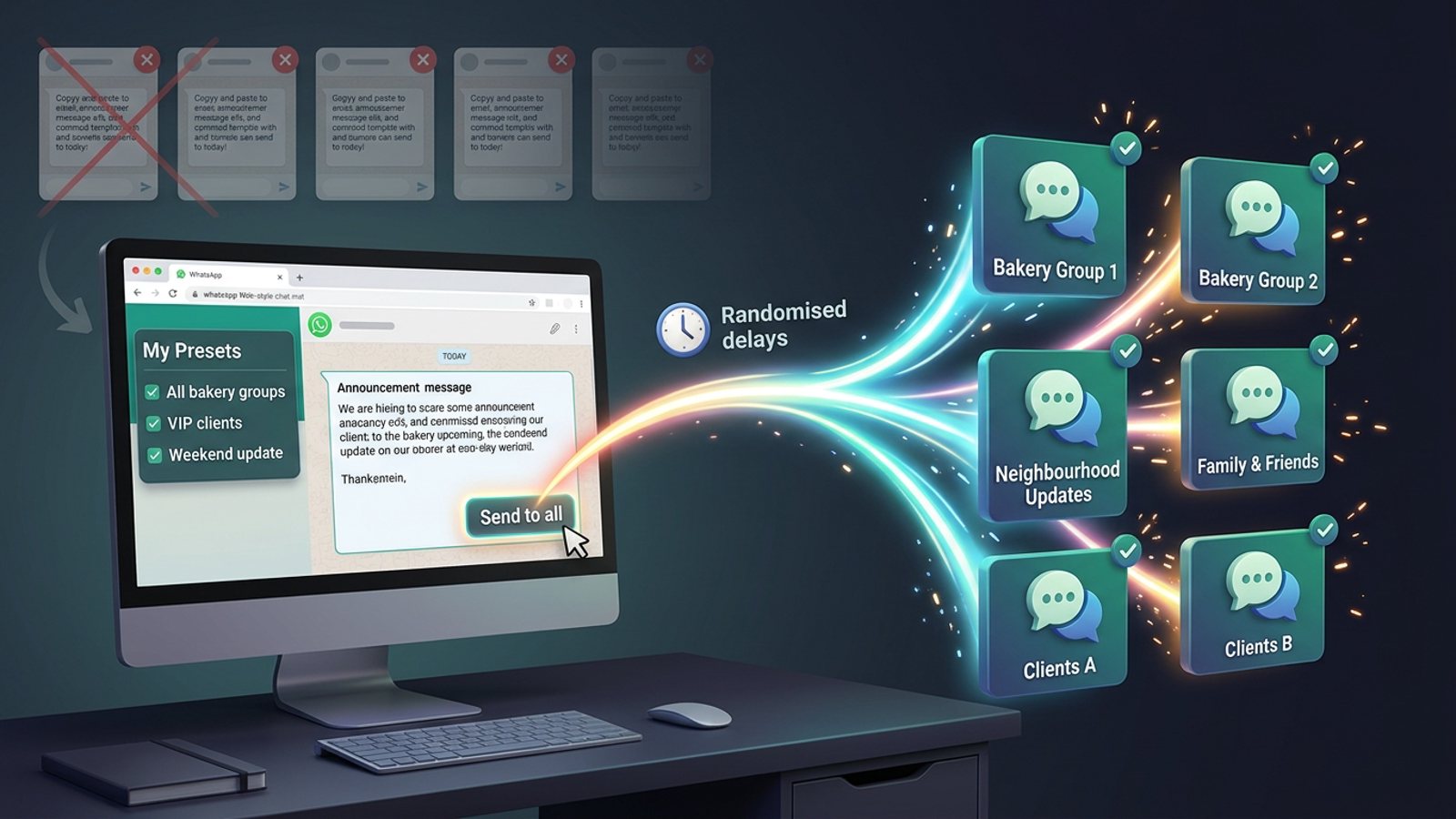
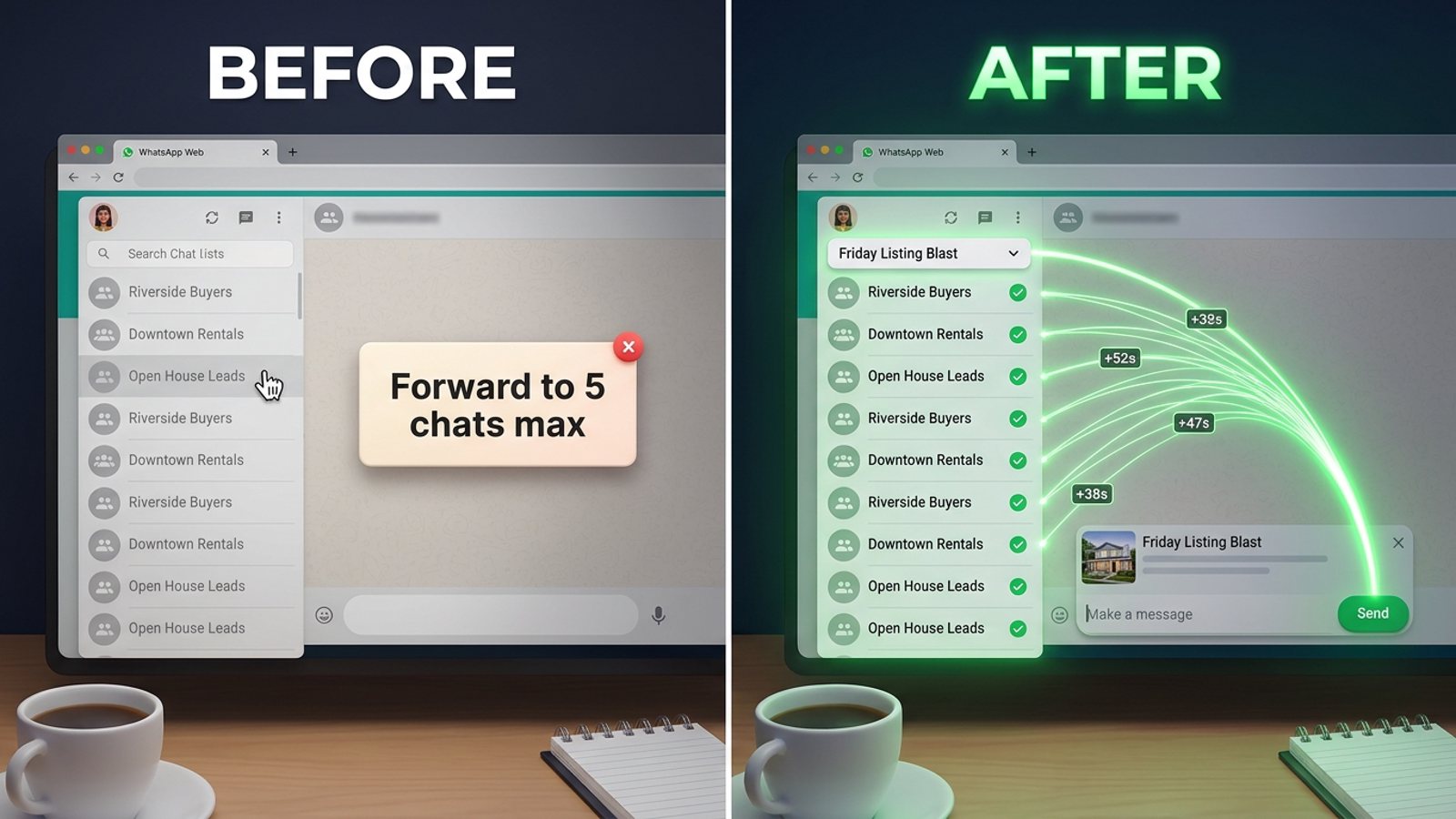
FivePlus is a Chrome extension for WhatsApp Web that shares a message, announcement or media to many saved groups and contacts in one click, instead of the standard five at a time. You save your group and contact lists as presets once, then reuse them. V2 lets you send to multiple saved lists at once, and you can mix people and groups into one preset.
Two things it does not do, so you're not surprised: it does not import or export contact files, and it needs the Chrome browser with WhatsApp Web open. There's no login. Free use is a 24-hour trial, and the site offers a 3-day free try as of November 2026 — prices can change, so check the site before you commit.
Get FivePlus for WhatsApp Chrome extension (bulk share beyond 5 recipients)
How do the no-CSV options compare?
Here's the honest table. FivePlus goes first because it's our product, and the disclosure is below.
| Option | Best for | Key features | Price/free option | Watch-outs |
|---|---|---|---|---|
| FivePlus (Our pick) | Reusing the same group sets weekly | Saved presets, 5+ recipients, randomized delays | 24-hour free trial; 3-day free try | Chrome + WhatsApp Web only; no file import/export |
| WaSenderHQ | Spreadsheet-first campaigns | CSV/Sheets, {name} tags, duplicate review | Listed as free | Rebuild CSV when lists change |
| RitPost | Group-only announcements | One-click group import, saved list | Not stated in listing | Groups only, not contacts |
| WhatsApp Broadcast Lists | Small, free, occasional sends | Free, no third party | Free with Business app | Under 256 contacts (Dexatel) |
| WhatsApp Cloud API (via WATI) | Official scale, opt-in lists | Approved templates, per-message billing | Per delivered message | Meta setup, template approval |
FivePlus is made by the team behind this blog.
Reading the table: WaSenderHQ is the more direct choice if your contacts already live in a clean spreadsheet and you want variable tags and duplicate checking. RitPost suits you if you only ever post to groups and want the import done for you. WhatsApp's own Broadcast Lists are the free, zero-tool answer for small lists — Dexatel (13 June 2026) notes the Business app covers broadcast lists only under 256 contacts, with no automation or CRM.
And the Cloud API is the right call if you need official scale and can work with approved templates and per-message costs. Meta's pricing documentation (updated 30 September 2026) states it charges per message, priced by category and the recipient's country calling code, with updates taking effect 1 October 2026. A Respond.io calculator (12 November 2026) summarises 1,000 free service messages per number per month and free inbound messages.
If your worry is account safety rather than spreadsheets, our post on whether there's a WhatsApp bulk sender that doesn't risk my account goes deeper.
How do you set up a no-spreadsheet send in FivePlus?
Four steps, and only the second one is work you'll ever repeat.
- Install the extension and open WhatsApp Web. Install from the Chrome Web Store, then open web.whatsapp.com in Chrome. No login to FivePlus is needed.
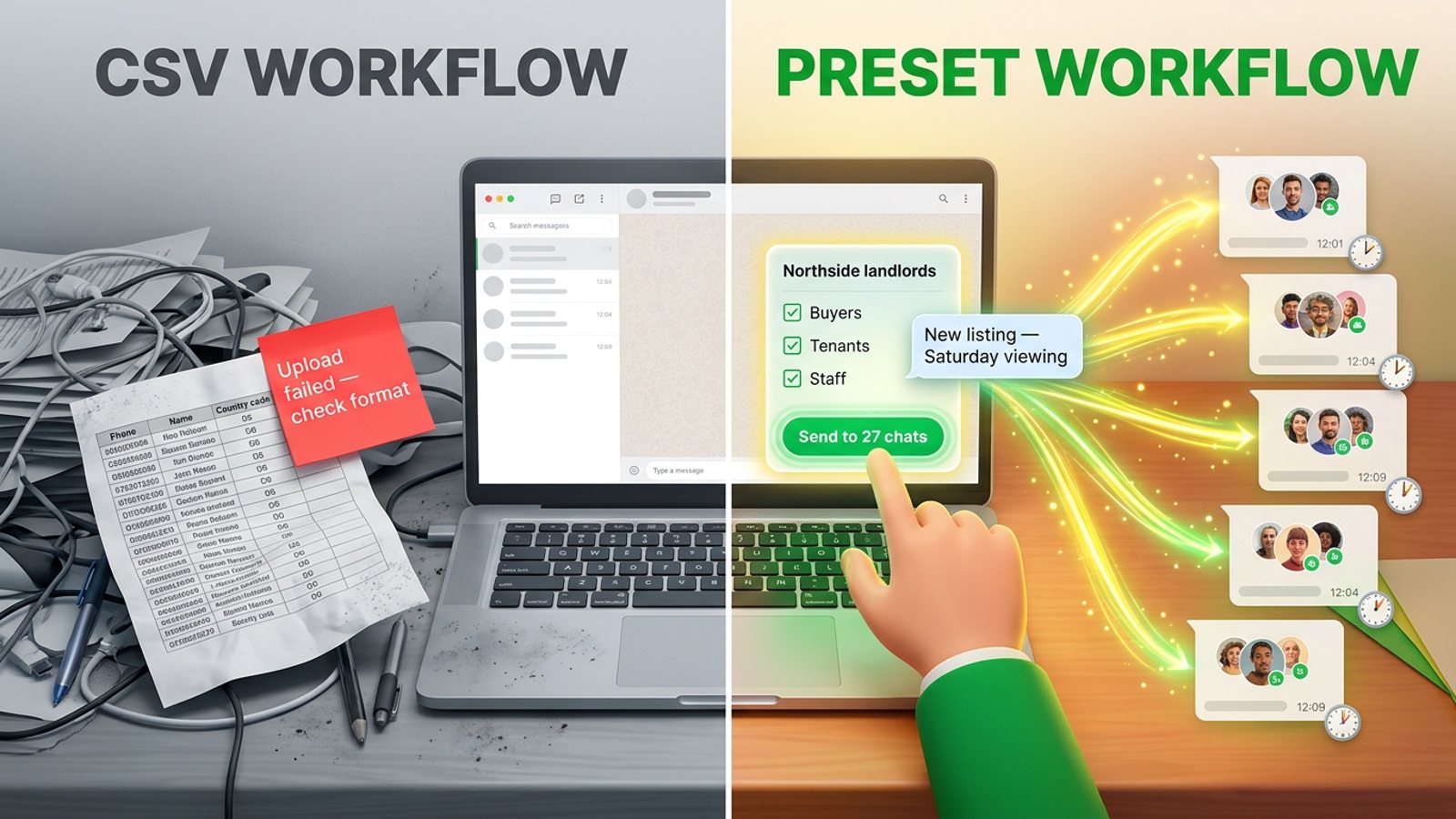
- Save your lists as presets. Tick the groups and contacts you message together — say, "Northside landlords" or "Q4 coaching cohort" — and save. Mix people and groups in one preset if that's how you actually communicate. You do this once per list.
- Pick a preset and your message. Choose one preset, or several in V2, attach your announcement or media, and send in one click.
- Let the delays do their job. Randomized delays stagger the timing so the send looks like a person working through chats, not a machine firing at once.
Compare that to the CSV route: format headers, export, upload, review valid and invalid rows, then send. Both work. One asks you to maintain a file; the other asks you to tick boxes once.
Will sending to many groups get my WhatsApp account banned?
It can — and the risk comes from WhatsApp's rules, not from which tool you pick. WhatsApp's help page states its products "are not intended for bulk or automated messaging, both of which have always been a violation of our Terms of Service," and that it uses on-platform information to identify and ban abusive accounts.
That applies to every option in this article: FivePlus, WaSenderHQ, RitPost, broadcast lists, the Cloud API when used outside policy, and sending by hand. Rules and enforcement can change, and this is not legal advice.
What you can control:
- Who you message. WATI's compliance article (2 February 2026) says you can message users only with explicit consent, and that the consent flow should name your business, the message type, and require a clear confirming action.
- How it looks. WATI's bulk-messaging guidance (10 September 2025) recommends always getting opt-in, using approved templates where relevant, and avoiding out-of-the-blue messages to protect your quality rating.
- How fast it goes. Randomized delays and human-like pacing reduce the spam-flag pattern. They don't remove it.
The tool you choose changes how much time you spend. It doesn't change WhatsApp's rules — only how carefully you follow them does.
Which option suits which reader?
Match the tool to the job, not the other way round.
- You message the same client groups every week and the lists drift. FivePlus, because presets survive the drift — you edit a preset, not a file.
- You already keep contacts in a spreadsheet and personalise every message. WaSenderHQ is the more direct choice, with its {name} tags and duplicate review.
- You only announce to groups, never individuals. RitPost's one-click group import is aimed exactly at that.
- You have a small list and no budget. WhatsApp Business Broadcast Lists, within the 256-contact cap Dexatel reports.
- You need official scale and can handle templates. The Cloud API via a platform like WATI — budget per delivered message.
If you're weighing a paid tool against manual sending, our comparison of a bulk WhatsApp sender vs 5 chats by hand works through the time maths.
Sources
- WhatsApp Bulk Sender & Auto Sender — WaSenderHQ (Chrome Web Store)
- How to Format a CSV for WhatsApp Bulk Messages (WaSenderHQ, 2026-07-27)
- WaSenderHQ vs WhatsApp Business Platform (WaSenderHQ, 2026-10-01)
- Unauthorized use of automated or bulk messaging on WhatsApp (WhatsApp Help Center)
- WhatsApp Business Platform pricing (Meta for Developers, updated 2026-09-30)
- WhatsApp Business Messaging API pricing calculator (Respond.io, 2026-11-12)
- WhatsApp Business API Pricing guide (Dexatel, 2026-06-13)
- How to Send Bulk Messages on WhatsApp Safely (Wati, 2025-09-10)
- Is WhatsApp Marketing Legal? (Wati, 2026-02-02)
- RitPost group posting (Chrome Web Store)
- TurboText WA bulk sender (Chrome Web Store)
- MSG.AI — WhatsApp Translator & AI Assistant (Chrome Web Store, updated 2026-10-28)
Frequently asked questions
No. You can use saved presets in a browser extension like FivePlus, import your groups once in a tool like RitPost, use WhatsApp's own Broadcast Lists, or send through the official Cloud API. A CSV is one route among several, not a requirement.
Yes — that's the core difference between preset-based and file-based tools. FivePlus saves group and contact lists as presets you reuse and can combine several in one send (V2). WaSenderHQ's workflow, by contrast, starts from a CSV or published Google Sheet per its own guide.
Its Chrome Web Store listing describes it as a free WhatsApp bulk sender. You upload a CSV or link a published Google Sheet, and it sends from those rows with variable tags and a valid/invalid/duplicate review step before sending.
Dexatel (13 June 2026) reports that the free WhatsApp Business app covers broadcast lists only under 256 contacts, without automation or CRM. Beyond that, or if you need automation, Dexatel says you're pushed toward the API.
For repeat sends to the same groups, FivePlus is our pick of the tools we compared: saved presets, more than 5 recipients at once, randomized delays, no login. It needs Chrome and WhatsApp Web, and it doesn't import or export contact files. If your contacts already live in a sheet and you want personalisation tags, WaSenderHQ is the more direct choice.