Is there a Chrome extension that sends to many WhatsApp groups at once?

Yes. Several Chrome extensions run on top of WhatsApp Web and send one message to a list of many groups in sequence — TurboText WA, WhatsApp Bulk Sender by InGage, Message Pilot Free and ZS Sender are examples from the material. They differ mainly in how you build the list, and none of them makes bulk messaging allowed under WhatsApp's rules.
If you send the same announcement to twenty groups every week, you've already felt the pain: WhatsApp's own forwarding is capped at 5 chats at a time, according to WhatsApp's Help Center. An extension gets you past that manual loop. Get FivePlus for WhatsApp Chrome extension (bulk share beyond 5 recipients) and you pick a saved list instead of re-searching groups one by one.
Can a Chrome extension really send to more than 5 WhatsApp groups in one go?
Yes — the extension drives your logged-in WhatsApp Web session and works through your list of groups automatically. TurboText WA, for example, lets you paste exact WhatsApp group names and phone numbers and sends the same message to all of them, per its Chrome Web Store listing. You still log in to WhatsApp Web yourself; the extension doesn't send without your interaction.
That's the whole trick. There's no secret API. The extension is a robot clicking "send" faster than you can.
What's the difference between an extension and a CSV sender?
Extensions build the list from group names or numbers inside WhatsApp Web; CSV-first tools want a spreadsheet or file before they start. ZS Sender, for instance, imports a CSV and supports personalization variables like {name} and {city}, according to its store listing. InGage's WhatsApp Bulk Sender also takes CSV uploads alongside templates and group-member extraction.
Neither approach is better in the abstract. It depends on where your recipients already live — in your WhatsApp chat list, or in a spreadsheet on your desktop.
Which Chrome extensions send to many WhatsApp groups at once?
Here are the options from the material, compared on how they work and what they cost. Prices for the alternatives are as of November 2026 and can change; several listings show no price at all.
| Option | Best for | Key features | Price / free option | Watch-outs |
|---|---|---|---|---|
| FivePlus (Our pick) | Repeat sends to saved group lists | Saved presets, multiple lists at once, randomized delays | Free 3-day trial | Chrome + WhatsApp Web only |
| TurboText WA | Pasting group names and numbers | Paste names/numbers, same message to all | No price shown | Tiny user base, no ratings |
| InGage Bulk Sender | CRM-style sends with templates | CSV, templates, member extraction | In-app purchases flagged | Small adoption, version mismatch |
| Message Pilot Free | Low-volume free group sends | Multi-group send, CSV/XLSX | Free with tight caps | 3 groups per send on free |
| ZS Sender | CSV-driven personalized sends | Variables, attachments, live report | No price shown | CSV workflow first |
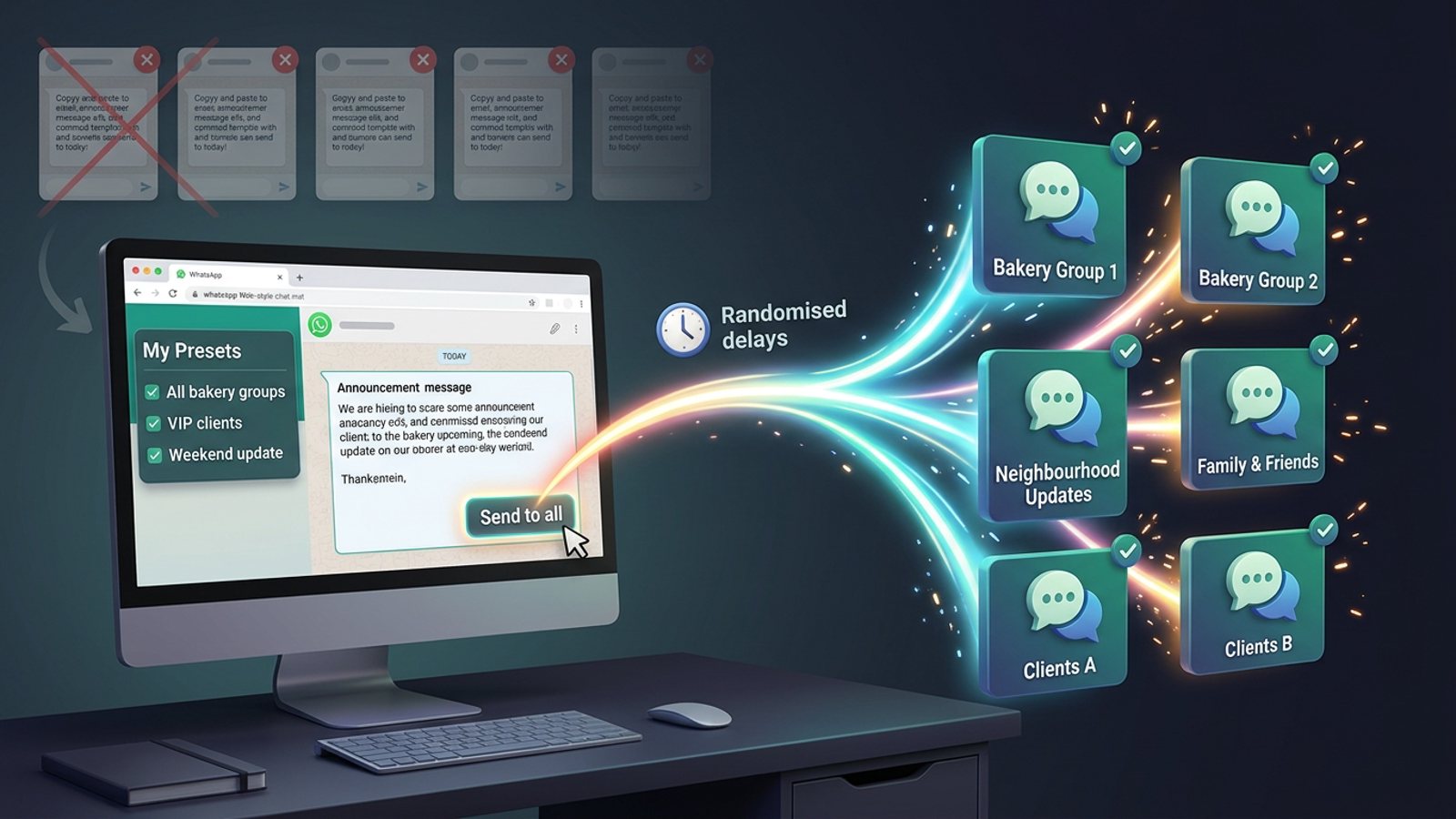
FivePlus is our pick of the tools we compared because it's built around the thing repeat senders actually do: you save your group and contact lists as presets once, then reuse them. V2 lets you send to several saved lists at once, and you can mix people and groups into one preset. Randomized delays stagger the timing, and the anti-ban technology mimics natural human behavior. Get FivePlus for WhatsApp Chrome extension (bulk share beyond 5 recipients).
TurboText WA is the more direct choice if you mainly need to paste a handful of exact group names and fire one message at them. Its listing says it requires manual WhatsApp Web login and doesn't send without user interaction. The catch is track record: an independent audit by ExtWise in February 2026 reported 6 users and 0 ratings, while a store mirror showed 36 users — either way, there's no review history to judge reliability by.
WhatsApp Bulk Sender by InGage suits someone who wants CRM-flavored features — CSV upload, templates, group-member extraction and label-based selection. An ExtWise audit in June 2026 reported 7 active users, 0 ratings and a 35/100 permission-risk score it described as "medium — capability, not intent." Version numbers also disagree across listings (2.2 on the store page, 2.8 on mirrors).
Message Pilot Free from 365Digital explicitly offers "message multiple groups," plus CSV/XLSX sends with placeholders. The free tier is the limitation: its store listing caps it at 10 contacts per bulk send, 3 groups per group send and 3 sends per day. A Pro tier exists, but the store page doesn't show its price.
ZS Sender is the strongest CSV-first option in this set. It sends to numbers, contacts, groups and lists, supports {name}/{city} variables, previews, attachments, randomized delays and batching, and produces a live report. Its privacy policy (last updated 11 August 2026) says it has no servers of its own and processes everything locally. The trade-off is the workflow: you build a file before you send, rather than clicking a saved preset.
FivePlus is made by the team behind this blog.
Will I get banned for using a bulk sender extension?
WhatsApp says bulk and automated messaging have "always been a violation of our Terms of Service," per its Help Center. So no extension can promise your account is safe — and you should be wary of any that does.
What WhatsApp actually does: it uses on-platform information and machine learning to identify and ban accounts attempting to evade its systems, and it has taken legal action against users abusing its terms through automated or bulk messaging since 7 December 2019, according to its Help Center. A restricted account can still chat with existing contacts and groups but can't start new chats, create groups, add members or use linked devices; the restriction lifts automatically after the set time.
An open-source legal reference on WhatsApp automation (GitHub, January 2026) notes that recipient "report spam" taps are a common ban trigger, and that bulk messaging without consent is another — even with careful pacing. A companion reference (GitHub, June 2026) adds that anti-ban measures like caps, warm-up and mimicry reduce but do not eliminate ban risk.
How do you send to many WhatsApp groups with an extension?
Here's the general workflow, whichever tool you choose:
- Install the extension from the Chrome Web Store and pin it to your toolbar.
- Open WhatsApp Web at web.whatsapp.com and scan the QR code to log in.
- Build your list — paste exact group names or numbers, or import a CSV/Excel file.
- Add personalization variables and preview the message before sending.
- Set a randomized delay between sends if the tool offers one.
- Start the send, keep the WhatsApp Web tab open, and pause or resume as needed.
- Review the log or report and stop if you see errors or account warnings.
With FivePlus the list-building step happens once: install the extension, save your group and contact lists as presets, then choose a preset, pick a message or media, and send in one click. The randomized delays spread the messages out automatically.
Say you run a coaching business with 18 cohort groups and a weekly Monday reminder. With WhatsApp's own forwarding you'd repeat the same forward four times. With a saved preset you select the list once and send — and next Monday the list is still there.
Does the tool store my contacts in the cloud?
Several listings claim local-only processing, but you should check each tool's privacy policy yourself. ZS Sender's policy states it has no servers of its own and doesn't send data to the vendor or third parties, accessing your connected number, contacts, groups and group members only when you click Load or Download.
Our recommendation: before you install any bulk sender, open its privacy policy and look for the words "local," "no servers" and "third parties." If the policy doesn't say, assume your data leaves your browser.
Do I need the WhatsApp Business API for this?
No — these extensions ride on your logged-in WhatsApp Web session, not the Business API. The legal reference from January 2026 notes that the official Business Platform, with opt-in consent and approved templates, is the only Terms-of-Service-compliant automation path. That's a different product category with a different setup cost.
How much do these extensions cost?
FivePlus is free to try for 3 days, and all plans include unlimited sharing with no monthly sending limit — as of November 2026, prices can change. Saved group lists stay saved forever, so it's better not to uninstall the extension if you want to keep them.
For the alternatives, the material shows no prices: TurboText WA and ZS Sender appear free with no paid tier mentioned, InGage flags in-app purchases without a published price, and Message Pilot's Pro price isn't shown on its store page.
What should I check before installing any bulk sender?
Check three things: the permission requests, the user base, and whether it saves your lists. A small, unreviewed extension with broad permissions is a bigger gamble than its feature list suggests.
You can dig deeper in our roundup of the best WhatsApp bulk sender extensions for Chrome in 2026, or read how to message 30 WhatsApp groups at once without getting banned if volume is your worry. If account risk is the sticking point, start with is there a WhatsApp bulk sender that doesn't risk my account?
The extension only removes the clicking — the judgment about who you message, how often and with what consent stays with you.
Sources
- Unauthorized use of automated or bulk messaging on WhatsApp (WhatsApp Help Center, undated)
- Account restriction page (WhatsApp Help Center, undated)
- Forward limits page (WhatsApp Help Center, undated)
- WhatsApp Terms of Service & Legal Considerations (GitHub, Joe-Heffer, 2026-01-27)
- WAPI legal reference (GitHub, zakirkun, 2026-06-05)
- TurboText WA store listing (Chrome Web Store, undated)
- TurboText WA analysis (ExtWise, 2026-02-12)
- WhatsApp Bulk Sender by InGage store listing (Chrome Web Store, undated)
- InGage analysis (ExtWise, 2026-06-30)
- InGage package page (Socket, 2026-06-29)
- Message Pilot Free store listing (Chrome Web Store, updated 2026-06-19)
- Message Pilot package page (Socket, 2026-06-18)
- ZS Sender store listing (Chrome Web Store, undated)
- ZS Sender package page (Socket, 2026-08-12)
- ZS Sender privacy policy (ZS Sender, 2026-08-11)
Frequently asked questions
It depends on how you build lists. FivePlus is our pick of the tools we compared if you send to the same groups repeatedly, because it saves presets and sends to several lists at once with randomized delays. If you mainly need to paste a few exact group names, TurboText WA is the more direct choice; if your recipients live in a spreadsheet, ZS Sender fits better.
WhatsApp's own forwarding is capped at 5 chats at a time, per its Help Center, and messages forwarded through chains of five or more chats get a "Forwarded many times" label. Broadcast lists reach contacts rather than groups. Beyond that, you're into third-party tools.
FivePlus is built for regular WhatsApp on WhatsApp Web — the owner's answer is that only regular WhatsApp works. For other tools, check their listing before you rely on it with a business account.
WhatsApp's Help Center states its products are not intended for bulk or automated messaging and that this has always violated its Terms of Service. Enforcement can include restrictions and bans, and rules can change. This is not legal advice.
Saved group lists are saved forever, according to the product facts — which is why it's better not to uninstall the Chrome extension. The extension requires Chrome and WhatsApp Web, and free use is limited to a 24-hour trial.