Bulk WhatsApp sender for groups vs WhatsApp broadcast lists: which reaches more people?
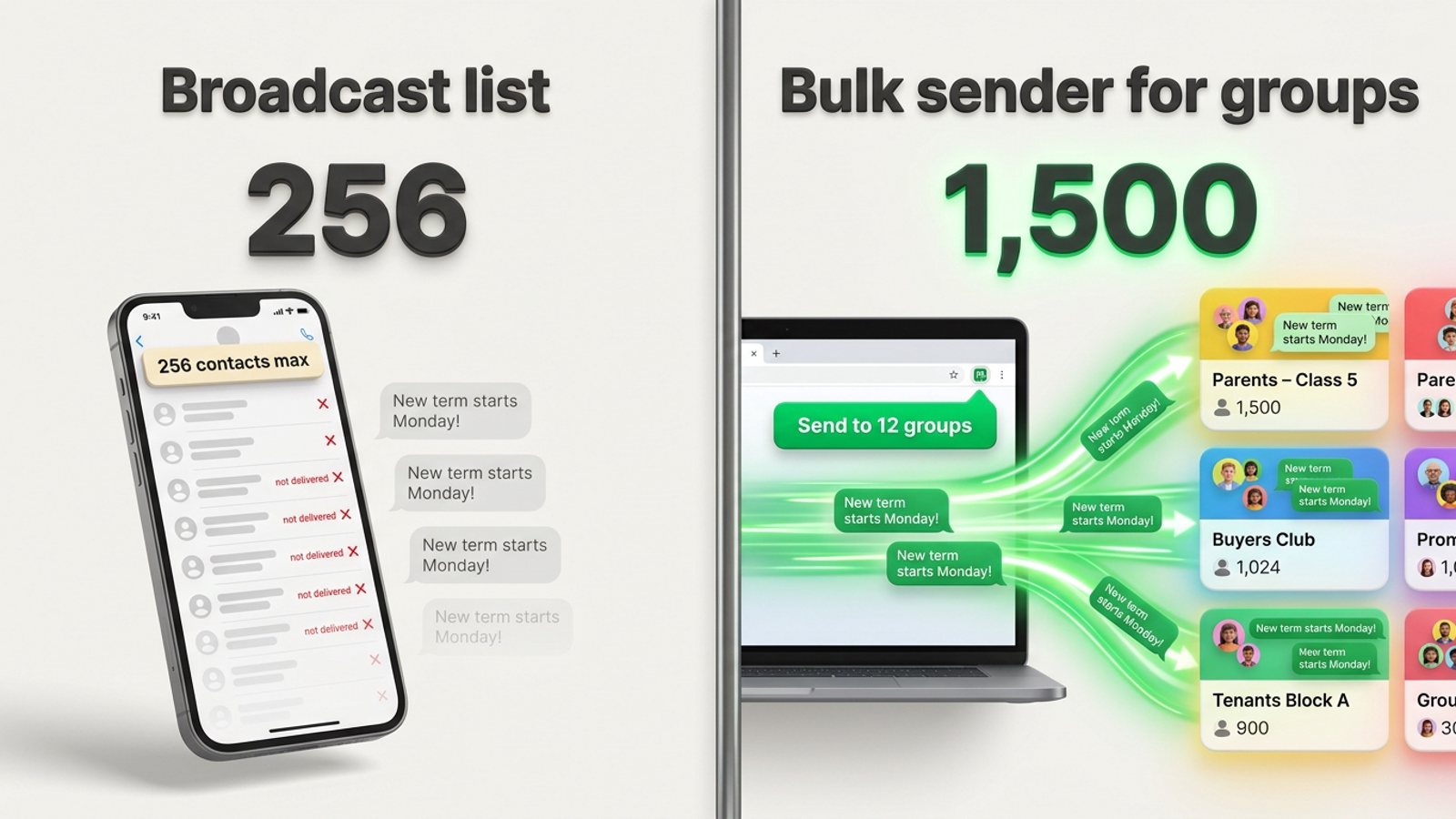
For group audiences, a bulk WhatsApp sender for groups reaches far more people per send. A broadcast list tops out at 256 contacts, only reaches people who saved your number, and can't post to groups at all. Groups can hold up to 1,500 members (1,024 inside Communities), so posting into them wins on reach.
If you sell to people in groups — clients, tenants, students, buyers — the group route is the one that actually fills the room. If you're writing to individual contacts who know you, a broadcast list is simpler and free. Most people sending announcements to many groups end up needing both, plus a sender tool for the group half.
Get FivePlus for WhatsApp Chrome extension (bulk share beyond 5 recipients)
How many people can a WhatsApp broadcast list reach compared with a group?
A broadcast list reaches up to 256 contacts per list. A single WhatsApp group can now hold up to 1,500 members on Android and iPhone, according to Gadgets Now (18 November 2026) and iPhoneSoft and TuttoAndroid (19 November 2026), with the same cap inside Communities.
That's the whole comparison in one line. One broadcast list, 256 people. One group, up to 1,500. And you can belong to many groups.
WhatsApp's Help Center (page dated 16 February 2026) says you can create as many broadcast lists as you like, each capped at 256 contacts. So ten lists could theoretically hold 2,560 names — but each of those people must have saved your number, which brings us to the real bottleneck.
Why do some people never receive my broadcast message?
Because they never saved your number. WhatsApp's Help Center (16 February 2026) states that every contact on a broadcast list must have your number in their address book to receive the message.
Mailrelay's glossary entry (6 October 2026) adds the sting: messages to people who haven't saved you can fail silently. You see a sent message. They see nothing. No error, no bounce, no clue.
Groups don't have this problem in the same way. If someone is in the group, they see the post. That's why a bulk WhatsApp sender for groups is the more reliable route for announcements: membership does the delivery work for you.
Can a WhatsApp broadcast list include groups?
No. Broadcast lists are built for contacts, not groups. WhatsApp's Help Center (16 February 2026) describes them as sending one message to many contacts at once — there's no group option in the flow.
That leaves three ways to reach group audiences:
- Forward by hand — five chats at a time, and only one of those can be a group when you're re-forwarding a forwarded message (WhatsApp Help Center; WavesFlo, 4 October 2026).
- Community announcements — post once in the Announcements group, admins only, up to 2,000 members.
- A bulk sender for groups — post into many groups you already belong to, in one go.
Option two only works for groups you own and have gathered into a Community. Option three is the one for groups you're a member of but don't control.
What is the safest official way to announce to many groups I own?
A Community announcement group. WhatsApp's Help Center explains that a Community groups related groups under one umbrella and includes an Announcements group where only admins post; members react and reply in a thread. Communities can hold up to 100 groups, and the announcement group can hold up to 2,000 members.
It's official, it's free, and one post reaches everyone across your sub-groups. The trade-offs, per the same Help Center pages: members are added to Announcements automatically and must leave the whole Community to leave it, and reactions are disabled in Communities with more than 1,025 members.
How does a bulk WhatsApp sender for groups work?
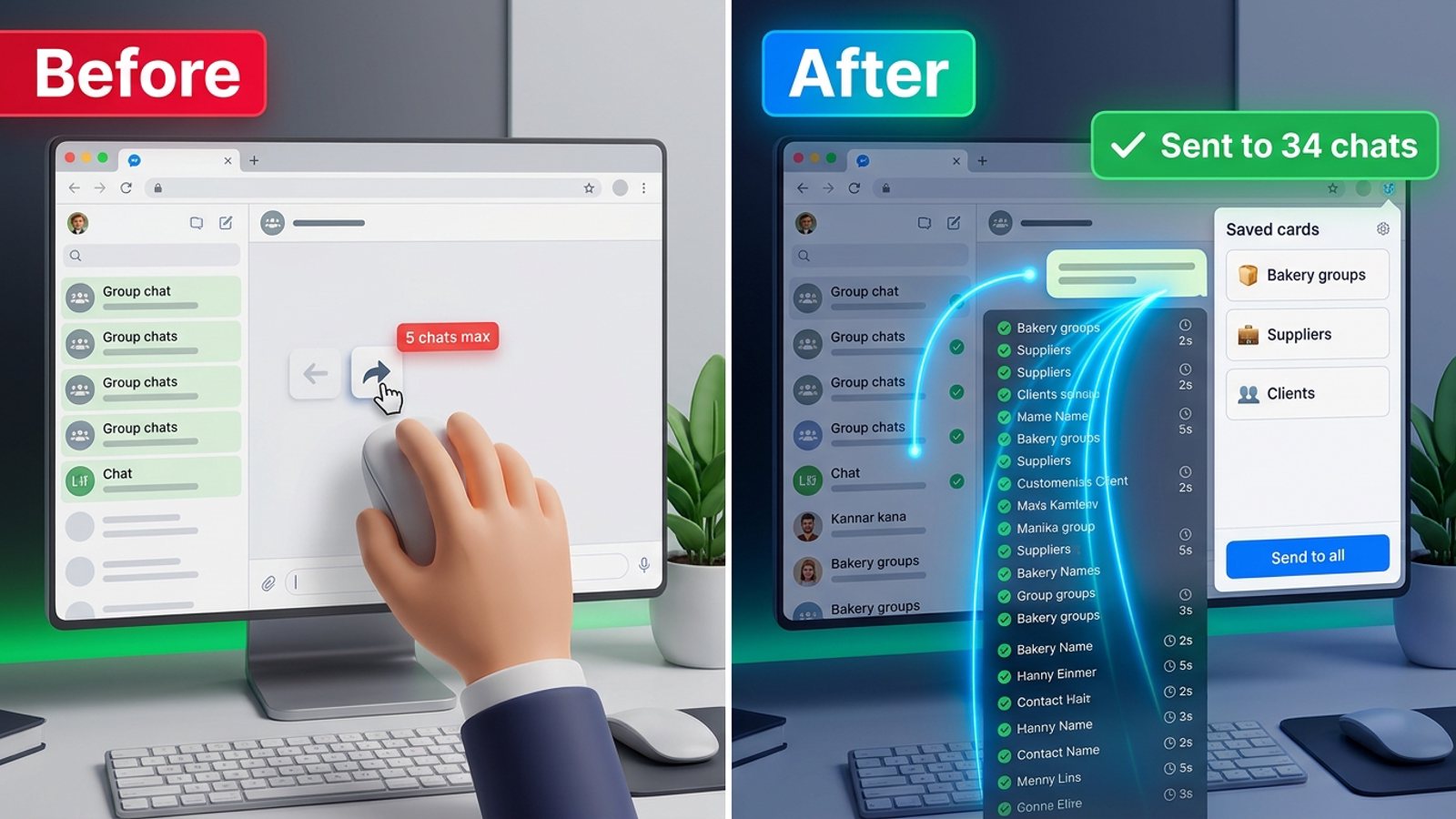
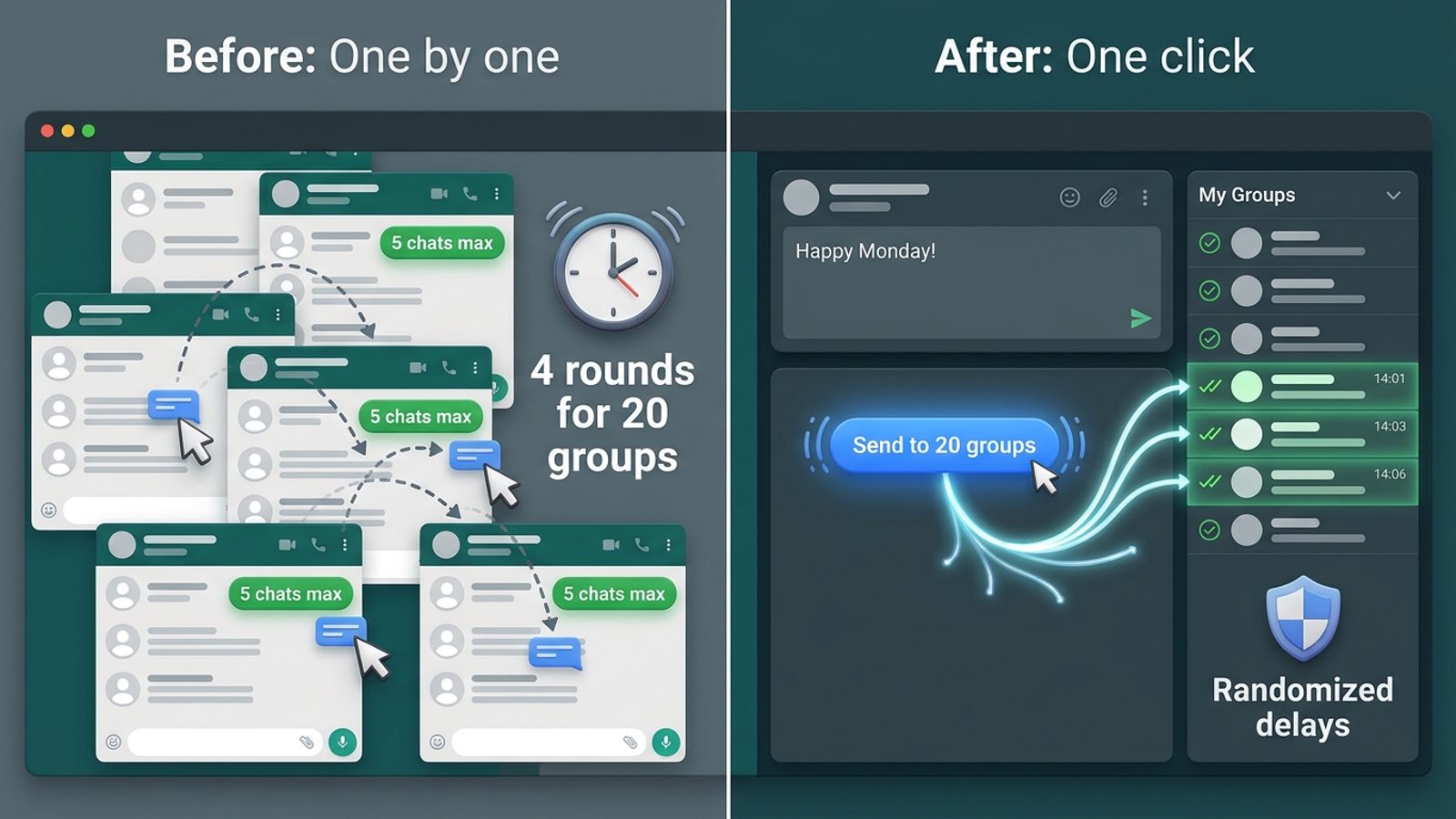
A bulk WhatsApp sender for groups sends your message into many groups and contacts at once instead of the standard five. With FivePlus, the flow is:
- Install the extension from the Chrome Web Store and open WhatsApp Web.
- Save your group and contact lists as presets once — no more hunting for the same group every week.
- Pick a preset (or several), choose your message or media, and send in one click.
- Let randomised delays spread the sends out so the timing looks natural.
FivePlus sends to dozens of chats at once, beyond the standard 5-recipient limit, and you can mix people and groups into one preset. V2 lets you send to multiple saved lists at once. The free trial runs 3 days.
Which reaches more people: the comparison table
| Option | Best for | Key features | Price / free option | Watch-outs |
|---|---|---|---|---|
| FivePlus — Our pick | Many groups you belong to | Bulk send beyond 5, saved lists, randomised delays | 3-day free trial (as of Nov 2026) | Chrome and WhatsApp Web only |
| WhatsApp broadcast lists | Small contact lists | Up to 256 contacts, private 1:1 delivery | Free | No groups, no Web, silent misses |
| Community announcements | Groups you own | One admin post, up to 2,000 members | Free | Admins only, must join to receive |
| WATI | Official API campaigns | Templates, shared inbox, automation | From $59/month (Oct 2026) plus message fees | No permanent free plan |
| Forwarding by hand | A handful of chats | No extra tool | Free | Five chats max, one group only |
FivePlus is made by the team behind this blog. Of the tools we compared, it's our pick for reaching many groups you're already a member of, because saved presets and randomised delays are built for exactly that job — and it's the only one here that sends to dozens of existing groups in one click.
If you mainly need compliant template campaigns at scale on the official WhatsApp Business API, WATI is the more direct choice: its vendor page (updated 20 October 2026) lists annual pricing of $59 Pro, $119 Business and $279 per month, and CostBench (31 July 2026) notes a 7-day trial and no permanent free plan. Per-message WhatsApp fees are charged on top, and Chatmizer (8 October 2026) notes prices differ by region — so confirm on WATI's live pricing page.
If your audience is a few hundred contacts who all have your number saved, a broadcast list is honestly all you need. And if you own the groups, a Community does the job for free.
What if I need to reach both contacts and groups?
Use both routes side by side. A broadcast list for the contacts who've saved your number, and a group sender for the groups you've joined. Neither replaces the other, and neither is expensive.
Say you run a tutoring business. Your past students who saved your number go on a broadcast list for term-start reminders. Your five class groups, each with 30 parents, get the same reminder through a sender in one click — 150 people who'd never have seen a broadcast.
Do I still risk a ban if I use a sender tool?
Yes. No tool can promise otherwise, and you should walk away from any that does. WhatsApp says it uses machine learning plus user reports to detect and ban accounts (responsible-use page, updated 18 November 2026).
What you can control: send only to groups where your message belongs, keep volumes sane, space sends out, and skip the copy-paste blast to 40 groups at once. Our recommendation: treat a sender as a way to do a careful job faster, not a licence to spray.
If account safety is your main worry, our guide to the safest bulk WhatsApp sender for groups with anti-ban delays goes deeper, and how to message more than 5 WhatsApp groups at once walks through the mechanics.
Ready to stop hunting for the same groups every week? Get FivePlus for WhatsApp Chrome extension (bulk share beyond 5 recipients) and save your group lists once.
Sources
- Unauthorized use of automated or bulk messaging on WhatsApp (WhatsApp Help Center)
- How to use WhatsApp responsibly (WhatsApp Help Center, updated 2026-11-18)
- How to use broadcast lists (WhatsApp Help Center, 2026-02-16)
- How to use broadcast lists, Android locale (WhatsApp Help Center)
- About forwarding limits (WhatsApp Help Center)
- How to decide whether to create a WhatsApp group or community (WhatsApp Help Center)
- Informationen zu Community-Ankündigungen (WhatsApp Help Center)
- Sobre os avisos das comunidades (WhatsApp Help Center)
- WhatsApp Raises the Group Member Cap to 1,500 (Gadgets Now, 2026-11-18)
- WhatsApp passe la limite des groupes à 1 500 participants (iPhoneSoft, 2026-11-19)
- WhatsApp ora lascia creare gruppi con dentro fino a 1.500 persone (TuttoAndroid, 2026-11-19)
- WhatsApp broadcast list: what it is and how to create one (Mailrelay, 2026-10-06)
- WhatsApp Broadcast List: How to Use and Create It (DragApp, 2024-12-08)
- WhatsApp forward limit: how many chats at once (WavesFlo, 2026-10-04)
- Scalable WhatsApp Plans With Volume Pricing for Growing Teams (Wati, updated 2026-10-20)
- Wati Pricing 2026 (CostBench, 2026-07-31)
- WATI Pricing Explained (Chatmizer, 2026-10-08)
Frequently asked questions
No. Broadcast lists send to individual contacts only, capped at 256 per list. For group audiences you need Community announcements for groups you own, or a bulk sender for groups you belong to.
Up to 256 contacts per broadcast list, versus up to 1,500 members per group on Android and iPhone as reported in November 2026, or 1,024 inside Communities. A Community announcement group holds up to 2,000.
Because they haven't saved your number in their address book, which WhatsApp requires for broadcast delivery. Those messages can fail silently, so you won't see an error.
In some countries, yes. WhatsApp's Help Center says people in some countries might see a monthly broadcast limit, rolling out gradually, and no single global figure has been published.
If you're a member of many groups and want one-click sending with saved lists and randomised delays, FivePlus is our pick of the tools we compared — free to try for 3 days, Chrome and WhatsApp Web only. If you own the groups, a free Community announcement is the cleaner official route.