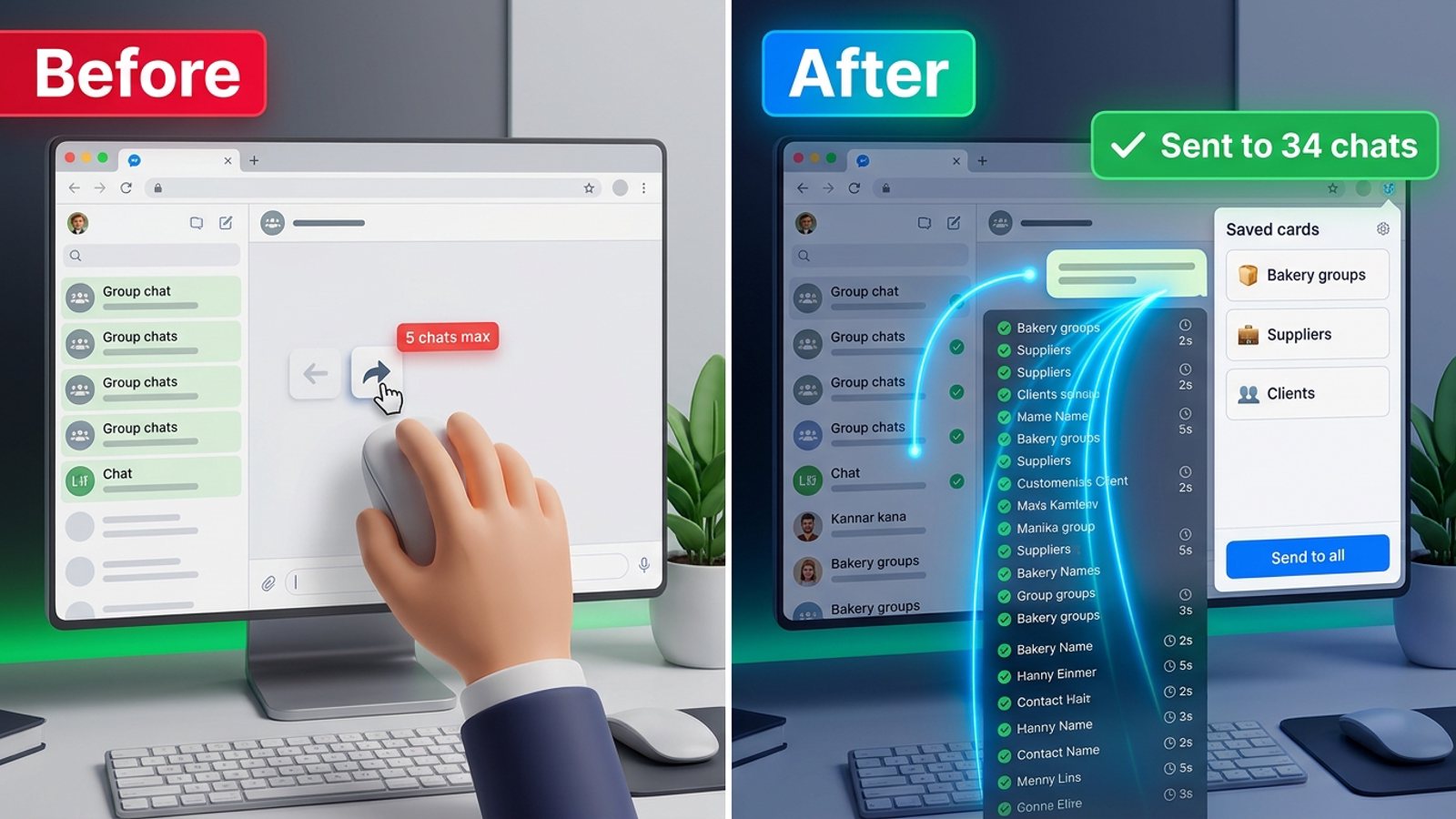
Bulk WhatsApp sender for groups vs sending one by one: which saves more time?
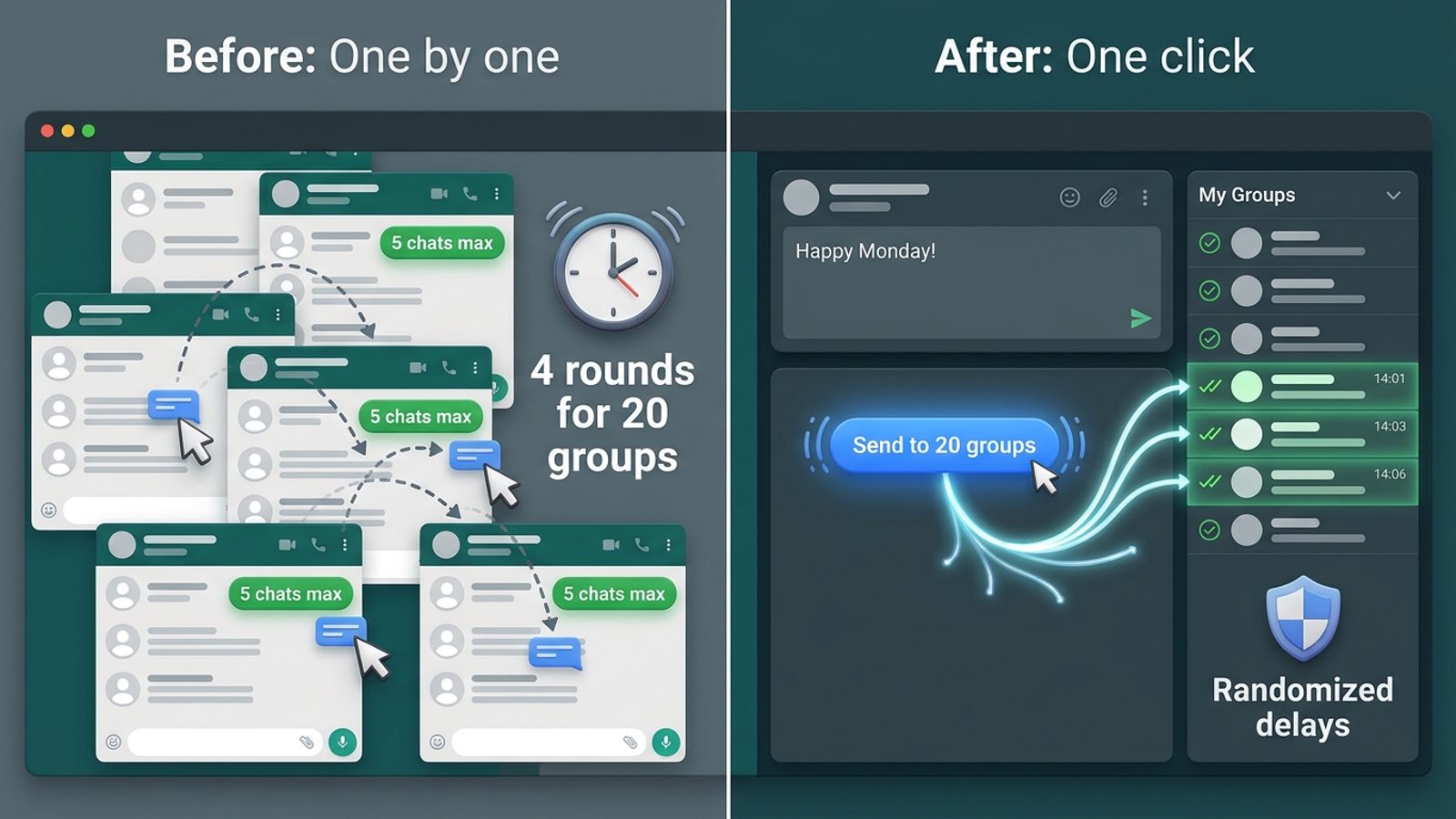
Sending one by one is faster only for a handful of groups. WhatsApp caps a forward at 5 chats, so 20 groups means four rounds. A bulk WhatsApp sender for groups turns that into one send from a saved list, with delays built in. Neither removes ban risk: WhatsApp says bulk and automated messaging violate its Terms of Service.
How much time does sending one by one actually take?
More than most people expect, because the 5-chat forward limit forces you to repeat the whole action. The WhatsApp Help Center states you can forward a message to up to 5 people or groups at a time, and a message that has already been forwarded can only go to one additional group chat.
Do the arithmetic for 20 groups: four full rounds of opening the forward screen, selecting chats and confirming — plus the risk of picking the wrong group in round three.
Vendor estimates put numbers on it. A wazap.co.il blog post from 23 April 2026 estimates manual copy-paste takes 10–20 minutes for 10 groups and 30–60 minutes for 30 groups, with high typo and missed-group risk. A Nexora AI how-to from 20 October 2026 calculates roughly ten minutes to post to five groups by hand. Both are vendor blogs, so treat the timings as illustrative rather than measured.
The same Nexora AI guide notes WhatsApp has no built-in way to post one message to several groups at once — you open each group individually.
What changes when you use a bulk WhatsApp sender for groups?
The setup work moves from every send to one time only. A group-sender extension lists your groups so you tick the ones you want and posts the same message into each — that is how the Nexora AI guide describes the WhatsApp Web workflow, and WhatsApp Web must be open and signed in for anything to send.
The time saving comes from three things:
- The list is saved. You build your group list once instead of hunting through chats each time.
- One message, many targets. You write the announcement once and pick every group in a single action.
- Pacing is handled. Delays between sends are set in the tool rather than by you watching the clock.
A wasurge.com guide updated 29 July 2026 calls a WhatsApp Web extension the only practical method above a handful of groups, and says manual pasting is fine up to about five groups with zero cost and zero risk. That is a fair summary of where the line sits.
The honest answer is not "tools are faster" — it is that manual sending stops scaling at about five groups, and everything above that is a time tax you pay on every single message.
With FivePlus, the whole job is four steps:
- Install the extension from the Chrome Web Store and open WhatsApp Web.
- Save your group and contact lists as presets — once.
- Choose a preset (or several), pick your message or media, and send in one click.
- Let the randomized delays spread the messages out so the timing looks natural.
Ready to stop doing four rounds for twenty groups? Get FivePlus for WhatsApp Chrome extension (bulk share beyond 5 recipients) and set up your first saved list today.
Which is faster for 5 groups, 20 groups, or 50?
The crossover sits around five groups. Below that, manual is genuinely quicker because there is no setup. Above it, the bulk sender pulls ahead every time you send.
| Groups per message | Manual | Bulk sender |
|---|---|---|
| 1–5 | One round, quick | Setup not worth it |
| 6–20 | 2–4 rounds each time | One click |
| 20+ | Four or more rounds | One click |
The manual column is not just slower — it is slower every time. A weekly announcement to 30 groups is 30 minutes a week by the wazap.co.il estimate, or roughly 26 hours a year. A saved preset makes the repeat send a few seconds.
There is a second cost that does not show up in the minutes: mistakes. Both the wazap.co.il and Nexora AI guides flag posting to the wrong group as a real risk of manual sending. A preset list removes the chance of tapping the wrong chat in round three.
Do bulk senders actually keep your account safe?
No tool can promise that, and you should be sceptical of any that does. WhatsApp states plainly that its products "are not intended for bulk or automated messaging, both of which have always been a violation of our Terms of Service." It also says some companies try to evade its machine-learning detection systems and that it keeps improving them.
That does not mean every send ends badly. It means risk is real and shared by every option in this comparison. One Chrome Web Store listing for a bulk extension states it directly: "There is no way to send bulk messages with zero risk."
What tools can do is reduce the obvious signals. CallMePing's help documentation, updated 3 November 2026, describes spreading sends over up to 720 minutes at 20 seconds or more apart, with random times inside the window so activity "does not look like a bot." That is the same idea FivePlus uses: anti-ban technology that mimics natural human behavior, with randomized delays staggering message timing.
Messaging rules and enforcement can change, so check WhatsApp's current terms yourself. This is not legal advice.
What are the alternatives to a bulk WhatsApp sender for groups?
Four routes cover almost everyone. Here is how they compare, with FivePlus first because it is our own tool.
| Option | Best for | Key features | Price | Watch-outs |
|---|---|---|---|---|
| FivePlus (Our pick) | Many groups in one click | Saved presets, V2 multi-list sends, randomized delays | Free 3-day trial | Chrome + WhatsApp Web only |
| Forwarding by hand | 1–5 groups | Built in, no setup | Free | 5-chat cap per forward |
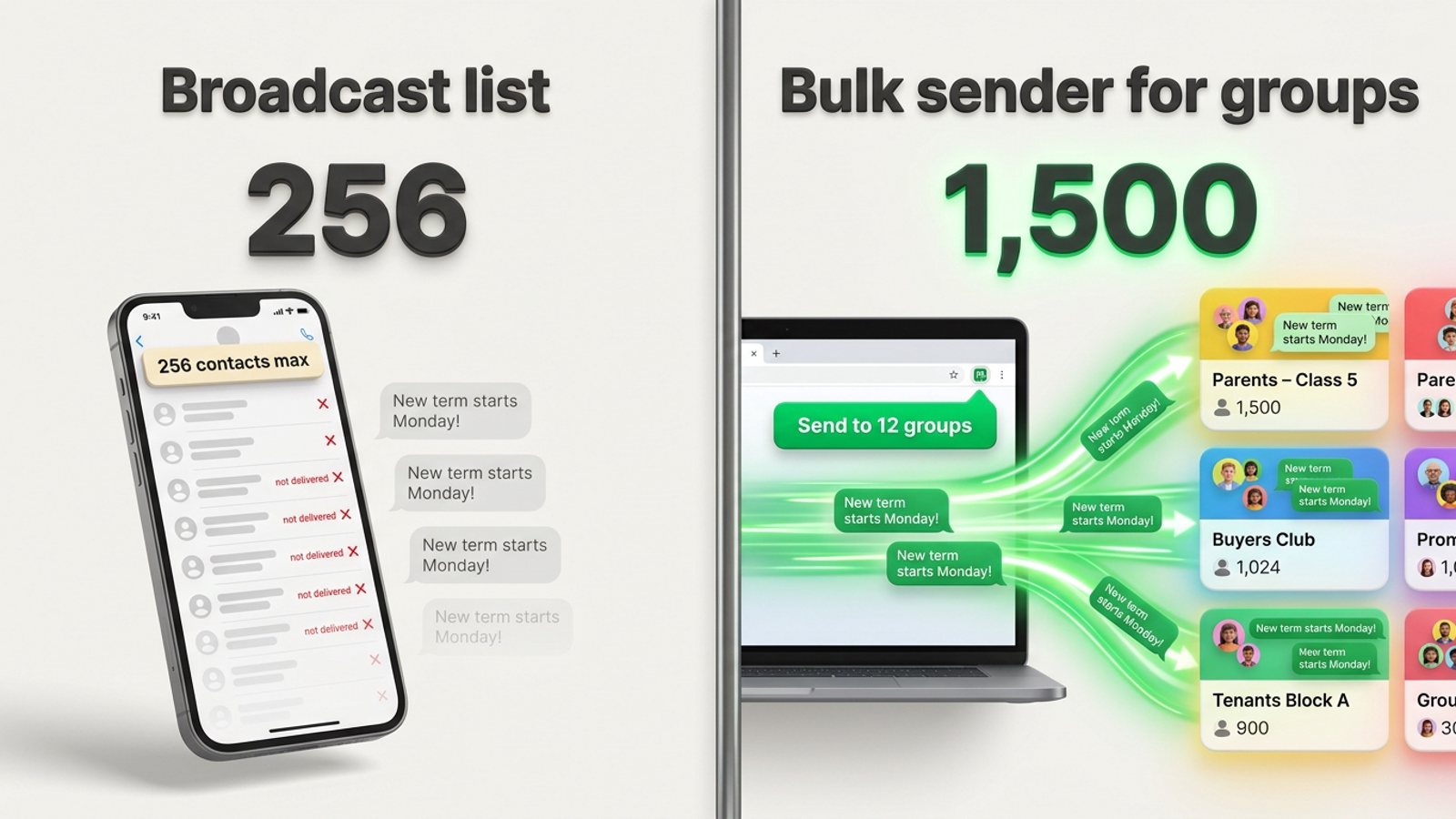
| Broadcast lists | Private 1:1 updates | Each recipient sees a private message | Free in Business app | 256-contact cap, no groups |
| WhatsApp Business API | Compliant campaigns at scale | Templates, no saved-number rule | Per delivered message | Needs opt-in and a provider |
FivePlus is our pick of the tools we compared for getting one message into many groups quickly. It sends to dozens of chats at once beyond the standard 5-recipient limit, saves your group lists once so you never search for them again, and lets V2 send to multiple saved lists at once. You can mix people and groups into one preset. It works on WhatsApp Web in Chrome with no login required. It is free to try for 3 days — the free use is limited to a 24-hour trial — and all plans include unlimited sharing with no monthly sending limit. Prices can change, so check the site as of November 2026.
Honest limits: it needs the Chrome browser and WhatsApp Web, and it is not affiliated with Meta. WhatsApp is a trademark of Meta Platforms, Inc. Saved group lists are saved forever, so it is better not to uninstall the extension.
FivePlus is made by the team behind this blog.
Forwarding by hand is the right answer for up to five groups — free, no tool, no setup. The WhatsApp Help Center confirms the cap: 5 chats per forward, and a message already forwarded can go to a maximum of one group. Messages forwarded through a chain of 5+ chats also get the "Forwarded many times" label, which WhatsApp frames as limiting spam and misinformation — and which can change how your message reads.
WhatsApp broadcast lists suit a small, warm audience where each person should see a private message. Wati (28 August 2026) explains recipients cannot see each other. But a broadcast list holds up to 256 contacts, only contacts who saved your number receive it, and it does not post into groups at all — Zernio (25 June 2026) notes the cap and manual list upkeep make it weak for large campaigns. DragApp (8 December 2024, older) notes WhatsApp has tested monthly broadcast-message limits since March 2025.
The WhatsApp Business API is the compliant route for campaigns at scale. Meta charges per delivered message by template category and country code, and since 1 October 2026 service messages inside an open window are charged too, with 1,000 free service messages per number per month (Respond.io, 22 November 2026). IDT Express (14 July 2026) puts marketing messages at roughly $0.01–$0.16 per delivered message before provider markups of 2x–5x. It requires approved templates and opt-in — Mailrelay (6 October 2026) notes free-form replies only within the 24-hour service window. If you mainly need compliant, large-scale campaigns with a budget, the API is the more direct choice.
Source: wazap.co.il blog, 23 Apr 2026
The chart shows the upper end of the wazap.co.il estimates — 10–20 minutes for 10 groups and 30–60 minutes for 30 groups. These are vendor figures, not measured studies.
If you want to see how this plays out for a specific setup, our guide to bulk sending versus doing it 5 at a time by hand walks through the trade-offs, and the FivePlus blog has more comparisons by role.
What delays should you use between group sends?
Vendor guidance commonly lands between 20 and 60 seconds, with variation rather than a fixed rhythm. CallMePing's scheduler, for example, enforces at least 20 seconds between sends and spreads them at random times inside a window.
Our recommendation: vary your gaps rather than setting one fixed number, keep batches small, and pause between batches. A steady 30-second metronome is more machine-like than a spread of 22 to 55 seconds.
FivePlus handles this for you — randomized delays stagger message timing so the pattern does not look automated. You pick the list and the message; the spacing takes care of itself.
Is a bulk sender worth it for a small list?
If you message five groups once a month, probably not. If you message ten or more groups weekly, the maths is straightforward.
Say you run a bakery with 12 neighbourhood groups for daily specials. Manual sending is two to three rounds every morning, and one wrong-group paste means a stranger gets your order form. A saved preset makes it one click, and the list is already built.
The same logic holds for agents, planners, coaches and brokers juggling client groups — the more groups, the more each send costs you in minutes. If you are weighing it up for a specific situation, our post on whether a bulk WhatsApp sender is worth it versus messaging groups by hand breaks down the decision.
Get FivePlus for WhatsApp Chrome extension (bulk share beyond 5 recipients) and turn your group list into a one-click preset.
Sources
- About forwarding limits — WhatsApp Help Center
- How to forward messages — WhatsApp Help Center
- Combating abuse / bulk messaging statement — WhatsApp Help Center
- WhatsApp forward messages explained — The Times of India, 6 Jun 2026
- WhatsApp Business Platform pricing — Meta for Developers, updated 18 Nov 2026
- Policy enforcement — Meta for Developers
- WhatsApp Business API pricing calculator — Respond.io, 22 Nov 2026
- How much does the WhatsApp Business API cost in 2026 — IDT Express, 14 Jul 2026
- WhatsApp Business API glossary — Mailrelay, 6 Oct 2026
- Broadcast vs group — Wati, 28 Aug 2026
- Marketing without opt-in — Wati, updated 18 Feb 2026
- WhatsApp broadcast limits — DragApp, 8 Dec 2024
- WhatsApp broadcast explained — Zernio, 25 Jun 2026
- How to send a message to all groups at once — wazap.co.il, 23 Apr 2026
- Send to multiple groups — wasurge.com, updated 29 Jul 2026
- Send to multiple groups at once — Nexora AI, 20 Oct 2026
- Schedule group posts — CallMePing help, 3 Nov 2026
- WA Bulk Message Sender listing — Chrome Web Store, updated 20 Nov 2026
- WhatsApp account ban recovery — Gadgets 360, updated 24 Nov 2026
Frequently asked questions
Five chats per forward, according to the WhatsApp Help Center. A message that has already been forwarded can go to five chats including a maximum of one group, and a message marked "forwarded many times" can only go to one chat at a time.
No tool can guarantee that. WhatsApp states bulk and automated messaging violate its Terms of Service, and its enforcement escalates from a warning to permanent disablement. Randomised delays reduce obvious signals but do not remove the risk.
For up to five groups, forward by hand — it is free and needs no setup. Above that, a Chrome extension like FivePlus is our pick of the tools we compared, because it saves your group lists as presets and sends in one click with randomized delays. If you need compliant campaigns at scale with a per-message budget, the WhatsApp Business API is the more direct choice.
Not usually at small volumes. An extension is a flat cost (FivePlus is free to try for 3 days), while the API bills per delivered message by country and category, before provider markups that IDT Express (14 July 2026) puts at 2x–5x the raw Meta rate.
No. Broadcast-list messages arrive as private 1:1 chats, so each recipient sees only their own message, per Wati (28 August 2026). Broadcast lists also cap at 256 contacts and do not post into groups.