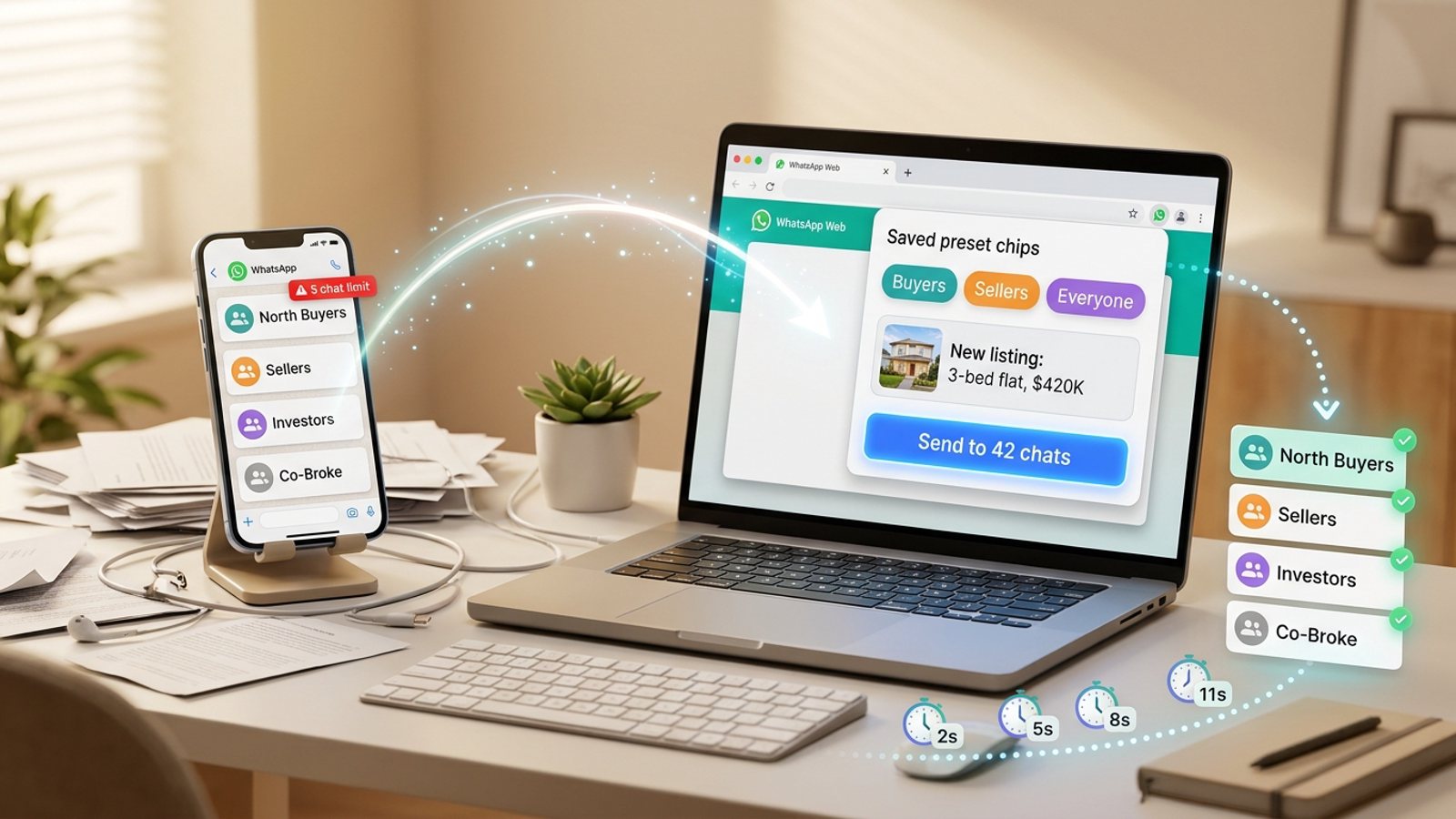
What is the best WhatsApp tool to send daily announcements to my downline?
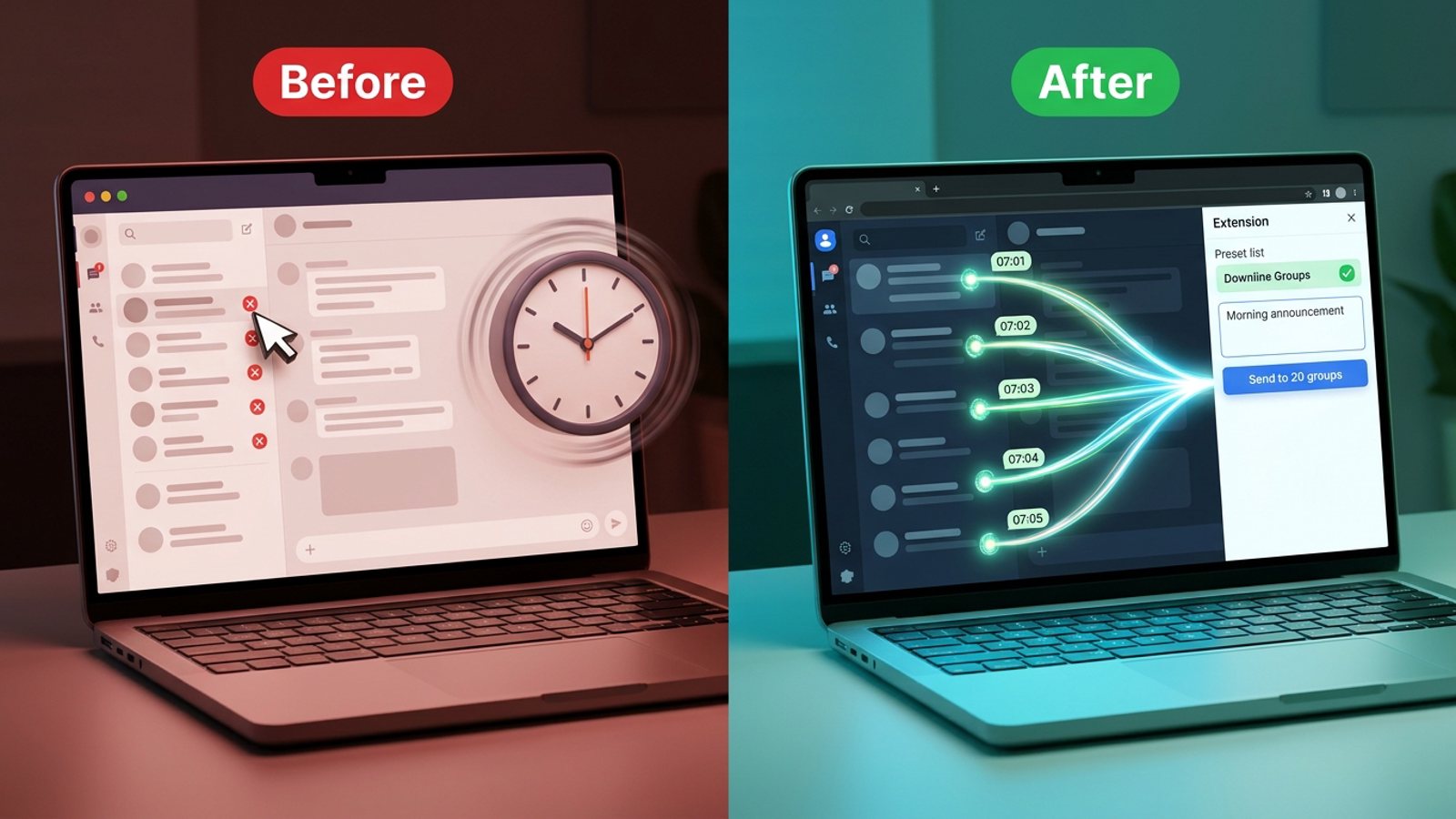
If your downline already lives in WhatsApp groups, the best fit is a Chrome extension like FivePlus: save those downline and prospect groups as presets once, then send the morning announcement to several presets in one click, with randomised delays. WhatsApp's own broadcast lists reach contacts only, never groups, and the official Business API bills per conversation.
Get FivePlus for WhatsApp Chrome extension (bulk share beyond 5 recipients) — https://fiveplus.net/
How do you send the same announcement to every downline group each morning?
You need three things: a list of the groups you message every day, a message, and a way to send it without opening each chat by hand. The hard part is the list — most people rebuild it from memory every morning, searching group names one at a time.
That is the job a bulk WhatsApp sender extension solves. Install it, save your downline and prospect groups as a preset once, and every morning you pick the preset, paste the announcement and send. No searching, no missed groups.
With FivePlus the flow is:
- Install the extension from the Chrome Web Store and open WhatsApp Web.
- Save your lists — downline groups, prospect groups, or a mix of people and groups — as presets.
- Pick your preset (or several at once in V2), add the message or media, and send in one click.
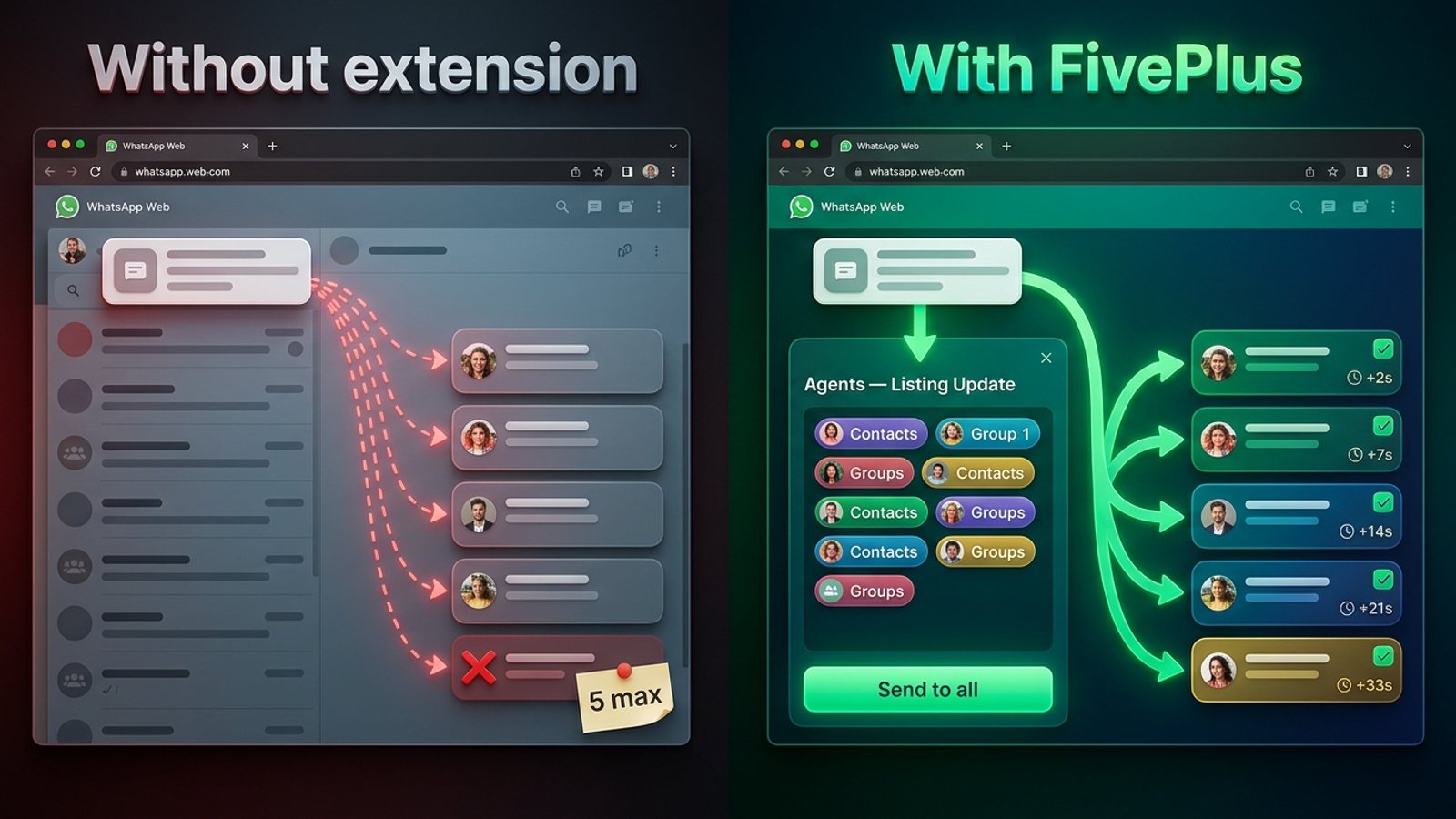
- Let randomised delays run so the messages are staggered rather than fired off in a burst.
Do WhatsApp broadcast lists reach my downline groups?
No. Broadcast lists send one message to many people as separate private chats, and they reach contacts, not groups — the message lands in each contact's inbox and replies come back one-to-one. They also only deliver to recipients who have saved your number.
That matters for a downline. If your team talks inside WhatsApp groups, a broadcast list never touches those groups. According to Wati (a vendor blog, September 2026), classic broadcast lists are also capped at 256 contacts per list and have no native scheduling, personalisation or analytics. Sinch (2025, updated 2026) notes you can send from a broadcast list on WhatsApp Web but can't create one there.
So broadcast lists are fine for a small, saved-contact list. They are the wrong tool for a daily group announcement.
Will I get banned for sending the same message every morning?
WhatsApp says plainly that its products "are not intended for bulk or automated messaging, both of which have always been a violation of our Terms of Service", and it uses on-platform signals and machine learning to detect and stop abusive accounts (WhatsApp Help Center, undated).
What happens if you're flagged? WhatsApp can restrict an account. A restricted account can still chat with existing contacts and groups, but can't start new chats, create groups, add members or use linked devices — and the restriction lifts automatically after the set time (WhatsApp Help Center, undated).
Send speed, repeated content and report rate are risk signals, not known thresholds, according to Wati (September 2026, vendor blog). An open-source WhatsApp automation project makes the same point: pacing reduces risk but doesn't remove it, and no setting guarantees an account won't be restricted (GitHub, November 2026).
The safest daily announcement is the one that reads like you sat down and typed it — because the timing, the wording and the volume all look human.
How many groups can I message at once?
WhatsApp's own forwarding is capped at five chats at a time, and a message that's already been forwarded can go to five chats including a maximum of one group (WhatsApp Help Center, undated). So by hand, a 20-group downline means at least four separate passes, each one a chance to miss a group or send twice.
A group itself holds up to 1,024 members, and WhatsApp is reported to be raising that to 1,500 gradually on Android and iOS (Wati, October 2025; heise online, November 2026).
FivePlus is built for the gap between those two numbers: it lets you send to dozens of chats at once, beyond the standard five-recipient limit, on WhatsApp Web in Chrome.
What's the difference between groups, broadcast lists, Channels and the Business API?
They solve different problems, and picking the wrong one is why daily announcements feel harder than they should.
- Groups — a shared room your downline can reply in. Best when the conversation matters.
- Broadcast lists — one-to-many private messages to contacts who saved your number. Free, but no groups, no scheduling.
- Channels — one-way updates to unlimited followers, free to create, follower identities hidden, posts disappear after 30 days (Sinch, September 2025; Wati, September 2025). Good for broadcast-style news, not for a team that replies.
- Business API with a CRM — official, template-based messaging at scale. Reaches people who never saved your number and removes the 256-contact cap, but business-initiated messages outside the 24-hour window need a Meta-approved template, and marketing templates still need opt-in (ChatbotX, July 2026; Wati, November 2026).
For a downline that already sits in groups, groups plus a bulk sender is the direct route.
Which tool should you use? The options we compared
FivePlus goes first because it matches the daily-announcement job most closely of the tools we compared: saved group lists, one-click send to several presets, and randomised delays.
| Option | Best for | Key features | Price / free option | Watch-outs |
|---|---|---|---|---|
| FivePlus (Our pick) | Daily group announcements | Saved lists, multi-preset send, randomised delays | Free 3-day trial | Chrome + WhatsApp Web only |
| WhatsApp broadcast lists | Small saved-contact lists | Free, private one-to-one | Free in WhatsApp | No groups, 256-contact cap |
| WhatsApp Business API + CRM | Opt-in messaging at scale | Templates, scheduling, analytics | Billed per conversation | Template approval, opt-in |
| WATI | SMB teams on the official API | Chatbot, broadcast, team inbox | From about $59/month | API rules, per-conversation costs |
| Respond.io | Multi-channel revenue teams | Automation, segmentation | From about $79/month | Higher entry price, not group-oriented |
Prices for WATI and Respond.io come from a third-party vendor comparison blog (Chatarmin, June 2026) as of November 2026, and prices can change — check each vendor's own page. FivePlus is free to try for 3 days, and saved group lists stay saved after a cancel as long as you don't uninstall the extension.
FivePlus is made by the team behind this blog.
Get FivePlus for WhatsApp Chrome extension (bulk share beyond 5 recipients) — https://fiveplus.net/
When another tool is the better choice
If you mainly need official, opt-in template messaging across a large sales force — with analytics and CRM sync — the WhatsApp Business API is the more direct choice. WATI suits SMB teams that want a chatbot and shared inbox on the official stack (StackPicker, May 2026; Wati, October 2026, vendor blog). Respond.io suits multi-channel teams that treat WhatsApp as a core channel (Respond.io, September 2025).
None of them is designed for messaging your own WhatsApp groups — the API targets individual opt-in customers, and new business portfolios typically start at a messaging limit of 250 unique recipients per 24 hours (Zernio, June 2026).
If you need a free option and your list is small, native broadcast lists cost nothing within their limits.
There's also the chrome extension bulk sender category: SafePace, for example, lists a free tier of 50 messages per day per number and Pro at $4.99/month for one number, and warns there's no zero-risk way to send bulk messages (Chrome Web Store, November 2026).
How do you keep your downline lists ready for tomorrow?
Save them once, and don't rebuild them. In FivePlus, presets are the whole point: your downline groups, your prospect groups, or a mix of people and groups in one preset for maximum reach.
Our recommendation: test a new announcement with one small preset first, check how it reads on a phone, then send the full set. Wati's own bulk-messaging guide (September 2025) suggests the same small-segment-first approach.
If you want to see how this works for similar jobs, our guide to sending a WhatsApp announcement to 20 groups walks through it, and the FivePlus blog covers more repeat-send scenarios.
Follow WhatsApp's terms and keep an eye on rule changes — messaging rules and account risks can change, and this article is general information, not legal advice.
Get FivePlus for WhatsApp Chrome extension (bulk share beyond 5 recipients) — https://fiveplus.net/
Sources
- WhatsApp Help Center — bulk/automated messaging policy (undated) — https://faq.whatsapp.com/5957850900902049/?locale=en_US
- WhatsApp Help Center — account restriction (undated) — https://faq.whatsapp.com/717472490411581/
- WhatsApp Help Center — forwarding limit (undated) — https://faq.whatsapp.com/887468535575482/?locale=ga_IE&cms_platform=web
- Wati — broadcast rules 2026 (vendor, 2026-09-22) — https://www.wati.io/zh-hant/blog/gcr-seo-whatsapp-%E7%BE%A4%E7%99%BC%E8%A8%8A%E6%81%AF%E8%A6%8F%E5%89%87%E5%85%A8%E9%9D%A2%E8%A7%A3%E6%9E%90256%E4%BA%BA%E4%B8%8A%E9%99%90%E7%AF%80%E6%B5%81%E6%A9%9F%E5%88%B6%E8%88%872026%E5%B9%B4%E5%90%88%E8%A6%8F%E6%8C%87%E5%8D%97/
- ChatbotX — broadcast limits 2026 (2026-07-29) — https://chatbotx.io/blog/whatsapp-broadcast-limits-in-2026-how-to-send-bulk-messages-without-getting-banned/
- Sinch — broadcast vs channel (2025-07-17) — https://sinch.com/blog/whatsapp-broadcast-vs-channel/
- Zenvia — broadcast lists (updated 2026-10-21) — https://zenvia.com/blog/lista-de-transmissao-whatsapp-2/
- Chatarmin — WhatsApp marketing software comparison (vendor, 2026-06-22) — https://chatarmin.com/blog/whatsapp-marketing-software-vergleich
- Chrome Web Store — WA Bulk Message Sender SafePace (2026-11-20) — https://chromewebstore.google.com/detail/wa-bulk-message-sender-pe/olboflokphdiebplmokabhdfinmdiabp
- FivePlus product facts (internal) — https://fiveplus.net/
Frequently asked questions
Yes, with a bulk sender extension. FivePlus lets you pick a saved preset — or several in V2 — and send one message or media file to all of them in one click, with randomised delays spreading the timing.
No. Broadcast lists reach contacts only, delivered as separate private chats, and only to people who saved your number. For groups, you need to message the groups themselves.
Native broadcast lists are free within their limits, and Channels are free to create. For group announcements, FivePlus is free to try for 3 days — and it's the group-sending that costs time when done by hand.
The WhatsApp Business API with a CRM. WATI and Respond.io both run on the official stack with templates, automation and reporting — but they bill per conversation and aren't built for messaging your own groups.
Yes. That's the core of the daily-announcement workflow: save the groups once as a preset, then pick it each morning instead of searching for groups again.