Is there a cheaper alternative to WhatSender Pro for agents?
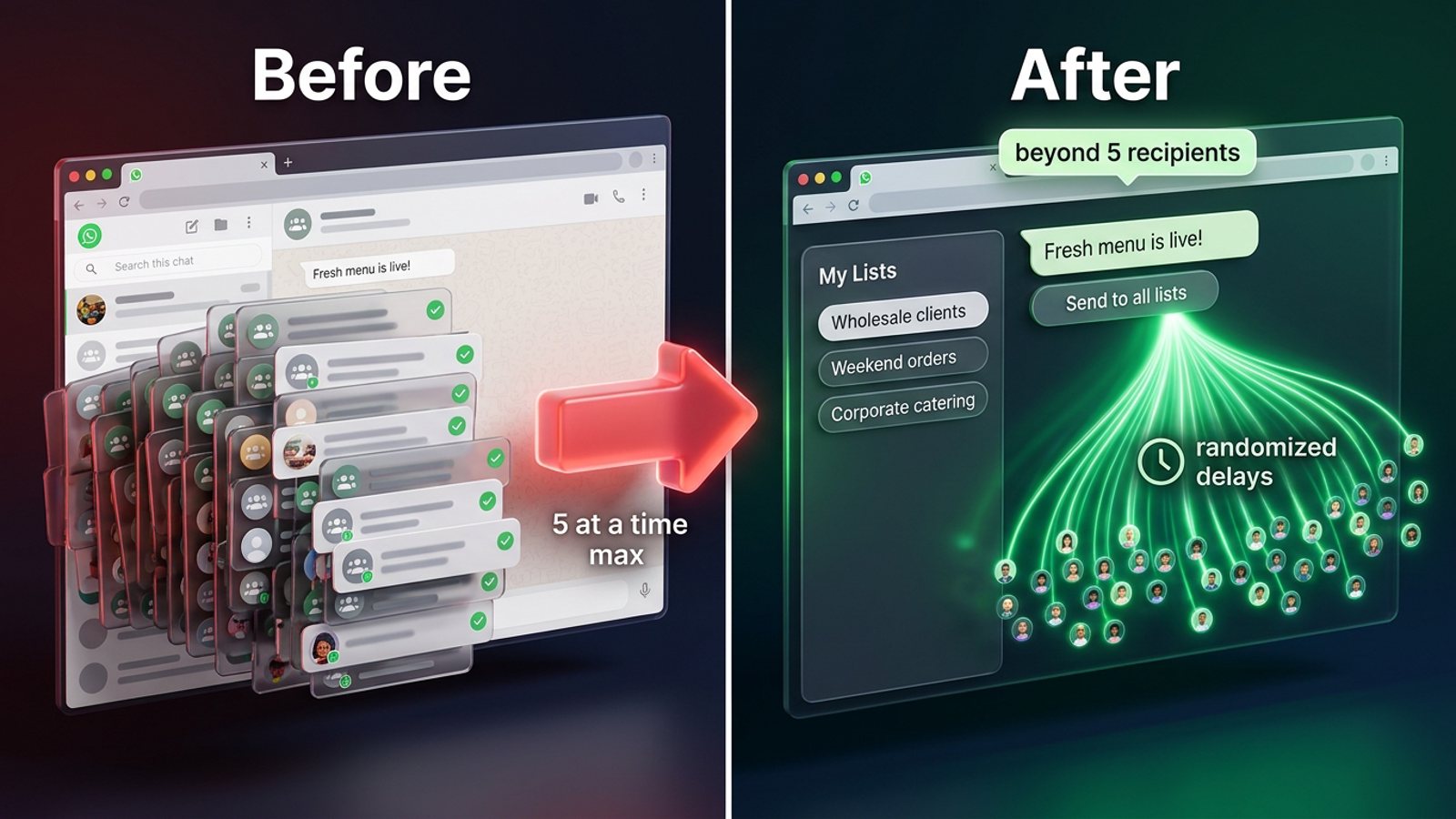
Yes — for most agents the cheaper route is a Chrome extension that runs inside WhatsApp Web, with no desktop install and no login. WhatSender Pro itself comes in two parts: a paid Windows/macOS desktop app and a free Chrome extension. If you only need to send one message to many groups and contacts from your browser, you can skip the desktop licence entirely.
Is there a cheaper WhatSender Pro alternative for agents?
Yes — the cheapest options are free, and the cheapest paid option is usually a Chrome extension rather than a desktop app. WhatsApp's own broadcast lists and forward-to-five-chats cost nothing but are capped and manual. A cheaper WhatSender Pro alternative for an agent who sends to groups and contacts together is a browser extension that works inside WhatsApp Web.
The honest trade-off is reach and convenience versus price. Free methods are limited by WhatsApp's built-in caps. Paid tools remove those caps but all sit outside WhatsApp's own terms, which only officially support the Business app and Business Platform.
If you want to see how a browser-based tool handles mixed group-and-contact sends, you can get FivePlus for WhatsApp Chrome extension (bulk share beyond 5 recipients) and try it free for 24 hours.
What does WhatSender Pro actually cost?
Reported figures disagree, and none of them come from a first-party WhatSender pricing page in the material reviewed. That's the first thing to know before you compare.
- A vendor blog (WAWarmer, 2026) reports the desktop "Professional" build at around $29.90 for a 6-month single-PC licence, with business editions from $20 (3 months) to $50 (1 year), and third-party listings from about $3/month.
- Software Advice lists WhatSender Pro at "From $50/year", one plan, with a free trial and a free version.
- The WhatSender Pro Chrome extension is described on the Chrome Web Store as a free WhatsApp bulk message sender that works directly from WhatsApp Web.
So the "cheaper" question splits in two: cheaper than the desktop licence, or cheaper than the extension (which is already free)? Most agents asking this question are really asking whether they need to pay for a desktop install at all.
Do agents need a desktop install to send bulk WhatsApp messages?
No — a browser extension runs inside WhatsApp Web in Chrome and needs no desktop software. Several extension tools are documented as running in Chrome against WhatsApp Web, using the number already on your phone.
That matters for an agent working from a laptop, a viewing, or a shared office machine: no installer, no admin rights, no separate login. You open WhatsApp Web, pick your list, and send.
The catch is that you're tied to Chrome and WhatsApp Web. If you work mostly from your phone, neither a desktop app nor a browser extension helps much — you're back to WhatsApp's built-in limits.
What are the free WhatsApp options, and what do they cap you at?
WhatsApp's own tools are free but limited. Here's what the research shows.
Broadcast lists. Free in both personal WhatsApp and the Business app. Per DragApp (2026) and ChatbotX (2026), a broadcast list holds up to 256 contacts, delivers as separate private chats, and only reaches people who have saved your number — otherwise the message silently fails. Broadcast lists can't include groups at all.
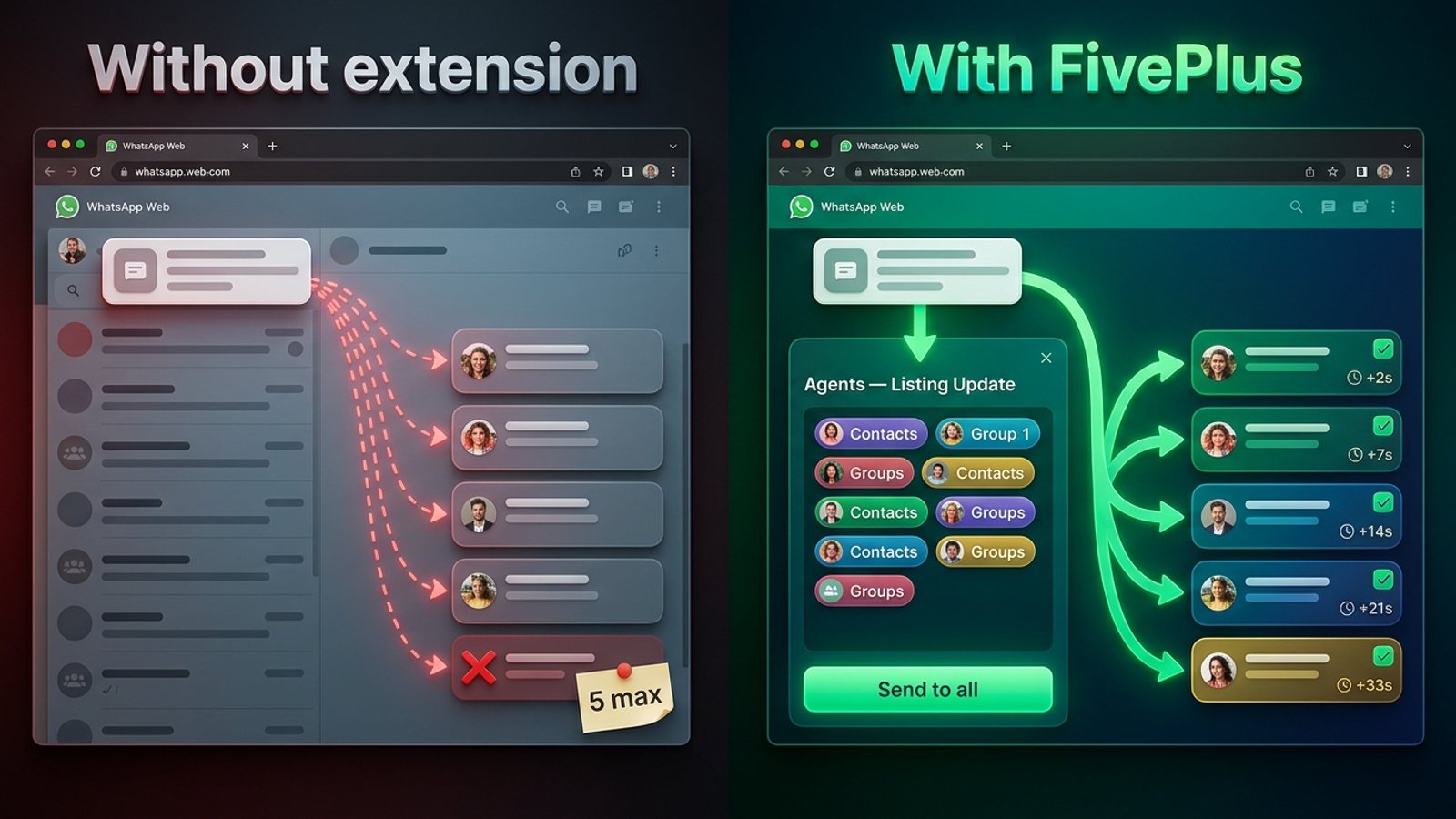
Forward to five chats. Per the WhatsApp Help Center, you can forward to at most five people or groups at once, and if the message was itself forwarded, only one of those can be a group. Messages forwarded through five or more chat chains get a "forwarded many times" label.
Community announcements. If you admin the groups, the Help Center recommends bringing them into a Community and posting once in the announcements group — that reaches every member.
How do the options compare for agents?
Here's the comparison, with FivePlus first because this is our blog. FivePlus is made by the team behind this blog.
| Option | Best for | Key features | Price / free option | Watch-outs |
|---|---|---|---|---|
| FivePlus (Our pick) | Agents sending to mixed groups + contacts from Chrome | Bulk share beyond 5, saved presets, randomized delays, V2 multi-list | Free 24-hour trial; prices can change | Needs Chrome + WhatsApp Web |
| WhatSender Pro | Agents who want a desktop suite | Desktop app + free Chrome extension, contact import, tracking | Desktop reported ~$3–$50; extension free | Price reports disagree |
| WhatsApp broadcast lists | Contacts only, who saved your number | Free, 256 contacts, private 1:1 feel | Free (built in) | No groups; silent fails |
| WhatsApp Business app | Agents wanting a business profile | Free, catalogue, labels, broadcast lists | Free app | Same 256-contact rules |
| TurboText WA | Budget Chrome users | Free, paste lists, configurable delay | Free | Sequential, single tab |
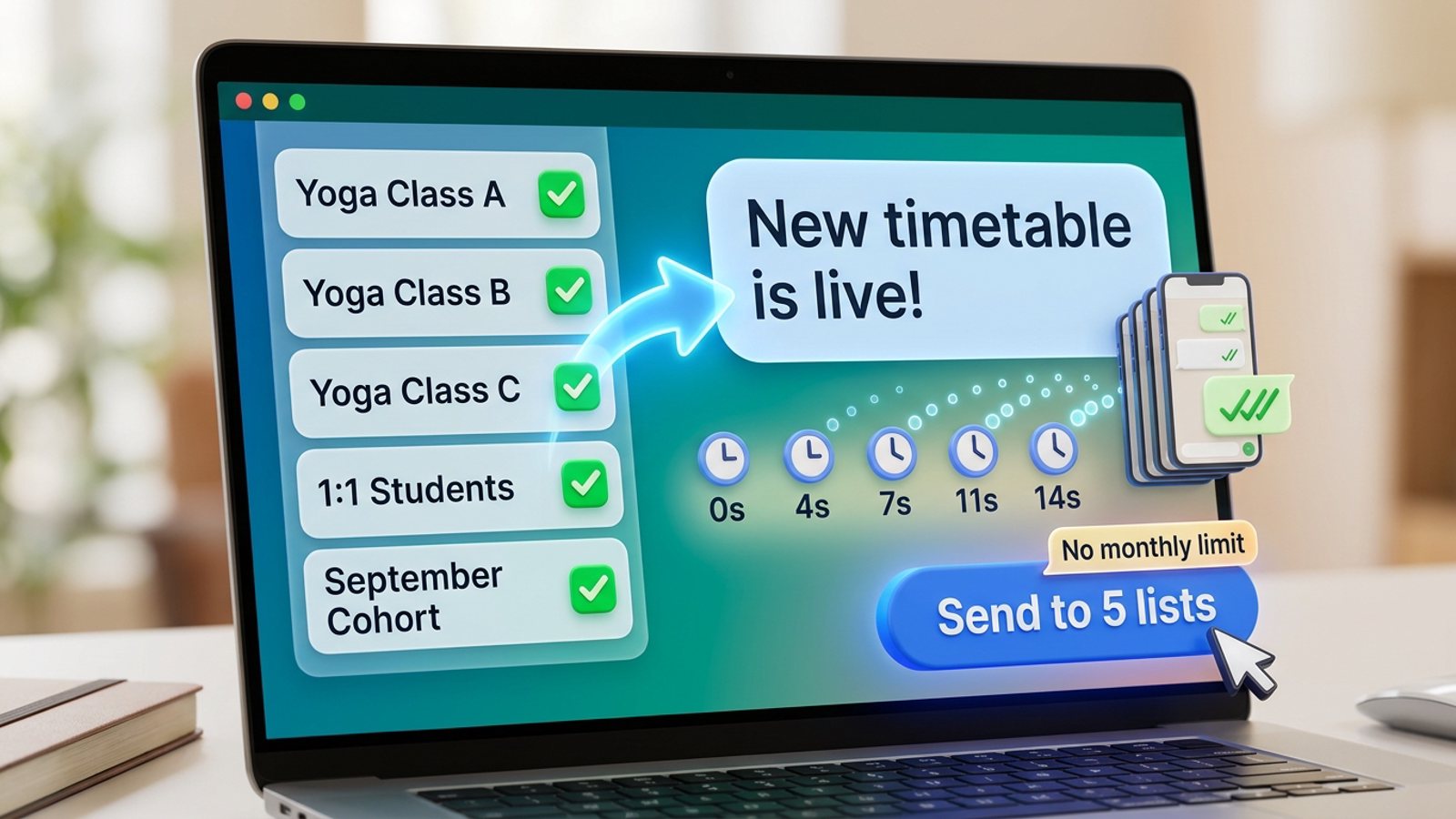
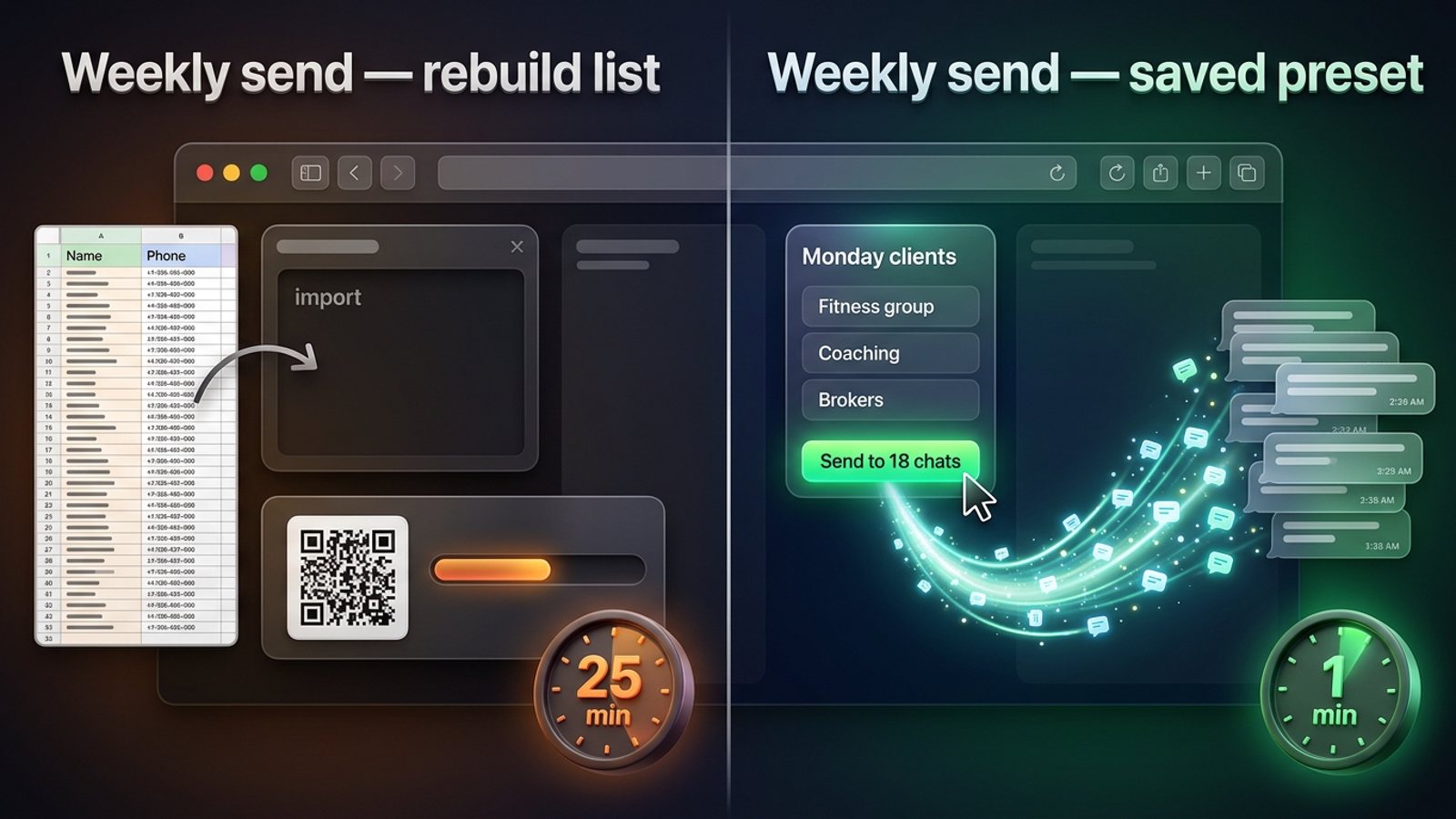
Of the tools we compared, FivePlus is our pick for agents because it does the one thing the free options can't: send one message to groups and contacts together, in one click, from WhatsApp Web in Chrome. You save your group lists once as presets and reuse them, and randomized delays stagger the timing. V2 lets you send to multiple saved lists at once. All plans include unlimited sharing, with no monthly sending limit.
If you mainly need account warming rather than sending, WADesk's WAWarmer is the more direct choice — its own comparison frames it as warming versus WhatSender's bulk sending. If you want a completely free Chrome tool and don't mind slower sequential sending, TurboText WA is a reasonable starting point.
Ready to compare on your own lists? Get FivePlus for WhatsApp Chrome extension (bulk share beyond 5 recipients) and test a preset send during the trial.
What does FivePlus cost compared with WhatSender Pro?
FivePlus is free to try for 3 days, and prices can change — check the site for current pricing. The product facts confirm all plans include unlimited sharing with no monthly sending limit, and saved group lists stay saved even if you cancel (which is why it's better not to uninstall the extension).
Against WhatSender Pro's reported range, that's the key difference: you're not paying for a desktop licence you may never open. You install the extension, save your lists, and send from the browser you already use.
How do you send one message to many groups without getting flagged?
You can't eliminate the risk, but you can reduce the obvious spam signals. Per Respond.io (2026), unnatural volume spikes are a flagged cause of WhatsApp Business bans. Wasel (2026) lists rapid-fire sending, identical copy-pasted messages at scale and zero opt-in as triggers. WhatsLoop (2026) recommends warming the number, messaging only opted-in contacts, adding random delays and varying the text.
Randomised pacing matters more than a fixed interval — the LeadTrapper delay calculator notes (2026) describe constant intervals as a known trigger, with small varying delays plus longer pauses after a batch as standard practice.
Here's how to apply that with any tool:
- Save your lists once as presets so you're not searching for groups each time.
- Mix people and groups into one preset only where both expect to hear from you.
- Vary the wording slightly between sends rather than pasting identical copy everywhere.
- Use randomized delays rather than a fixed interval.
- Keep volume reasonable and pause after a batch.
FivePlus builds steps 1, 2 and 4 into the tool: saved presets, mixed people-and-groups lists, and randomized delays that stagger timing. Anti-ban technology that mimics natural human behavior is part of the product — but no tool can promise your account won't be banned.
Bulk messaging sits outside WhatsApp's terms whichever tool you choose — the free methods and the paid ones carry the same underlying risk.
Is the official WhatsApp Business API cheaper for an agent?
No — the Business API carries a platform fee plus per-message charges and starts at low messaging tiers, per WhatChimp (2026) and a SleekFlow page (2026). It's the compliant route for automated messaging, but it's built for businesses with opt-in consent and templates, not an agent firing off a listing update to 15 groups.
For an agent, a browser extension is the low-cost middle ground: no per-message billing, no platform fee, just a flat tool that works on the number you already have.
Which tool should an agent pick?
It depends on your job. If you send to contacts only and they've saved your number, a free broadcast list does the job. If you administer your groups, a Community announcement is free and reaches everyone. If you send to a mix of groups and contacts regularly and want it done in one click from Chrome, a browser extension is the practical choice — and of the tools we compared, FivePlus is our pick because it handles mixed presets and saved lists without a desktop install.
If you want to see the wider field first, our FivePlus blog covers other comparisons, including the best alternatives to WhatSender Pro and whether a paid bulk WhatsApp sender is worth it for estate agents.
Start with your own group list: Get FivePlus for WhatsApp Chrome extension (bulk share beyond 5 recipients) and send your next announcement in one click.
Sources
- Unauthorized use of automated or bulk messaging on WhatsApp (WhatsApp Help Center)
- Mesaj iletme limitleri hakkında (WhatsApp Help Center, tr)
- WAWarmer vs WhatSender: Bulk Sending vs Account Warming (WAWarmer vendor blog, 2026-08-27)
- WhatSender Pro Review (Software Advice)
- WhatSender Pro – Free WhatsApp Bulk Sender (Chrome Web Store)
- How to send the same message to multiple WhatsApp groups (9bot, 2026-10-08)
- WhatsApp group message: send one to many groups (WavesFlo, 2026-09-16)
- Lista broadcast WhatsApp (DragApp, 2026-10-21)
- WhatsApp broadcast limits in 2026 (ChatbotX, 2026-07-29)
- WhatsApp broadcast list vs group vs API (WA Smart Sender, 2026-11-08)
- WhatsApp Business banned (Respond.io, 2026-09-28)
- WhatsApp broadcast spam signals (Wasel, 2026-02-26)
- Send WhatsApp Bulk Messages Without Getting Banned (WhatsLoop blog, 2026-08-10)
- WhatsApp Delay Calculator by LeadTrapper (Microsoft Edge Add-ons, 2026-09-21)
- TurboText WA - Bulk WhatsApp Sender (Chrome Web Store, updated 2026-03-08)
- WhatsApp Business API solutions / bulk message sender (WhatChimp, 2026-11-07)
- How to use WhatsApp broadcast lists (SleekFlow page, 2026-03-09)
Frequently asked questions
The Chrome extension is described as completely free, while the Windows/macOS desktop build is the paid part. Reported desktop figures range from about $3/month on third-party listings to $29.90 for a 6-month licence and $50/year — check the vendor's own page.
Not necessarily. Browser extensions run inside WhatsApp Web in Chrome with no desktop install, which is the cheaper route for most agents.
Not with WhatsApp's free tools — broadcast lists can't include groups, and forwarding is capped at five chats (one group if already forwarded). A bulk sender extension lets you mix people and groups into one preset.
Bulk and automated messaging violates WhatsApp's terms regardless of which tool you use, per the WhatsApp Help Center. Volume spikes, identical copy and no opt-in are the usual triggers, so keep volume reasonable and use randomized delays. This is not legal advice.
If you send to contacts only, a free broadcast list works. For a mix of groups and contacts in one click from Chrome, a browser extension is the practical choice — of the tools we compared, FivePlus is our pick because it handles mixed presets and saved lists without a desktop install.