Can I send WhatsApp Business messages from WhatsApp Web?

Yes. You can use WhatsApp Business on WhatsApp Web by linking the Business app on your phone as a linked device: open web.whatsapp.com, scan the QR code from the app's Linked Devices screen, and reply from your computer. Quick replies, labels and your catalog are reported to work there, though teams share one identity.
Key takeaways
- Linking takes a QR scan: phone menu, Linked Devices, scan the code on web.whatsapp.com.
- One phone plus up to four linked devices, according to a vendor guide dated 30 October 2026.
- Quick replies, labels and catalog access are reported to work on Business Web; mass broadcasts, bots and CRM tools are listed as not supported there.
- Everyone on the account shares one identity, so bigger teams should look at the Business Platform.
- On a shared computer, log out when you finish.
How do I use WhatsApp Business on WhatsApp Web?
You link your phone to the browser. These steps follow SleekFlow's guide (a vendor blog, last updated 30 October 2026); at the time of writing, menu names may differ.
- Open web.whatsapp.com on your computer, or the Business desktop app.
- Wait for the QR code to appear.
- In the Business app on your phone, open the menu and choose Linked Devices.
- Scan the QR code.
- Your chats load, and you can type on a full keyboard.
Your phone stays the main device. SleekFlow says linked devices may be logged out after 14 days without phone use. Older coverage from Neowin (undated) says companion devices are logged out automatically if the primary device stays inactive for a long time. Our suggestion: open the app on your phone now and then to keep things simple.
Not sure what separates the Business app from the regular one? Our guide to WhatsApp Business vs regular WhatsApp covers it.
How many devices can I link to WhatsApp Business?
SleekFlow's guide says one phone plus up to four linked devices. Neowin's older report also describes up to four companion devices alongside the primary phone, with extra employees replying to customers under the same Business account. Our suggestion: check your phone's Linked Devices screen to see what your version allows.
Which Business features work on WhatsApp Web?
According to SleekFlow's guide, three features carry over to Business Web:
- Quick replies: created in the mobile Business app, then used by keyboard shortcut. WhatsApp's own blog said in January 2019 that on a computer you press "/" to pick one (an old source, so menus may differ).
- Labels: tags that sort and filter conversations. WhatsApp's blog announced labels for Web and desktop in January 2019.
- Business profile and catalog: SleekFlow says you can reach them from Web. WhatsApp's Business app page (last modified 6 October 2026) says you can share your whole catalog or links to specific items from within the app.
SleekFlow lists mass broadcasts, chatbots, AI agents, interactive buttons or lists, and CRM or third-party integrations as not supported on Business Web. WhatsApp's Help page also says standard broadcast lists are not supported on Windows, Mac or Web. Business Broadcasts, per WhatsApp's page, are available to eligible users in select countries. Check the features page for your country before planning a campaign around them.
Can my whole team use one WhatsApp Business number on Web?
Partly. SleekFlow says everyone shares one identity, so you cannot assign chats or see which agent sent what. For a small team replying to customers, that can be fine. For a larger team, it gets messy.
The official next step is the WhatsApp Business Platform. WhatsApp describes it as enterprise APIs with approved message templates, set up through a partner or direct integration, with pricing on a separate page. Meta says its Cloud API is hosted by Meta and aimed at medium and large businesses messaging customers at scale. It fits when you message customers who opted in, need several agents, or want automation.
Whatever route you pick, WhatsApp's Business App terms (effective 23 September 2026) prohibit spam and unsolicited messages, and WhatsApp may limit, throttle, suspend or terminate accounts for breaches. Get opt-in first, and keep a record of who agreed to hear from you (our suggestion). This is not legal advice; rules vary by country. See how to stay within WhatsApp's rules.
Why does my Business account log out of WhatsApp Web?
Linked devices are tied to your phone. Both sources above describe automatic logouts when the phone is inactive for a long time, and SleekFlow gives 14 days as its figure. If you get logged out, open Linked Devices on your phone and scan a fresh QR code. Our suggestion: if you work from a computer all day, keep the phone charged, connected and opened regularly, so the link doesn't lapse in the middle of a busy week.
Is WhatsApp Web safe on a shared computer?
It is only as safe as the habits around it. SleekFlow's vendor advice, which matches our suggestion:
- Lock the screen when you step away.
- Log out at the end of each shift: Settings, then Log out, or remove the device under Linked Devices on your phone.
- Review Linked Devices regularly and remove any you don't recognise.
- Use a personal browser profile, not a public machine (our suggestion).
- If a colleague leaves, remove their device from Linked Devices straight away (our suggestion).
What about sending the same message to many groups from Web?
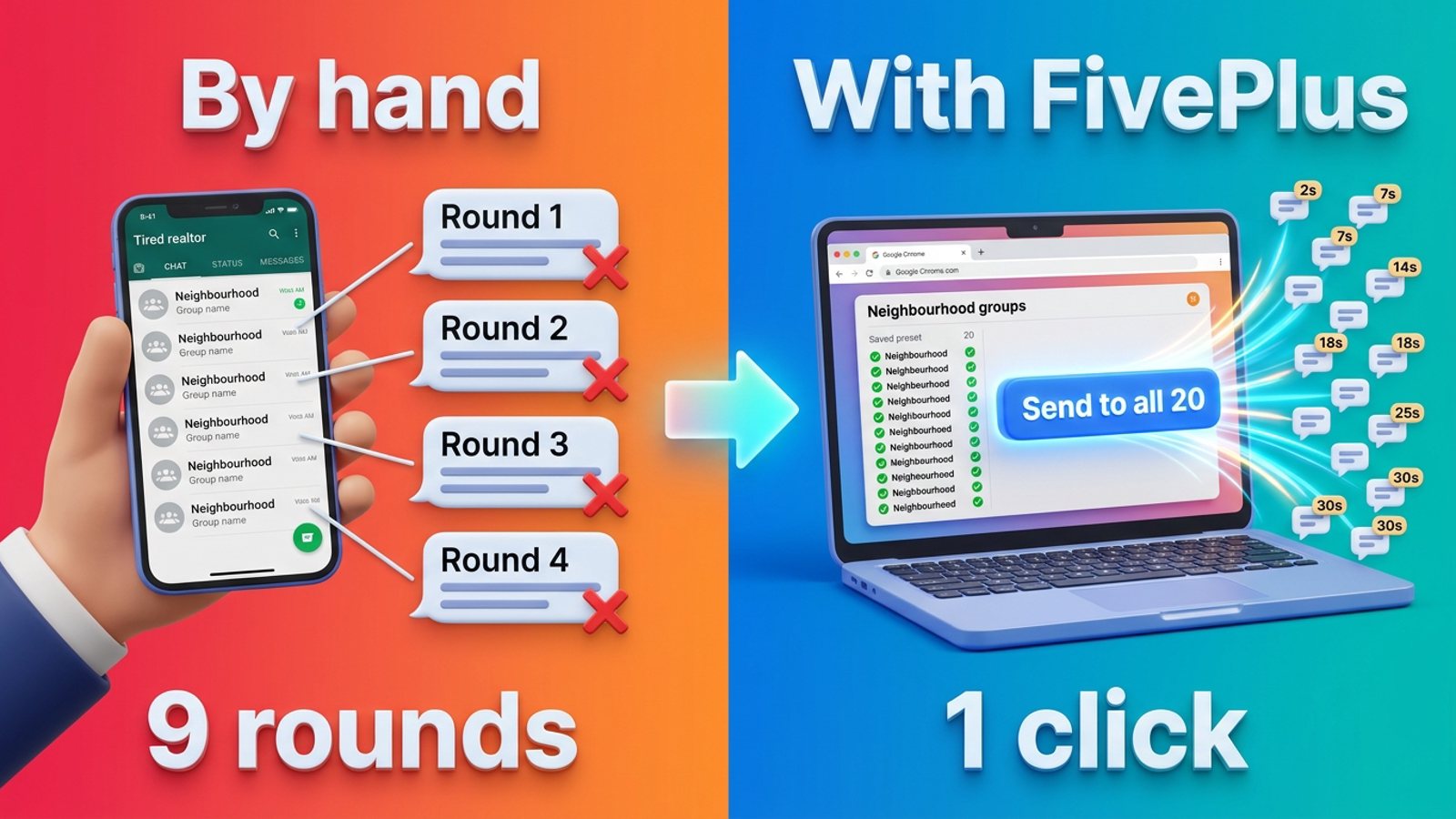
WhatsApp's Help page says a forward goes to up to five chats at a time. Repeating it by hand works but is slow when you run many groups.
Options compared
| Option | Best for | Key features | Price / free option | Watch-outs |
|---|---|---|---|---|
| Business app on WhatsApp Web | Replying to customers from a computer | Quick replies, labels, catalog (per SleekFlow) | Linked from your phone | Shared identity; five-chat forward limit |
| WhatsApp Business Platform via a provider | Teams and opted-in customer messaging | Approved templates, partner or developer setup | Pricing on a separate page; check the provider | Setup through a partner or developers; pricing is separate |
| FivePlus (Chrome extension) | The same post to many groups and contacts you already belong to | Saved presets, groups and contacts mixed, text, images, videos, documents, voice messages, randomized delays | Free 24-hour trial; see current plans | Computer and Chrome only; unofficial; no guarantee against restrictions |
FivePlus is made by the team behind this blog. Of the options we compared, it is our pick only for that one narrow job, getting one update into every group you are already in. For answering customers or running a team, the Business app on Web and the Business Platform are the more direct fit.
FivePlus works with WhatsApp Business through WhatsApp Web. You save your groups once as a preset, forward your message, and pick the preset. See how to save a list of groups for the technique. FivePlus is not affiliated with or endorsed by WhatsApp or Meta. It automates clicks in WhatsApp Web, WhatsApp's terms restrict bulk and automated messaging, and no tool can guarantee an account won't be restricted. Send only to chats you belong to and people who want your messages. WhatsApp Web changes can temporarily break extensions.
Sources
- SleekFlow, WhatsApp Business Web: all you need to know (vendor blog, updated 30 Oct 2026)
- Neowin, WhatsApp now works on four smartphones at the same time (undated, older coverage)
- WhatsApp Blog, new Web and desktop features for WhatsApp Business (24 Jan 2019)
- WhatsApp Business app features (last modified 6 Oct 2026)
- WhatsApp Business Platform
- Meta for Developers, Cloud API overview
- WhatsApp Terms for the Business App (effective 23 Sep 2026)
- WhatsApp Help, broadcast lists (undated)
- WhatsApp Help, forwarding (undated)
Frequently asked questions
Yes. Open web.whatsapp.com, then scan the QR code from the Linked Devices screen in the WhatsApp Business app on your phone. Quick replies, labels and catalog access are reported to work there, per a SleekFlow guide updated 30 October 2026.
SleekFlow's guide (a vendor blog, October 2026) says one phone plus up to four linked devices, and older Neowin coverage also reports up to four. Check the Linked Devices screen on your phone for what your version allows.
Partly. Everyone shares one identity, so you cannot assign chats or see which agent sent what, per SleekFlow. Larger teams are pointed to the WhatsApp Business Platform.
Of the options we compared, FivePlus fits that one job: saved presets of groups and contacts you already belong to. For customer replies or team inboxes, the Business app on Web or the Business Platform fits better. No tool can guarantee an account won't be restricted.