WA Sender review: is it worth it for daily bulk sharing?

If your day is one message to many groups, right now, WA Sender is more tool than you need. This wa sender review finds a scheduling- and campaign-first Chrome extension with templates, repeat sends and smart replies — good for planned campaigns. For one-click sharing to saved group lists, a bulk WhatsApp sender extension built around presets fits the job more directly.
What is WA Sender, and who is it actually built for?
WA Sender is a Chrome extension listed as "WA Sender – Bulk Messages & Automation", published by the owner of watools.ai. As of November 2026 the listing shows version 2.1.10 (updated 19 November 2026), 200,000 users, a 4.7 rating from 641 ratings, and a publisher record with no history of violations.
Read the feature list and a type emerges: this is a campaign tool. You build a recipient list, write a template, choose when it goes out, and let it repeat. That suits someone running planned promotions over days — a coach launching a course, an agency running a client's weekly offer.
It suits less well the person who needs the same announcement in 30 groups before lunch. That's a different job, and it's the one we'll come back to.
What does WA Sender do well?
Its planning and list-building features are the strongest part of the listing. The developer publishes these:
- Recipient selection by individual contacts, groups, labels, countries or all contacts.
- Import options: paste a Name:Phone list, or copy two columns straight from Excel.
- Number checking — it can verify whether imported numbers have WhatsApp accounts.
- Templates for text, files and vCards, with dynamic variables.
- Timing choices: send now, send with random intervals, or schedule with a repeat option for a set number of days.
- Smart replies based on keywords, with active days, reply delay, group rules and read/archive/label actions.
- Export of contacts and chat data to XLSX, CSV or TXT.
- A Click-to-Chat link generator, plus optional blur/privacy tools and a password lock.
For a marketer who thinks in campaigns, that's a coherent toolkit. Templates with variables mean one message can carry each recipient's name. The repeat option means a weekly reminder doesn't need rebuilding every week.
What are the catch points before you install it?
Three things deserve a look before you commit.
Scheduling depends on your setup staying awake. The developer states that scheduled tasks "require the WA Web tab, your computer, and your phone to remain connected". So a send scheduled for 7am won't go out if your laptop is asleep or your phone is offline. That's a real constraint for anyone who plans sends around their working day.
Account risk is outside the tool's control. The developer says message delivery and account status "are controlled by the platform, not by this extension". In other words, the extension doesn't claim to protect your number. WhatsApp's own help centre is blunt: "Our products are not intended for bulk or automated messaging, both of which have always been a violation of our Terms of Service."
A third-party scanner has flagged it. Extension Auditor rated WA Sender "caution" in a scan dated 12 November 2026, reporting four code-review findings in version 2.0.4 (two high, one medium, one low), led by alleged unauthorised collection of the user's phone number from localStorage. The scanner itself describes this as consistent with malware "but not enough to confirm", and says to treat the extension as untrusted until re-reviewed. The developer's Chrome Web Store privacy disclosure says it will not collect or use your data. The two statements conflict and the question is unresolved — weigh that as you would any unresolved security flag.
How much does WA Sender cost?
No price appears on its Chrome Web Store listing, and the developer's own pricing page wasn't part of the material reviewed for this article — so we won't quote a number. Check watools.ai directly before you install, and confirm the plan terms there.
For context on the wider market, other unofficial Chrome senders do publish prices. WA Sender Tool PRO lists US$9.99/month or US$69.99/year as of November 2026, with no account needed and instant licence activation. Treat that as a ballpark for the category, not as WA Sender's price.
Is WA Sender worth it for daily bulk sharing?
It depends on what "daily" means in your work — and this is the question that decides it.
If your day is planned campaigns, WA Sender is a reasonable pick. Say you run a tutoring business and every Monday you send the week's schedule to eight parent groups, then follow up on Wednesday with a reminder. Templates, scheduling and repeat sends map neatly onto that. You set it up once and the week runs itself, as long as your computer stays on.
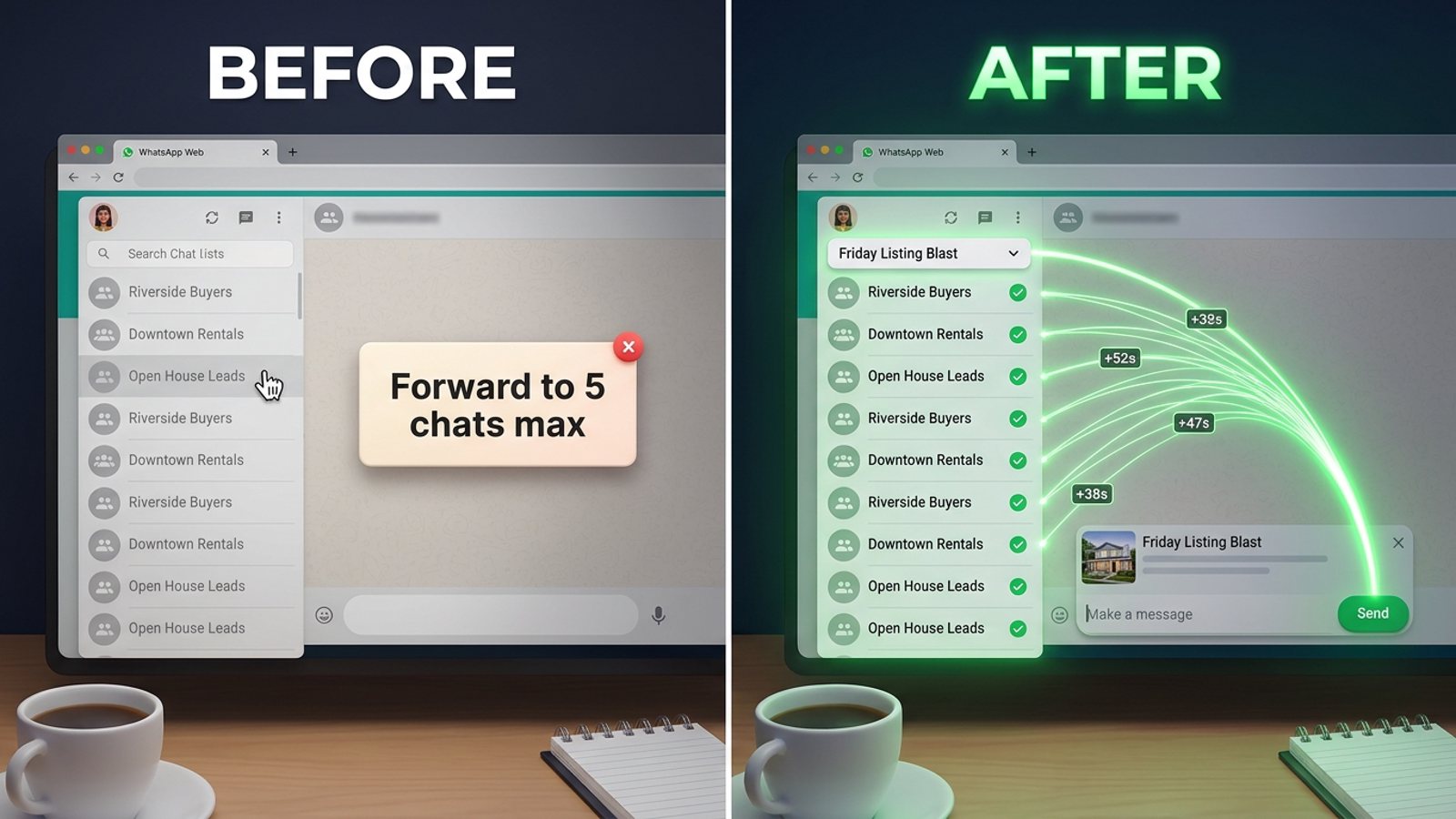
If your day is one message, many groups, right now, the planning layer gets in the way. Think of an estate agent with a new listing: 20 buyer groups need it in the next ten minutes, not scheduled for tonight. Or a broker whose rate update has to reach every client group before the market opens. In that workflow you want to pick a saved list, paste the message, and send — not build a campaign.
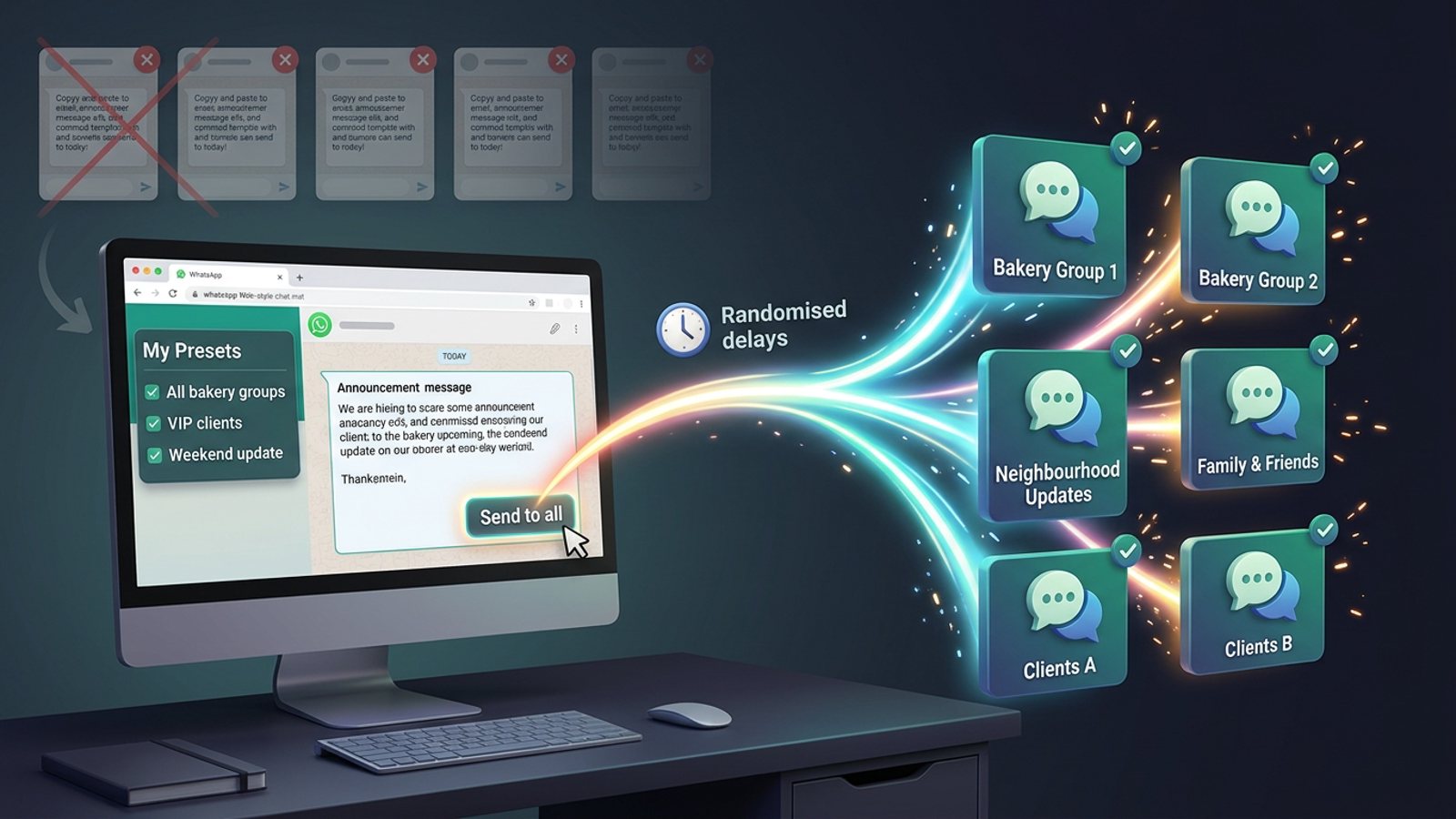
That second job is what FivePlus is built for: one click to send an announcement or media to dozens of saved groups and contacts, beyond the standard five at a time. You save your group lists as presets once and reuse them, mix people and groups into one preset, and V2 lets you send to several saved lists at once. Randomized delays stagger the timing, and anti-ban technology mimics natural human behaviour. It runs on WhatsApp Web in Chrome with no login.
Our recommendation: before you pay for anything, write down your last five sends. If most were scheduled campaigns, a scheduler earns its keep. If most were "same message, many groups, today", a preset one-click tool will save you more time.
Get FivePlus for WhatsApp Chrome extension (bulk share beyond 5 recipients)
WA Sender vs the alternatives: which fits your job?
Here's how the options we compared line up for daily bulk sharing. FivePlus is made by the team behind this blog, so read our entry with that in mind.
| Option | Best for | Key features | Price / free option | Watch-outs |
|---|---|---|---|---|
| FivePlus (Our pick) | One message to many saved groups, in one click | Saved presets, mixed people + groups, randomized delays, anti-ban behaviour | Free to try for 3 days | Needs Chrome and WhatsApp Web; 24-hour trial limit |
| WA Sender | Planned campaigns over days | Templates, scheduling, repeat sends, smart replies, exports | No price on its listing | Scheduled sends need PC + phone online; scanner flag |
| WhatsApp broadcast lists | Opted-in audiences, no extra tool | Built into WhatsApp | Free | Not intended for bulk; consent essential |
| WATI | SMBs wanting chatbots on the official API | Broadcasting, scheduling, tracking, chatbot flows | No price in our material | Meta's per-message charges on top |
| Manual copy-paste | A handful of groups, zero risk | None needed | Free | Slow and error-prone at scale |
A word on the official routes. WATI's own blog (4 October 2026 — vendor content, not an independent test) describes broadcasting on the official WhatsApp Business API with scheduling, tracking and chatbot flows. That's the compliant path, but it runs on Meta's Business Platform with per-message charges, template approval and messaging limits tied to quality. One BSP-style tool, WA Smart Sender, lists a Starter plan at USD 15/month billed monthly with Meta's charges separate, first day free — a ballpark from its own pricing page, not a quote for every provider.
If you mainly need approved templates and analytics on the official platform, WATI or a Business API provider is the more direct choice. If you mainly need one click to your own saved groups, FivePlus is. And if you're weighing the wider market first, our guide to WhatsApp bulk sender extensions for Chrome in 2026 compares more of them side by side.
How do you set up daily bulk sharing safely?
The tool is half the job; the habits are the other half. Here's the sequence that works whether you choose WA Sender or a preset sharer.
- Check what your daily job really is. One identical message to many groups now, or planned campaigns over days? That single answer picks your tool.
- Read the permissions and privacy disclosure on the Chrome Web Store page before installing, and note the publisher's trader status.
- Build a clean recipient list from contacts, groups or labels — and only people who expect to hear from you.
- Test small. Send to a short list first and check delivery on a phone that isn't yours.
- Write the message once, with the same wording you'd use one-to-one. Broadcast-style copy invites reports.
- Set your timing. Immediate with random intervals, or scheduled — remembering scheduled sends need your computer and phone online.
- Review WhatsApp's current terms before each campaign, and honour every opt-out.
Consent isn't a formality either. Respond.io's blog (1 October 2026 — vendor content) calls unsolicited promotional messages one of the most common and costly mistakes, and says messages should go only to contacts who opted in. Our guide to sending to many WhatsApp groups without risking your account goes deeper on that.
The tool you choose decides how fast you send; your list and your pacing decide how long you keep sending.
Messaging rules and platform policies change, and enforcement varies by account and region. Follow WhatsApp's current terms, keep your lists opted in, and treat this as practical guidance rather than legal advice.
Get FivePlus for WhatsApp Chrome extension (bulk share beyond 5 recipients) — save your group lists once and share beyond five recipients in a single click.
FivePlus is made by the team behind this blog.
Sources
- WA Sender – Bulk Messages & Automation listing (Chrome Web Store, updated 26 Aug 2026; version 2.1.10 dated 19 Nov 2026)
- WA Sender listing, UK view (Chrome Web Store, 26 Aug 2026)
- Extension Auditor scan of WA Sender (12 Nov 2026)
- Unauthorized use of automated or bulk messaging on WhatsApp (WhatsApp Help Center, undated)
- WhatsApp Business Platform policy and spam monitoring (Meta for Developers, updated 21 May 2026)
- WhatsApp Business banned account: reverse and avoid it (respond.io, 1 Oct 2026)
- 17 Best WhatsApp Bulk Message Sender Software (Wati, 4 Oct 2026)
- WhatsApp bulk message sender: free vs official tools 2026 (WhatChimp, 7 Nov 2026)
- WhatsApp Bulk Message Sender: Free Apps vs Official API Compared (Greenbubble.io, 13 Sep 2026)
- Rate limits and account risk (open-wa docs, GitHub, 19 Nov 2026)
- wa-bulk-web readme (npm, 6 Feb 2026)
- WA Sender Tool PRO pricing (wasendertool.com, undated)
- WA Smart Sender pricing (wsmartsender.com, undated)
- WhatsApp Bulk Message Sender Chrome Extensions rankings (Extension Ranker, 20 Jul 2026)
Frequently asked questions
No price appears on its Chrome Web Store listing, and the developer's pricing page wasn't part of the material reviewed here, so we can't say whether it's free, freemium or paid. Check watools.ai before installing.
No — the developer states that scheduled tasks require the WhatsApp Web tab, your computer and your phone to stay connected. If any of those drops, the send won't go out as planned.
No tool can promise otherwise. The developer says delivery and account status are controlled by the platform, and WhatsApp's help centre states bulk and automated messaging violate its Terms of Service. Randomized pacing lowers the risk pattern but doesn't eliminate it.
If your sends are planned campaigns, WA Sender's scheduling and templates are a sensible fit. If you need one message to many saved groups in one click, FivePlus is our pick of the tools we compared — it saves group lists as presets and sends beyond five recipients at once, with randomized delays. It needs Chrome and WhatsApp Web, and the free trial runs 24 hours.
A scheduler is built around timing: you prepare a campaign, set a date, and let it repeat. A one-click sharer is built around speed: you pick a saved list, paste the message, and it's gone. Most people who message many groups daily need the second, and only some need the first.