How do I message all my WhatsApp contacts at once from my laptop?
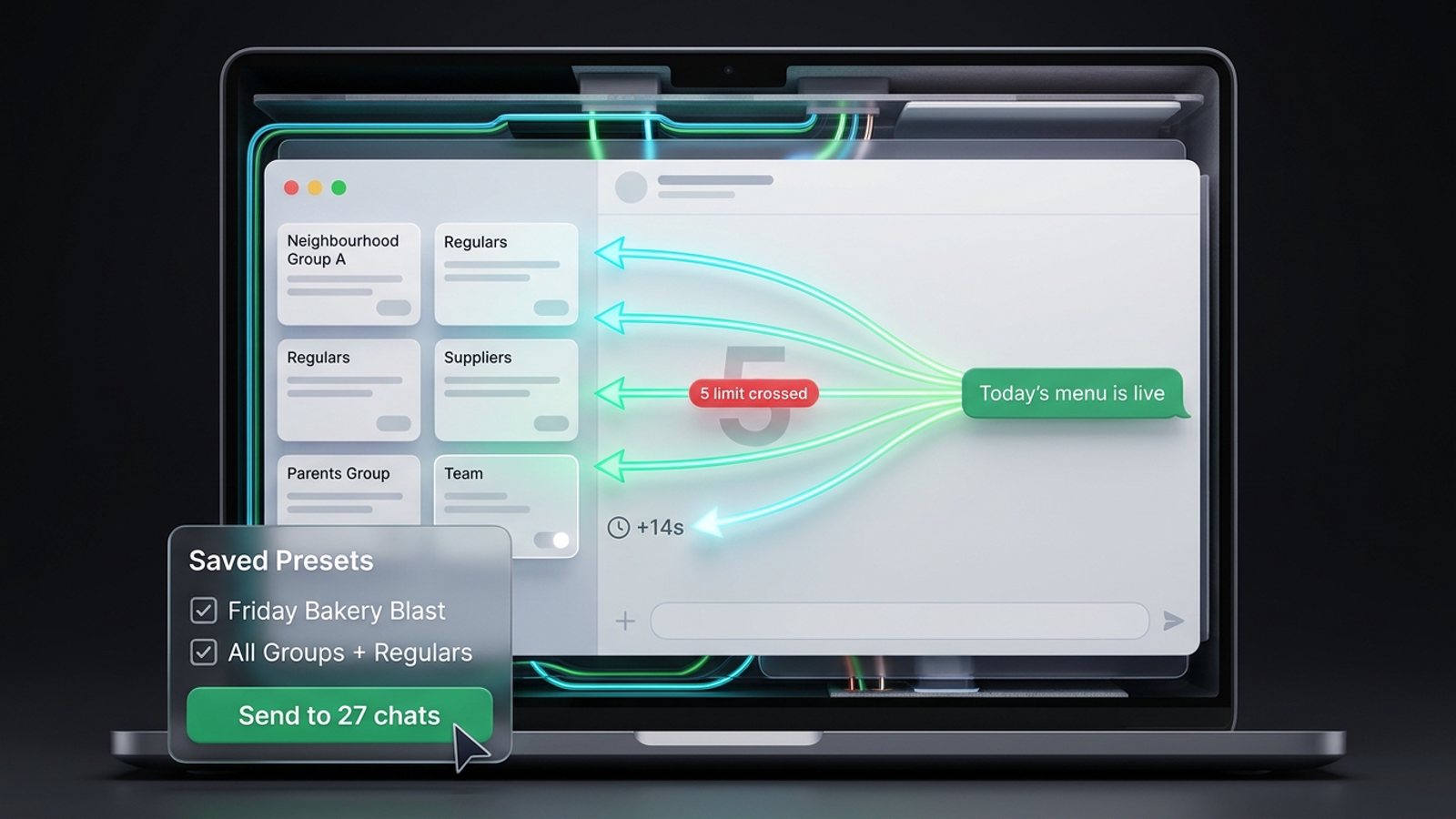
On a laptop you open WhatsApp Web in Chrome, but WhatsApp's own tools stop short of "everyone at once": forwarding caps at five chats, and broadcast lists aren't supported on Web, Windows or Mac. The realistic way to message all WhatsApp contacts at once is WhatsApp Web in Chrome plus a bulk sender extension.
If you're at your laptop with an announcement, a price list or a schedule to push out to everyone, you've probably already noticed the problem: WhatsApp Web lets you pick five chats, then makes you start again. Below is what actually works on a laptop, what WhatsApp itself says about the limits, and how to do it without behaving like the accounts that get restricted.
Get FivePlus for WhatsApp Chrome extension (bulk share beyond 5 recipients) and send to more than five chats in one go.
Why can't I just message all my WhatsApp contacts at once on a laptop?
Because WhatsApp Web has no one-to-many tool built in. The two features designed for reaching many people at once — broadcast lists and forwarding — either aren't on desktop or are capped.
WhatsApp's Help Center states plainly that "Broadcast lists aren't supported on Windows, Mac, or Web." That's the single biggest reason laptop users get stuck. On your phone you can build a broadcast list of up to 256 contacts; on your laptop that feature isn't there.
Forwarding is the only built-in alternative, and it's capped too: you can forward a message to up to five people or groups at a time, according to WhatsApp's Help Center. If the message was itself forwarded, it can only go to one additional group chat.
So "all my contacts at once" isn't a setting you've missed. It's a gap between what WhatsApp offers on a phone and what it offers in a browser.
What's the realistic way to message everyone from a laptop?
WhatsApp Web in Chrome, plus a Chrome extension built for bulk sending. That keeps you inside the browser you already use and sends from your own WhatsApp account — no new number, no separate app on your phone.
Here's the technique, step by step. It works with any bulk sender worth using; the limits below come from WhatsApp's own documentation, not from a vendor.
- Open WhatsApp Web in Chrome. Go to web.whatsapp.com and log in by scanning the QR code with your phone. If you see a browser-version error, update Chrome and reload the page.
- Accept the built-in ceiling. On the laptop alone you can forward to five chats per action. Reaching 50 chats by hand means repeating that step ten times — and chain-forwarded messages pick up the "Forwarded many times" label, which WhatsApp says exists to limit spam and misinformation.
- Install a bulk sender extension that runs alongside WhatsApp Web in Chrome.
- Save your list once. Build the set of contacts and groups you message regularly, and store it as a preset so you're not re-selecting names every week.
- Send with pacing. Spread the messages out rather than firing the same text to everyone inside a few minutes.
- Vary the wording between sends and only message people who expect to hear from you.
Step 5 is the one people skip, and it's the one that matters most. A Hong Kong tech outlet (ezone.hk, May 2026) named three highest-risk ban behaviours: the same message to many users within a very short window such as 10 minutes, being blocked or reported by many users at once, and adding strangers to large groups without consent.
The fastest way to lose your account isn't sending to many people — it's sending to many people in the same few minutes with identical text.
How does FivePlus handle messaging all contacts at once?
FivePlus is a Chrome extension for WhatsApp Web that sends a message, announcement or media to many saved groups and contacts in one click, instead of the standard five at a time. It's our pick of the tools we compared for this job.
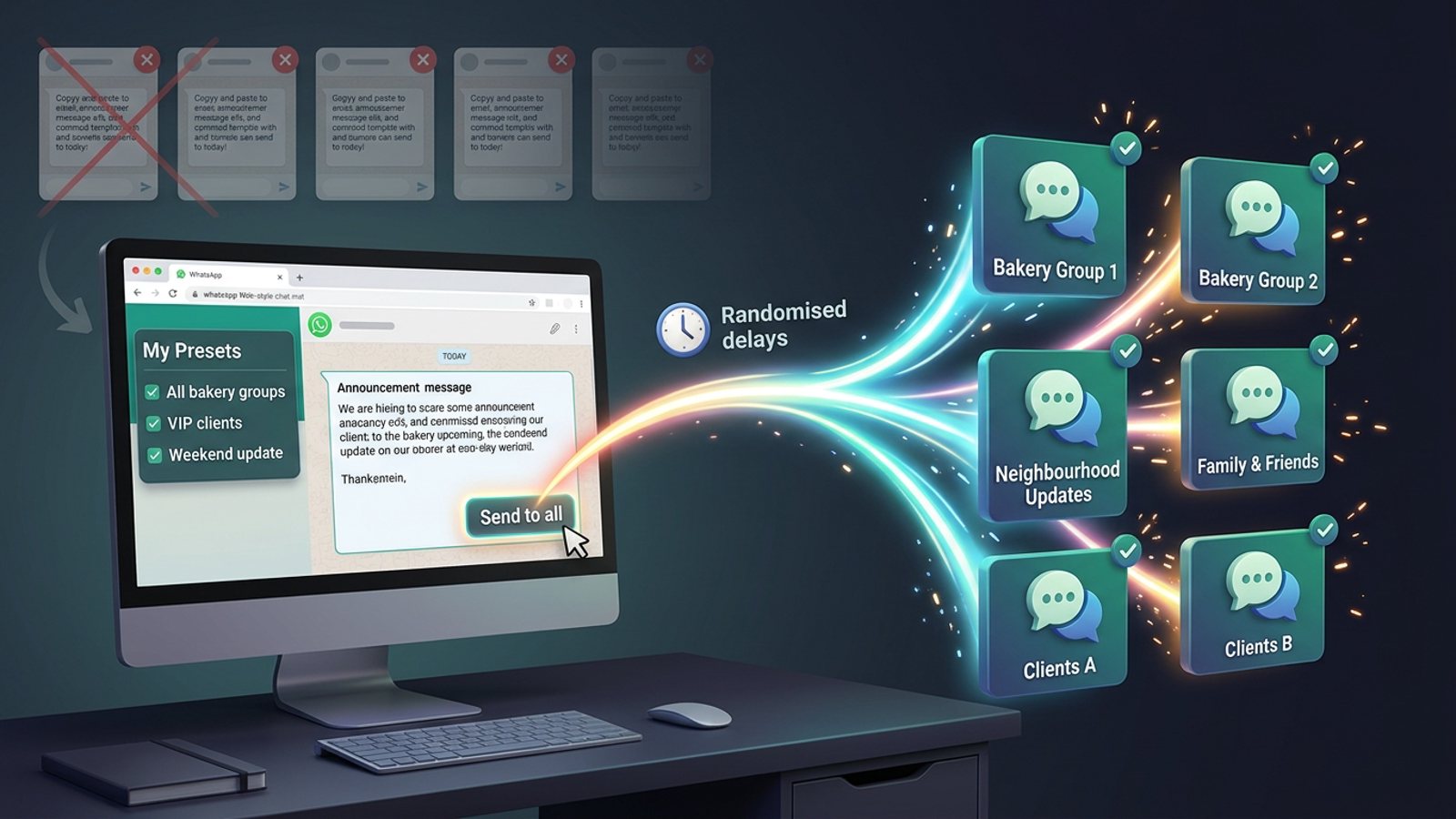
The workflow is short. Install the extension from the Chrome Web Store and open WhatsApp Web. Save your group and contact lists as presets once. Then choose a preset — or several at once in V2 — pick your message or media, and send in one click. Randomized delays stagger the timing so the sends look like natural human behaviour rather than a blast.
Three things matter for the laptop user specifically:
- Beyond five recipients. You can send to dozens of chats at once, past the standard five-recipient limit.
- Saved lists that stick. Save a list once and reuse it. Mix people and groups into one preset for maximum reach, and send to multiple saved lists at once in V2.
- No login required. It runs on WhatsApp Web in Chrome, using the session you already have.
Say you run a bakery and take orders through eight neighbourhood groups plus a list of regulars. Today that's several rounds of five-chat forwarding every Friday morning. With a saved preset it's one selection and one click, with the sends spaced out.
Get FivePlus for WhatsApp Chrome extension (bulk share beyond 5 recipients) — free to try for 3 days, as of November 2026, and prices can change.
What FivePlus won't do
Honesty first: FivePlus requires the Chrome browser and WhatsApp Web — there's no desktop app and no phone-only mode. Free use is limited to a 24-hour trial. It is not affiliated with Meta, and WhatsApp is a trademark of Meta Platforms, Inc.
And like every tool in this category, it can't guarantee your account stays safe. Nothing can. Third-party services cannot block or unblock WhatsApp accounts — only WhatsApp can, per its Help Center.
Saved group lists stay saved even if you stop paying, but the owner's guidance is not to uninstall the Chrome extension, since the lists live there.
How does FivePlus compare with the other options?
Here's how the realistic laptop options stack up. FivePlus goes first because it's our pick of the tools we compared for sending to more than five chats from a browser.
| Option | Best for | Key features | Price / free option | Watch-outs |
|---|---|---|---|---|
| FivePlus (Our pick) | Laptop users sending to many groups and contacts | Saved presets, V2 multi-list sends, randomized delays | Free to try for 3 days (as of Nov 2026) | Chrome + WhatsApp Web only; 24-hour trial limit |
| WhatsApp broadcast lists | Private announcements from a phone | Up to 256 contacts per list, reusable | Free | Not supported on Web, Windows or Mac |
| Manual forwarding | A handful of chats, now and then | Uses WhatsApp's own tools only | Free | Five chats per action; "Forwarded many times" label |
| Pro Sender | Trying a bulk sender at zero cost | Bulk sending on WhatsApp Web | Listed as completely free (Chrome Web Store, 2025) | Vendor tool; no ban protection |
| WAMessager | Light daily sending | Claims a free plan of 50 messages/day | Free plan claimed (Chrome Web Store, 2025) | Daily caps are vendor claims, not WhatsApp figures |
A word on each of the others, because the right answer depends on your job.
WhatsApp broadcast lists are the cleanest tool WhatsApp makes for one-to-many messaging — free, reusable, and recipients can't see each other, with replies coming back only to you. But WhatsApp says they aren't supported on Windows, Mac or Web, so they can't solve a laptop problem. They also only reach contacts who have saved your number, and WhatsApp notes they're being rolled out gradually with possible monthly limits in some countries.
Manual forwarding is free and needs nothing installed. If you're messaging six people once a month, use it and stop reading. It only becomes painful at scale — 50 chats means ten rounds of the five-chat step.
Pro Sender is listed on the Chrome Web Store as completely free (2025 listing), which makes it a reasonable first experiment if budget is the only criterion. WAMessager claims a free plan of 50 messages a day (Chrome Web Store, 2025). Treat any "safe daily limit" number from an extension vendor as a vendor claim, not a WhatsApp figure — WhatsApp can restrict accounts for bulk messaging regardless of what a tool allows.
If you mainly need a free way to test bulk sending on a small list, Pro Sender is the more direct choice. If you need saved presets you reuse every week and multi-list sends, FivePlus is built around exactly that.
FivePlus is made by the team behind this blog.
How do I avoid getting restricted when messaging many contacts?
By messaging people who expect to hear from you, and by not looking like a blast. WhatsApp's own guidance is the place to start: message only people who contacted you first or asked you to, and get permission before adding someone to a group.
WhatsApp is direct about the stakes. Its Help Center says its products "are not intended for bulk or automated messaging, both of which have always been a violation of our Terms of Service." It also warns that heavy use of broadcast lists can lead people to report your messages, and repeated reports can get an account banned.
Practical habits that reduce the risk, drawn from the sources above:
- Space the sends out. The same message to many users inside a very short window is a named risk behaviour (ezone.hk, May 2026).
- Don't message strangers at scale. A vendor security blog (Ninja Team, July 2026) lists mass-messaging people who haven't saved your number as a risk factor, along with frequent device switching and rapidly changing VPN locations.
- Change the wording between sends so it isn't identical text to everyone.
- Keep the list warm. People who reply to you regularly are far safer to message than a cold list.
These are WhatsApp's rules and they change; risks vary by account and by country. This is not legal advice — follow WhatsApp's terms and check its Help Center for the current position.
What if I only need to reach a few hundred people, not everyone?
Then a phone-based broadcast list may genuinely be enough, and you can skip the extension. Broadcast lists hold up to 256 contacts, are free, and arrive as individual private chats — recipients can't see each other. That cap is unchanged as of late 2026, per a vendor summary of WhatsApp's help centre (Wati, November 2026).
The catch is the laptop. Since broadcast lists aren't supported on WhatsApp Web, Windows or Mac, you'd be building and sending from your phone. For a coach sending a weekly class update to 80 parents, that's fine. For an agent pushing a listing to 20 buyer groups plus 200 individual contacts from a laptop, it isn't.
WhatsApp Business broadcast lists don't change the maths: the Business app is also capped at 256 contacts and only delivers to people who saved your number, with no way to confirm an unsaved contact received it (SleekFlow, September 2026). The Business API is a different product with per-message billing — a step most small teams don't need.
If your list is bigger than a phone broadcast can hold and you want to send from your laptop, a bulk WhatsApp sender extension is the practical answer.
For repeat sends where you'd rather not rebuild the list every time, see how to send a WhatsApp announcement to 20 groups and whether a bulk sender is worth it versus sending to 5 chats by hand.
Ready to stop counting to five? Get FivePlus for WhatsApp Chrome extension (bulk share beyond 5 recipients) and send your next announcement to everyone in one go.
Sources
- About supported browsers (WhatsApp Help Center, undated) — https://faq.whatsapp.com/803865374003522/?cms_platform=web
- About forwarding limits (WhatsApp Help Center, undated) — https://faq.whatsapp.com/1053543185312573/?locale=ml_IN
- How to use broadcast lists (WhatsApp Help Center, undated) — https://faq.whatsapp.com/861663048350950?amp%3Bamp%3Blang=da&%3Blang=it&category=5245251&cms_platform=android&locale=ml_IN#1
- How to use broadcast lists (WhatsApp Help Center, updated 2026-02-16) — https://faq.whatsapp.com/861663048350950/?locale=tl_PH&cms_platform=iphone&category=5245251&%3Bamp%3Blang=zh_tw&%3Blang=tr
- About bulk messaging / Terms of Service (WhatsApp Help Center, undated) — https://faq.whatsapp.com/5957850900902049/?locale=en_US
- Use WhatsApp responsibly (WhatsApp Help Center, undated) — https://faq.whatsapp.com/cxt/?anid=21ee00d0-a46e-4348-9731-fede810f4ba0&lg=en&lc=US&cmsid=361005896189245&entrypointid=missingcontacts&platform=android#1
- Use WhatsApp responsibly, Chinese (WhatsApp Help Center, undated) — https://faq.whatsapp.com/361005896189245/?locale=zh_TW
- About account restrictions (WhatsApp Help Center, undated) — https://faq.whatsapp.com/717472490411581/
- About blocked accounts and review (WhatsApp Help Center, undated) — https://faq.whatsapp.com/465883178708358/?locale=zh_HK&category=5245246
- How to send broadcast message on WhatsApp (folk CRM, updated 2026-11-11) — https://www.folk.app/articles/how-to-send-broadcast-message-on-whatsapp-a-quick-guide
- Cómo enviar un mismo mensaje de WhatsApp a varias personas (Computer Hoy, 2025-03-08) — https://computerhoy.20minutos.es/dispositivos/como-enviar-mismo-mensaje-whatsapp-varias-personas-necesidad-crear-grupo-1444053#1
- 5 Ways to Fix WhatsApp Web Works Only With Chrome 60+ Error (MEFMobile, 2025-01-10) — https://mefmobile.org/5-ways-to-fix-whatsapp-web-works-only-with-chrome-60-error/#1
- WhatsApp Business App vs API (SleekFlow, 2026-09-15) — https://sleekflow.io/en-sg/blog/whatsapp-business-app-vs-api#1
- Batas Broadcast WhatsApp Business (Wati, 2026-11-11) — https://www.wati.io/id/blog/gcr-seo-whatsapp-broadcast-message-limits-id-1/#1
- WA Bulk Message Sender - WAMessager (Chrome Web Store, 2025-09-04) — https://chromewebstore.google.com/detail/wa-bulk-message-sender-wa/afgbckekjlfkfhklldgdndiagddhbohm?gl=CA&hl=en-US#1
- Pro Sender - Free Bulk Message Sender (Chrome Web Store, 2025-06-26) — https://chromewebstore.google.com/detail/pro-sender-free-bulk-mess/acfobeeedjdiifcjlbjgieijiajmkang?hl=pt-BR#1
- WhatsApp 群發訊息規則 (Wati, 2026-09-22) — https://www.wati.io/zh-hant/blog/gcr-seo-whatsapp-%E7%BE%A4%E7%99%BC%E8%A8%8A%E6%81%AF%E8%A6%8F%E5%89%87%E5%85%A8%E9%9D%A2%E8%A7%A3%E6%9E%90256%E4%BA%BA%E4%B8%8A%E9%99%90%E7%AF%80%E6%B5%81%E6%A9%9F%E5%88%B6%E8%88%872026%E5%B9%B4%E5%90%88%E8%A6%8F%E6%8C%87%E5%8D%97/#1
- WhatsApp ban behaviours review (ezone.hk, 2026-05-15) — https://dev.e-zone.com.hk/article/20082357/20028220/ezone.hk
- Why WhatsApp blocks accounts (Ninja Team, 2026-07-13, vendor blog) — https://ninjateam.org/why-whatsapp-bloc…
Frequently asked questions
Because WhatsApp says broadcast lists aren't supported on Windows, Mac or Web. The feature exists only in the phone app, so there's no menu to find in your browser.
Five people or groups per action, per WhatsApp's Help Center. If the message was already forwarded, it can only go to one additional group chat — and chain-forwarded messages get the "Forwarded many times" label.
On a broadcast list, only contacts who have saved your number receive it. That's WhatsApp's design, and it's why broadcast lists are described as an opt-in, anti-spam format. A bulk sender extension sends to the chats you select directly, but consent still decides whether people read it or report it.
You can still chat with existing contacts and groups, but you can't start new chats or create groups. The restriction lifts automatically after the set time. If your number is blocked, use Request review in the app — most reviews finish within 24 hours, and no third-party tool can unblock you.
If you need to send from a laptop to more than five chats and reuse the same lists, FivePlus is our pick of the tools we compared: it saves presets, supports multi-list sends in V2, and paces messages with randomized delays. If you only send occasionally to a handful of chats, WhatsApp's own forwarding is free and enough. If you want a zero-cost experiment first, Pro Sender is listed as completely free.