Can ChatGPT send a WhatsApp message to 30 groups for me?

No. ChatGPT has no connection to WhatsApp Web and no access to your group list, so it cannot open 30 groups and deliver your message — it can only help you write the text. Reaching 30 groups in one go needs a tool that actually drives WhatsApp Web, such as a browser extension, or Meta's official business platform.
If you want the text written before you send, ChatGPT is genuinely useful. If you want 30 groups messaged before lunch, you need something that clicks through WhatsApp Web for you. Here is the honest split between the two jobs — and how to get your announcement out today with FivePlus for WhatsApp Chrome extension (bulk share beyond 5 recipients).
Why can't ChatGPT send a WhatsApp message to 30 groups?
Because ChatGPT and WhatsApp are separate systems, and nothing in the sources describes a bridge between them for your own outgoing messages.
ChatGPT's on-WhatsApp experience was a chat with an AI assistant, not a tool for sending your messages out to groups, according to OpenAI's 2025 announcement. That experience ended anyway: OpenAI said the 1-800-CHATGPT number would stop working on WhatsApp after 15 January 2026, citing a change in WhatsApp's policies and terms. OpenAI also said more than 50 million users had chatted with ChatGPT on WhatsApp before the shutdown.
So the ChatGPT WhatsApp bulk message idea has two halves that don't meet. ChatGPT writes. WhatsApp sends. You are the bridge.
What can ChatGPT actually send for me?
On a Mac, ChatGPT's Messages plugin can send iMessage, SMS and RCS through the Apple Messages app — and that is the only "send messages for you" capability in the material.
Shelly Palmer's August 2026 write-up describes the plugin as able to "send messages on your behalf through the Messages app", and notes OpenAI's documentation says it "doesn't work in regular ChatGPT chats". The Next Web's coverage the same month says the plugin can read, search, summarise and send iMessage/SMS/RCS from the Mac desktop app. It is Mac and Apple-silicon only, runs locally on your machine, and is not a WhatsApp tool.
What is the fastest way to send one message to 30 WhatsApp groups?
A browser extension that works inside WhatsApp Web is the most direct route for group-by-group sending, because it acts on the WhatsApp Web session you already use.
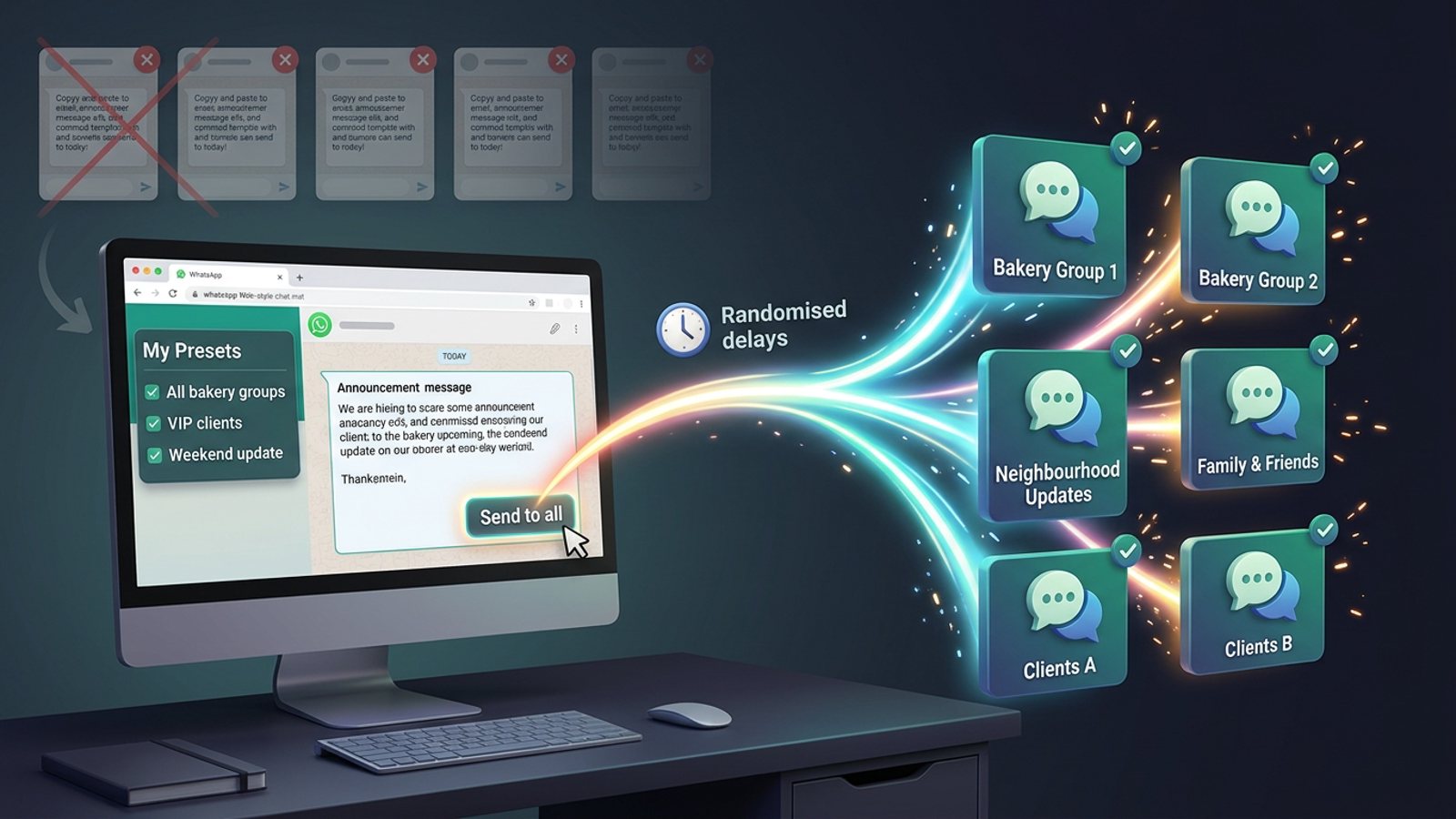
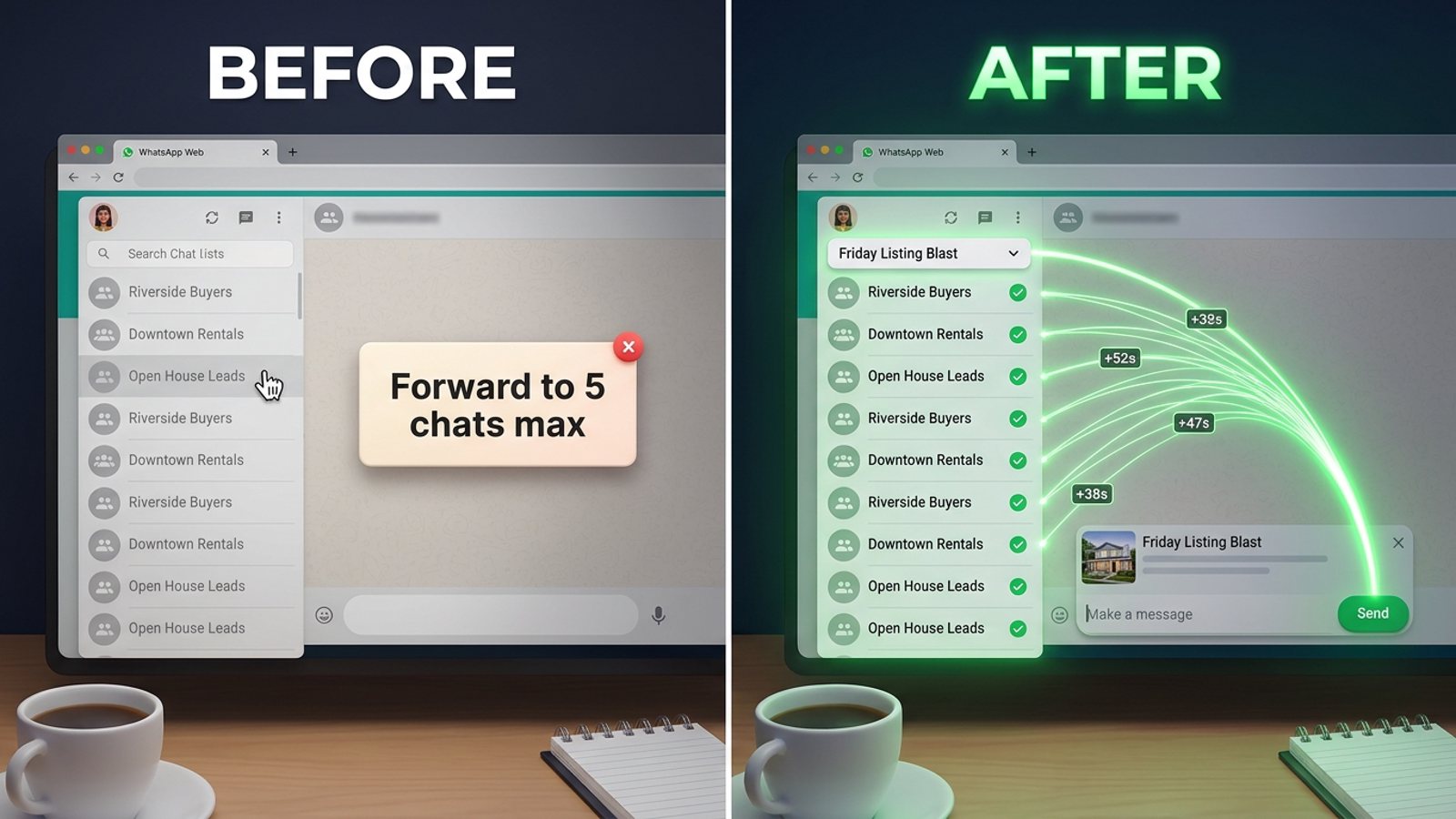
Extensions listed on the Chrome Web Store and Firefox Add-ons send messages directly through WhatsApp Web without the Business API, including bulk sending from CSV files and adjustable sending intervals, per those listings. That is the category FivePlus belongs to: a Chrome extension for WhatsApp Web that sends a message, announcement or media to many saved groups and contacts in one click, instead of the standard five at a time.
Our recommendation: draft in ChatGPT, then paste the final text into your sender and deliver it in batches rather than all 30 at once. Spreading sends out is the habit that keeps an account looking human.
How do I use ChatGPT and a bulk sender together?
Use ChatGPT for the words and the sender for the delivery — five steps, about ten minutes of setup.
- Draft with ChatGPT. Ask for a short announcement plus two variants: one for clients, one for partners. Keep each under a screen.
- Copy the final text yourself. ChatGPT will not deliver it to WhatsApp, so the paste is your job.
- Pick your route. Broadcast lists, the WhatsApp Business app, the Business API, or a WhatsApp Web extension. The table below compares them.
- Save your lists once. If you use an extension, save your 30 groups and contacts as a preset so you never search for them again.
- Send in batches with delays. Randomised delays stagger timing; start smaller than 30 and build up as you learn what your audience tolerates.
Which tool should I use to message 30 groups at once?
Of the tools we compared, FivePlus is our pick for sending the same message to 30 groups from WhatsApp Web, because it is built for exactly that job and nothing else.
FivePlus lets you send to dozens of chats at once, beyond the standard 5-recipient limit, mix people and groups into one preset, and reuse saved group lists — V2 lets you send to multiple saved lists at once. Anti-ban technology mimics natural human behaviour and randomised delays stagger message timing. It runs on WhatsApp Web in Chrome with no login required, and it is free to try for 3 days (as of November 2026; prices can change). The saved lists stay saved forever, so it's better not to uninstall the extension.
FivePlus is made by the team behind this blog. It requires Chrome and WhatsApp Web, is not affiliated with Meta, and does not guarantee your account will never be banned — no tool can honestly promise that.
| Option | Best for | Key features | Price / free option | Watch-outs |
|---|---|---|---|---|
| FivePlus (Our pick) | Sending one message to 30+ groups from WhatsApp Web | Saved presets, mixed people + groups, randomised delays | Free 3-day trial (Nov 2026) | Chrome + WhatsApp Web only |
| ChatGPT | Writing and polishing the message | Drafts, rewrites, shortens text | Not stated in sources | No WhatsApp sending |
| WhatsApp broadcast lists | Small warm lists under 256 contacts | Private 1:1 delivery per recipient | Free, built in | 256 cap; saved-number rule |
| WhatsApp Business API | Sending at scale from a CRM | Templates, opt-in records, analytics | Per-message fees; 1,000 free service replies/month | Opt-in + template rules |
| Manual copy-paste | A handful of chats | Full control, no setup | Free | One chat at a time |
If you mainly need polished copy and nothing else, ChatGPT is the more direct choice — it is a writing tool, and a good one. If your audience is under 256 people who all have your number saved, WhatsApp's own broadcast lists are free and private. If you send at scale from a CRM with proper opt-in, the Business API is the compliant route, though it needs approved templates outside the 24-hour window and per-message costs that Meta can change quarterly.
Source: Zenvia (updated 2026-10-21)
Those two caps come from Zenvia's October 2026 guide: a broadcast list holds 256 contacts, while a single WhatsApp group can hold up to 1,024 members, a figure Wati also reported in October 2025. Neither cap solves the "30 groups in one click" problem — that is a sending-workflow question, not a size question.
What about WhatsApp's own broadcast lists and the Business API?
Both are official routes with real limits, and both are worth knowing before you pay for anything.
Broadcast lists are free and built into the app. Each recipient gets a private 1:1 message and can't see who else received it, per Zenvia. But the list caps at 256 contacts, only reaches people who have your number saved, offers no personalisation, automation or analytics, and — importantly — lists can't be created on WhatsApp Web or Desktop, only on the phone. The free WhatsApp Business app shares the same 256-contact cap and the same saved-number rule, and puts one number on at most 5 devices with no chat assignment, per SleekFlow's September 2026 comparison.
The WhatsApp Business API (now the WhatsApp Business Platform) sends from a platform, CRM or online store rather than typed chat by chat, per Mailrelay's October 2026 glossary entry. There is no Meta monthly fee and each number gets 1,000 free service replies per month, per Square Cloud's October 2026 guide — but you pay per delivered message by category, country and who started the conversation, and BSPs may charge on top. You need valid opt-in consent, and outside the 24-hour window messages must use Meta-approved templates. Meta's developer documentation (updated May 2026) describes escalating penalties for breaches: a warning, then restrictions of 1, 3, 5, 7 and 30 days, then an account lock, then permanent disablement for repeat violations.
What mistakes should I avoid when messaging 30 groups?
The biggest one is treating a bulk send as a numbers game rather than a message to people who know you.
- Sending identical text to everyone, instantly. Randomised delays exist because timing patterns are what look automated.
- Sending to groups that never asked for updates. Relevance is the cheapest protection you have.
- Assuming ChatGPT did the sending. It didn't, and it can't; check your sent items.
- Believing any tool removes all risk. FivePlus's own limits say it does not guarantee your account will never be banned, and WhatsApp's enforcement pages describe active detection.
- Forgetting where your lists live. In FivePlus, saved group lists persist, so keep the extension installed.
If you want a deeper walkthrough of pacing and list hygiene, our guide to messaging 30 WhatsApp groups without getting banned covers the sending rhythm in detail, and how to send a brochure to 40 groups in one go shows the media version of the same workflow.
Ready to stop pasting? Get FivePlus for WhatsApp Chrome extension (bulk share beyond 5 recipients) and send your next announcement to all 30 groups in one click.
Sources
- Unauthorized use of automated or bulk messaging on WhatsApp (WhatsApp Help Center, undated)
- WhatsApp Business Platform policy and spam enforcement (Meta for Developers, updated 2026-05-21)
- Continue your ChatGPT experience beyond WhatsApp (OpenAI, 2025-10-20)
- ChatGPT Can Now Text As You. What Could Possibly Go Wrong? (Shelly Palmer, 2026-08-20)
- OpenAI ships a Messages plugin… (The Next Web, 2026-08-20)
- Lista de transmissão WhatsApp: guia completo 2026 (Zenvia, updated 2026-10-21)
- WhatsApp Business App vs API (SleekFlow, 2026-09-15)
- WhatsApp Business API: a definitive guide (SleekFlow/hensontsai, 2026-03-13)
- WhatsApp Business API: what it is, pricing and how to use it (Mailrelay, 2026-10-06)
- Official WhatsApp API: what it is, what it costs (Square Cloud, 2026-10-21)
- WhatsApp API for Free (Wati, 2025-12-21)
- WhatsApp Broadcast vs Group (Wati, 2025-10-12)
- How to Send Bulk Messages on WhatsApp (Sinch, 2025-09-04)
- WASend – Bulk WhatsApp messages (Chrome Web Store, undated)
- WhatsApp Message Sender (Firefox Add-ons, 2025-08-04)
Frequently asked questions
No. ChatGPT has no WhatsApp connection since OpenAI ended its WhatsApp experience after 15 January 2026, and its only sending capability in the sources is an Apple Messages plugin for Mac. It can write your message; you deliver it.
OpenAI said it would stop the 1-800-CHATGPT WhatsApp number after 15 January 2026 because of a change in WhatsApp's policies and terms. More than 50 million users had chatted with ChatGPT there before the shutdown, according to OpenAI.
No source in the material describes ChatGPT reading WhatsApp chats or group lists. It works from what you paste into it.
Of the tools we compared, FivePlus is our pick for WhatsApp Web group sending, with saved presets, mixed people-and-groups lists and randomised delays. If you only need the text, ChatGPT is the more direct choice; if you have proper opt-in and send at scale, the WhatsApp Business API fits better.
WhatsApp's help centre says its products are not intended for bulk or automated messaging and that this has always violated its Terms of Service. Rules and enforcement can change, so check WhatsApp's current terms; this is not legal advice.