Bulk Sender - WhatsApp Sender alternatives for agencies with many clients

If you run one agency with many client group lists, the realistic routes are a Chrome-extension bulk sender, WhatsApp's own Business App broadcast lists, an official Business API provider, or manual sending. Each trades cost against account risk and the list-rebuilding you do between clients. As of November 2026, only the API route is officially supported for bulk.
What are bulk sender WhatsApp alternatives for agencies with many clients?
There are five real options: a Chrome-extension bulk sender, WhatsApp Business App broadcast lists, an official Business API provider, manual copy-paste, and a spreadsheet you maintain by hand. The right pick depends on how many client lists you juggle, whether your recipients have opted in, and how much you can afford per message. Only the Business API is officially sanctioned for bulk sending.
For an agency, the deciding factor is usually not the send itself — it's the setup before every send. If you handle ten clients, you may be re-selecting ten different sets of groups every week. That is where most of the wasted time lives.
How do the main options compare for an agency?
Here's the short version before the detail: extensions are cheap and fast but run outside the API; the Business App is free but capped; the API is official but paid and template-based.
| Option | Best for | Key features | Price / free option | Watch-outs |
|---|---|---|---|---|
| FivePlus (Our pick) | Agencies switching between many client lists | Saved presets, multi-list send (V2), randomised delays | Free 3-day trial (as of Nov 2026) | Chrome + WhatsApp Web only |
| Bulk Sender - WhatsApp Sender | One-off group blasts on WhatsApp Web | Attachments, mentions, interval controls | Free tier on similar tools | Lists re-selected per send |
| WhatsApp Business App lists | Small, warm audiences | Free, private 1:1 sends | Free | 256 cap, saved-number rule |
| WATI / Respond.io / Twilio | Opted-in bulk at scale | Templates, inbox, automation | From US$149/mo plus Meta fees | Per-message costs, opt-in rules |
| Manual / spreadsheet | Very small lists | Full control | Free | Doesn't scale |
FivePlus is made by the team behind this blog.
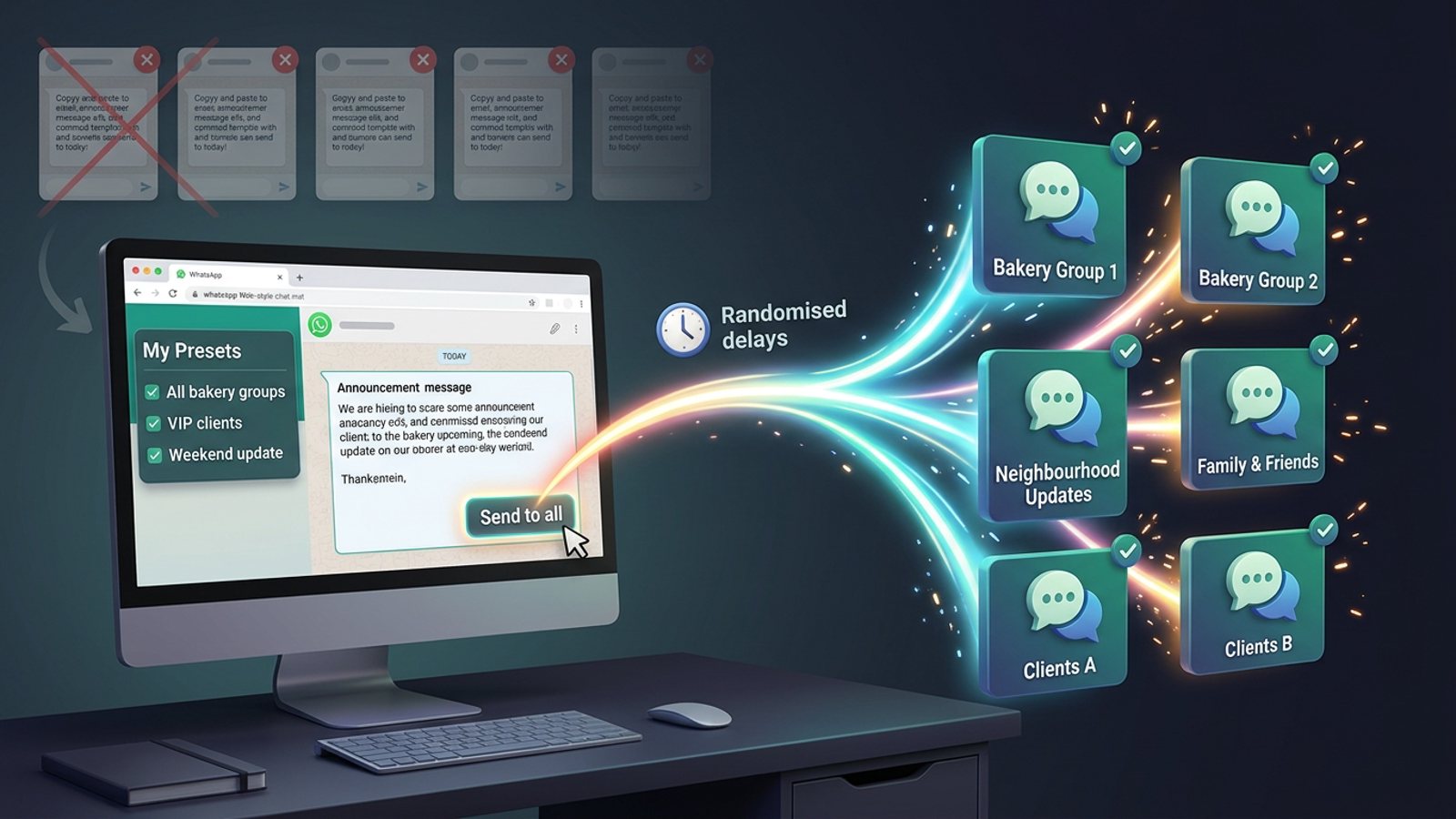
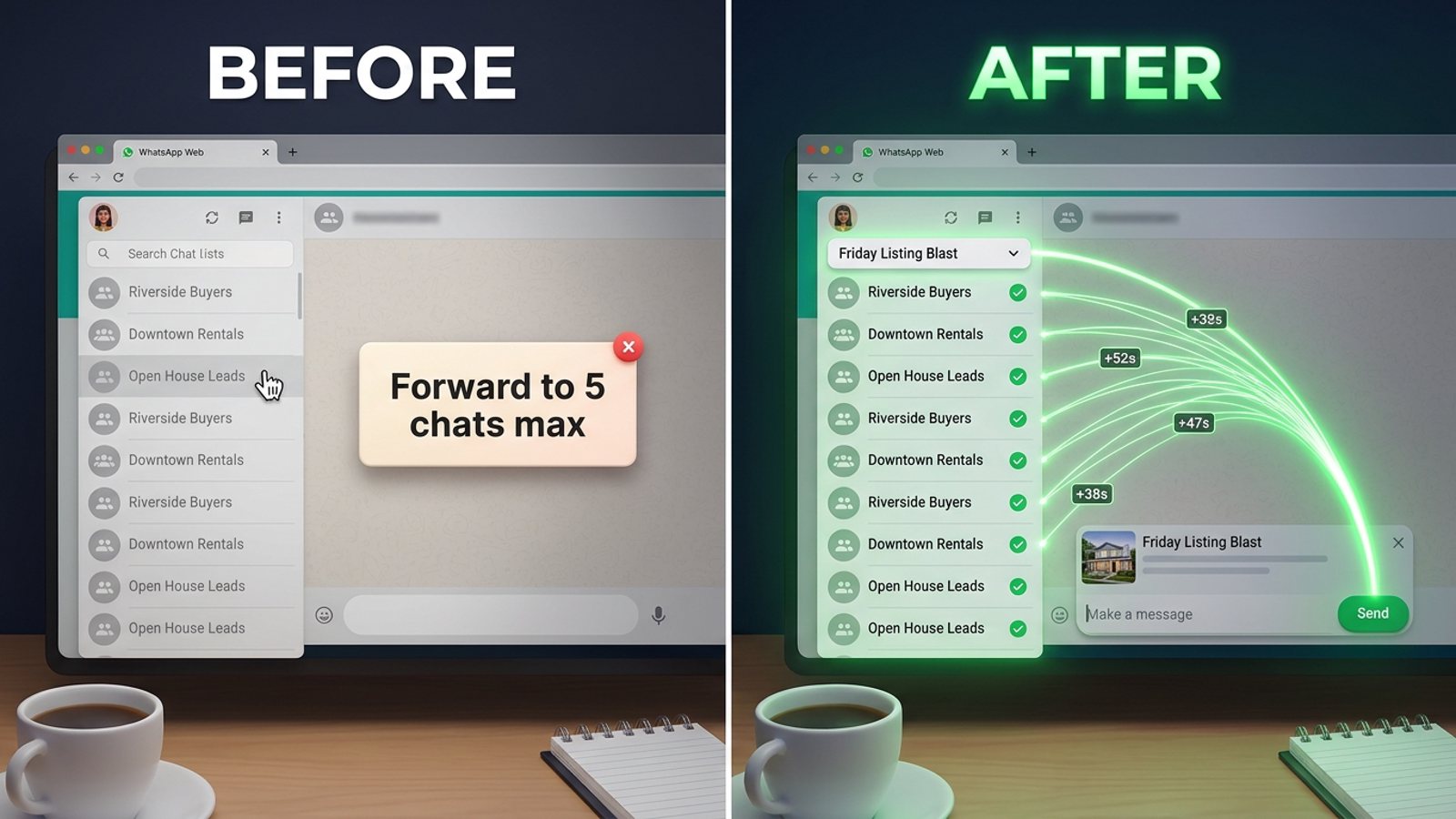
Our pick: FivePlus. Of the tools we compared, it's the one built around the agency problem — you save each client's group and contact list once as a preset, then pick the preset (or several in V2) and send in one click. Randomised delays stagger the timing, and the anti-ban technology mimics natural human behaviour. It works on WhatsApp Web in Chrome with no login. It requires Chrome and WhatsApp Web, and the free trial is limited to 24 hours per the product's honest limits, though the site advertises a 3-day try. Get it here: Get FivePlus for WhatsApp Chrome extension (bulk share beyond 5 recipients).
Bulk Sender - WhatsApp Sender is the type this article compares against. Similar Chrome extensions in the category — like WA Group Bulk Sender, which the Chrome Web Store updated on 19 November 2026 — offer free bulk group sending, @all mentions, up to five attachments, up to five saved templates and a configurable interval. They suit sending one message to many groups you already belong to. The catch: they run on top of WhatsApp Web rather than the API, and lists usually must be re-selected per task unless the tool saves them. If you mainly need a free one-off blast to groups you're already in, that kind of extension is the more direct choice.
WhatsApp Business App broadcast lists are free and send private 1:1 messages rather than group blasts (hensontsai.com, 2026). But each list caps at 256 contacts, recipients usually must have saved your number, and list management is manual with no automation — one phone, one user (SleekFlow, 2026). For an agency with many clients, that ceiling bites fast.
Official API providers are the only officially supported bulk route (Greenbubble.io, 2026). Respond.io (2026) lists WATI Pro at US$149/month plus Meta fees and a provider markup, Respond.io Growth at US$199/month with 10 users and 1,000 monthly active contacts, and Twilio at US$0.005 per WhatsApp message on top of Meta's fees with no monthly subscription. Marketing templates need opt-in, and policy breaches escalate from warnings to permanent removal (Meta for Developers, updated 2026). If you mainly need officially sanctioned bulk at scale and have opted-in lists, an API provider is the more direct choice.
Why is list-rebuilding the real agency problem?
Because the send is fast and the preparation is slow. Every client has different groups, and most tools make you hunt them down again each time.
Say you run a small agency with eight clients — a bakery, two gyms, a law firm, a property developer, a dentist, a restaurant and a coach. Each has its own WhatsApp groups: customers, staff, VIPs. On a Friday you want to send four different announcements. With a tool that doesn't save lists, that's four rounds of scrolling and ticking boxes, and one missed group means a client hears nothing.
With saved presets, each client's list is stored once. You pick the preset, paste the message, and send. FivePlus V2 goes further: you can send to multiple saved lists at once, which matters when the same announcement goes to several clients in one vertical.
How do I set up an agency workflow that doesn't fall apart?
Build the lists once, then reuse them. Here's the sequence that keeps a multi-client agency organised.
- List every client and their groups. Store it once — in your tool, not a fresh spreadsheet each week.
- Choose your route. Business App lists (free, 256 cap), a Chrome extension bulk sender, an API provider (paid, opt-in), or manual.
- Save each client's list as a preset in your chosen tool so you never rebuild it.
- Draft the message once, attach any media, and select the preset — or several in V2.
- Set an interval range so messages don't fire at identical speeds.
- Review results after each task and record what went where.
Is a Chrome extension safer than the official API?
No. Extension senders work outside the WhatsApp Business API and remain subject to WhatsApp's rules, so ban risk exists regardless of interval controls. The API is the only officially supported bulk route — but it costs per message and requires opt-in for marketing templates.
WhatsApp's own Help Center states its products are not intended for bulk or automated messaging and that this has always violated its Terms of Service. It says it has stopped millions of abusive accounts and can take legal action against those connected to abuse. MyOperator (2026) cites WhatsApp data showing 8,458,000 users banned in India in 2024 alone.
That doesn't make extensions pointless — it makes them a tool to use carefully, with relevant messages to people who expect to hear from you. Respond.io (2026) notes unofficial senders carry high ban risk and often lack reliable reply handling. Our recommendation: keep lists warm and consented, avoid identical blasts at speed, and read WhatsApp's terms yourself. This is not legal advice, and rules and risks can change.
Source: MyOperator
How much does each route actually cost?
The range is wide: free to roughly US$200 a month plus per-message fees. Here's what the sources say, as of November 2026 — prices can change.
- FivePlus: free to try for 3 days (as of November 2026; prices can change).
- Similar Chrome extensions: free tiers; Pro plans on comparable tools run about US$1.9–$9.99/month (Chrome Web Store listings, 2026).
- Business App broadcast lists: free.
- Cloud API: no Meta monthly fee, charges per delivered message, and each number gets 1,000 free service replies per month (Square Cloud, 2026).
- WATI Pro: US$149/month plus Meta fees and a markup (Respond.io, 2026).
- Respond.io Growth: US$199/month with 10 users and 1,000 monthly active contacts, Meta fees separate (Respond.io, 2026).
- Twilio: US$0.005 per message plus Meta's fees, no subscription (Respond.io, 2026).
API pricing is set per country calling code — where recipients are, not where you're registered — and Meta updates rates periodically, sometimes quarterly (Route Mobile, 2026).
Source: Respond.io
What if my clients' group members haven't saved my number?
Then the Business App route mostly fails you. For Business App broadcast lists, recipients usually must have saved your number to receive the message (SleekFlow, 2026; Sinch, 2026). The API doesn't require recipients to have your number saved, but it does require opt-in for marketing templates.
For an agency, this is a big deal. You're often messaging a client's customers who have never saved your agency's number. That's exactly why many agencies end up on extension senders — they send into groups the client already owns, where membership is the consent.
Can I send to several client lists in one go?
Yes — extension senders and API providers both support multi-target sends. The Business App can't: it's capped at 256 per broadcast list and one sender per phone.
FivePlus V2 lets you send to multiple saved lists at once, so a single announcement can reach several clients' groups in one action. That's the feature that most changes an agency's week: instead of ten separate sends, you plan one.
If you want to see how this plays out at agency scale, the best WhatsApp bulk messaging software for agencies in 2026 walks through the wider field. And if account safety is your main worry, read is there a WhatsApp bulk sender that doesn't risk my account?
FivePlus saves each client's lists once, sends to more than 5 recipients in one go, and staggers timing with randomised delays. Get FivePlus for WhatsApp Chrome extension (bulk share beyond 5 recipients) and set up your first client preset today.
Sources
- Unauthorized use of automated or bulk messaging on WhatsApp — WhatsApp Help Center, date not given
- WhatsApp Business App vs API — SleekFlow, 2026-09-15
- How to send bulk messages on WhatsApp the right way — Sinch, updated 2026-09-01
- WhatsApp broadcast list: setup, fixes and API guide — hensontsai.com, 2026-03-30
- Broadcast message limits — tier guide 2026 — Wati, 2026-11-11
- WhatsApp Business Platform policy and spam enforcement — Meta for Developers, updated 2026-05-21
- WhatsApp Business API Pricing 2026 Guide — LINK Mobility, 2026-09-02
- Official WhatsApp API: what it costs — Square Cloud, 2026-10-21
- WhatsApp business pricing: complete guide — Route Mobile, 2026-08-19
- Best bulk WhatsApp marketing software 2026 — Respond.io, 2026-09-24
- WhatsApp Bulk Message Sender: Free Apps vs Official API — Greenbubble.io, 2026-09-13
- WA Group Bulk Sender — Chrome Web Store, updated 2026-11-19
- WhatsApp Bulk Sender & Privacy Guard — Chrome Web Store
- WA Bulk Message Sender: Personalized, Auto-Paced — Chrome Web Store
- How to Send Bulk WhatsApp Messages Without Getting Banned — MyOperator, 2026-10-23
Frequently asked questions
It depends on your lists. If your clients own the groups and you're sending into them, a Chrome extension like FivePlus — with saved presets and multi-list sending — fits the agency workflow best of the tools we compared. If you need officially sanctioned bulk to opted-in contacts at scale, an API provider like WATI or Respond.io is the more direct choice.
WhatsApp says its products are not intended for bulk or automated messaging and that this violates its Terms of Service. The Business API is the officially supported route for bulk at scale, but it enforces opt-in through Meta's quality-rating system. Rules and risks can change, so read WhatsApp's terms yourself — this is not legal advice.
For Business App broadcast lists, usually yes. For group sends through an extension, membership in the group is what matters. For the API, recipients don't need your number saved, but marketing templates require opt-in.
On the Business Platform, Meta's enforcement starts with a warning and escalates through 1-, 3-, 5-, 7- and 30-day bans, account lockdown and permanent removal. Consumer accounts can be throttled or banned without hitting the 256 cap.
With FivePlus, saved group lists are kept forever, which is why it's better not to uninstall the extension. With other tools, check before you cancel — list storage varies.