How do I write a WhatsApp promo message people actually read?

To write a WhatsApp promo message people actually read, open with the result the reader wants, make one offer, ask for one action and give a clear deadline. Keep lines short, format lightly and send it only where promos are welcome. The six whatsapp promo message examples below show the pattern.
Key takeaways
- Start with the outcome your reader wants, not your product name.
- One offer, one action, one deadline per message.
- Short lines and light formatting make a message easy to scan on a phone.
- Use emoji as seasoning, and keep a real deadline real.
- Send only to groups and contacts who want your messages.
What makes a WhatsApp promo message get read?
A promo gets read when the first line speaks to something the reader wants. In our experience a chat preview shows only the first words, so we suggest treating that opening line as your headline.
Compare two openers:
- "Our new studio package is now available."
- "Get your Sunday back: book a deep clean before Thursday."
The second one is about the reader's life. The first is about you. This is our suggestion, not a platform rule, but it is the idea behind every example in this article.
The five-part pattern
- Outcome: what the reader gets or avoids.
- Offer: one thing, with the key detail (price, place, time).
- Action: one step, such as "Reply YES" or "Tap the link".
- Deadline: the real date or time the offer ends.
- Sign-off: your name or business, so people know who is talking.
If you find yourself adding a second offer or a second link, cut it. A reader who has to choose often chooses nothing (our suggestion).
How should I format a WhatsApp promo message?
Use WhatsApp's own text formatting to make the one important line stand out, and keep everything else plain. WhatsApp's Help Center has a page on formatting your messages; menus and shortcuts can change, so check it for the current options for bold, italic and strikethrough.
According to MacRumors, February 2024, a WhatsApp update released on 21 February 2024 added more formats:
- Bulleted list: start a line with a dash and a space.
- Numbered list: start a line with a number, a period and a space.
- Block quote: start a line with the > symbol and a space.
- Inline code: wrap text in backticks.
The same article says bold, italic, strikethrough and monospace already existed.
Our suggestions for using these:
- Bold only the offer or the deadline, not whole paragraphs.
- Use a short bulleted list when you have three or four details, such as time, place and what to bring.
- Leave a blank line between the hook, the details and the action.
- Read the message on your phone before sending. If it fills the screen, trim it.
How many emoji and how much urgency is too much?
Keep emoji to one or two and put them where they help the eye, such as at the start of a detail line. A wall of emoji and capital letters looks like spam (our suggestion).
Urgency works only when it is true. The WhatsApp Business Messaging Policy (page updated September 23, 2026, read November 2026) says: "Do not confuse, deceive, defraud, mislead, spam, or surprise people with your communications." A made-up "last 2 spots" or a deadline you extend every week breaks that spirit as well as people's trust.
Our suggestions:
- Avoid ALL CAPS, repeated exclamation marks and "URGENT" unless it truly is.
- Give a real end date and honour it.
- If stock or places are limited, say the actual number.
- If you offer a discount, state what it is off.
Consumer-protection rules on advertising differ by country. This is not legal advice; check the rules where you sell.
What are some WhatsApp promo message examples?
Here are six examples for different businesses. They are our examples, written to copy and adapt. Swap in your own details.
1. Hair salon
Walk into the weekend with fresh colour 💇♀️
*Book a colour + blow-dry this week and get a free gloss treatment.*
- Valid for bookings made by Thursday 8pm
- Slots left: 6
Reply "COLOUR" and I'll hold your time.
Dana, Studio Dana
2. Restaurant
Skip cooking tonight 🍲

*Family dinner box for 4: soup, main, sides and dessert.*

Order by 4pm today, pick up from 6pm.

Reply "BOX" with your pickup time.

Nina's Kitchen
3. Personal trainer
Be able to climb stairs without puffing by December.

*4-week starter plan, small group, 3 sessions a week.*

- Starts Sunday 15 November
- 8 places

Message me "START" to claim a place before Friday.

Yossi, Fit with Yossi
4. Real estate agent
Find your next home before the school year changes.

*Open house: 3-room garden apartment, Saturday 11am–1pm.*

Photos and address at the link below:
[paste your listing link]

Reply "VISIT" and I'll save you a time.

Maya, Home Search Israel
5. Online shop
Give a gift that arrives on time 🎁

*Free gift wrapping on every order placed by Sunday midnight.*

Shop here: [paste your shop link]

Questions? Reply here and I'll help.

Greenleaf Goods
6. Event organiser
Spend an evening laughing with friends 🎤

*Comedy night, Thursday 19 November, 8pm.*

- Tickets: tap the link
- Doors open 7:30pm

Early-bird tickets close Sunday. Link below 👇

The Events Team
Notice what every example shares: an outcome first, one offer in bold, one way to respond and a date. None of them has a second offer.
Who should I send a promo to?
Send promos only to groups and contacts you belong to and who want your messages. Follow each group's rules and check with the admin if you are unsure whether promos are allowed.
WhatsApp's Business Messaging Policy says opt-in reduces the chance that users block a business over unsolicited messages, and that users can block or report businesses. The WhatsApp Terms of Service (effective date shown January 4, 2021) prohibit "bulk messaging, auto-messaging, auto-dialing" and allow WhatsApp to suspend or terminate access. Our suggestion: never buy contact lists or message strangers.
For more on staying within the rules, see How do I stay within WhatsApp's rules when sharing to many groups? and What does WhatsApp consider spam?.
Consent and marketing rules vary by country. This is not legal advice.
How do I send my finished promo to several groups?
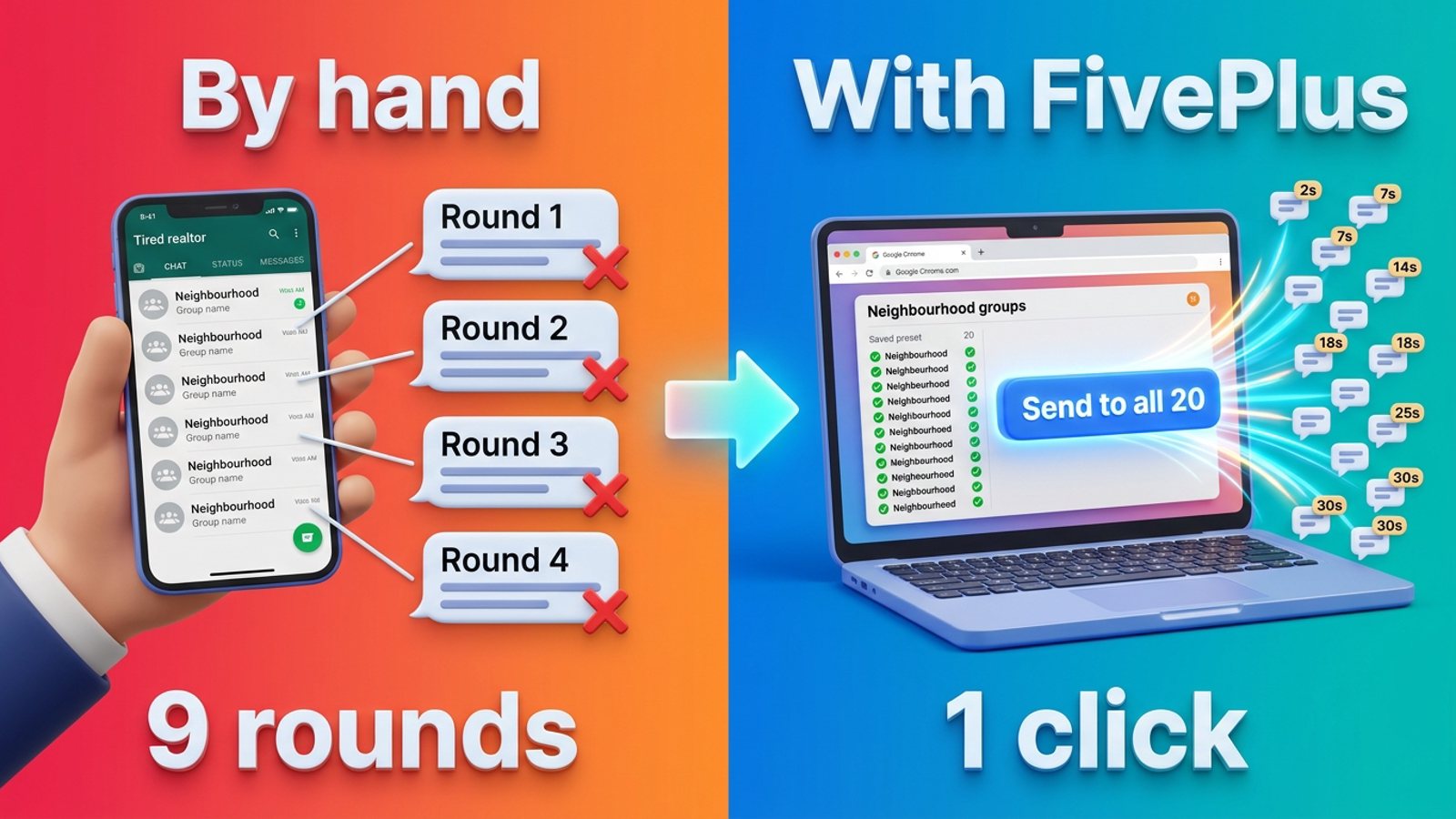
Once the promo is written, the next problem is sending it to every group you belong to. Here are your options.
| Option | Best for | Key features | Price / free option | Watch-outs |
|---|---|---|---|---|
| Forward by hand | A few groups | WhatsApp's own forward screen; per WhatsApp Help, up to five chats at once | Free | Repeat the forward for each batch of five |
| Broadcast list | Contacts who saved your number | Per WhatsApp Help, up to 256 contacts; recipients must have your number saved | Free | Per WhatsApp Help, not supported on Windows, Mac or Web; sends as individual chats, not into groups |
| WhatsApp Business Platform | Opted-in customers at scale | Official route, covered by the Business Messaging Policy | Varies by provider; check before you commit | Ask a provider for current pricing |
| FivePlus (our pick, of the options we compared, for posting one promo to groups you are already in) | Sharing one finished message to many groups and contacts from WhatsApp Web | Saved presets, more than 5 chats per send, mixes groups and contacts, text, images, video, documents | Free 24-hour trial; see current plans | Chrome on a computer only; not an official WhatsApp product |
FivePlus is made by the team behind this blog.
FivePlus is a Chrome extension for WhatsApp Web. You save your groups once as a preset, then forward your promo and pick the preset. FivePlus sends it to each chat in the list with short random pauses between sends. It works with regular WhatsApp and WhatsApp Business accounts through WhatsApp Web. Learn more in How do I save a list of WhatsApp groups and reuse it every time?.
The honest limits:
- It works only in Chrome on a computer with WhatsApp Web, not in the phone app.
- It automates clicks in WhatsApp Web. WhatsApp's terms restrict bulk and automated messaging, and WhatsApp can limit or ban accounts it flags. No tool can guarantee an account won't be restricted.
- WhatsApp Web changes can temporarily break extensions until they are updated.
- It sends from your own account to chats you are already in. It does not find groups or contacts for you.
If you are messaging customers who opted in at scale, the official WhatsApp Business Platform fits better. If you only post to a few groups, forwarding by hand is enough.
Quick checklist before you hit send
- Does the first line say what the reader gets?
- Is there exactly one offer and one action?
- Is the deadline real?
- Is only the key line in bold, with one or two emoji at most?
- Is it free of ALL CAPS and invented scarcity?
- Are you sending only where promos are welcome?
FivePlus is not affiliated with or endorsed by WhatsApp or Meta.
Sources
- WhatsApp Gains New Text Formatting Options in Latest Update (MacRumors, 2024-02-22)
- How to format your messages (WhatsApp Help, undated)
- WhatsApp Business Messaging Policy (WhatsApp, updated 2026-09-23)
- WhatsApp Terms of Service (WhatsApp, effective 2021-01-04)
- Forwarding limits (WhatsApp Help, undated)
- Broadcast lists (WhatsApp Help, undated)
- FivePlus Chrome Web Store listing
Frequently asked questions
Keep it short enough to read on one phone screen without scrolling. Our suggestion: one hook line, two or three detail lines and one action.
Yes. According to MacRumors (February 2024), WhatsApp added bulleted lists, numbered lists, block quotes and inline code, and bold, italic, strikethrough and monospace already existed. Our suggestion: bold only the offer or deadline.
It can be if people did not ask for it. WhatsApp Business Messaging Policy (updated September 2026) says not to mislead, spam or surprise people. Send only where promos are welcome and follow group rules. This is not legal advice.
Of the options we compared, FivePlus fits posting one finished promo to groups you are already in from WhatsApp Web on a computer. For opted-in customers at scale, the WhatsApp Business Platform fits better, and for a few groups forwarding by hand is enough. No tool can guarantee an account will not be restricted.